https://github.com/kubeservice-stack/lxcfs-webhook
Deploy FUSE filesystem for LXC
https://github.com/kubeservice-stack/lxcfs-webhook
Last synced: 4 months ago
JSON representation
Deploy FUSE filesystem for LXC
- Host: GitHub
- URL: https://github.com/kubeservice-stack/lxcfs-webhook
- Owner: kubeservice-stack
- License: apache-2.0
- Created: 2022-12-29T09:06:27.000Z (over 3 years ago)
- Default Branch: main
- Last Pushed: 2026-03-04T11:54:22.000Z (4 months ago)
- Last Synced: 2026-03-04T17:42:36.724Z (4 months ago)
- Language: Go
- Size: 8.56 MB
- Stars: 12
- Watchers: 3
- Forks: 1
- Open Issues: 5
-
Metadata Files:
- Readme: README.md
- License: LICENSE
- Notice: NOTICE
Awesome Lists containing this project
README
# lxcfs-webhook
[](https://github.com/kubeservice-stack/lxcfs-webhook/actions/workflows/lxcfs.yml)
[](https://opensource.org/licenses/Apache-2.0)
[](https://app.fossa.com/projects/git%2Bgithub.com%2Fkubeservice-stack%2Flxcfs-webhook?ref=badge_shield)

[](https://github.com/kubeservice-stack/lxcfs-webhook)
[](https://goreportcard.com/report/github.com/kubeservice-stack/lxcfs-webhook)
[](https://pkg.go.dev/github.com/kubeservice-stack/lxcfs-webhook)
Automatically deploy LXCFS while mounted to the container
## 设计
[https://kubeservice.cn/2021/04/27/k8s-lxcfs-overview/](https://kubeservice.cn/2021/04/27/k8s-lxcfs-overview/)
## 动机
Pod 容器内资源可见性:让Pod的资源视角真实、准确
❓**是否有个发现:`Pod`中限定了`CPU`、`MEM`等资源大小,然而登入的`POD`中查询资源,却还是`Node`总的资源大小?**
对于**业务上云**, java(识别`内存资源`开辟`堆`大小)、golang(识别`CPU个数`开启`runtime线程个数`) 等语言,在`OOM`、`GC`方面的问题,有时常发生的原因
利用lxcfs将`容器`中读取出来的`CPU`、`MEM`、`disk`、`swaps`的信息是宿主机的信息,与容器实际分配和限制的资源量相同。 解决低层通过`os.syscall`获得的资源信息一致
## 依赖
* Kubernetes: >= `1.16.0`
* cert-manager (v1.2+) is installed.
* helm v3 is installed.
* glibc 2.28+
## 部署
1. 创建webhook证书
```bash
kubectl apply -f ./hack/deployment/certs/ .
```
2. 创建lxcfs daemonset.yaml
```bash
kubectl apply -f ./hack/deployment/lxcfs/ .
```
3. 创建webhook
```bash
kubectl apply -f ./hack/deployment/webhook/ .
```
## 使用
### 设置
对需要`namespaces` 添加 webhook label
```bash
kubectl label namespace default lxcfs-admission-webhook=enabled
```
### 验证
```bash
kubectl apply -f ./hack/examples/httpd-test.yaml
```
### 问题一
在高版本centos中:
```
error while loading shared libraries: libtinfo.so.5: cannot open shared object file: No such file or directory
```
解决方式:
```
sudo ln -s /usr/lib64/libtinfo.so.6.1 /usr/lib64/libtinfo.so.5
```
### 问题二
[Kubernetes LXCFS故障恢复后,对现有Pod 进行 remount 操作](https://kubeservice.cn/2022/04/13/k8s-lxcfs-remount/)
### 问题三
Node节点的glibc支持的GLIBC版本问题,要求支持`GLIBC_2.23`以上
| lxcfs | GLIBC version | |
| ----- | ------------- | ------------- |
| [v4.0.12-ubuntu16.04](https://hub.docker.com/r/dongjiang1989/lxcfs/tags) | GLIBC_2.23 | - |
| [v4.0.12-centos](https://github.com/kubeservice-stack/lxcfs-webhook/pkgs/container/lxcfs) | GLIBC_2.17 | - |
| [v6.0.3-ubuntu20.04](https://hub.docker.com/r/dongjiang1989/lxcfs/tags) | GLIBC_2.31 | 支持fuse3 or fuse2.9.9+|
```
$ strings /lib64/libc.so.6 | grep GLIBC_
GLIBC_2.16
GLIBC_2.17
GLIBC_2.18
GLIBC_2.22
GLIBC_2.23
GLIBC_2.24
GLIBC_2.25
GLIBC_2.26
GLIBC_2.27
GLIBC_2.28
GLIBC_2.29
GLIBC_2.30
GLIBC_PRIVATE
```
PS: 如果glibc支持的版本只能到2.17, 请使用旧版本镜像
```
$ docker pull ghcr.io/kubeservice-stack/lxcfs:v4.0.12
$ docker pull ghcr.io/kubeservice-stack/lxcfs-webhook:latest
```
### 问题四
remount inode需要业务容器中包含: `which` 和 `mount` 工具
## License
[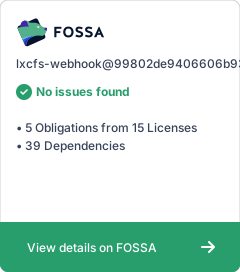](https://app.fossa.com/projects/git%2Bgithub.com%2Fkubeservice-stack%2Flxcfs-webhook?ref=badge_large)