https://github.com/kunzisoft/androidclearchroma
A material color picker for Android
https://github.com/kunzisoft/androidclearchroma
android color picker preferences
Last synced: about 1 year ago
JSON representation
A material color picker for Android
- Host: GitHub
- URL: https://github.com/kunzisoft/androidclearchroma
- Owner: Kunzisoft
- Created: 2016-09-12T10:43:46.000Z (almost 10 years ago)
- Default Branch: master
- Last Pushed: 2022-01-14T16:49:20.000Z (over 4 years ago)
- Last Synced: 2025-04-12T12:18:15.076Z (about 1 year ago)
- Topics: android, color, picker, preferences
- Language: Java
- Homepage:
- Size: 3.5 MB
- Stars: 46
- Watchers: 6
- Forks: 11
- Open Issues: 0
-
Metadata Files:
- Readme: README.md
Awesome Lists containing this project
README
[](https://jitpack.io/#Kunzisoft/AndroidClearChroma)
# AndroidClearChroma
 A customisable material color picker view for Android.
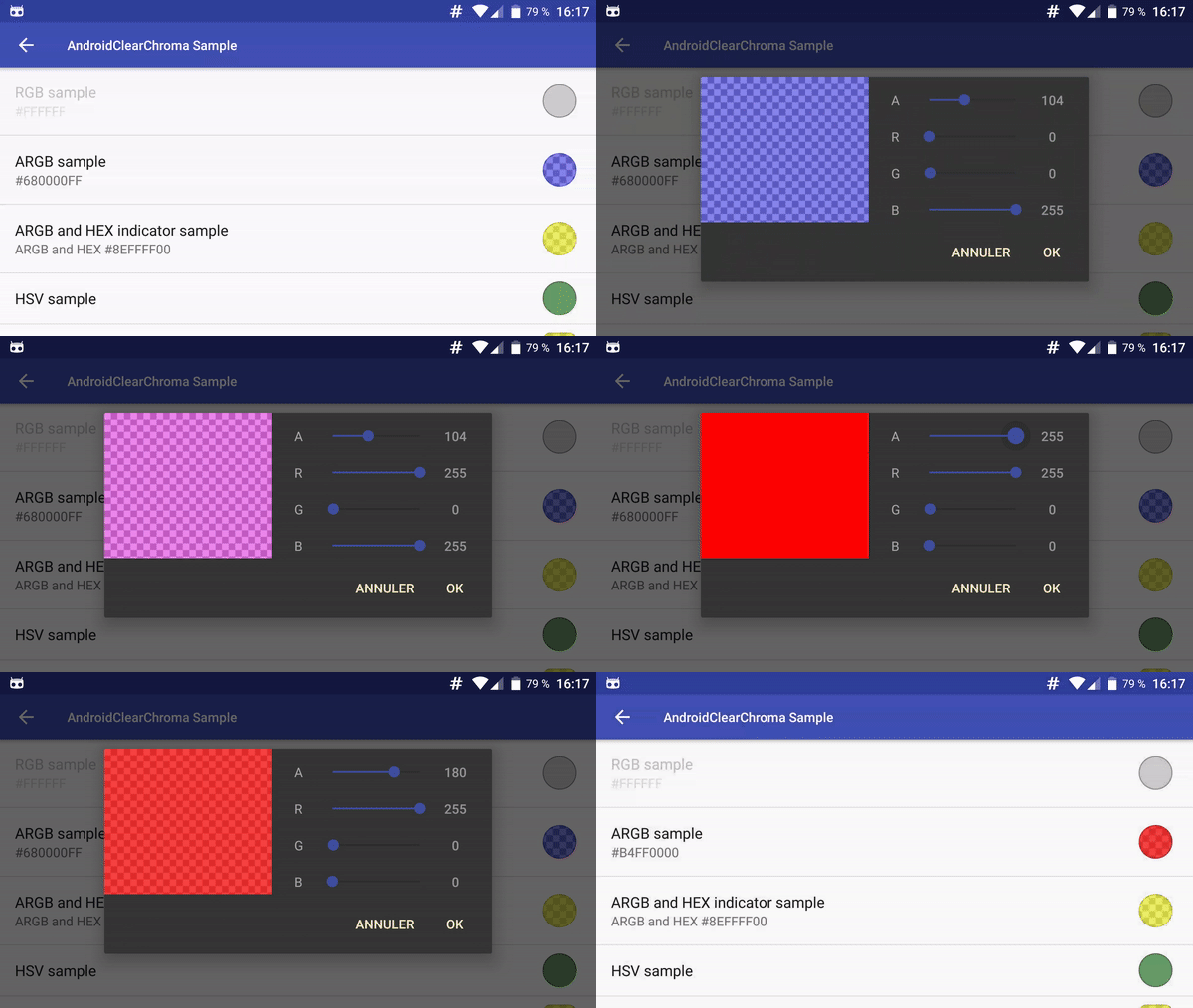
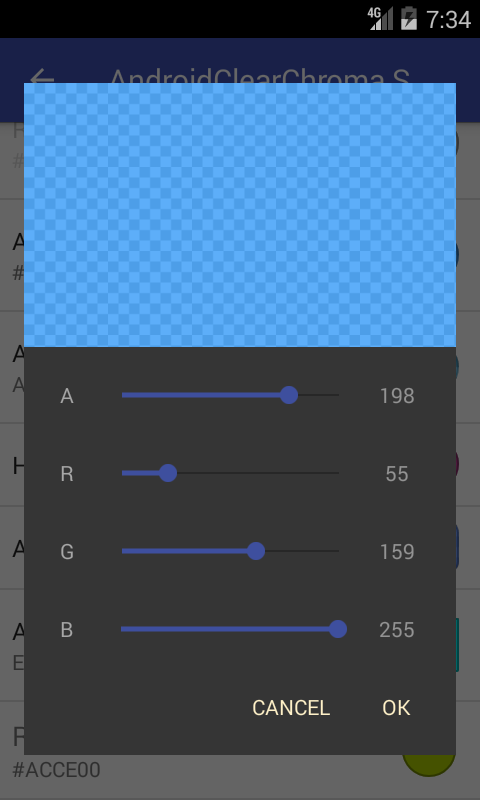
- supports RGB, ARGB, HSV, HSL, CMYK, CMYK255 color modes (with alpha preview)
- can indicate current color in either DECIMAL or HEXADECIMAL mode
- can be used as Dialog, Fragment or as Preference.
- can select custom shape for preview color in preference
- add color as part of summary string
## Contribution
You can contribute in different ways to help.
* Add features by a **[pull request](https://help.github.com/articles/about-pull-requests/)**.
* **[Donate](https://www.kunzisoft.com/donation)** (。◕‿◕。) will be used to create free and open source applications.
## Installation
Add the JitPack repository in your build.gradle at the end of repositories:
```
allprojects {
repositories {
...
maven { url "https://jitpack.io" }
}
}
```
And add the dependency
[](https://jitpack.io/#Kunzisoft/AndroidClearChroma)
*replacing ${version} with the version number in jitpack*
```
dependencies {
implementation 'com.github.Kunzisoft:AndroidClearChroma:${version}'
}
```
AndroidClearChroma uses AndroidX as compat library.
## Usage
### ChromaColorView
To display a color view in a layout
``` xml
```
#### Attributes
* `chroma:chromaInitialColor` default color
* `chroma:chromaColorMode` RGB, ARGB, HSV, HSL, CMYK or CMYK255
* `chroma:chromaIndicatorMode` HEX or DECIMAL
See [ViewColorActivity.java](https://github.com/Kunzisoft/AndroidClearChroma/blob/master/sample/src/main/java/com/kunzisoft/androidclearchroma/sample/ViewColorActivity.java) for complete sample.
### ChromaDialog
To display a color picker `DialogFragment` from your Activity:
``` java
new ChromaDialog.Builder()
.initialColor(Color.GREEN)
.colorMode(ColorMode.ARGB) // RGB, ARGB, HVS, CMYK, CMYK255, HSL
.indicatorMode(IndicatorMode.HEX) //HEX or DECIMAL; Note that (HSV || HSL || CMYK) && IndicatorMode.HEX is a bad idea
.create()
.show(getSupportFragmentManager(), "ChromaDialog");
```
To display a color picker `DialogFragment` from your Fragment:
``` java
new ChromaDialog.Builder()
.initialColor(Color.GREEN)
.colorMode(ColorMode.ARGB) // RGB, ARGB, HVS, CMYK, CMYK255, HSL
.indicatorMode(IndicatorMode.HEX) //HEX or DECIMAL; Note that (HSV || HSL || CMYK) && IndicatorMode.HEX is a bad idea
.create()
.show(getChildFragmentManager(), "ChromaDialog");
```
### Fragment
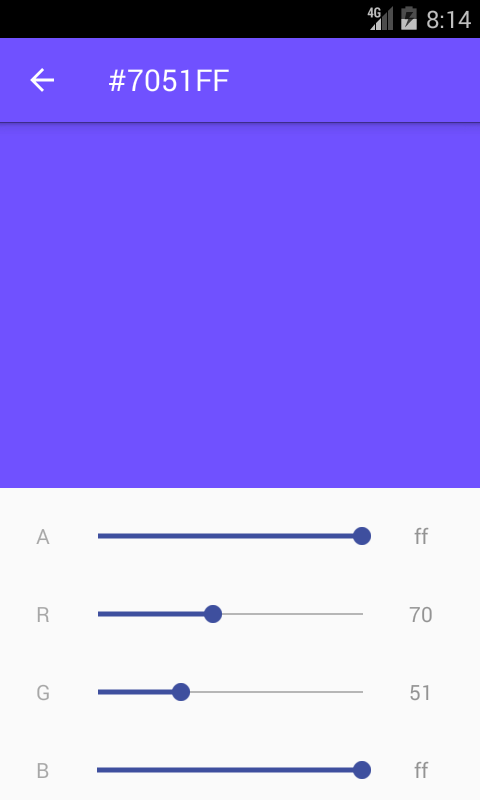
Simply call it in XML layout with :
```
```
Unfortunately, you can't customize a fragment in XML. You must initialize the fragment programmatically and use the FragmentManager to add it to your layouts.
Example :
```java
ChromaColorFragment chromaColorFragment = ChromaColorFragment.newInstance(Color.BLUE, ColorMode.ARGB, IndicatorMode.HEX);
getSupportFragmentManager()
.beginTransaction()
.replace(R.id.container_color_fragment, chromaColorFragment, TAG_COLOR_FRAGMENT)
.commit();
```
See [FragmentColorActivity.java](https://github.com/Kunzisoft/AndroidClearChroma/blob/master/sample/src/main/java/com/kunzisoft/androidclearchroma/sample/FragmentColorActivity.java) for complete sample.
### Listeners
Your parent Activity or Fragment must implement the listener interfaces.
#### OnColorSelectedListener
*OnColorSelectedListener* contains two methods :
`void onPositiveButtonClick(@ColorInt int color)`called when positiveButton is clicked and
`void onNegativeButtonClick(@ColorInt int color)` called when negativeButton is clicked.
#### OnColorChangedListener
*OnColorChangedListener* contains method
`void onColorChanged(@ColorInt int color)` called when color is changed in view.
See [MainActivity.java](https://github.com/Kunzisoft/AndroidClearChroma/blob/master/sample/src/main/java/com/kunzisoft/androidclearchroma/sample/MainActivity.java) for complete sample of ChromaDialog
## Style
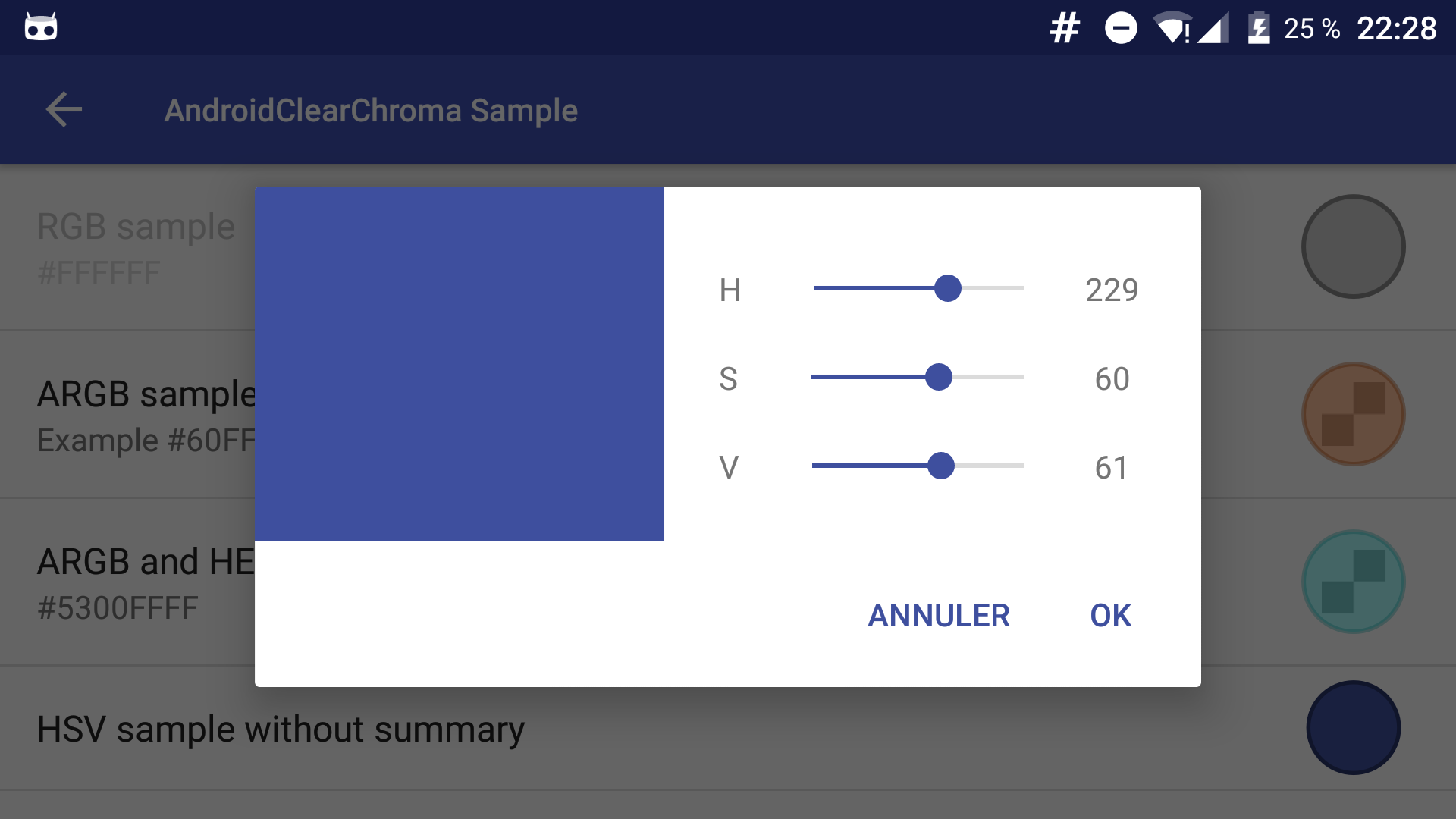
AndroidClearChroma uses the DialogFragment style of your app.
### Preference
You must add a `preferenceTheme` node in your activity :
```
<item name="preferenceTheme">@style/PreferenceThemeOverlay.v14.Material</item>
```
or (for API < 14)
```
<item name="preferenceTheme">@style/PreferenceThemeOverlay</item>
```
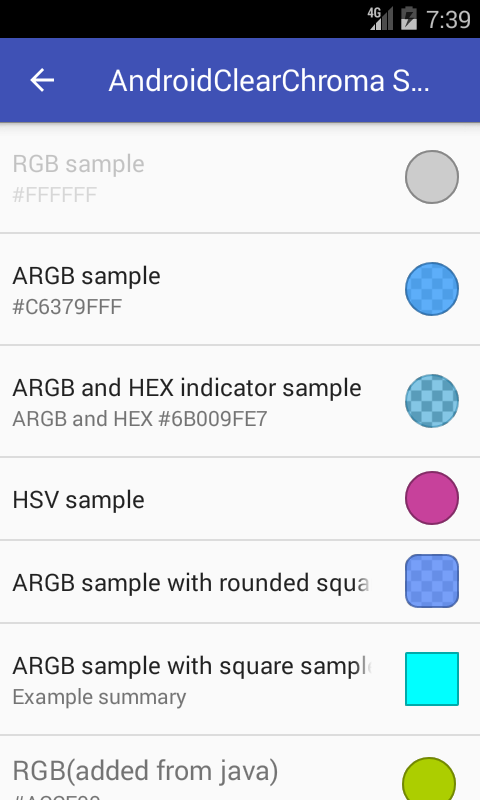
**A.** Add Preference to your *.xml preference layout:
``` xml
```
#### Attributes
* Add [color] in `summary` to show current color as string
* `chroma:chromaInitialColor` default color
* `chroma:chromaColorMode` RGB, ARGB, HSV, HSL, CMYK or CMYK255
* `chroma:chromaIndicatorMode` HEX or DECIMAL
* `chroma:chromaShapePreview` CIRCLE, SQUARE or ROUNDED_SQUARE
**B.** Or you can add preferences dynamically from the code:
```java
ChromaPreferenceCompat pref = new ChromaPreferenceCompat(getContext());
pref.setTitle("RGB(added from java)");
pref.setSummary("Summary ...");
pref.setColorMode(ColorMode.RGB);
pref.setIndicatorMode(IndicatorMode.HEX);
pref.setKey("any_key_you_need");
getPreferenceScreen().addPreference(pref);
```
Use `ChromaPreferenceFragmentCompat` as a superclass for managing fragments in Preferences.
```
public class ColorPreferenceFragmentCompat extends ChromaPreferenceFragmentCompat {
@Override
public void onCreatePreferences(Bundle bundle, String s) {
addPreferencesFromResource(R.xml.prefs); // load your ChromaPreferenceCompat prefs from xml
}
}
```
Then get the color from the preference.
```
SharedPreferences preferences = PreferenceManager.getDefaultSharedPreferences(context);
@ColorRes int color = preferences.getInt("chroma_preference_key", ContextCompat.getColor(context, R.color.colorPrimary));
```
## Bonus
Method for formatted output of a given color:
```java
ChromaUtil.getFormattedColorString(int color, boolean showAlpha);
```
[Video](https://www.youtube.com/watch?v=zskKV6ifRfw) for create the sample icon (in French)
This project is a fork of [VintageChroma by Pavel Sikun](https://github.com/MrBIMC/VintageChroma).
## License
Copyright 2019 JAMET Jeremy.
Licensed under the Apache License, Version 2.0 (the "License");
you may not use this file except in compliance with the License.
You may obtain a copy of the License at
http://www.apache.org/licenses/LICENSE-2.0
Unless required by applicable law or agreed to in writing, software
distributed under the License is distributed on an "AS IS" BASIS,
WITHOUT WARRANTIES OR CONDITIONS OF ANY KIND, either express or implied.
See the License for the specific language governing permissions and
limitations under the License.