https://github.com/kurema/forkedletmesee
EPWING dictionary server (CGI / Docker)
https://github.com/kurema/forkedletmesee
cgi cgi-script dictionary-application dictionary-service dictionary-software docker epwing
Last synced: 3 months ago
JSON representation
EPWING dictionary server (CGI / Docker)
- Host: GitHub
- URL: https://github.com/kurema/forkedletmesee
- Owner: kurema
- License: gpl-2.0
- Created: 2017-07-11T13:30:16.000Z (about 9 years ago)
- Default Branch: master
- Last Pushed: 2020-12-28T09:29:54.000Z (over 5 years ago)
- Last Synced: 2025-10-07T09:53:28.456Z (9 months ago)
- Topics: cgi, cgi-script, dictionary-application, dictionary-service, dictionary-software, docker, epwing
- Language: Ruby
- Homepage:
- Size: 141 KB
- Stars: 4
- Watchers: 2
- Forks: 0
- Open Issues: 0
-
Metadata Files:
- Readme: README.md
- Funding: .github/FUNDING.yml
- License: LICENSE
Awesome Lists containing this project
README
# forkedLetMeSee

forked version of let me see...
[オリジナルREADME](edict-devel/letmesee/README)
[Qiita記事「DockerでCGI: EPWING電子辞書サーバー「let me see...」 (2003年)」](https://qiita.com/kurema/items/88795f71448d39776e73)
## 概要
電子辞書オープンラボ・かずひこ様などが作成したlet me see...のフォークです。
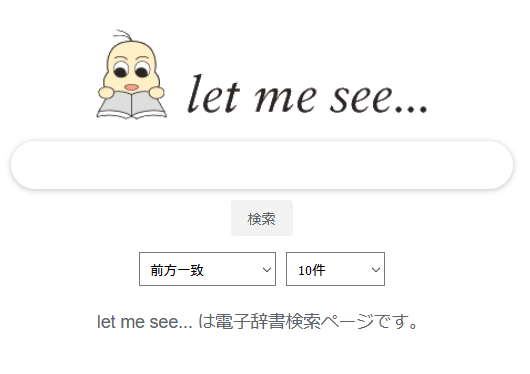
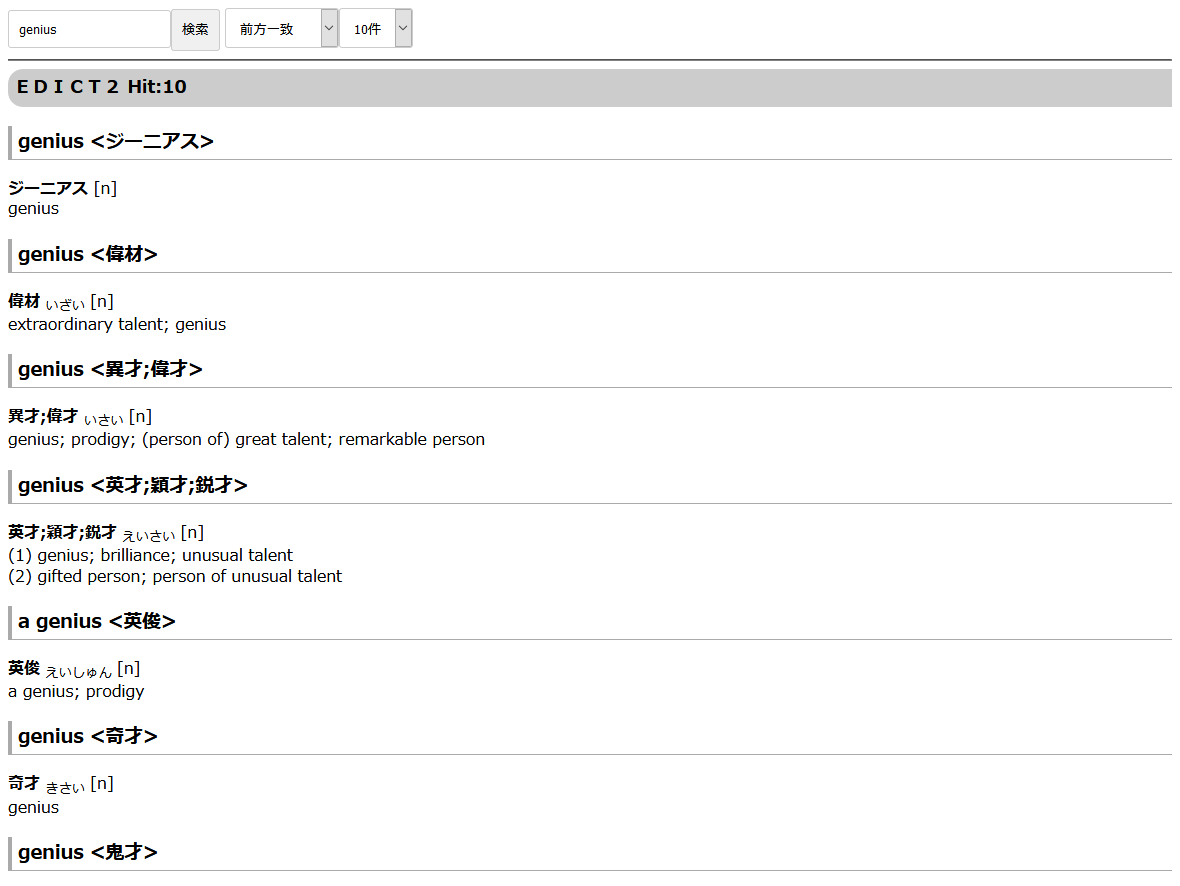
let me see...は[EPWING](https://ja.wikipedia.org/wiki/EPWING)をcgiで実行しブラウザから検索を可能にするソフトウェアです。
2003年頃まで開発されていたものですが、こちらで若干の改良を行っています。
masterブランチはデザインや仕様の変更が入っています。
元プロジェクトと同様の体験をお望みの場合、originalブランチを参照してください。
## 利用方法
事前にEPWing辞書が必要です。各辞書のフォルダを``conf/letmesee.conf``に登録する必要があるので少し面倒です。
外部や不特定多数からのアクセスされる場所での運用には適しません。適切に設定してください。
### Docker
```bash
$ git clone https://github.com/kurema/forkedLetMeSee.git
$ cd forkedLetMeSee
$ nano docker-compose.yml
$ nano conf/letmesee.conf
$ sudo docker-compose up -d
```
### Ubuntu Server
```bash
$ sudo apt-get ruby ruby-dev eb-utils libeb16-dev ispell apache2
$ # ここでApache関係の設定をする。
$ sudo nano /etc/apache2/apache2.conf #Enable CGI
$ git clone https://github.com/kubo/rubyeb19.git
$ cd rubyeb19
$ ruby extconf.rb
$ make
$ sudo make install
$ cd ..
$ git clone https://github.com/kurema/forkedLetMeSee.git
$ cd forkedLetMeSee/edict-devel/letmesee
$ # .htaccessではなくApache側の設定を変更しても良し (次3行)
$ cp dot.htaccess .htaccess
$ nano .htaccess #外部アクセスを制限
$ sudo a2enmod rewrite
$ nano letmesee.conf
$ sudo cp -a . /var/www/letmesee
$ sudo chown -R www-data:www-data /var/www/letmesee
$ sudo chmod 755 /var/www/letmesee/*.rb
```
[外部記事](https://skalldan.wordpress.com/2013/03/11/raspberry-pi-%E3%81%A7%E9%81%8A%E3%81%B6-9-%E8%BE%9E%E6%9B%B8%E3%82%B5%E3%83%BC%E3%83%90%E3%83%BC%E3%81%A8%E3%81%97%E3%81%A6/)
ApacheのCGI有効化などについては各自検索してください。
他のディストリビューションやcgi-binを利用する際などは適宜読み替えてください。
## スクリーンショット
## 元プロジェクトについて
### 開発者
[edict-devel/letmesee/AUTHORS](edict-devel/letmesee/AUTHORS)参照。
### ライセンス
GPLライセンスです。
[edict-devel/letmesee/COPYING](edict-devel/letmesee/COPYING)参照。
### 取得方法
```
$ cvs -d :pserver:guest@openlab.jp:/circus/cvsroot login
CVS password: guest
$ cvs -d :pserver:guest@openlab.jp:/circus/cvsroot co edict-devel/letmesee
```
### 参考
* 公式ページ:http://openlab.ring.gr.jp/edict/letmesee/index.html.ja
* 大変分かりやすい手順解説:https://skalldan.wordpress.com/2013/03/11/raspberry-pi-で遊ぶ-9-辞書サーバーとして/
* RubyEB(EBライブラリのRubyラッパー):https://github.com/kubo/rubyeb19
* EBライブラリ:http://www.mistys-internet.website/eb/