https://github.com/kylehue/map-maker
A simple tool for creating 2D game maps.
https://github.com/kylehue/map-maker
2d-game 2d-graphics 2d-platformer-game game-development generator map-generation mapmaker
Last synced: 2 months ago
JSON representation
A simple tool for creating 2D game maps.
- Host: GitHub
- URL: https://github.com/kylehue/map-maker
- Owner: kylehue
- Created: 2024-03-12T10:05:45.000Z (about 2 years ago)
- Default Branch: main
- Last Pushed: 2024-04-08T03:26:52.000Z (about 2 years ago)
- Last Synced: 2024-04-08T17:23:08.850Z (about 2 years ago)
- Topics: 2d-game, 2d-graphics, 2d-platformer-game, game-development, generator, map-generation, mapmaker
- Language: Vue
- Homepage: https://kylehue.github.io/map-maker/
- Size: 1.54 MB
- Stars: 0
- Watchers: 1
- Forks: 0
- Open Issues: 0
-
Metadata Files:
- Readme: README.md
Awesome Lists containing this project
README
# Map Maker for 2D Game Development
A simple tool for creating 2D game maps 🌏
[Go to app](https://kylehue.github.io/map-maker/)
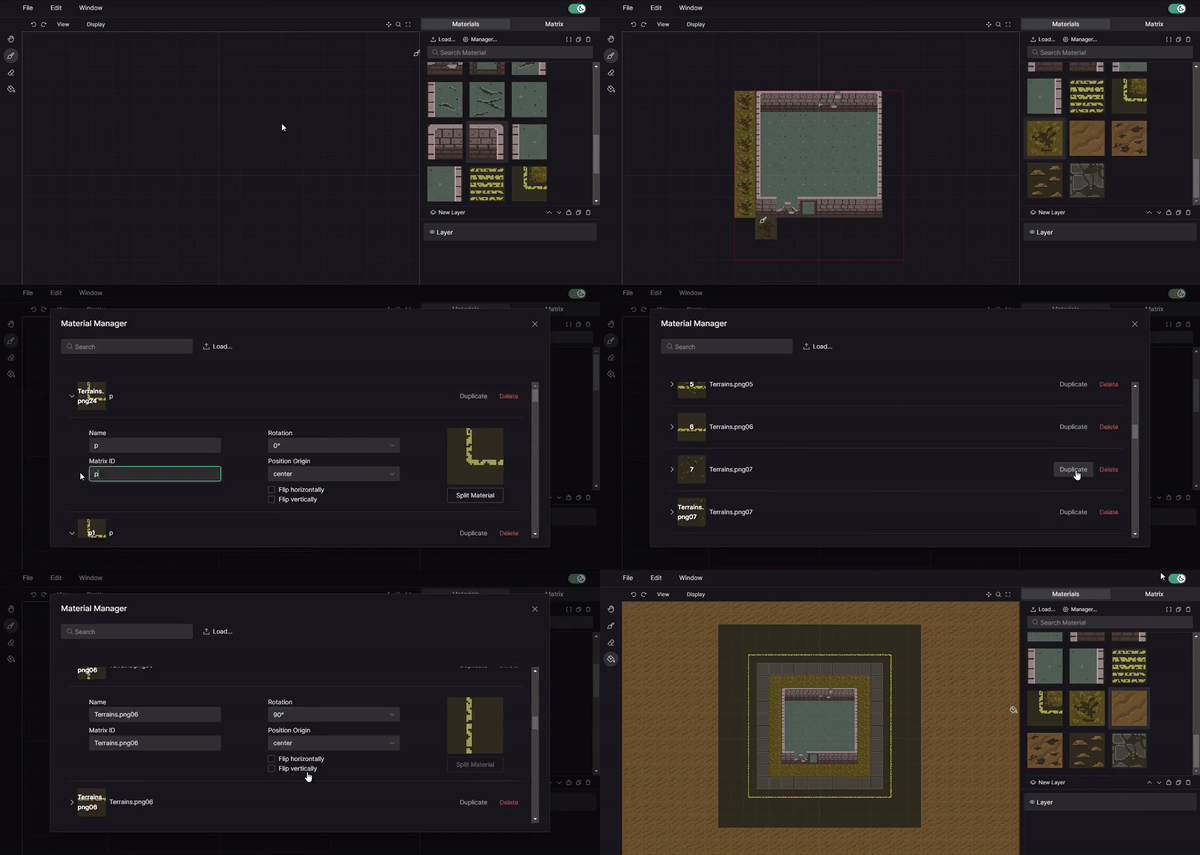
## Features
- Multi-layering
- Map matrix
- Advanced Tools — Paint-Bucket, Brush, etc.
- Autosave (depends if *FileSystemAccess API* is supported on your browser)
## How to Use
- **Tile Placement**: Select a material, a tool (e.g. brush), and a layer. Then you can paint on the canvas just like you would on MS Paint.
- **Matrix Generation**: Matrix is automatically generated based on the placement of your tiles. To view a matrix, select a layer and go to matrix tab. Note that each layer has a matrix.
- **Export**: You can export in 3 different formats:
1. `.mpmkr` - Project file.
2. `.png` - Image snapshot of the whole map.
3. `.txt` - Multiple text files that represents each layer's matrix.
## Important Notes
- Never have a matrix id that contains the matrix separator — It will corrupt your project!
- The default matrix separator is a space: ' '. You can change this in `Edit > Change matrix separator`
- Properly name your image files because they will be the basis of material name and matrix id.
- Do not set the matrix tab active while painting to avoid lag.
- Always lock the layers that you finish to avoid painting on wrong layers!