https://github.com/kylesmith19091/lightweight-cpp-logging
A lightweight cpp rich text logging library
https://github.com/kylesmith19091/lightweight-cpp-logging
cli cpp logging progress-bar rich-text terminal
Last synced: 2 months ago
JSON representation
A lightweight cpp rich text logging library
- Host: GitHub
- URL: https://github.com/kylesmith19091/lightweight-cpp-logging
- Owner: KyleSmith19091
- License: mit
- Created: 2021-08-13T12:17:18.000Z (almost 5 years ago)
- Default Branch: main
- Last Pushed: 2021-12-05T12:33:59.000Z (over 4 years ago)
- Last Synced: 2025-02-02T03:41:28.238Z (over 1 year ago)
- Topics: cli, cpp, logging, progress-bar, rich-text, terminal
- Language: C++
- Homepage:
- Size: 1.98 MB
- Stars: 1
- Watchers: 1
- Forks: 0
- Open Issues: 0
-
Metadata Files:
- Readme: README.md
- License: LICENSE
Awesome Lists containing this project
README
💸 Rich Text Logging
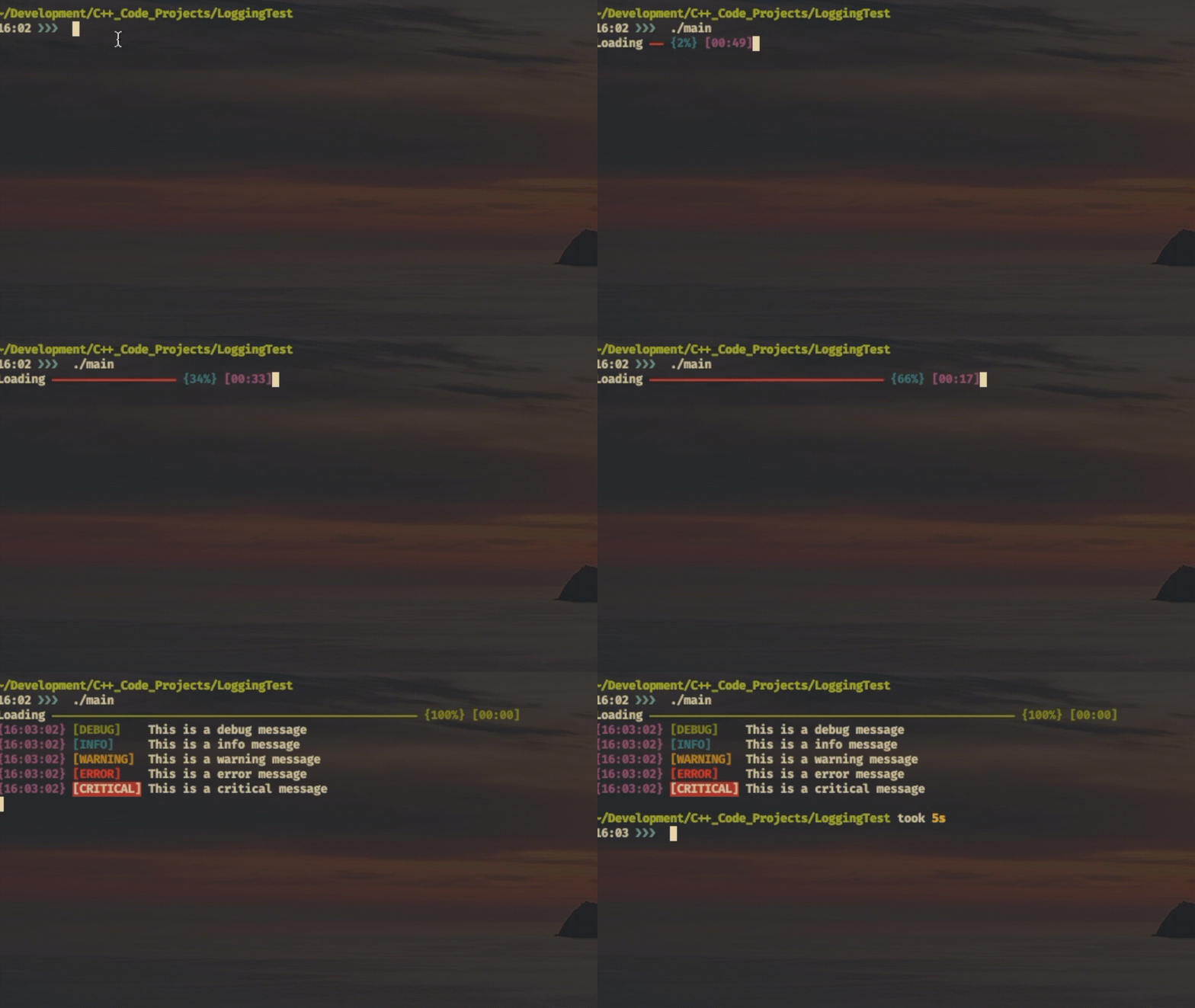
👋 Welcome to the future of your terminal *logging* experience
Lightweight CPP Logging is a **single** header file implementation to provide a rich text logging experience and also a nifty progress bar.
This library brings color to what many would say is a dull workspace ***ahem*** the terminal.
🌱 See for yourself
🎉 Usage
All functionality is implemented under the log namespace, this namespace has the following classes within it
- Clock
- ProgressBar
- Debug
- Info
- Warning
- Error
- Critical
Progress Bar
→ Method Signature
```c++
static void displayProgressBar(std::ostream &os, unsigned int width,
const std::string &msg = "Loading",
const bool& useColor = true,
const unsigned int &waitAmount = 100,
const std::string &loadingSymbol = "-");
```
- Width: Can be seen as either how far the progress bar stretches or the countdown time
- msg: The message that is displayed before the progress bar
- useColor: Specifies whether or not ANSI colors should be used to highlight the text
- waitAmount: This is the time to wait between each increment of the progress bar
- loadingSymbol: This is the symbol that is used in the progress bar
**Example**
```c++
Log::Progressbar::createProgressBar(std::cout);
```
Rich Logging
Logging can be done using a level system of either
- Debug
- Info
- Warning
- Error
- Critical
Output Format
```console
{time} [LEVEL] {filename} Message
```
**Example**
```c++
// Standard Output
std::cout << DEBUG << "Debug Message\n";
std::cout << INFO << "Info Message\n";
// Standard Output alternative syntax
std::cout << Log::Debug() << "Debug Message\n";
// Example with file output => Needs to use alternative syntax
outFile << Log::Critical() << "Critical message into file\n";
```