https://github.com/lab11/powerblade
1 in² AC power meter
https://github.com/lab11/powerblade
ble hardware msp430 power-meter university-project
Last synced: about 1 year ago
JSON representation
1 in² AC power meter
- Host: GitHub
- URL: https://github.com/lab11/powerblade
- Owner: lab11
- Created: 2014-11-19T17:03:21.000Z (over 11 years ago)
- Default Branch: master
- Last Pushed: 2019-12-10T22:44:31.000Z (over 6 years ago)
- Last Synced: 2024-04-14T04:45:09.428Z (over 2 years ago)
- Topics: ble, hardware, msp430, power-meter, university-project
- Language: Python
- Homepage:
- Size: 52.4 MB
- Stars: 53
- Watchers: 22
- Forks: 9
- Open Issues: 3
-
Metadata Files:
- Readme: README.md
Awesome Lists containing this project
README
PowerBlade
==========
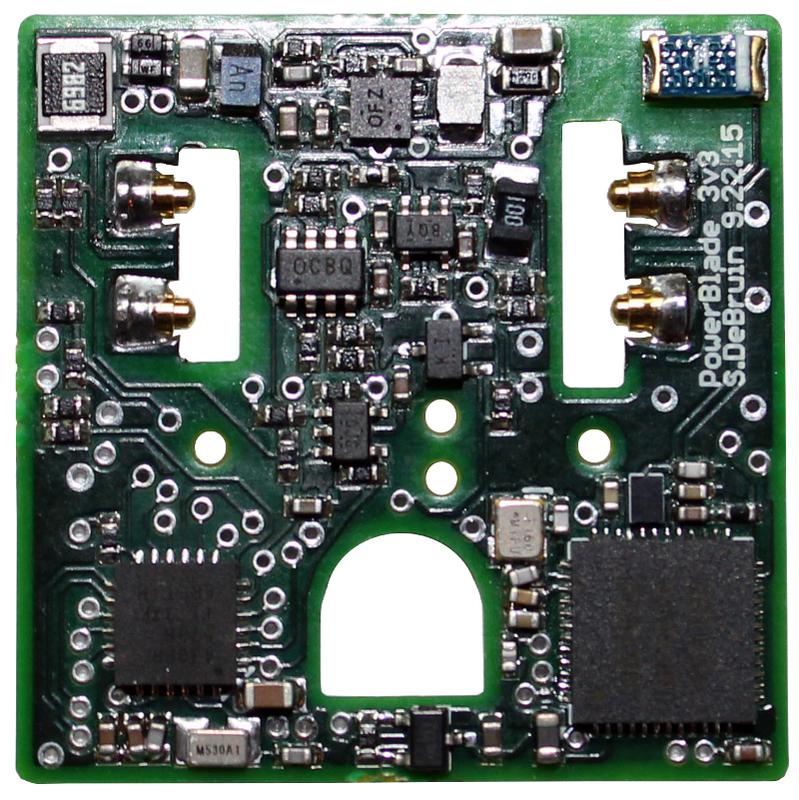
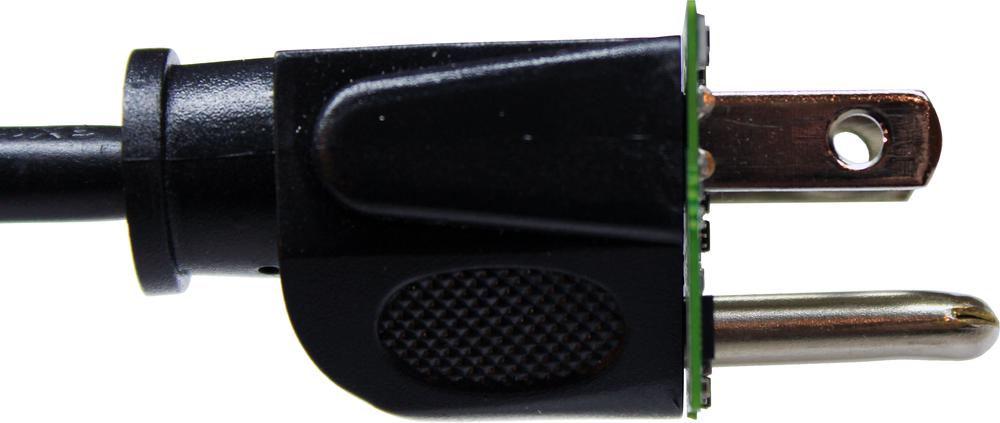
PowerBlade is a miniature plug load power meter - it is small enough to fit
between the plug and the outlet while performing its metering operation.
Achieving this form factor requires targeting every aspect of traditional power
meters, including contact method, power supply, voltage and current sensing, and
data communication (Bluetooth Low Energy, in this case).
There have been multiple iterations of PowerBlade, starting with a backscatter-
based variant and eventually transitioning to the BLE version. Along the way
there have been several iterations of the contact method, starting with flexible
PCB layers to touch the prongs and ending with spring-loaded pins which make
contact more reliably and repeatably.
Future work on this system will include improvements to the accuracy of the unit
(PowerBlade readings currently have 5% to 10% error but we believe this can be
significantly lower), as well as safety.
How Do I View My PowerBlade's Data?
-----------------------------------
- **Option 1**: Install [Summon](https://github.com/lab11/summon)
[[Android](https://play.google.com/store/apps/details?id=edu.umich.eecs.lab11.summon&hl=en),
[iOS](https://itunes.apple.com/us/app/summon-lab11/id1051205682?mt=8)].
- **Option 2**: Run a node.js script to view packets on your computer.
```sh
cd data_collection/advertisements/
npm install
sudo node powerblade_adv.js
```
This requires that you have support for running as a BLE
master on your machine. To get setup, see the instructions below.
### BLE and node.js Setup
1. Install [Node.js](https://nodejs.org/en/download/package-manager/) for your platform.
Node.js provides a JavaScript runtime to execute the data collection script in.
2. Install BLE dependencies for your platform.
- **OS X**: Install [Xcode](https://itunes.apple.com/ca/app/xcode/id497799835?mt=12)
- **Ubuntu/Debian/Raspbian**:
```sh
sudo apt install bluetooth bluez libbluetooth-dev libudev-dev
```
- **Fedora / Other-RPM based**:
```sh
sudo yum install bluez bluez-libs bluez-libs-devel
```
- **Intel Edison**: See [Configure Intel Edison for Bluetooth LE (Smart) Development](http://rexstjohn.com/configure-intel-edison-for-bluetooth-le-smart-development/)