https://github.com/labring/devbox-sdk
Cloud-native development environment SDK for running sandboxed code with high-performance file operations
https://github.com/labring/devbox-sdk
Last synced: 5 months ago
JSON representation
Cloud-native development environment SDK for running sandboxed code with high-performance file operations
- Host: GitHub
- URL: https://github.com/labring/devbox-sdk
- Owner: labring
- License: apache-2.0
- Created: 2024-12-03T09:19:20.000Z (over 1 year ago)
- Default Branch: main
- Last Pushed: 2026-01-12T07:00:03.000Z (6 months ago)
- Last Synced: 2026-01-12T16:33:12.202Z (6 months ago)
- Language: TypeScript
- Homepage: https://iqkkimteigmi.usw.sealos.io
- Size: 1.48 MB
- Stars: 1
- Watchers: 1
- Forks: 3
- Open Issues: 0
-
Metadata Files:
- Readme: README.md
- Contributing: .github/CONTRIBUTING.md
- License: LICENSE
- Code of conduct: .github/CODE_OF_CONDUCT.md
- Codeowners: .github/CODEOWNERS
- Security: SECURITY.md
Awesome Lists containing this project
README
# Devbox SDK
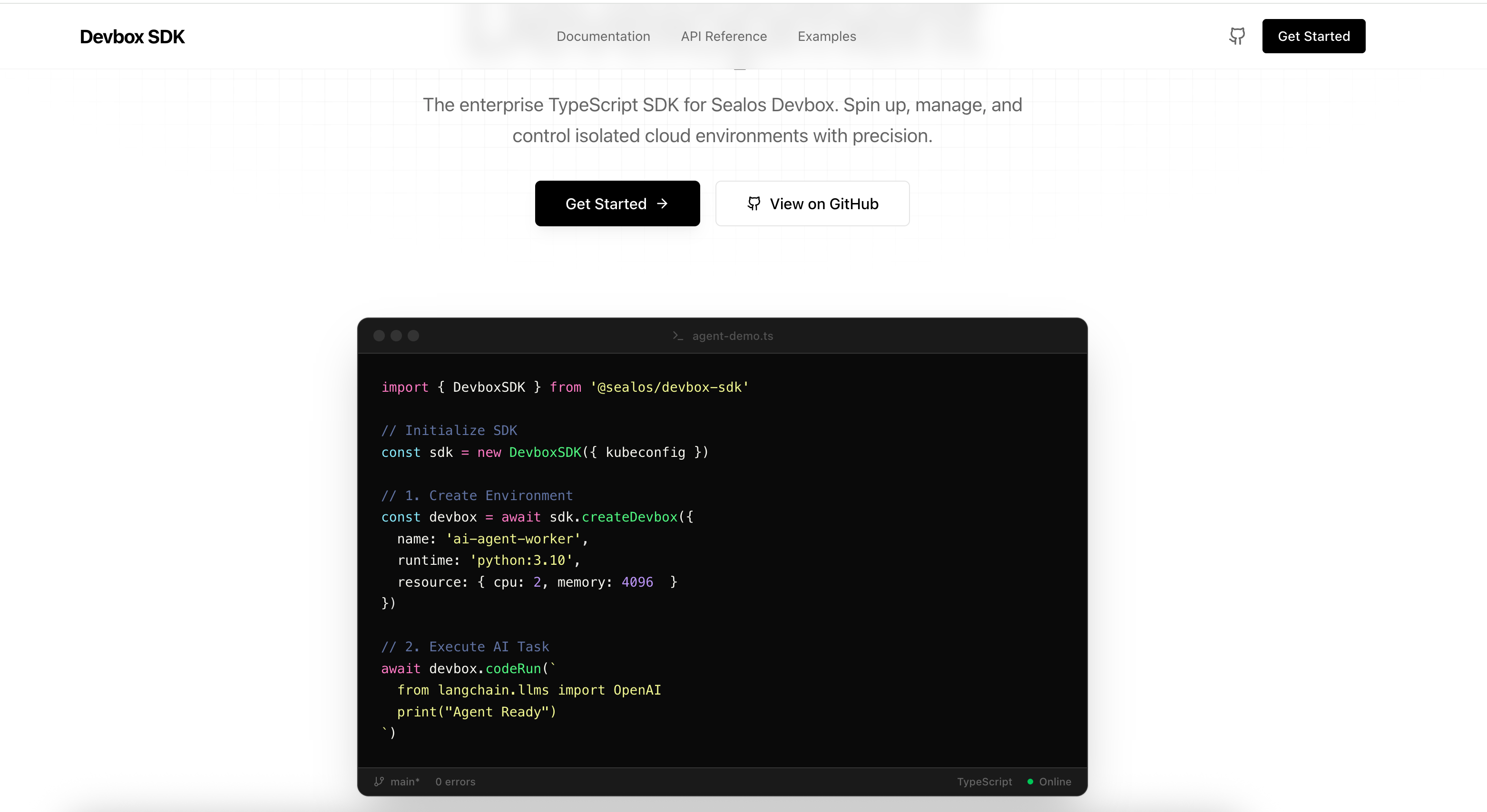
**Secure Sandbox SDK for Isolated Code Execution.** Execute AI-generated code, run automation tasks, and test untrusted code with zero risk to your infrastructure.
## 🚀 Quick Start
### Installation
```bash
npm install @labring/devbox-sdk
```
### Secure Code Execution
```typescript
import { DevboxSDK } from '@labring/devbox-sdk'
// Initialize SDK
const sdk = new DevboxSDK({
kubeconfig: process.env.KUBECONFIG
})
// Create a secure sandbox
const sandbox = await sdk.createDevbox({
name: 'ai-agent-task',
runtime: 'python',
resource: { cpu: 1, memory: 512 }
})
// Execute AI-generated code safely in isolation
const result = await sandbox.codeRun(`
import requests
response = requests.get('https://api.example.com/data')
print(response.json())
`)
console.log(result.stdout) // Safe output from isolated execution
// Clean up
await sandbox.delete()
await sdk.close()
```
### Core Features
- **🛡️ Secure Sandbox Execution** - Isolated container environments for safe code execution
- **⚡ Fast Code Execution** - Execute code synchronously or asynchronously with real-time output
- **📁 File & Git Operations** - Full CRUD operations, batch transfers, and Git integration
- **🔍 Real-time Monitoring** - Monitor file changes and resource usage via WebSocket
- **🌐 Connection Pooling** - Efficient HTTP connection reuse for better performance
- **🔐 Enterprise Security** - Kubernetes-based isolation, path validation, and access control
### Use Cases
**AI Agents & Code Generation**
```typescript
// Execute AI-generated code safely
const aiCode = await llm.generateCode(prompt)
const result = await sandbox.codeRun(aiCode)
```
**Automation & Testing**
```typescript
// Run untrusted automation scripts
await sandbox.execSync({
command: 'npm test',
cwd: '/workspace',
timeout: 60000
})
```
**CI/CD Tasks**
```typescript
// Execute build tasks in isolation
await sandbox.git.clone({ url: repoUrl, path: '/workspace' })
await sandbox.execSync({ command: 'npm run build' })
```
## 🛡️ Security & Isolation
### Container-Based Isolation
Each sandbox runs in an isolated Kubernetes Pod, ensuring:
- **Zero cross-contamination** - Each execution is completely isolated
- **Resource limits** - CPU and memory constraints prevent resource exhaustion
- **Network isolation** - Controlled network access per sandbox
- **Path validation** - Prevents directory traversal attacks
### Enterprise Security Features
- **Kubernetes-native** - Built on enterprise-grade container orchestration
- **Access control** - Kubeconfig-based authentication and authorization
- **HTTPS/TLS** - All communications encrypted
- **Input validation** - Comprehensive input sanitization and validation
## 📦 Monorepo Packages
This is a monorepo containing multiple packages:
### @labring/devbox-sdk (Main Package)
The primary TypeScript SDK for secure sandbox execution. See [packages/sdk/README.md](./packages/sdk/README.md) for detailed documentation.
### devbox-shared
Shared types, errors, and utilities used across the SDK and server. See [packages/shared/README.md](./packages/shared/README.md).
### devbox-server-go
High-performance HTTP server written in Go, running inside sandbox containers to handle file operations, process execution, and WebSocket connections. See [packages/server-go/README.md](./packages/server-go/README.md).
### devbox-docs
Documentation website built with Next.js and Fumadocs. Visit the [docs site](./apps/docs) or run `npm run dev:docs` to start locally.
## 🛠️ Development
### Prerequisites
- Node.js >= 22.0.0
- npm >= 11.0.0
- Kubernetes cluster access (for testing)
### Setup
```bash
# Install dependencies
npm install
# Build all packages
npm run build
# Run tests
npm test
# Lint code
npm run lint:fix
```
### Package Scripts
```bash
# Build specific packages
npm run build:sdk # Build SDK only
npm run build:docs # Build docs site
# Development
npm run dev:docs # Start docs site in dev mode
# Testing
npm test # Run all tests
npm run test:watch # Run tests in watch mode
npm run test:e2e # Run E2E tests
```
## 📚 Documentation
- [SDK Documentation](./packages/sdk/README.md) - Complete SDK API reference
- [Architecture Overview](./packages/sdk/ARCHITECTURE.md) - Technical architecture details
- [API Documentation](./apps/docs/content/docs/api.mdx) - HTTP API reference
- [Server Documentation](./packages/server-go/docs/README.md) - Server implementation details
- [Competitor Analysis](./plans/COMPETITOR_ANALYSIS.md) - Competitive positioning
## ⚡ Performance
- **Connection Pooling**: Efficient HTTP connection reuse (>98% reuse rate)
- **Adaptive Transfer**: Smart file transfer strategies based on file size
- **Fast Creation**: Quick sandbox initialization
- **TypeScript**: Full type safety and IDE support
## 🔧 Configuration
### Environment Variables
- `KUBECONFIG` - Kubernetes configuration for sandbox access (required)
### SDK Configuration
```typescript
const sdk = new DevboxSDK({
kubeconfig: process.env.KUBECONFIG,
baseUrl: 'https://api.sealos.io', // Optional
http: {
timeout: 30000, // Request timeout in ms
retries: 3, // Retry attempts
rejectUnauthorized: true // SSL verification
}
})
```
## 🧪 Testing
```bash
# Run all tests
npm test
# Run tests in watch mode
npm run test:watch
# Run E2E tests
npm run test:e2e
```
## 📄 License
Apache-2.0
## 🤝 Contributing
Contributions are welcome! Please read our contributing guidelines and submit pull requests.
## 📞 Support
For issues and questions:
- Create an issue on [GitHub](https://github.com/zjy365/devbox-sdk/issues)
- Check the [documentation](./apps/docs)
- Contact the maintainers