https://github.com/lamby777/timewasted.nvim
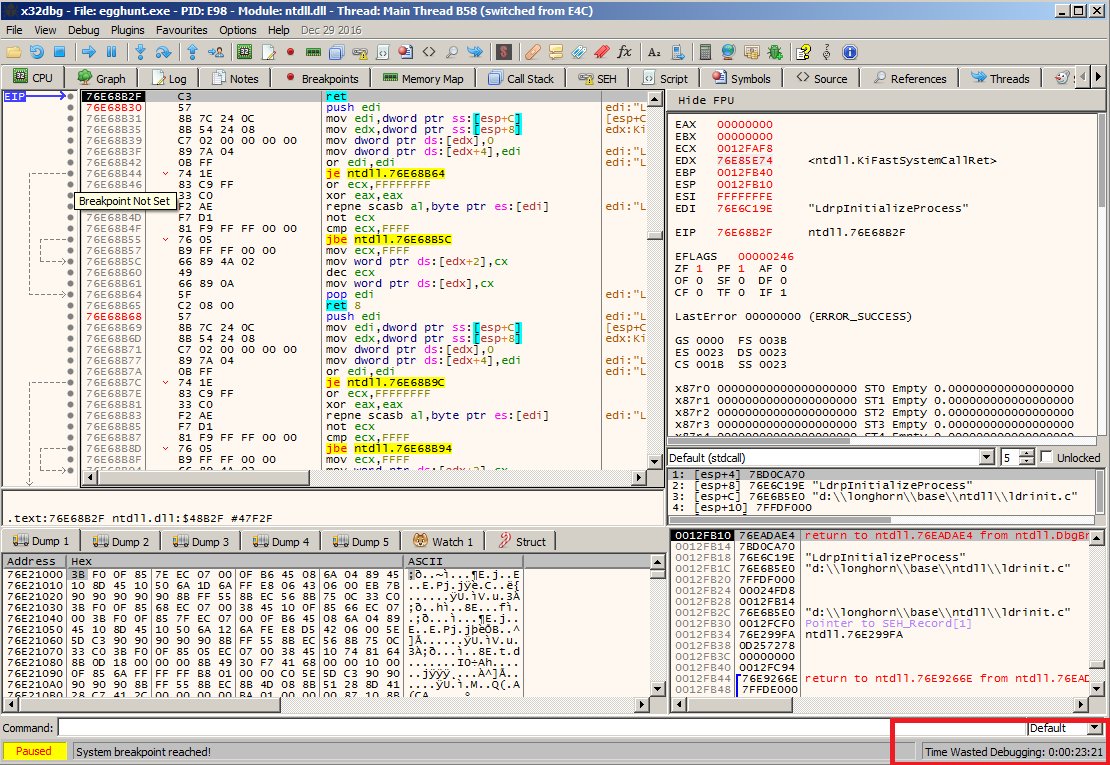
Recreating the "Time Wasted Debugging:" stopwatch from x64dbg as a Neovim plugin
https://github.com/lamby777/timewasted.nvim
neovim neovim-plugin plugin stopwatch timer
Last synced: 10 months ago
JSON representation
Recreating the "Time Wasted Debugging:" stopwatch from x64dbg as a Neovim plugin
- Host: GitHub
- URL: https://github.com/lamby777/timewasted.nvim
- Owner: Lamby777
- License: gpl-3.0
- Created: 2023-09-04T03:18:07.000Z (over 2 years ago)
- Default Branch: master
- Last Pushed: 2023-09-30T06:23:53.000Z (over 2 years ago)
- Last Synced: 2025-03-15T23:47:41.071Z (10 months ago)
- Topics: neovim, neovim-plugin, plugin, stopwatch, timer
- Language: Lua
- Homepage:
- Size: 24.4 KB
- Stars: 2
- Watchers: 1
- Forks: 0
- Open Issues: 1
-
Metadata Files:
- Readme: README.md
- License: LICENSE
Awesome Lists containing this project
README
# timewasted.nvim
Recreating the "Time Wasted Debugging:" stopwatch from x64dbg as a Neovim plugin

---
## How to use
First, install it with your favorite plugin manager. Then, go to your statusline
configs or whatever you want to add this to, and make it evaluate one of these:
```lua
-- just give me the number of seconds, goddammit!
require("timewasted").get_time()
-- get time separated into days, hours, minutes, seconds
-- may require table.unpack if using a newer lua
local d, h, m, s = unpack(require("timewasted").dhms())
-- OR default formatted time as a string (1d 2h 3m 4s)
-- (recommended for lua newbies & easy setup)
require("timewasted").dhms_fmt()
-- or instead, evaluates a customizable function to format the result
-- (recommended option for... well, most nvim users)
require("timewasted").get_fmt()
```
---
## CONFIG OPTIONS
These are the defaults, with explanations.
```lua
{
-- seconds between automatic writes to disk
-- set to 0 or below to disable autosave...
-- (not recommended, won't save any time spent before crashes)
autosave_delay = 30,
-- Don't mess with this if you aren't using get_fmt()
-- Just overrides the formatter function. You can use
-- dhms_fmt() or dhms() or other stuff like that inside
-- it, and do your own custom format. By default, it
-- adds a humorous little x64dbg reference before the date.
time_formatter = function(total_sec)
local time_str = require("timewasted").dhms_fmt(total_sec)
return string.format("Time Wasted Configuring: %s", time_str)
end
}
```
This is my personal config as an example. It formats the time to be zero-padded
for hours, minutes, and seconds, but days are padded out to 4 characters with
spaces instead of zeroes. For me, 4 digits should be fine for another 28 years,
and I'll either update this plugin or be on a completely different kind of super
futuristic computer running Linux 2: Electric Boogaloo by then, so who cares? :P
```lua
local tw = require "timewasted"
tw.setup {
time_formatter = function(total_sec)
local d, h, m, s = unpack(tw.dhms(total_sec))
local time_str = string.format("% 4dd %02dh %02dm %02ds", d, h, m, s)
return string.format("TWC: %s", time_str)
end,
}
```