https://github.com/lanarsinc/compose-date-text-field
Date text field with on the fly validation
https://github.com/lanarsinc/compose-date-text-field
android compose dateinput datetime input
Last synced: about 1 year ago
JSON representation
Date text field with on the fly validation
- Host: GitHub
- URL: https://github.com/lanarsinc/compose-date-text-field
- Owner: LanarsInc
- Created: 2021-09-29T10:14:58.000Z (over 4 years ago)
- Default Branch: main
- Last Pushed: 2024-02-13T10:34:07.000Z (over 2 years ago)
- Last Synced: 2025-04-01T10:42:04.121Z (about 1 year ago)
- Topics: android, compose, dateinput, datetime, input
- Language: Kotlin
- Homepage:
- Size: 11.9 MB
- Stars: 25
- Watchers: 0
- Forks: 1
- Open Issues: 2
-
Metadata Files:
- Readme: README.md
- Changelog: CHANGELOG.md
Awesome Lists containing this project
README
# DateTextField for Jetpack Compose
Date text field with on the fly validation built with Jetpack Compose.
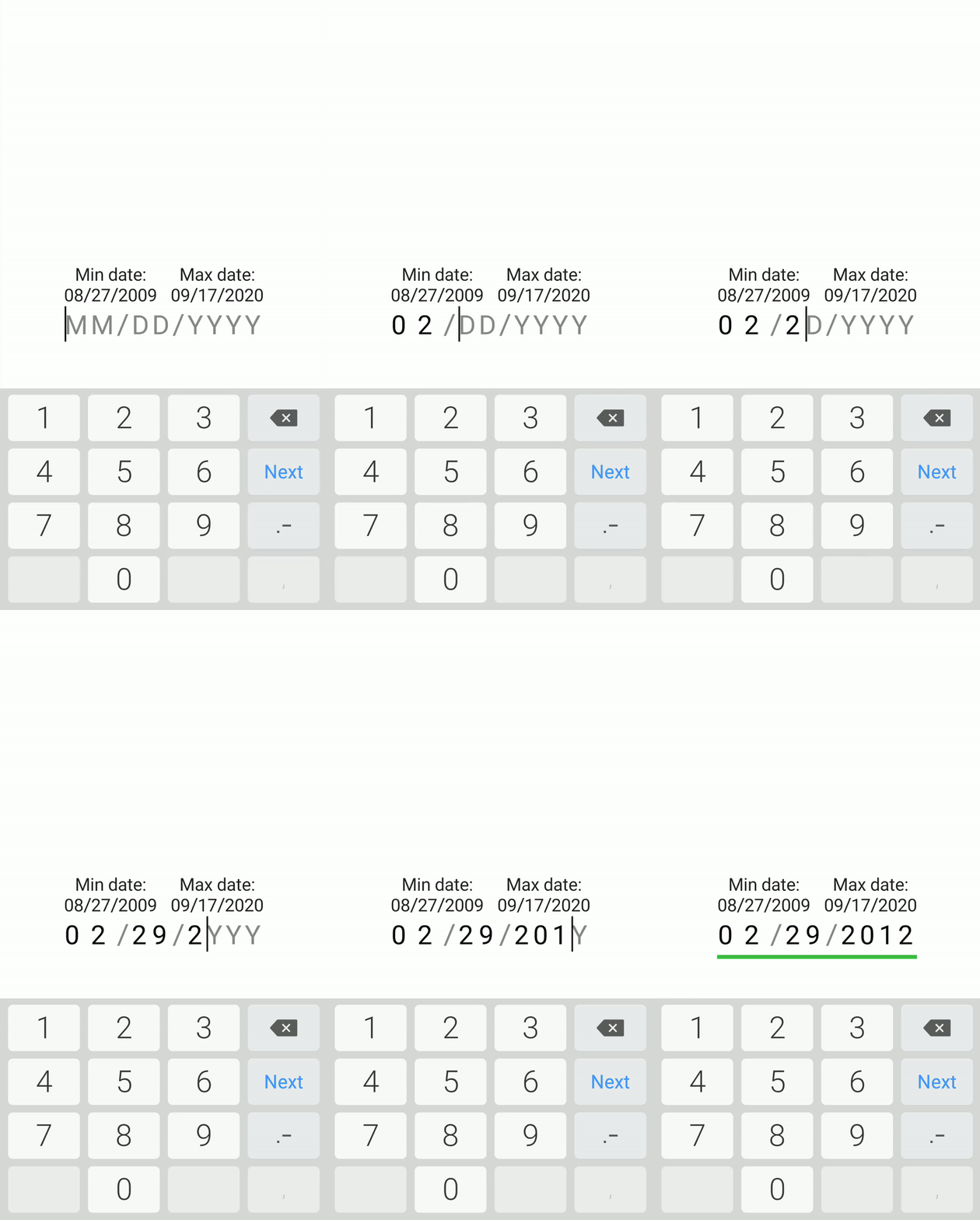
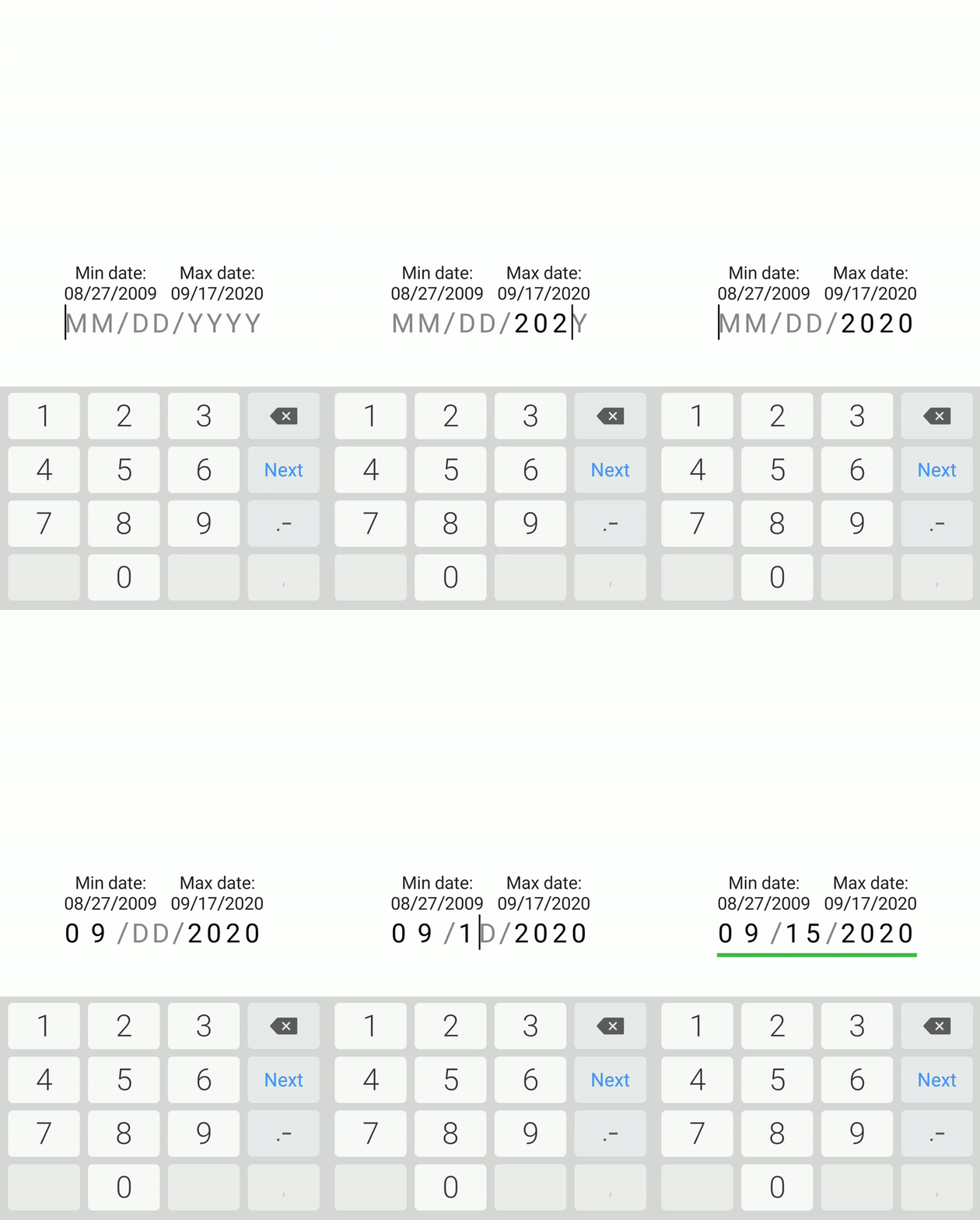
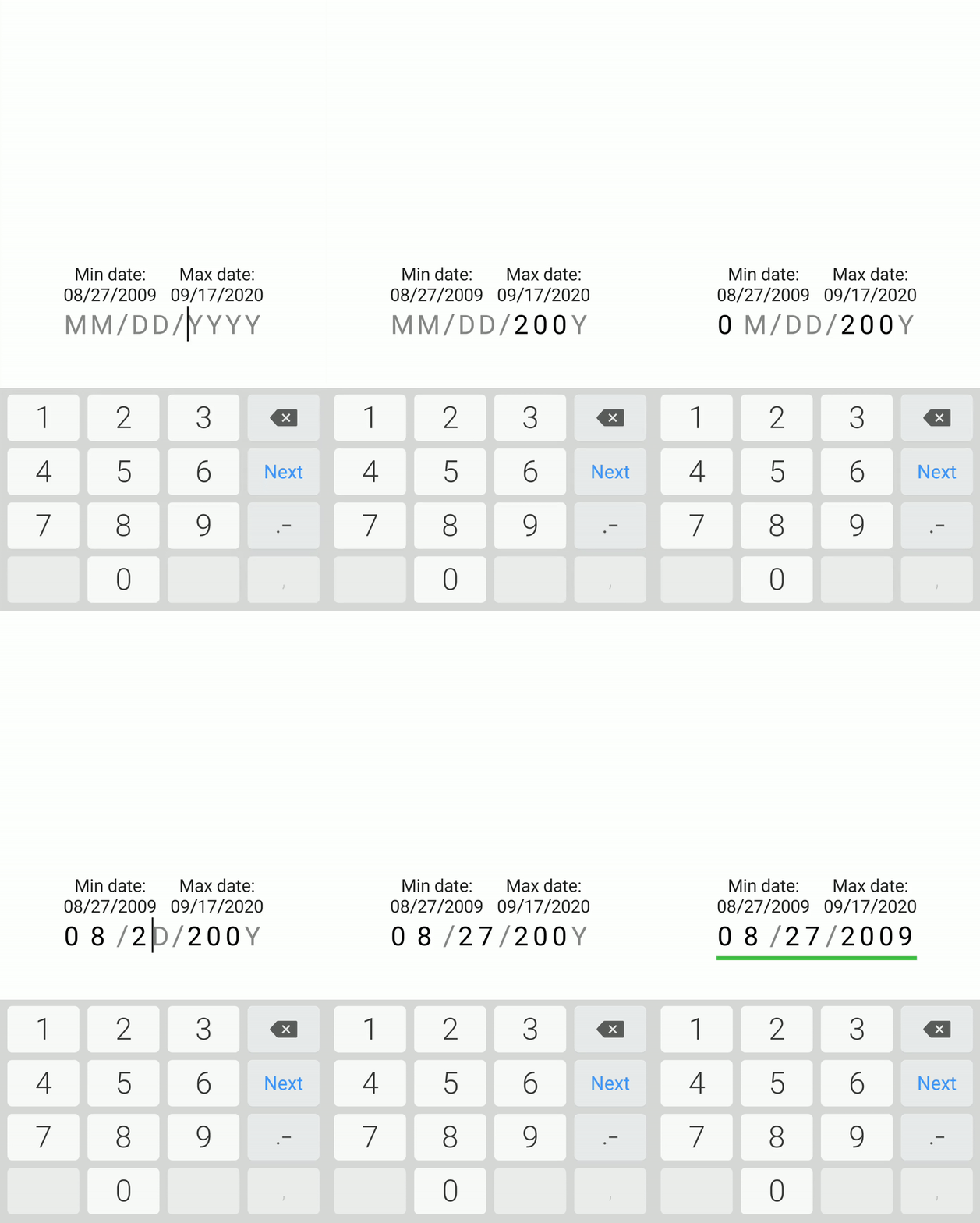
The input is validated while the user is typing it, so it is impossible to enter an incorrect value.
Made in [LANARS](https://lanars.com/).
---
# Download
```groovy
repositories {
...
maven { url 'https://jitpack.io' }
}
```
```groovy
dependencies {
implementation 'com.github.LanarsInc:compose-date-text-field:{latest version}'
}
```
# Preview
User can only enter existing dates
User can only enter dates that are in the allowed range
Input is being validated even though some fields are not complete
# Usage
Basic implementation
```kotlin
DateTextField(
onValueChanged = {}
)
```
You can set the exact date boundaries or leave it by default, from 1/1/1900 to 12/31/2100. Date format by default will be MM/DD/YYYY
```kotlin
DateTextField(
// Detect focus changes
modifier = Modifier.onFocusChanged { Log.d("DateInput", it.toString()) },
// Set the desired date format
format = Format.MMDDYYYY,
// Set min and max date
minDate = LocalDate.now().minusYears(1),
maxDate = LocalDate.now().plusYears(1),
// Get notified about value changes
onValueChanged = { Log.d("DateInput", it.toString()) },
// Preset date value
initialValue = LocalDate.now(),
// Apply text style to input text
textStyle = TextStyle(fontSize = 25.sp, color = Color.Black),
// Apply text style to hint
hintTextStyle = TextStyle(fontSize = 25.sp, color = Color.Gray),
// Apply style to cursor
cursorBrush = SolidColor(Color.Red),
// Set custom delimiter
delimiter = '.',
// Set horizontal delimiter margin
delimiterSpacing = 4.dp,
// Set field to be readonly
readOnly = true
)
```