https://github.com/lang-ai/react-tags-input
[Not Actively Maintained] An input control that handles tags interaction with copy-paste and custom type support.
https://github.com/lang-ai/react-tags-input
keyboard-shortcut react react-component react-tags tags
Last synced: 6 months ago
JSON representation
[Not Actively Maintained] An input control that handles tags interaction with copy-paste and custom type support.
- Host: GitHub
- URL: https://github.com/lang-ai/react-tags-input
- Owner: lang-ai
- Created: 2017-01-30T10:47:45.000Z (over 9 years ago)
- Default Branch: master
- Last Pushed: 2021-06-10T09:33:02.000Z (about 5 years ago)
- Last Synced: 2025-10-12T19:21:28.934Z (10 months ago)
- Topics: keyboard-shortcut, react, react-component, react-tags, tags
- Language: JavaScript
- Homepage:
- Size: 2.74 MB
- Stars: 26
- Watchers: 2
- Forks: 6
- Open Issues: 9
-
Metadata Files:
- Readme: README.md
Awesome Lists containing this project
README
# This repository is not being actively maintained
React-Tags-Input
============
An input control that handles tags interaction with copy-paste and custom type support.
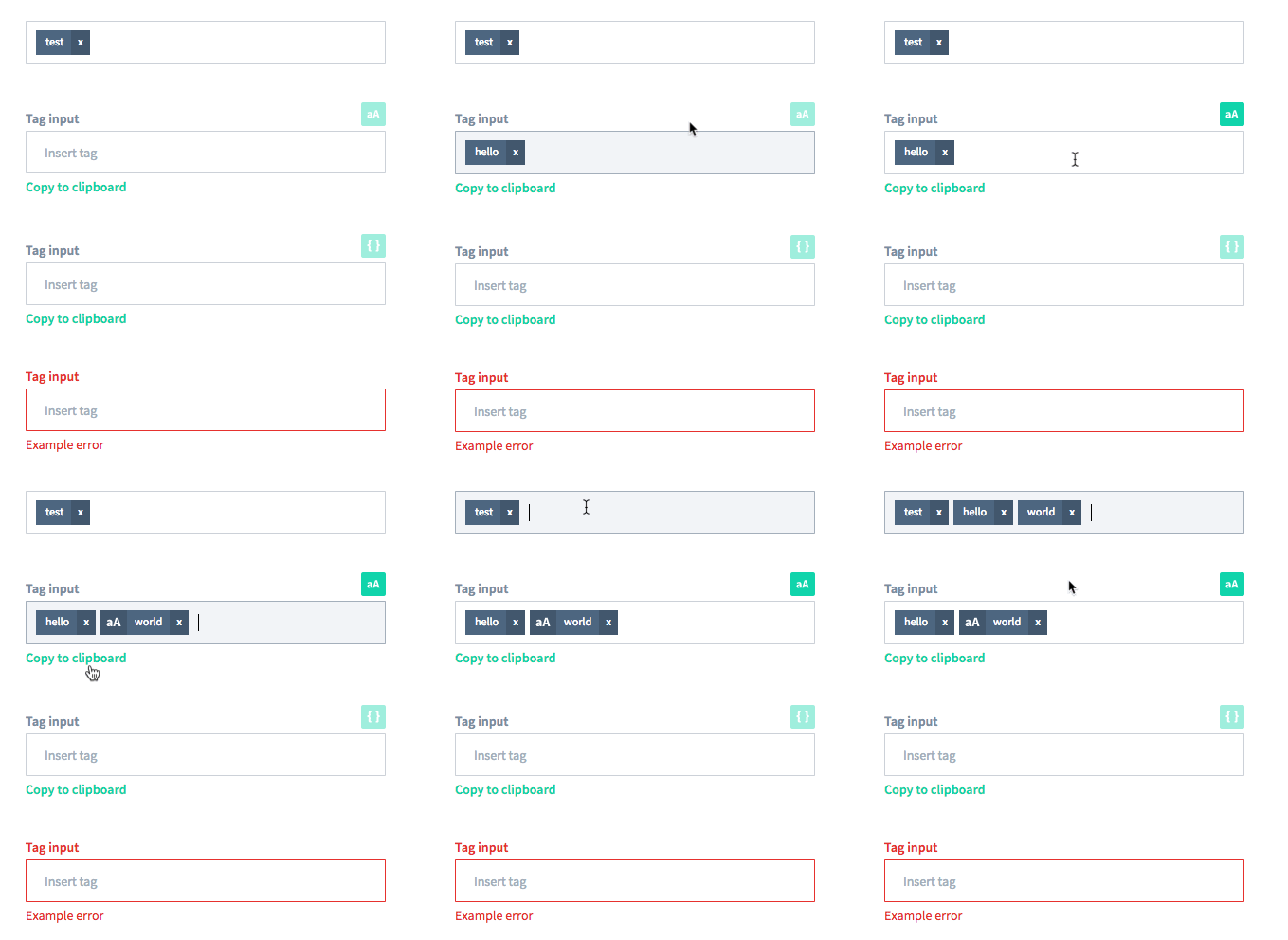
## Live Playground
For examples of the tags input in action, check the [demo page](https://lang-ai.github.io/react-tags-input/)
## Installation
The easiest way to use it is by installing it from NPM and include it in your own React build process.
```javascript
npm install @sentisis/react-tags-input --save
```
## Usage
Example usage:
```jsx
import React from 'react';
import TagsInput from '@sentisis/react-tags-input';
// Either a copy of our demo CSS or your custom one
import './TagsInput.css';
export default class Demo extends React.Component {
constructor(props) {
super(props);
this.state = {
tags: [],
};
}
render() {
return (
this.setState({ tags })}
/>
);
}
}
```
## API
Currently the component listen to the following keys: enter, esc, backspace, mod+a, mod+c and mod+v (for copy/paste).
It supports a keyboard-only copy paste (using mod+a).

Each tag you will be passing should have the following shape:
| Property | Type | Required | Description |
| -------- | ---- | ----------- | -------- |
| value | `String` | true | Tag value |
| special | `Boolean` | false | Special marks the tag as different. For example a special tag when using the case-sensitive options is a case-sensitive tag |
The TagsInput component contains the following properties:
| Property | Type | Default | Description |
| ---------| ---- | ------- | ----------- |
| tags | `Array` | [] | Array of tags to display |
| label | `String` | undefined | Rendered above the field itself |
| placeholder | `String` | undefined | Input placeholder |
| error | `String` | undefined | Error message rendered below the field. When the field is set it will also have the class `is-error`|
| tagRenderer | `Function` | undefined | Optional function that gets used to render the tag |
| copyButton | `Boolean` | false | Renders a copy to clipboard button |
| copyButtonLabel | `String` | `Copy to clipboard` | Label for the copy to clipboard button |
| blacklistChars | `Array` | [','] | Characters not allowed in the tags. Must always contain `,` |
| specialTags | `Boolean` | false | Enable the creation of special tags |
| specialButtonRenderer | Function | undefined | Function that gets used to render the special button |
| specialButtonLabel | String | `Special` | Label for the special button. Only used when a `specialButtonRenderer` is not defined |
| onChange | Function | noop | Fired when changing the tags with the `tags` array as the argument |
| onBlur | Function | noop | Fired as the standard React SyntheticEvent |
| onFocus | Function | noop | Fired as the standard React SyntheticEvent |
| onSubmit | Function | noop | Fired when the user interaction is considered complete, invoked with `tags` |