https://github.com/larscom/xbox360-controller-manager
Turn OFF your wireless xbox 360 controller on PC and see the battery status of the connected controllers.
https://github.com/larscom/xbox360-controller-manager
controller controller-manager manager manager-game pc shutdown software windows windows-10 wireless xbox360 xbox360-controller
Last synced: about 1 year ago
JSON representation
Turn OFF your wireless xbox 360 controller on PC and see the battery status of the connected controllers.
- Host: GitHub
- URL: https://github.com/larscom/xbox360-controller-manager
- Owner: larscom
- License: mit
- Created: 2017-05-14T17:17:48.000Z (about 9 years ago)
- Default Branch: master
- Last Pushed: 2022-04-22T21:47:55.000Z (about 4 years ago)
- Last Synced: 2025-04-11T16:59:48.620Z (about 1 year ago)
- Topics: controller, controller-manager, manager, manager-game, pc, shutdown, software, windows, windows-10, wireless, xbox360, xbox360-controller
- Language: C#
- Homepage:
- Size: 1.97 MB
- Stars: 78
- Watchers: 3
- Forks: 4
- Open Issues: 1
-
Metadata Files:
- Readme: README.md
- License: LICENSE
Awesome Lists containing this project
README
# XBOX 360 Controller Manager
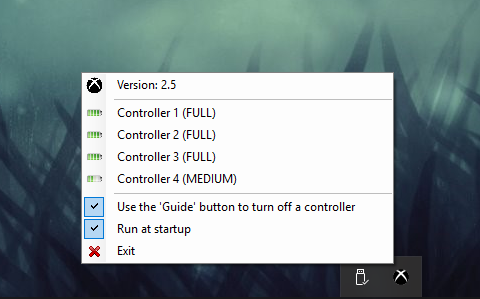
Turn off multiple wireless XBOX 360 controllers simultaneously and see the battery status of each controller.
## Supports
- ✓ Supports any version of Windows 10
- ✓ Turn OFF up to 4 connected controllers simultaneously
- ✓ See battery status from up to 4 connected controllers at the same time
- ✓ All connected controllers will turn OFF when your computer shuts down
## How to Install
1. Download release
- https://github.com/larscom/xbox360-controller-manager/releases
2. Unzip the .exe anywhere on your PC
3. Double click the application
4. An icon appears in the taskbar, bottom right
## Requirements
- Windows Vista SP2+
- .NET Framework 4.5
- https://www.microsoft.com/en-us/download/details.aspx?id=30653
- DirectX runtimes
- https://www.microsoft.com/en-us/download/confirmation.aspx?id=8109
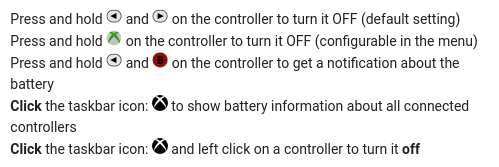
## How to use
## Using the guide button in Windows
If you wish to use the 'guide' button to turn off the controller (which is configurable in the menu, default is 'start & back')
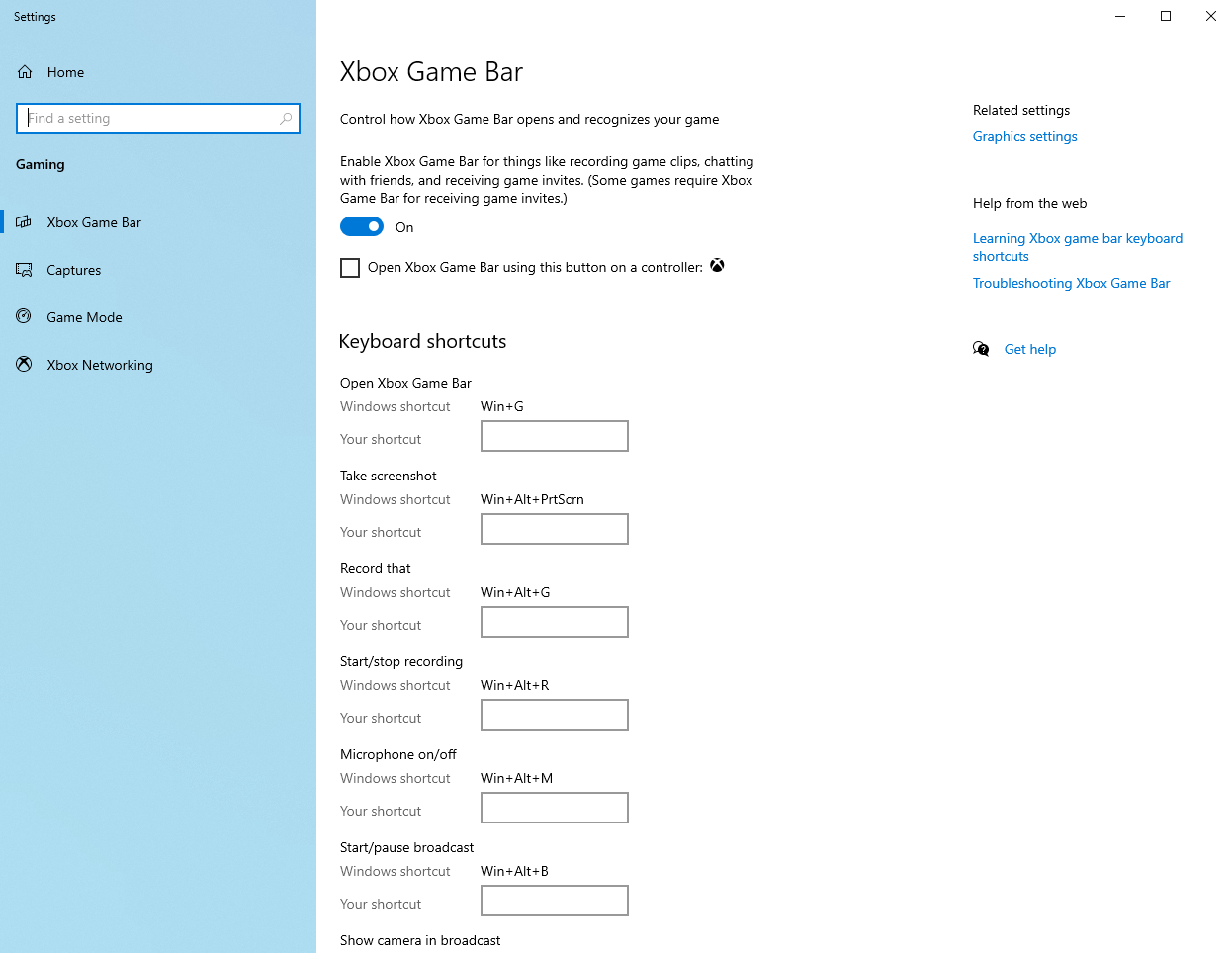
you need to go to 'Xbox Game Bar' settings in Windows and leave the 'Xbox Game Bar' ON, but turn OFF the setting: 'Open Xbox Game Bar using this button on a controller'
## Steam Big Picture
Prevent Steam Big Picture from starting up when you press the GUIDE button:
- Inside the release package (.zip) there is a folder called `steam_xinput` with a `README.txt`
## Checkout & Build
You can checkout the project and make a release build.
Executable `(XBOX360_Controller.exe)` will be put into `bin/Release` and is ready to use.