https://github.com/ldd/react-tech-tree
React visual tree components. Demo: https://ldd.github.io/react-tech-tree/
https://github.com/ldd/react-tech-tree
javascript no-dependencies react react-component tech-tree tree
Last synced: over 1 year ago
JSON representation
React visual tree components. Demo: https://ldd.github.io/react-tech-tree/
- Host: GitHub
- URL: https://github.com/ldd/react-tech-tree
- Owner: ldd
- License: mit
- Created: 2020-04-02T06:23:00.000Z (over 6 years ago)
- Default Branch: master
- Last Pushed: 2020-08-23T17:04:51.000Z (almost 6 years ago)
- Last Synced: 2025-02-28T02:10:18.143Z (over 1 year ago)
- Topics: javascript, no-dependencies, react, react-component, tech-tree, tree
- Language: JavaScript
- Homepage:
- Size: 3.34 MB
- Stars: 26
- Watchers: 2
- Forks: 1
- Open Issues: 4
-
Metadata Files:
- Readme: README.md
- License: LICENSE.md
Awesome Lists containing this project
README
# react-tech-tree
[](https://www.npmjs.com/package/react-tech-tree)
[](https://travis-ci.com/ldd/react-tech-tree)
[](https://coveralls.io/github/ldd/react-tech-tree?branch=add-tests)
[](https://david-dm.org/ldd/react-tech-tree)
[](https://bundlephobia.com/result?p=react-tech-tree@0.5.1)
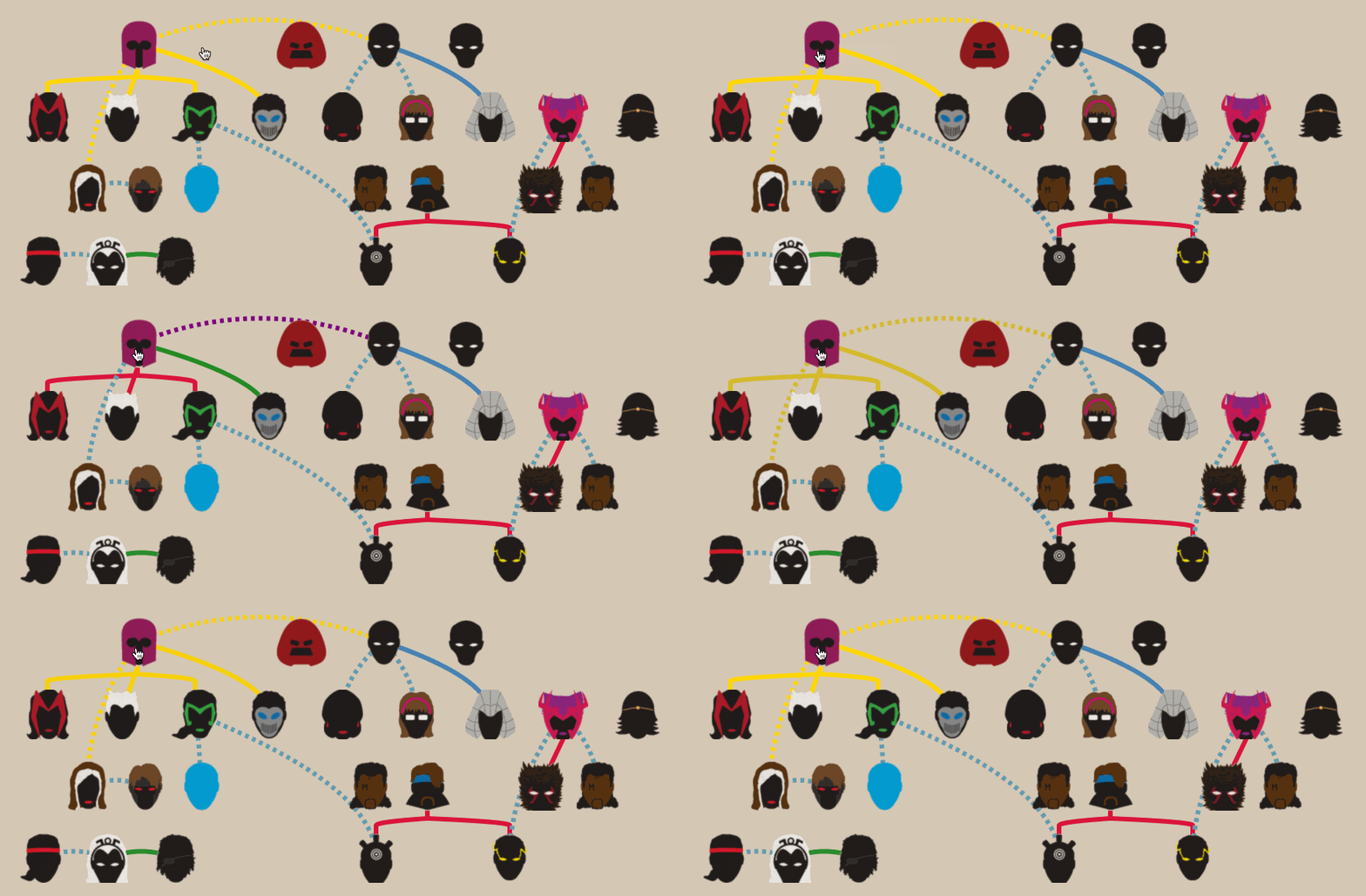
Create highly customizable tech trees (or generic graphical trees)
## Features
- Light
- Zero dependencies (besides react)
- Tree-shaking ready
- < 2Kb gzipped
- Responsive
- works on mobile, desktop, etc
- Image Support
- sprite sheets (e.g: [TexturePacker](https://www.codeandweb.com/texturepacker))
- individual images
- Customizable
- style links and nodes
- ready to [use](https://github.com/ldd/react-tech-tree/tree/master/example/src/trees/text_tooltip/index.js) with [react-tooltip](https://github.com/wwayne/react-tooltip), etc
- [good examples](https://github.com/ldd/react-tech-tree/tree/master/example/src/trees)
## Installation
- npm: `npm install --save react-tech-tree`
- yarn: `yarn add react-tech-tree`
## Usage
```jsx
import React from "react";
import { Tree } from "react-tech-tree";
import "react-tech-tree/dist/index.css";
const nodes = [
[
{ id: "A0", name: "A" },
{ id: "B0", name: "B" }
]
];
const links = [{ from: "A0", to: "B0" }];
function ExampleComponent() {
return ;
}
```
## Options
### _Tree_
```js
import { Tree } from "react-tech-tree";
```
| Prop | Type | Description |
| ----------- | ------------------------------- | ------------------------------------------------------------------------------------------------------------------ |
| id | `string` | id property (should be unique). E.g: [uuuid](https://github.com/uuidjs/uuid) |
| nodes | `{id:string, name: string}[][]` | 2d array with nodes information |
| links | `{from:string, to: string}[]` | array with links information |
| NodeElement | `ReactElement` | _(optional)_ React Element to be used as Node. Defaults to [`Node`](https://github.com/ldd/react-tech-tree/#node). |
| nodeProps | `object` | _(optional)_ Properties to pass down to Node elements. See [`Node`](https://github.com/ldd/react-tech-tree/#node). |
| linkProps | `object` | _(optional)_ See below. |
#### linkProps
| Prop | Type | Description |
| --------- | ----------------------------------------------- | ---------------------------------------------------------------------------------------------------------------------------------------- |
| pathMaker | `(r0: Rect,r1: Rect, props?: object) => string` | _(optional)_ Function to generate string paths. Defaults to [`simplePathMaker`](https://github.com/ldd/react-tech-tree/#simplePathMaker) |
### _Node_
```js
import { Node } from "react-tech-tree";
```
| Prop | Type | Description |
| ------- | ------------------------- | -------------------------------------------------------------------------------------------------------------------------------------------------------------------------- |
| onClick | `(e: MouseEvent) => void` | _(optional)_ Event Handler fired when the Node is clicked. Defaults to [`nodeClickHandler`](https://github.com/ldd/react-tech-tree/tree/document-helpers#nodeClickHandler) | styleName | () => `object` | function to style the Node from its name. [Example](https://github.com/ldd/react-tech-tree/blob/master/example/src/trees/superhero/index.js#L18) |
### _Sprite_
```js
import { Sprite } from "react-tech-tree";
```
| Prop | Type | Description |
| --------- | -------------- | -------------------------------------------------------------------------------------------------------------------------------------------------- |
| name | `string` | name of spritesheet entry or image name for this Sprite |
| styleName | () => `object` | function to style the Sprite from its name. [Example](https://github.com/ldd/react-tech-tree/blob/master/example/src/trees/superhero/index.js#L18) |
### _Link_
```js
import { Link } from "react-tech-tree";
```
| Prop | Type | Description |
| -------- | -------- | --------------------------------------- |
| pathData | `string` | data to build links. E.g: `M 0 0 L 1 1` |
### _helpers_
#### nodeClickHandler
```js
import { nodeClickHandler } from "react-tech-tree";
```
clickHandler function used by [`Node`](https://github.com/ldd/react-tech-tree/#node) internally.
Use it when you are trying to build a custom `NodeElement` that you pass to a [`Tree`](https://github.com/ldd/react-tech-tree/#tree).
It will:
- mark `Node` with class `active`
- mark `Node's children` with class `next-active`
```jsx
//...
function MyNodeElement({ name, id }) {
return (
{name}
);
}
function ExampleComponent() {
return ;
}
```
#### prepareSpritesheetStyle
```js
import { prepareSpritesheetStyle } from "react-tech-tree";
```
When using spritesheets, you may need to style each [`Sprite`](https://github.com/ldd/react-tech-tree/#sprite) based on its name.
If you are using [TexturePacker](https://www.codeandweb.com/texturepacker), you can use this function as follows:
```jsx
//...
import spriteInformation from "./data/spritesheet.json";
import spriteImage from "./data/spritesheet.png";
//...
const nodeProps = {
styleName: prepareSpritesheetStyle(spriteImage, spriteInformation)
};
function ExampleComponent() {
return ;
}
```
#### simplePathMaker
```js
import { simplePathMaker } from "react-tech-tree";
```
Pure function that return a string path between the center of two rectangles.
```js
const rect0 = { x: 0, y: 24, width: 4, height: 4 };
const rect1 = { x: 8, y: 32, width: 2, height: 2 };
const path = simplePathMaker(rect0, rect1);
// "M 2 26 L 9 33"
```
It is used at the default value for building links between `Nodes`.
It can be passed down in `linkProps` to a [`Tree`](https://github.com/ldd/react-tech-tree/#tree). See [example](https://github.com/ldd/react-tech-tree/blob/master/example/src/trees/superhero/linkHelper.js)
```jsx
//...
const linkProps = { pathMaker: simplePathMaker };
function ExampleComponent() {
return ;
}
```
## Tips
For further usage, go to the [examples page](https://github.com/ldd/react-tech-tree/tree/master/example/src/trees)
## Inspiration
- [tech-tree](https://github.com/ldd/tech-tree-js)
- vanilla javascript project I made a _long_ time ago
## License
MIT © [ldd](https://github.com/ldd)