https://github.com/leafoftree/vim-run
Run any file and show output inside vim
https://github.com/leafoftree/vim-run
cmd file run vim
Last synced: 6 months ago
JSON representation
Run any file and show output inside vim
- Host: GitHub
- URL: https://github.com/leafoftree/vim-run
- Owner: leafOfTree
- Created: 2019-10-16T06:33:41.000Z (over 6 years ago)
- Default Branch: master
- Last Pushed: 2024-03-09T06:47:11.000Z (over 2 years ago)
- Last Synced: 2025-04-07T20:12:32.024Z (over 1 year ago)
- Topics: cmd, file, run, vim
- Language: Vim Script
- Homepage:
- Size: 35.2 KB
- Stars: 2
- Watchers: 2
- Forks: 0
- Open Issues: 1
-
Metadata Files:
- Readme: README.md
Awesome Lists containing this project
README
# vim-run
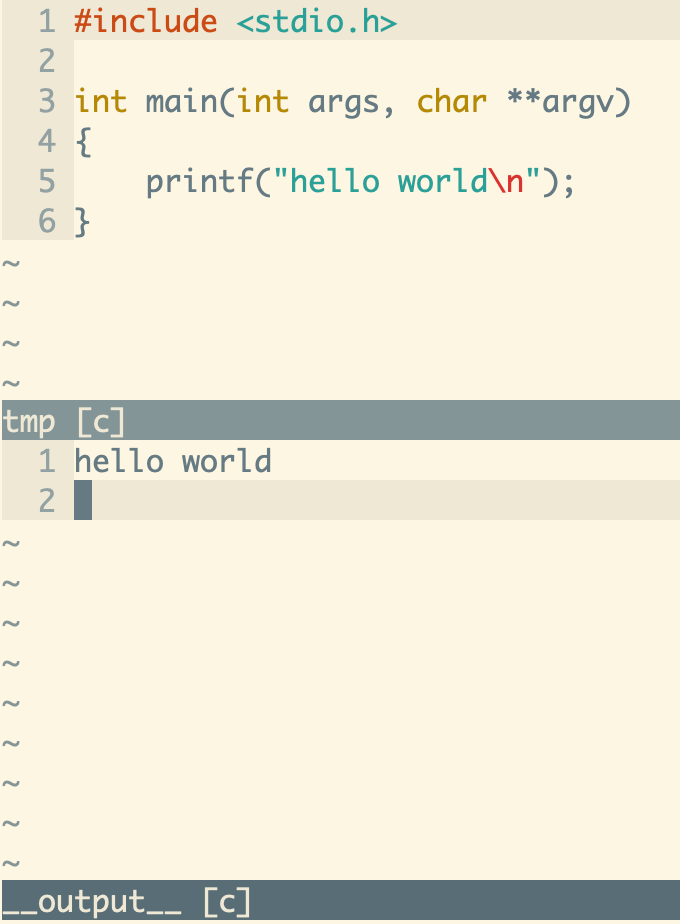
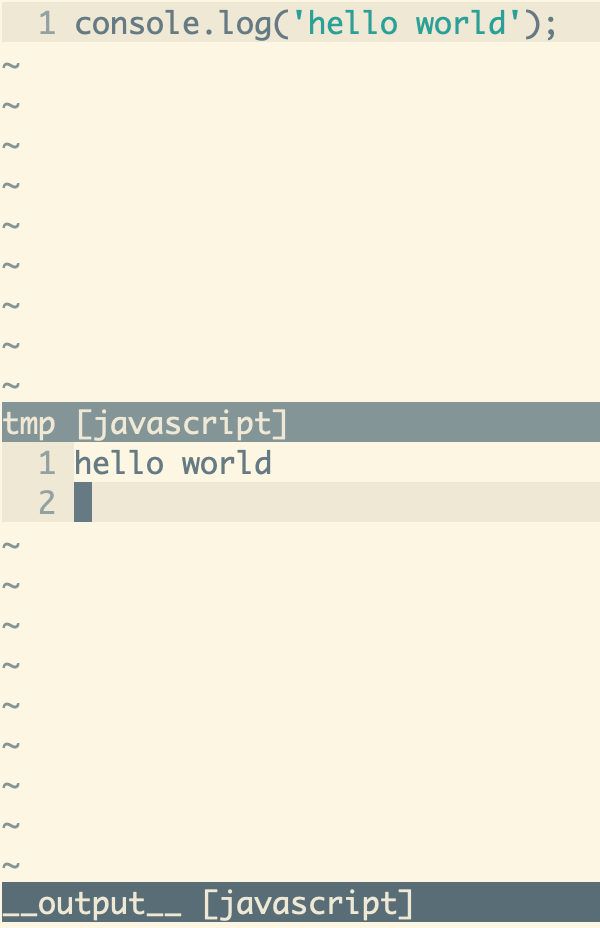
Run any file and show output inside vim.
## Usage
With config
```vim
let g:run_mapping = 'go' " default mapping
let g:run_cmd = {
\'c': 'gcc -Wall -Wextra -std=c99 -pedantic',
\'c_plus': './a.out',
\'java': 'javac -Xdiags:verbose -Xlint:unchecked',
\'java_plus': 'java %:r',
\'python': 'python',
\'javascript': 'node',
\'tsx': 'tsc --outFile %t %',
\'tsx_plus': 'node %t',
\'vim': 'source',
\}
```
Open a `tmp.c` or `tmp.py` file and Press go in NORMAL mode. Vim will run the file and split a window to display the output.
## Installation
- [VundleVim][1]
Plugin 'leafOfTree/vim-run'
- [vim-pathogen][2]
cd ~/.vim/bundle && \
git clone https://github.com/leafOfTree/vim-run --depth 1
- [vim-plug][3]
Plug 'leafOfTree/vim-run'
:PlugInstall
- Or manually, clone this plugin to `path/to/this_plugin`, and add it to `rtp` in vimrc
set rtp+=path/to/this_plugin
Please stay up to date. Feel free to open an issue or a pull request.
## Configuration
#### `g:run_cmd`
- `{ key: , value: }`
- `{ key: _plus, value: }`
- description:
Set `` for ``. The filename is appended to the ``.
- If there are special chars in ``, they will be replaced with a proper value. Meanwhile the filename won't be appended to the ``.
| Special chars | Value |
|---------------|-----------------------------|
| % | Filename |
| %:r | Filename without extension |
| %t | Temp filename given by vim |
- Optional: set `` for `_plus` which runs after the previous one. Useful when the previous only compiles the file.
- type: `Dictionary`
- default: `Undefined`
- example:
```vim
let markdown_to_html = 'pandoc
\ --metadata title="%"
\ -c http://cdn.bootcss.com/bootstrap/3.3.5/css/bootstrap.min.css
\ -s % -o %:r.html'
let g:run_cmd = {
\'c': 'gcc -Wall -Wextra -std=c99 -pedantic',
\'c_plus': './a.out',
\'cpp': 'g++ -Wall -Wextra -pedantic',
\'javascript': 'node',
\'python': 'python',
\'markdown': markdown_to_html,
\'markdown_plus': 'open %:r.html',
\'vim': 'source',
\}
```
Note: you need to use `'source'` for `vim` files.
#### `g:run_mapping`
- description: key mapping to run the current file in Normal mode.
- default: `'go'`
- example:
```vim
let g:run_mapping = ''
```
Or you can map key as usual
```vim
nnoremap call run#Run()
inoremap call run#Run()
```
#### `g:run_output_focus`
Focus the output window. Default: `0`. (`0` or `1`).
#### `g:run_output_scroll_bottom`
Let the output window scroll to bottom. Default: `0`. (`0` or `1`).
#### `g:run_output_vertically`
Split output window vertically. Default: `0`. (`0` or `1`).
#### `g:run_debug`
Show debug messages. Default: `0`. (`0` or `1`).
## Custom output syntax highlighting
You can add `syntax/run-.vim` to custom `` output's syntax highlighting. Examples are `syntax/run-go.vim`, `syntax/run-c.vim`, ...
[1]: https://github.com/VundleVim/Vundle.vim
[2]: https://github.com/tpope/vim-pathogen
[3]: https://github.com/junegunn/vim-plug