https://github.com/leeguooooo/swiftbar-warp-control
🚨 Fix Cloudflare WARP stuck on/force-enabled issue. Professional macOS menu bar tool for reliable WARP control when GUI fails. Password-free SwiftBar plugin.
https://github.com/leeguooooo/swiftbar-warp-control
automation cloudflare-vpn cloudflare-warp command-line force-disable macos macos-utility menu-bar plugin security swiftbar troubleshooting vpn warp-cli warp-control warp-stuck
Last synced: 3 months ago
JSON representation
🚨 Fix Cloudflare WARP stuck on/force-enabled issue. Professional macOS menu bar tool for reliable WARP control when GUI fails. Password-free SwiftBar plugin.
- Host: GitHub
- URL: https://github.com/leeguooooo/swiftbar-warp-control
- Owner: leeguooooo
- License: mit
- Created: 2025-09-30T02:31:36.000Z (9 months ago)
- Default Branch: main
- Last Pushed: 2025-09-30T04:02:55.000Z (9 months ago)
- Last Synced: 2025-10-14T17:52:54.867Z (9 months ago)
- Topics: automation, cloudflare-vpn, cloudflare-warp, command-line, force-disable, macos, macos-utility, menu-bar, plugin, security, swiftbar, troubleshooting, vpn, warp-cli, warp-control, warp-stuck
- Language: Shell
- Size: 105 KB
- Stars: 1
- Watchers: 0
- Forks: 0
- Open Issues: 0
-
Metadata Files:
- Readme: README-CN.md
- Changelog: CHANGELOG.md
- Contributing: CONTRIBUTING.md
- Funding: .github/FUNDING.yml
- License: LICENSE
- Security: docs/SECURITY.md
Awesome Lists containing this project
README
# SwiftBar WARP Control
**macOS 一键无密码控制 Cloudflare WARP**
专业、安全、高效的工具,通过 SwiftBar 将 Cloudflare WARP 控制集成到您的 macOS 菜单栏,消除重复的密码输入。




[English](README.md) | 简体中文
## 功能特性
- **无密码控制**: 开关 WARP 无需重复输入密码
- **一键安装**: 自动安装所有依赖,包括 SwiftBar
- **安全设计**: 最小权限提升,仅用于 WARP 控制命令
- **简洁界面**: 无缝菜单栏集成和状态指示器
- **智能检测**: 自动检测 WARP 状态和系统要求
- **丰富菜单**: 启动、停止、重启和状态检查选项
- **轻松卸载**: 包含完整卸载脚本
## 截图预览

### 菜单栏集成
```
🟢 WARP (连接时)
🔴 WARP (断开时)
```
### 菜单选项
- **状态**: 已连接/已断开,带颜色指示器
- **控制**: 启动、停止、重启 WARP
- **工具**: 查看状态、打开 WARP 应用
- **链接**: 项目主页和文档
## 系统要求
- **macOS**: 10.15 (Catalina) 或更高版本
- **Cloudflare WARP**: 需要从 App Store 或官网安装
- **管理员权限**: 仅首次设置时需要
## 安装方式
在终端中运行此命令:
```bash
curl -fsSL https://raw.githubusercontent.com/leeguooooo/swiftbar-warp-control/main/install.sh | bash
```
或手动克隆安装:
```bash
git clone https://github.com/leeguooooo/swiftbar-warp-control.git
cd swiftbar-warp-control
bash install.sh
```
## 安装内容
安装程序会自动处理:
1. **Homebrew** (如果尚未安装)
2. **SwiftBar** (如果尚未安装)
3. **WARP 控制脚本** (`/usr/local/bin/warp-control.sh`)
4. **Sudo 配置** (`/etc/sudoers.d/warp-toggle`)
5. **SwiftBar 插件** (`~/swiftbar/warp.5s.sh`)
6. **SwiftBar 配置** (自动设置插件目录)
## 安全性
本工具以安全为重点设计:
- **最小权限**: 仅允许无密码执行特定的 WARP 控制脚本
- **用户特定**: 权限仅授予安装用户
- **隔离命令**: 无法访问其他系统命令或 sudo 操作
- **开源透明**: 完整代码透明,可进行安全审查
sudo 配置仅允许:
```bash
username ALL=(ALL) NOPASSWD: /usr/local/bin/warp-control.sh
```
## 使用方法
安装后,WARP 控制图标将自动出现在您的菜单栏中。**无需手动配置** - 安装程序会自动为 SwiftBar 设置正确的插件目录。
### 状态指示器
- **🟢 WARP**: 已连接并运行
- **🔴 WARP**: 已断开或停止
### 菜单操作
- **启动 WARP**: 连接到 Cloudflare WARP
- **停止 WARP**: 断开 WARP 连接
- **重启 WARP**: 重启 WARP 连接
- **查看状态**: 在终端中查看详细连接状态
- **打开 WARP 应用**: 启动官方 WARP 应用程序
### 命令行使用
您也可以直接从终端控制 WARP:
```bash
# 启动 WARP
sudo /usr/local/bin/warp-control.sh start
# 停止 WARP
sudo /usr/local/bin/warp-control.sh stop
# 检查状态
sudo /usr/local/bin/warp-control.sh status
# 切换开/关
sudo /usr/local/bin/warp-control.sh toggle
```
## 卸载
完全删除所有组件:
```bash
bash uninstall.sh
```
这将删除:
- WARP 控制脚本
- Sudo 配置
- SwiftBar 插件
*注意:SwiftBar 和 Cloudflare WARP 应用程序不会被自动删除。*
## 手动卸载
如果需要手动删除组件:
```bash
# 删除 WARP 控制脚本
sudo rm -f /usr/local/bin/warp-control.sh
# 删除 sudo 配置
sudo rm -f /etc/sudoers.d/warp-toggle
# 删除 SwiftBar 插件
rm -f ~/swiftbar/warp.5s.sh
```
## 故障排除
### WARP 无法启动/停止
1. 确保 Cloudflare WARP 已安装并正常工作
2. 尝试手动运行控制脚本:
```bash
sudo /usr/local/bin/warp-control.sh status
```
### 菜单栏图标未出现
1. 检查 SwiftBar 是否正在运行
2. 在 SwiftBar 首选项中验证插件目录
3. 刷新 SwiftBar 插件
### 权限被拒绝错误
1. 验证 sudoers 配置:
```bash
sudo visudo -c -f /etc/sudoers.d/warp-toggle
```
2. 尝试注销并重新登录
3. 使用安装脚本重新安装
### SwiftBar 插件显示错误
1. 检查控制脚本是否存在:
```bash
ls -la /usr/local/bin/warp-control.sh
```
2. 验证脚本权限:
```bash
sudo chmod 755 /usr/local/bin/warp-control.sh
```
更多帮助,请参阅 [故障排除指南](docs/TROUBLESHOOTING.md)
## 更新
更新到最新版本:
```bash
# 拉取最新更改
git pull origin main
# 重新安装
bash install.sh
```
## 贡献
欢迎贡献!请先阅读我们的 [贡献指南](CONTRIBUTING.md)。
### 开发设置
```bash
# 克隆仓库
git clone https://github.com/leeguooooo/swiftbar-warp-control.git
cd swiftbar-warp-control
# 在开发模式下测试安装
bash install.sh
```
### 提交更改
1. Fork 仓库
2. 创建功能分支
3. 进行更改
4. 彻底测试
5. 提交拉取请求
## 许可证
本项目基于 MIT 许可证 - 查看 [LICENSE](LICENSE) 文件了解详情。
## 致谢
- **[SwiftBar](https://github.com/swiftbar/SwiftBar)**: 强大的 macOS 菜单栏自定义工具
- **[Cloudflare WARP](https://1.1.1.1/)**: 快速、安全、私密的互联网连接
- **[BitBar](https://github.com/matryer/bitbar)**: 菜单栏插件的原始灵感来源
## 支持
- **错误报告**: [GitHub Issues](https://github.com/leeguooooo/swiftbar-warp-control/issues)
- **功能请求**: [GitHub Discussions](https://github.com/leeguooooo/swiftbar-warp-control/discussions)
- **文档**: [Wiki](https://github.com/leeguooooo/swiftbar-warp-control/wiki)
## 赞助支持
如果这个项目对您有帮助,请考虑支持项目的发展:
[](https://github.com/sponsors/leeguooooo)
[](https://ko-fi.com/leeguooooo)
您的赞助帮助维护和改进这个项目。感谢您的支持!
### 特别感谢我们的赞助者
*赞助者将在此列出。成为第一个支持此项目的人!*
## Star 历史
如果这个项目对您有帮助,请考虑给它一个 star!
[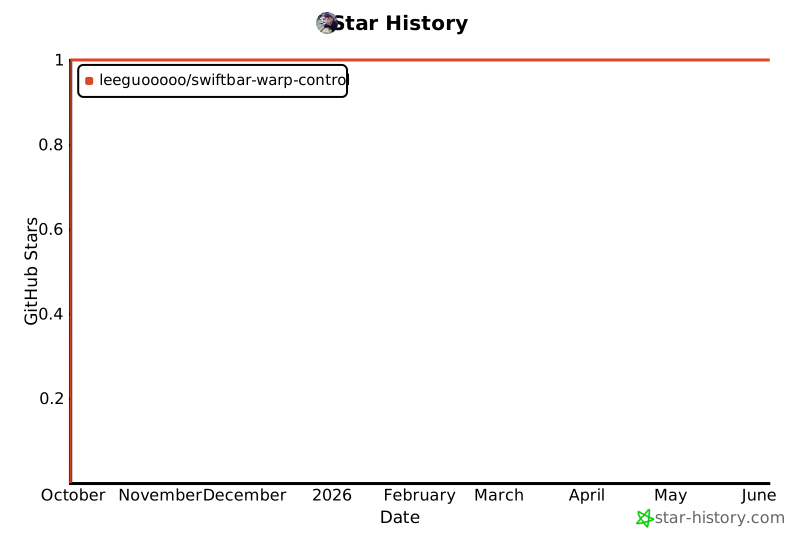](https://star-history.com/#leeguooooo/swiftbar-warp-control&Date)
---
**为 macOS 社区精心制作**