https://github.com/lei4519/inspect-commits
检查 Git Commits 中的敏感词
https://github.com/lei4519/inspect-commits
git git-hooks pre-push
Last synced: 2 months ago
JSON representation
检查 Git Commits 中的敏感词
- Host: GitHub
- URL: https://github.com/lei4519/inspect-commits
- Owner: lei4519
- Created: 2021-12-16T09:54:04.000Z (over 4 years ago)
- Default Branch: master
- Last Pushed: 2022-06-21T09:38:08.000Z (about 4 years ago)
- Last Synced: 2025-04-02T01:52:33.995Z (over 1 year ago)
- Topics: git, git-hooks, pre-push
- Language: Rust
- Homepage:
- Size: 2.32 MB
- Stars: 0
- Watchers: 1
- Forks: 0
- Open Issues: 0
-
Metadata Files:
- Readme: README.md
Awesome Lists containing this project
README
# Inspect Commits
检查 Git Commits 中的敏感词
> 不支持 windows 系统
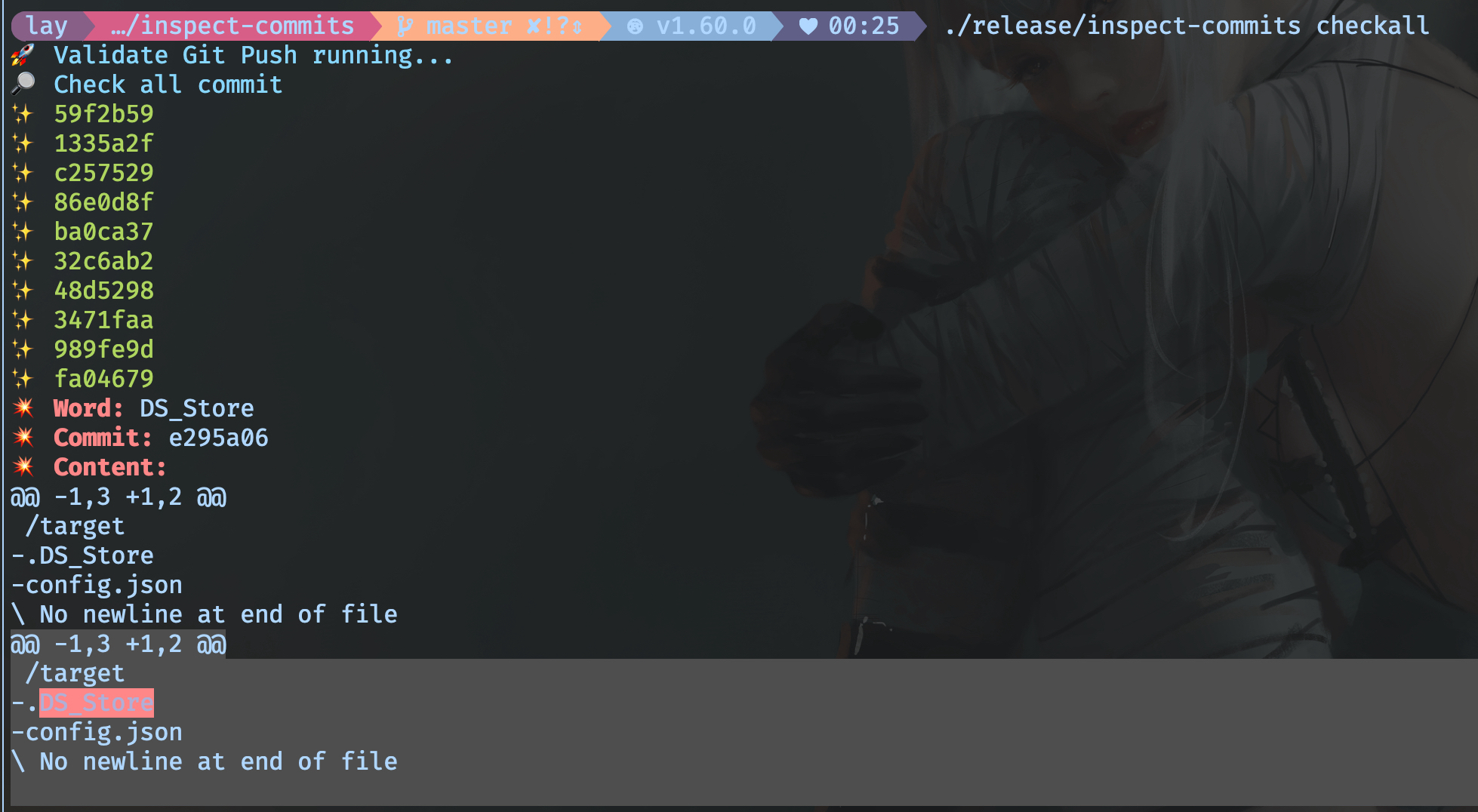
## 安装
```sh
/bin/bash -c "$(curl -fsSL https://raw.githubusercontent.com/lei4519/inspect-commits/master/scripts/install)"
```
安装成功后,在终端中执行 `inspect-commits` 命令应该会有信息输出。
```sh
inspect-commits
```
## 卸载
```sh
/bin/bash -c "$(curl -fsSL https://raw.githubusercontent.com/lei4519/inspect-commits/master/scripts/uninstall)"
```
## 命令
```sh
SUBCOMMANDS:
check 检查当前分支中未提交到远程仓库的 commits
checkall 检查当前分支下的所有 commits
config 编辑配置文件;-p 参数返回文件地址
set-global-hook 将程序配置为 git global core.hooksPath
unset-global-hook 清除 git global core.hooksPath 配置
```
### `inspect-commits config`
编辑配置文件,文件格式为 JSON。
#### Config 格式
```ts
// 可配多个规则
type Rules = Array
type Rule = {
// 当前规则需要排除的远程地址
exclude_repo_urls: Array
// 当前规则需要检查的敏感词
words: Array
}
```
#### 配置示例
```json
{
"rules": [
{
"exclude_repo_urls": [
"github.com"
],
"words": [
"password"
]
},
{
"exclude_repo_urls": [
"gitlab.com"
],
"words": [
"sensitive"
]
}
]
}
```
### `inspect-commits check`
检查当前分支中未提交到远程仓库的 commits
```sh
inspect-commits check origin
```
### `inspect-commits checkall`
检查当前分支下的所有 commits
### `inspect-commits set-global-hook`
将程序配置为全局的 pre-push hook,实际就是在设置 `git config --global core.hooksPath`
### `inspect-commits unset-global-hook`
清除全局 hook 配置,等同于执行 `git config --global --unset core.hooksPath`。
⚠️ 注意:
- 如果已存在全局 hook,此命令显示警告信息,并覆盖已存在的 hook。
- 如果在 git 仓库中配置了 hooksPath 会覆盖 git 全局的 hook
如果存在以上情况,可以使用 [husky](https://github.com/typicode/husky) 进行多 hook 管理。
## 配合 Husyk
安装 Husky 并生成 `.husky/pre-push` 脚本后,将以下内容放入脚本中
```sh
read local_ref local_sha remote_ref remote_sha
inspect-commits check $1 $remote_ref $local_ref
```
## 为什么不是 pre-commit?
- pre-commit 可以被 `--no-verify` 跳过,pre-push 无法被跳过
- commit 会很频繁,而 push 不会
- 敏感信息暴露出去才算风险,在电脑中不算
## 检测出 commit 包含敏感信息,如何修复?
使用 `git rebase -i`, 对目标 commit 进行 `edit`,详情参考 [Git 工具 - 重写历史](https://git-scm.com/book/zh/v2/Git-%E5%B7%A5%E5%85%B7-%E9%87%8D%E5%86%99%E5%8E%86%E5%8F%B2)
⚠️ 如果包含敏感信息的 commit 已经提交到了远程仓库,重写 commit 后强制推送也没有用。只要 commit 到了远程仓库就会被永久记录,唯一的办法就是删除并重建远程仓库。