https://github.com/lemariva/upym5echo
Two applications for the M5Stack ATOM Echo running MicroPython.
https://github.com/lemariva/upym5echo
m5stack m5stack-atom m5stack-atom-echo micropython
Last synced: over 1 year ago
JSON representation
Two applications for the M5Stack ATOM Echo running MicroPython.
- Host: GitHub
- URL: https://github.com/lemariva/upym5echo
- Owner: lemariva
- License: apache-2.0
- Created: 2020-05-06T22:18:56.000Z (about 6 years ago)
- Default Branch: master
- Last Pushed: 2020-06-02T20:48:02.000Z (about 6 years ago)
- Last Synced: 2025-03-27T08:45:18.114Z (over 1 year ago)
- Topics: m5stack, m5stack-atom, m5stack-atom-echo, micropython
- Language: Python
- Homepage: https://lemariva.com/blog/2020/06/m5stack-introducing-new-m5stack-atom-echo
- Size: 3.03 MB
- Stars: 13
- Watchers: 2
- Forks: 1
- Open Issues: 3
-
Metadata Files:
- Readme: README.md
- License: LICENSE
Awesome Lists containing this project
README
# uPyM5Echo
This repository includes two applications for the M5Stack ATOM Echo running MicroPython.
## Check the project
[M5Stack: Introducing the new M5Stack ATOM ECHO](https://lemariva.com/blog/2020/06/m5stack-introducing-new-m5stack-atom-echo)
## Preview
[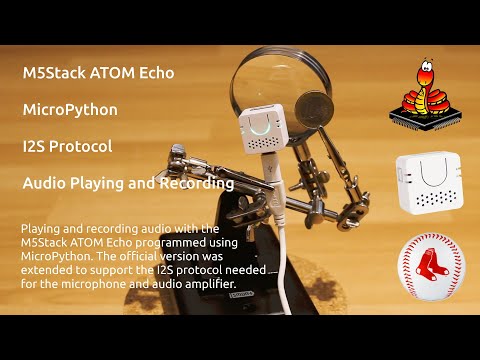](https://www.youtube.com/watch?v=pfINimJDti0)
## DIY Instructions
1. Clone the repository:
```sh
git clone https://github.com/lemariva/uPyM5Echo.git
```
2. Rename the file `config.sample.py` to `config.py`.
3. Create three `wav` files and rename them as `audio_nr0.wav`, `audio_nr1.wav`, `audio_nr3.wav` (you can use mine files, they are inside the `audios` folder). The files should be mono and the sample frequency 44.1kHz. If you want another frequency, you can modify the parameter `SAMPLES_PER_SECOND = 44100` inside the `main.py` file.
4. Upload the `py` and `wav` files using [VSCode and the PyMakr Extension](https://lemariva.com/blog/2018/12/micropython-visual-studio-code-as-ide). You may need to modify the option `"sync_file_types":"py",` to `"sync_file_types":"py,wav",` inside the file `pymakr.conf` to upload the `wav` files. The size of the files together should not be greater than 3MB, otherwise you'll get an error by uploading. If you want to, you can upload the `wav` files separately using the [`adafruit-ampy`](https://lemariva.com/blog/2017/10/micropython-getting-started) Python extension.
You can then connect to the M5Stack via Bluetooth using e.g., the [BLE Scanner app](https://play.google.com/store/apps/details?id=com.macdom.ble.blescanner) and set the BLE Custom Characteristic to 01, 02, or 03 (Byte Array) to play different tracks.
The record and play example, which is shown in the video, results from using the `micro_record_play.py` file.