https://github.com/leotm/productsans-regular
ProductSans-Regular.ttf
https://github.com/leotm/productsans-regular
Last synced: 11 months ago
JSON representation
ProductSans-Regular.ttf
- Host: GitHub
- URL: https://github.com/leotm/productsans-regular
- Owner: leotm
- Created: 2015-09-02T15:50:25.000Z (almost 11 years ago)
- Default Branch: master
- Last Pushed: 2015-09-08T14:10:45.000Z (over 10 years ago)
- Last Synced: 2025-07-04T08:03:50.803Z (11 months ago)
- Size: 180 KB
- Stars: 38
- Watchers: 5
- Forks: 11
- Open Issues: 0
-
Metadata Files:
- Readme: README.md
Awesome Lists containing this project
README

- [Evolving the Google Identity](https://design.google.com/articles/evolving-the-google-identity/)
- [Type Specimen](https://storage.googleapis.com/g-design/static/product-sans-specimen.pdf)
# [Getting Started](https://developers.google.com/fonts/docs/getting_started)
Here's an example. Copy and paste the following HTML into a file:
``
and the following CSS into a file:
`font-family: Product Sans;`
# [Installing fonts on Windows](https://www.microsoft.com/en-us/Typography/TrueTypeInstall.aspx)
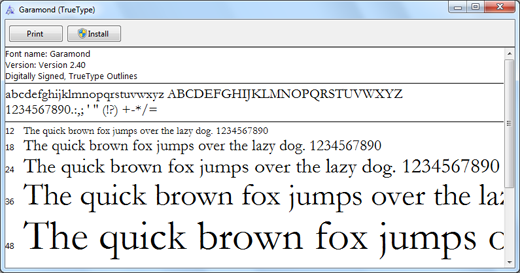
The easiest way to install a font is to download [ProductSans-Regular.ttf](http://www90.zippyshare.com/v/3kGMo0yX/file.html) ([2](http://www.mediafire.com/download/cj74ai8pbbcs7s9/ProductSans-Regular.ttf)) , then double-click on a font file to open the font preview and select 'Install'.
# [License](https://www.google.com/fonts/license/productsans)
> Google offers many fonts on open source terms. This is not one of them. Please see www.google.com/fonts.