https://github.com/lesterrry/juno
A CD player for MacOS which behaves and looks like just like... a CD player
https://github.com/lesterrry/juno
cd-player macos-app mp3-player music-player
Last synced: about 2 months ago
JSON representation
A CD player for MacOS which behaves and looks like just like... a CD player
- Host: GitHub
- URL: https://github.com/lesterrry/juno
- Owner: lesterrry
- Created: 2021-06-05T13:53:10.000Z (about 5 years ago)
- Default Branch: main
- Last Pushed: 2021-12-22T11:21:21.000Z (over 4 years ago)
- Last Synced: 2025-10-14T11:35:32.096Z (8 months ago)
- Topics: cd-player, macos-app, mp3-player, music-player
- Language: Swift
- Homepage:
- Size: 4.5 MB
- Stars: 2
- Watchers: 1
- Forks: 0
- Open Issues: 5
-
Metadata Files:
- Readme: README.md
Awesome Lists containing this project
README
# 💿 Juno
A CD player for MacOS
📻 See also: [Radio Automne](https://github.com/lesterrry/radio-automne) – an Internet radio
## What is it?
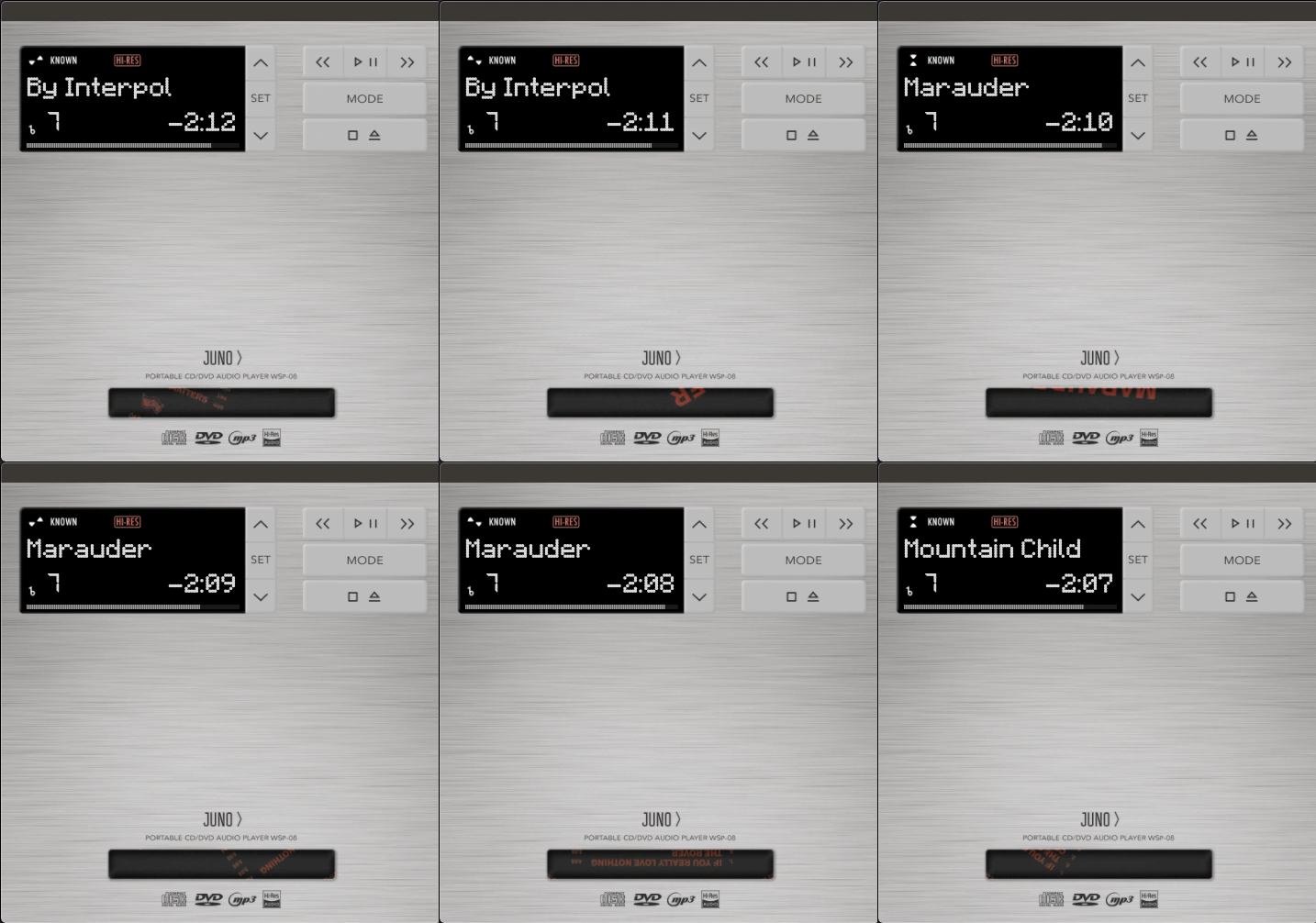
Juno is a player for all sorts of disks. It opens all files your PC is capable of opening. Moreover, Juno
* Features different playback modes
* Supports CDs with folders
* Can [save](#saving-the-disk) CDs
* Reads ID3
* Looks really cool
## How to use
1. Download the [latest release](https://github.com/Lesterrry/Juno/releases/latest)
2. Move the application to your *Applications* folder
3. Right-click on the app, press *Open* and confirm opening
4. Press *Play/Pause* button to read the disk
5. Everything else works just like a regular CD player
## Setting up
1. Press *Set* button
2. Use *Folder* *up* and *down* buttons to move between settings
3. Use *Next* and *Previous* buttons to change settings
4. Press *Set* button again to save settings
## Saving the disk
1. Insert the disk and launch Juno
2. Go to *./Music/Juno/Disks*
3. Find an image for the disk. It must be 1x1 and not bigger than 1000x1000px
4. Move it in this folder and make up an easy name for it
5. Look for a JSON file which represents your disk
6. Fill in all the properties using this template:
```
{
"tracks": [
{
"title": "FIRST TRACK TITLE",
"album": "FIRST TRACK ALBUM",
"url": "URL; DO NOT CHANGE",
"artist": "FIRST TRACK ARTIST"
},
{
"title": "SECOND TRACK TITLE",
"album": "SECOND TRACK ALBUM",
"url": "URL; DO NOT CHANGE",
"artist": "SECOND TRACK ARTIST"
},
{
"title": "THIRD TRACK TITLE",
"album": "THIRD TRACK ALBUM",
"url": "URL; DO NOT CHANGE",
"artist": "THIRD TRACK ARTIST"
}
],
"reliable": true IF THIS FILE SHOULD BE USED; false IF IT SHOULD NOT,
"title": "DISK TITLE",
"cover_image_name": "NAME OF IMAGE WITH AN EXTENSION"
}
```
## Other
You can go to MacOS Settings, *CD/DVD*, and set *Open Application*, Juno as an action when a music CD is inserted. If *AUTOLAUNCH* setting is set to *YES* in Juno, CDs will be read automatically.