https://github.com/levensta/msh
msh – maxishell is a light reproduction of Bourne Shell (bash) 🖥️
https://github.com/levensta/msh
21school 42born2code 42projects 42school bash c cli command-line minishell shell terminal
Last synced: 3 months ago
JSON representation
msh – maxishell is a light reproduction of Bourne Shell (bash) 🖥️
- Host: GitHub
- URL: https://github.com/levensta/msh
- Owner: levensta
- License: mit
- Created: 2021-05-04T20:28:23.000Z (about 5 years ago)
- Default Branch: master
- Last Pushed: 2021-07-20T11:42:39.000Z (about 5 years ago)
- Last Synced: 2025-06-09T01:35:30.250Z (about 1 year ago)
- Topics: 21school, 42born2code, 42projects, 42school, bash, c, cli, command-line, minishell, shell, terminal
- Language: C
- Homepage:
- Size: 527 KB
- Stars: 0
- Watchers: 2
- Forks: 1
- Open Issues: 0
-
Metadata Files:
- Readme: README.md
- License: LICENSE
Awesome Lists containing this project
README
# msh · [](https://github.com/levensta/msh/blob/master/LICENSE)
--
msh – maxishell is a light reproduction of Bourne Shell (bash).
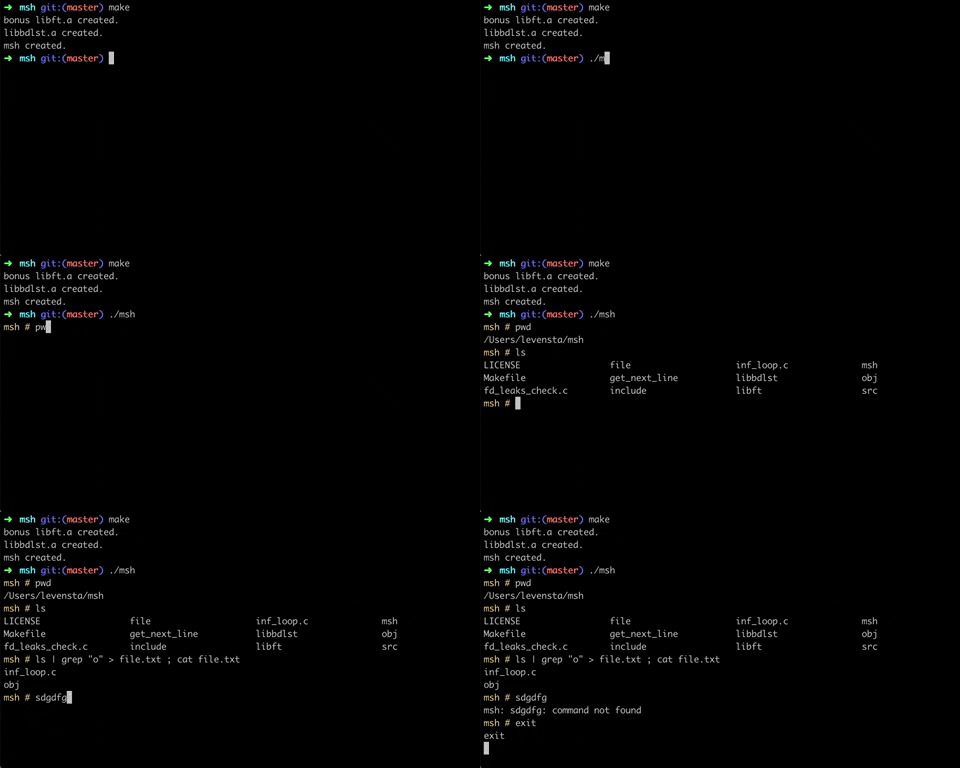
## Features that has been implement
- History.
- Search and launch the right executable (based on the **PATH** variable or by usingrelative or absolute path).
- Builtins functions:
- `cd` with only a relative or absolute path.
- `pwd` with no options.
- `echo` with `-n` option.
- `export` with no options.
- `unset` with no options.
- `env` with no options.
- `exit` with no options.
- `history` with no options.
- Redirections:
- `<` redirect input.
- `>` redirect output.
- `>>`redirect output with append mode.
- Pipes `|` the output of each command in the pipeline is connected via a pipe to theinput of the next command.
- Environment variables (**$** followed by characters) expand to their values.
- `$?` expands to the exit status of the most recently executed foreground pipeline.
- Signals work like in bash. When interactive:
- `Ctrl + C` will print a new prompt on a newline.
- `Ctrl + D` will exit the shell.
- `Ctrl + \` will do nothing.