https://github.com/leviroth/backgammon
A networked OCaml implementation of backgammon. Try it locally: https://leviroth.github.io/backgammon/
https://github.com/leviroth/backgammon
Last synced: about 2 months ago
JSON representation
A networked OCaml implementation of backgammon. Try it locally: https://leviroth.github.io/backgammon/
- Host: GitHub
- URL: https://github.com/leviroth/backgammon
- Owner: leviroth
- License: mit
- Created: 2017-04-28T04:02:15.000Z (about 9 years ago)
- Default Branch: master
- Last Pushed: 2018-06-30T12:00:35.000Z (about 8 years ago)
- Last Synced: 2025-01-13T18:52:47.896Z (over 1 year ago)
- Language: OCaml
- Homepage:
- Size: 518 KB
- Stars: 2
- Watchers: 2
- Forks: 0
- Open Issues: 2
-
Metadata Files:
- Readme: README.md
- License: LICENSE.md
Awesome Lists containing this project
README
# Backgammon
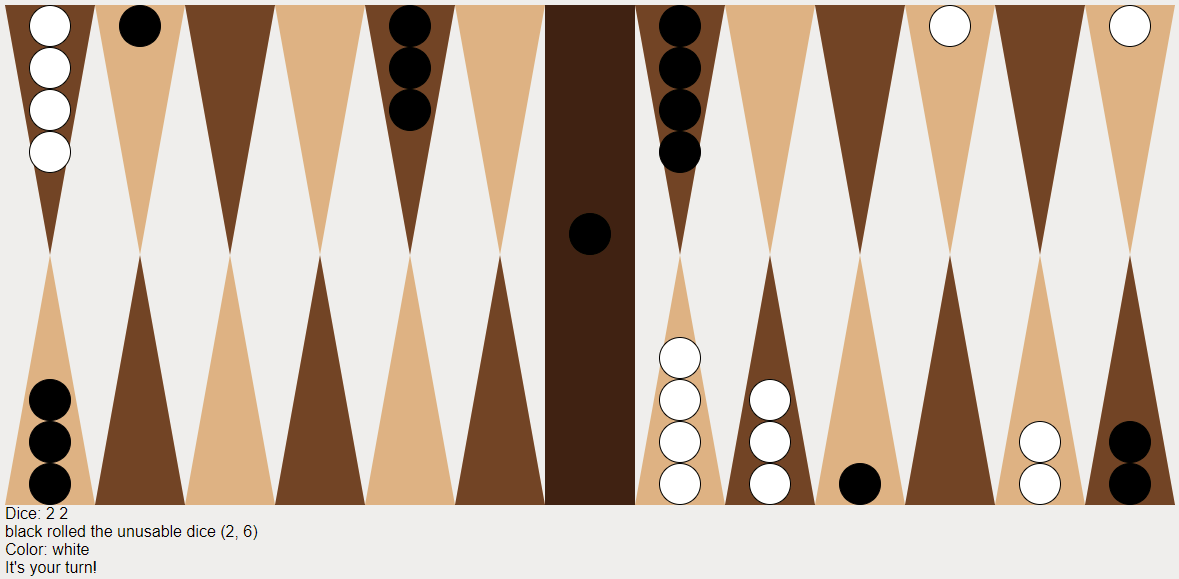
This is backgammon, implemented in OCaml. The project includes three different
front-ends:
- A networked web client - host a server and play with friends across the
world.
- A standalone web app - play locally via a static web page. [Try it via
GitHub Pages.](https://leviroth.github.io/backgammon/)
- A terminal app.
# Installation
For the command-line interface, you will want at least Jane Street Base, stdio,
and ppx\_jane, installable via:
```bash
opam install base stdio ppx_jane
```
Running tests requires `core_kernel`.
For the web interface, substantially more is needed. Unfortunately, this project
depends on some packages that are not yet part of the opam repository, and the
current version of opam makes it necessary to manually pin them:
```bash
opam install core async websocket-async js_of_ocaml
# The following are either not yet published to opam, or not up to date with the
# latest master branch bugfixes:
opam pin add ocaml-vdom git://github.com/lexifi/ocaml-vdom.git
opam pin add gen_js_api git://github.com/lexifi/gen_js_api.git
```
# Build and usage
## Command-line interface
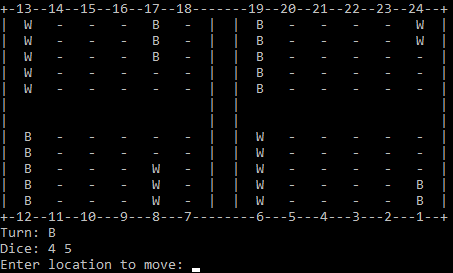
The command-line interface can be built and run with:
```bash
jbuilder build @cli
_build/default/cli/main.exe
```
Moves are entered by choosing a starting location and the die that should be
used from that position.
## Web interface
To build the networked web interface, simply:
```bash
jbuilder build @web
```
We make the game playable by running the server executable, and separately
serving static files from the `client/` build directory:
```bash
_build/default/server/main.exe
# In a separate session:
cd _build/default/client
python3 -m http.server
```
The game can then be accessed on whatever port is serving the web client. If
you want to play over the Internet, you will need to make sure that your friends
can access this port, as well as port 3000 which is used for WebSockets.
To build and serve the static web page:
```bash
jbuilder build @standalone
cd _build/default/client
python3 -m http.server
```
The page can then be accessed via http://localhost:8000/standalone.html.