https://github.com/levonium/llama-chat
A simple command-line and user interface for interacting with local Ollama models.
https://github.com/levonium/llama-chat
ai ollama
Last synced: 2 months ago
JSON representation
A simple command-line and user interface for interacting with local Ollama models.
- Host: GitHub
- URL: https://github.com/levonium/llama-chat
- Owner: levonium
- Created: 2025-04-05T06:49:08.000Z (about 1 year ago)
- Default Branch: main
- Last Pushed: 2025-04-11T17:15:18.000Z (about 1 year ago)
- Last Synced: 2026-04-03T12:57:07.618Z (3 months ago)
- Topics: ai, ollama
- Language: PHP
- Homepage:
- Size: 396 KB
- Stars: 0
- Watchers: 1
- Forks: 0
- Open Issues: 0
-
Metadata Files:
- Readme: README.md
Awesome Lists containing this project
README
# Llama Chat
A simple command-line and user interface for interacting with local [Ollama](https://ollama.com) models.
## Prerequisites
To use this application, ensure the following:
1. [Ollama](https://github.com/ollama/ollama) is installed.
2. At least one model is downloaded. Refer to the [Ollama documentation](https://github.com/ollama/ollama) for guidance.
---
## Features
- **Command-Line Interface (CLI):** Interact with AI models directly from the terminal.
- **User Interface (UI):** A simple web-based interface for chatting with models.
- **Customizable Options:** Choose models, agents, and response formats.
- **File Upload Support:** Upload files through both CLI and UI interfaces.
- **Chat History:** Maintain and continue previous conversations.
---
## User Interface (UI)
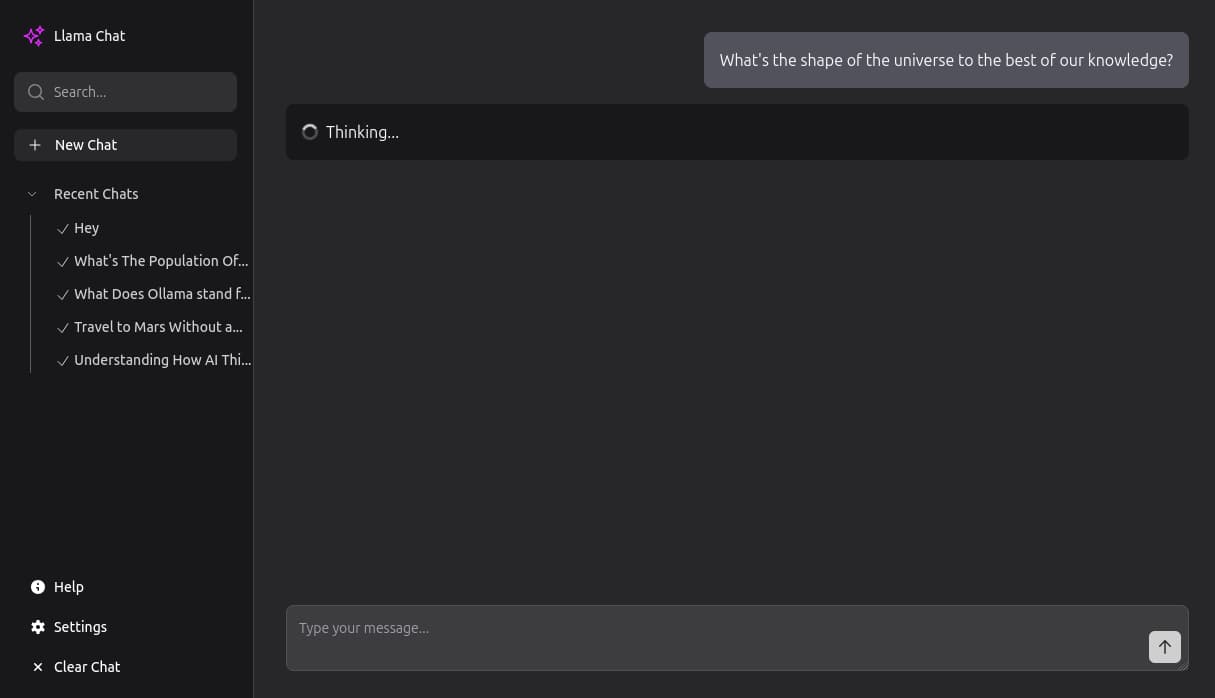
1. Start the server by running:
```bash
php artisan serve
```
2. Visit the application at `http://127.0.0.1:8000` in your browser.
3. Start chatting with your preferred model.
---
## Command-Line Interface (CLI)
### Available Commands
#### `llama:chat`
Start a chat session with an AI model.
```bash
php artisan llama:chat --model=llama3.2 --agent="You are a helpful assistant." --upload=filename.txt --i --f
```
**Options:**
- `--model` - Specify the model to use (default: `llama3.2`).
- `--agent` - Define the agent's description (default: `You are a helpful assistant.`).
- `--upload` - Upload a file to the chat session. The file must be placed in the `storage/app/private/cli/` directory.
- `--i` - Enable interactive mode (default: `false`).
- `--f` - Return formatted responses (default: `false`).
#### `llama:chat:list`
List and continue previous chat sessions.
```bash
php artisan llama:chat:list --limit=10
```
**Options:**
- `--limit` - Number of recent chats to display (default: `10`).
#### `llama:ask`
Ask a one-off question to an AI model.
```bash
php artisan llama:ask --model=llama3.2 --agent="You are a helpful assistant."
```
**Options:**
- `--model` - Specify the model to use (default: `llama3.2`).
- `--agent` - Define the agent's description (default: `You are a helpful assistant.`).
#### `llama:model`
Interactively list models and view model information.
```bash
php artisan llama:model
```
This command provides an interactive interface to:
- List all available (downloaded) models with their details
- Show detailed information about a specific model
---
## Installation
Follow these steps to set up the application:
1. Clone the repository:
```bash
git clone [repository]
```
2. Install dependencies:
```bash
composer install
```
3. Copy the environment file:
```bash
cp .env.example .env
```
4. Generate the application key:
```bash
php artisan key:generate
```
5. Start the server:
```bash
php artisan serve
```
6. Visit `http://127.0.0.1:8000` in your browser.
---
## Logs
Access application logs by visiting:
```
http://127.0.0.1:8000/llogs
```