https://github.com/lgkonline/lgk-prettier
Command that adds LGK's preferred Prettier config
https://github.com/lgkonline/lgk-prettier
command command-line-tool config format formatting prettier prettier-config tool
Last synced: 6 months ago
JSON representation
Command that adds LGK's preferred Prettier config
- Host: GitHub
- URL: https://github.com/lgkonline/lgk-prettier
- Owner: lgkonline
- License: mit
- Created: 2024-06-08T09:15:05.000Z (about 2 years ago)
- Default Branch: main
- Last Pushed: 2024-06-08T21:34:55.000Z (about 2 years ago)
- Last Synced: 2025-03-10T07:19:05.027Z (over 1 year ago)
- Topics: command, command-line-tool, config, format, formatting, prettier, prettier-config, tool
- Language: JavaScript
- Homepage:
- Size: 3.91 KB
- Stars: 0
- Watchers: 1
- Forks: 0
- Open Issues: 0
-
Metadata Files:
- Readme: README.md
Awesome Lists containing this project
README
# LGK's Prettier config
Run
```
npx -y lgk-prettier
```
add the root of a project to add a [`.prettierrc`](https://prettier.io) file to it.
## Add VS Code settings and extension
Adding the parameter `--vscode` or `-c` will also add this to the workspace:
- `.vscode/settings.json` with `"editor.formatOnSave": true`
- `.vscode/settings.json` with `"recommendations": ["esbenp.prettier-vscode"]`
## Add settings for Tailwind CSS
In a project with Tailwind CSS you can add the parameter `--tailwindcss` or `-t`. This will also add the Tailwind CSS plugin to the `.prettierrc` file and also sets `"tailwindStylesheet": "./src/style.css"`, which is required by the plugin. Make sure to update this, if your CSS file is somewhere else. This script also doesn't install the plugin, you have to run `npm install -D prettier prettier-plugin-tailwindcss` yourself.
When you also add parameter `--vscode` or `-c`, the official Tailwind CSS IntelliSense extension will also be added to the workspace's extension recommendations.
## Status
[](https://www.npmjs.com/package/lgk-prettier)
## Why does this exist?
I like to use Prettier in all my projects to make code formatted in a consistent way. I configured my VS Code to format automatically with the Prettier extension.
[I also wrote an article about this.](https://site.lgk.io/blog/mach-deinen-code-prettier/) It's in German though.
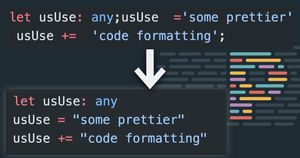
Unfortunately I don't like the default formatting, so I always have my own `.prettierc` in each project, since you can't have a global Prettier config.
This script should help adding this config to a new project.
My preferred config looks like this:
```json
{
"tabWidth": 4,
"useTabs": false,
"semi": false,
"singleQuote": false,
"trailingComma": "none",
"bracketSpacing": true,
"bracketSameLine": false,
"fluid": false
}
```
If you like this as well, feel free to use my command tool. Or fork this repo and change it to your own.