https://github.com/lhx077/abprocessor
Unity AssetBundle Processor
https://github.com/lhx077/abprocessor
assetbundle game-development modding modding-tools unity unity3d
Last synced: 2 months ago
JSON representation
Unity AssetBundle Processor
- Host: GitHub
- URL: https://github.com/lhx077/abprocessor
- Owner: lhx077
- License: apache-2.0
- Created: 2025-05-01T18:56:17.000Z (about 1 year ago)
- Default Branch: main
- Last Pushed: 2025-05-05T17:31:35.000Z (about 1 year ago)
- Last Synced: 2025-05-05T17:46:35.571Z (about 1 year ago)
- Topics: assetbundle, game-development, modding, modding-tools, unity, unity3d
- Language: C#
- Homepage:
- Size: 46.9 KB
- Stars: 1
- Watchers: 1
- Forks: 0
- Open Issues: 0
-
Metadata Files:
- Readme: README.md
- License: LICENSE
Awesome Lists containing this project
README
# ABProcessor - Unity AssetBundle外部处理库
[](https://deepwiki.com/lhx077/ABProcessor)

[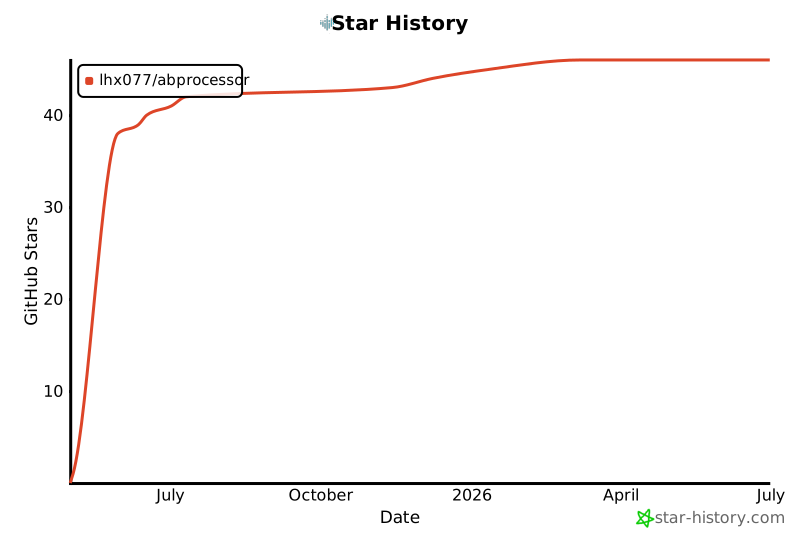](https://www.star-history.com/#lhx077/ABProcessor&Date)
## 项目概述
ABProcessor是一个用C#编写的库,用于在Unity外部处理AssetBundle(.ab)文件。该库提供了创建、压缩、加密和管理AssetBundle的功能,可以轻松集成到现有项目中。对于性能要求高的场景,ABProcessor还提供了C++原生方法支持,通过P/Invoke与C#交互。
该库完全符合Unity AssetBundle格式规范,生成的文件可以直接在Unity中加载使用。无论是游戏开发、资源管理还是自动化工具开发,ABProcessor都能提供高效可靠的AssetBundle处理能力。
## 功能特性
- **AssetBundle创建**:将多个文件打包成AssetBundle格式
- **压缩支持**:支持None、LZMA、LZ4和LZ4HC多种压缩方式
- **加密功能**:支持对AssetBundle内容进行AES加密保护
- **高性能处理**:可选的C++原生方法提高处理性能
- **跨平台支持**:基于.NET Standard 2.0,可在多种平台使用
- **简洁API**:提供简单易用的API接口
## 项目结构
```
ABProcessor/
├── src/ # 源代码目录
│ ├── ABProcessor.cs # 核心处理类
│ ├── ABProcessorNative.cs # C#与C++交互的包装类
│ └── Native/ # C++原生代码
│ └── ABProcessorNative.cpp # 高性能处理的C++实现
├── samples/ # 示例代码
│ ├── ABProcessorSample.cs # 示例程序
│ └── ABProcessorSample.csproj # 示例项目文件
└── ABProcessor.csproj # 主项目文件
```
## 快速开始
### 安装
1. 克隆仓库到本地:
```
git clone https://github.com/lhx077/ABProcessor.git
```
2. 使用Visual Studio或其他IDE打开解决方案文件 `ABProcessor.sln`
3. 编译项目:
```
dotnet build
```
### 基本用法
#### 创建AssetBundle
```csharp
// 初始化处理器
AssetBundleProcessor processor = new AssetBundleProcessor(
outputPath: "D:/Output",
compressionLevel: System.IO.Compression.CompressionLevel.Optimal,
useEncryption: false,
unityCompressionType: UnityCompressionType.LZ4,
unityVersion: "2019.4.0f1"
);
// 准备文件列表
List files = new List
{
"D:/Assets/Texture1.png",
"D:/Assets/Model1.fbx",
"D:/Assets/Config.json"
};
// 创建AssetBundle
string bundlePath = processor.CreateAssetBundle("my_bundle", files);
Console.WriteLine($"AssetBundle已创建: {bundlePath}");
```
#### 解包AssetBundle
```csharp
// 初始化处理器
AssetBundleProcessor processor = new AssetBundleProcessor("D:/Extract");
// 解包AssetBundle
List extractedFiles = processor.ExtractAssetBundle(
"D:/Bundles/my_bundle",
"D:/Extract"
);
Console.WriteLine($"已解包 {extractedFiles.Count} 个文件");
```
#### 使用加密
```csharp
// 初始化处理器(启用加密)
AssetBundleProcessor processor = new AssetBundleProcessor(
outputPath: "D:/Output",
useEncryption: true,
encryptionKey: "your_secret_key_here"
);
// 创建加密的AssetBundle
string bundlePath = processor.CreateAssetBundle("encrypted_bundle", files);
// 解包加密的AssetBundle(需要提供相同的密钥)
List extractedFiles = processor.ExtractAssetBundle(
bundlePath,
"D:/Extract"
);
```
## 高级用法
### 使用不同的压缩类型
```csharp
// 使用LZMA压缩(更高压缩率,但解压较慢)
AssetBundleProcessor lzmaProcessor = new AssetBundleProcessor(
outputPath: "D:/Output",
unityCompressionType: UnityCompressionType.LZMA
);
// 使用LZ4HC压缩(高压缩率的LZ4变种)
AssetBundleProcessor lz4hcProcessor = new AssetBundleProcessor(
outputPath: "D:/Output",
unityCompressionType: UnityCompressionType.LZ4HC
);
// 不使用压缩(更快的加载速度,但文件更大)
AssetBundleProcessor noCompressionProcessor = new AssetBundleProcessor(
outputPath: "D:/Output",
unityCompressionType: UnityCompressionType.None
);
```
### 使用C++高性能版本
```csharp
// 创建C++版本的处理器
using (ABProcessorNative processor = new ABProcessorNative(
outputPath: "D:/Output",
compressionLevel: System.IO.Compression.CompressionLevel.Optimal,
useEncryption: false,
encryptionKey: null,
compressionType: UnityCompressionType.LZ4,
unityVersion: "2019.4.0f1"))
{
// 创建AssetBundle
List files = new List
{
"D:/Assets/Texture1.png",
"D:/Assets/Model1.fbx",
"D:/Assets/Config.json"
};
string bundlePath = processor.CreateAssetBundle("my_bundle", files);
Console.WriteLine($"AssetBundle已创建: {bundlePath}");
// 解包AssetBundle
List extractedFiles = processor.ExtractAssetBundle(
bundlePath,
"D:/Extract"
);
Console.WriteLine($"已解包 {extractedFiles.Count} 个文件");
}
```
## 编译C++原生库
### Windows
1. 使用Visual Studio打开解决方案
2. 右键点击Native项目,选择"生成"
3. 编译后的DLL将位于 `bin/Debug/netstandard2.0/` 目录下
### Linux/macOS
```bash
# 安装必要的工具
sudo apt-get install build-essential cmake
# 编译原生库
cd ABProcessor/src/Native
cmake .
make
# 复制库文件到输出目录
cp libABProcessorNative.so ../../bin/Debug/netstandard2.0/
```
## 注意事项
- 该库不依赖Unity,可以在任何支持.NET Standard 2.0的环境中使用
- 使用C++原生方法需要编译对应平台的原生库
- 加密功能使用AES算法,请妥善保管密钥
- 生成的AssetBundle文件与Unity完全兼容,可以直接在Unity中加载
## 许可证
本项目采用Apache 2.0许可证。详情请参阅LICENSE文件。
## 贡献
欢迎提交问题和拉取请求。对于重大更改,请先开issue讨论您想要更改的内容。