https://github.com/liaplayground/oeb-2023
https://github.com/liaplayground/oeb-2023
liascript liascript-course oeb
Last synced: 5 months ago
JSON representation
- Host: GitHub
- URL: https://github.com/liaplayground/oeb-2023
- Owner: LiaPlayground
- License: cc0-1.0
- Created: 2023-11-23T23:16:48.000Z (over 2 years ago)
- Default Branch: main
- Last Pushed: 2023-11-24T12:50:06.000Z (over 2 years ago)
- Last Synced: 2025-10-30T05:48:59.346Z (9 months ago)
- Topics: liascript, liascript-course, oeb
- Homepage: https://LiaScript.github.io/course/?https://raw.githubusercontent.com/LiaPlayground/OEB-2023/main/README.md
- Size: 26.4 KB
- Stars: 0
- Watchers: 2
- Forks: 0
- Open Issues: 0
-
Metadata Files:
- Readme: README.md
- License: LICENSE
Awesome Lists containing this project
README
[OEB23 Presentation on GitHub](https://github.com/LiaPlayground/OEB-2023)
[OEB23 Presentation on LiaScript](https://liascript.github.io/course/?https://raw.githubusercontent.com/LiaPlayground/OEB-2023/main/README.md)
[OEB23 Presentation in the Live Editor](https://liascript.github.io/LiveEditor/?/show/file/https://raw.githubusercontent.com/LiaPlayground/OEB-2023/main/README.md)
# Serverless Online Education
1. Introduction & Motivation
2. LiaScript & Markdown Cookbook
3. Progressive Web Apps
4. Decentralized Content-Storage
5. Peer^2^Peer in da Browser & LiaScript-Classrooms
6. Sharing Laboratories
---
| Name | eMail | Twitter |
| ----------------------- |:---------------------------------------:|:-----------------------------------------------------:|
| Prof. Dr. Sebastian Zug | [sebastian.zug\@informatik.tu-freiberg.de](mailto:sebastian.zug@informatik.tu-freiberg.de) | |
| Dr. André Dietrich | [LiaScript\@web.de](mailto:LiaScript@web.de) | [\@an_dietrich](https://twitter.com/an_dietrich) |
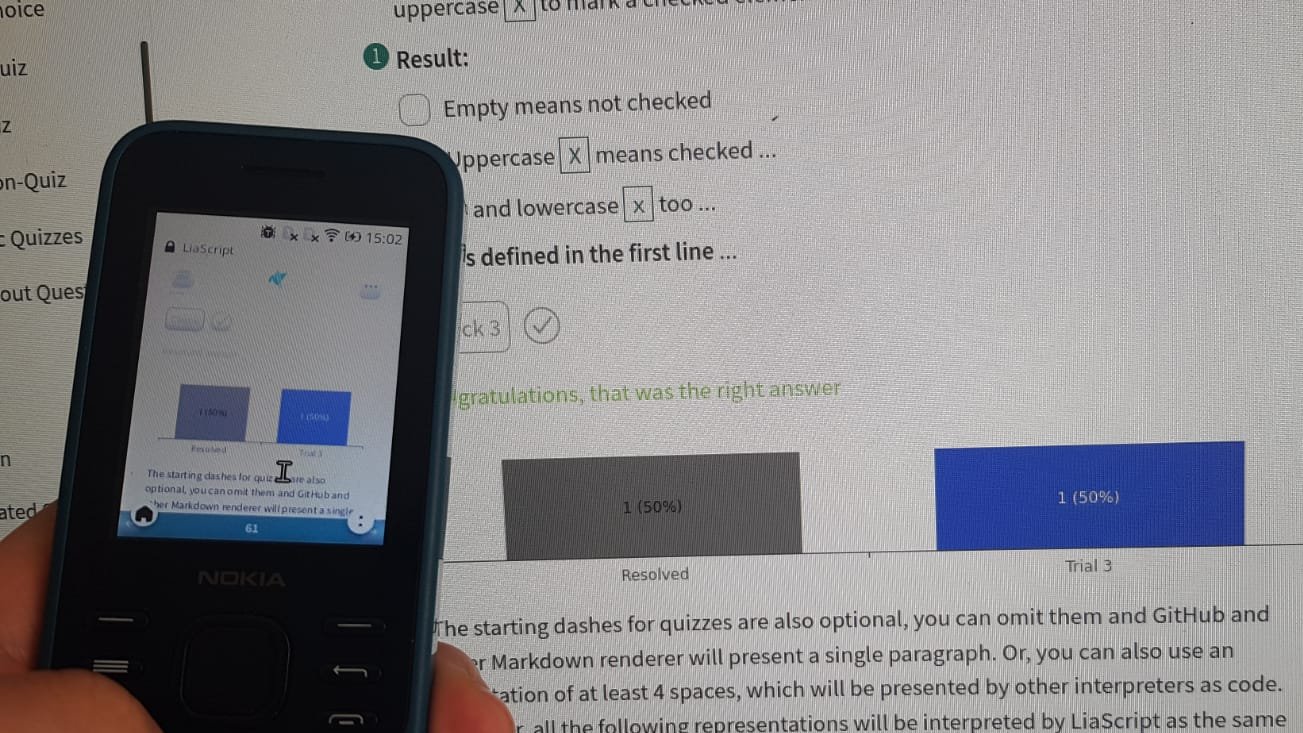
## 1. Introduction & Motivation
## 2. LiaScript & Markdown
```markdown README.md
# Headline
_a text with **bold** and italic highlighting_
* Point A
* Point B
| A | Table |
|---------|:-------:|
| with | two |
| rows | ... |
And another line with some simple math notation $ a= \frac{1}{cos(b)} $!
```
{{1}}
# Headline
_a text with **bold** and italic highlighting_
* Point A
* Point B
| A | Table |
|---------|:-------:|
| with | two |
| rows | ... |
And another line with some simple math notation $ a= \frac{1}{cos(b)} $!
{{2}}
## Markdown is everywhere
https://phind.com
__Prompts:__
- Generate a table of the 5 most important Learning Management Systems.
- Generate an ASCII-art sequence diagram for cooking a soup.
### Additional Material
- # Resources:
- Project-Website: https://LiaScript.github.io
- Code: https://github.com/liascript
- YouTube: https://www.youtube.com/channel/UCyiTe2GkW_u05HSdvUblGYg
- Blog: https://aizac.herokuapp.com/
- # Documentation:
- GitHub: https://github.com/liaScript/docs
- LiaScript: https://liascript.github.io/course/?https://raw.githubusercontent.com/liaScript/docs/master/README.md
- # Tooling:
- Editor: https://code.visualstudio.com/Download
- Liascript-Preview: https://marketplace.visualstudio.com/items?itemName=LiaScript.liascript-preview
- Liascript-Snippets: https://marketplace.visualstudio.com/items?itemName=LiaScript.liascript-snippets
- Online LiveEditor: https://liascript.github.io/LiveEditor/
- Exporter: https://www.npmjs.com/package/@liascript/exporter
- Development-Server: https://www.npmjs.com/package/@liascript/devserver
- # Examples:
- Courses: https://github.com/topics/liascript-course
- Templates: https://github.com/topics/liascript-template
- Tutorial:
- GitHub: https://github.com/LiaBooks/LiaScript-Tutorial
- LiveEdit: https://liascript.github.io/LiveEditor/?/show/file/https://raw.githubusercontent.com/LiaBooks/LiaScript-Tutorial/main/README.md
### Contact via
- eMail: LiaScript@web.de
- Twitter: https://twitter.com/LiaScript
- Chat: https://gitter.im/LiaScript/community
### Tutorial on Alphabet-Soup
A. Basics
Preparation / Working time approximately 10 minutes / Cooking time approximately 25 minutes
Total time approximately 35 minutes
Chop or slice the onions and then sauté them in a large pot with olive oil. Douse the soup with water and start boiling while adding the peeled carrots directly to the pot. Once the water is boiling, add the broth. Chop or slice the zucchini into cubes or halves and then mix it with the noodles into the soup. Let it simmer for about 10 minutes and then add the finely chopped tomatoes and peppers. If needed, add some water. Let it simmer for another 10 minutes and season with spices, salt, and pepper.
A.1 Ingredient List
100 g Instant noodles (Alphabet noodles)
2 TL, heaping Vegetable broth powder, instant
1 Liter Water, possibly more
1 Zucchini
2 Red bell peppers
2 Carrots
1 Onion
3 Tomatoes
Optionally
Fresh, dried or TK herbs
Salt and pepper
Sweet paprika powder
1 EL Olive oil
A.2 Tables and Amounts
Nutritional values per serving: 160 kcal
Substance Grams
Protein 6.31 g
Fat 2.75 g
Carbohydrates 26.48 g
A.3 Correct Citing
Alphabet soup is a noodle soup with alphabet noodles as an ingredient. Often, small carrot pieces and various spices are also added to the ingredient. Alphabet noodles are up to one centimeter in size and have the form of the letters A-Z and seldom also the numbers 0-9 or the @ sign. Alphabet noodles and alphabet soup have been available since at least 1867 in the United States, in Germany no later than since 1884. Alphabet noodles are usually offered in the trade as soup ingredients, alphabet soups as canned soups or as canned goods.
Wikipedia: https://de.wikipedia.org/wiki/Buchstabensuppe
B. External References
Source: https://www.chefkoch.de/rezepte/2166951347805623/Buchstabensuppe-mit-frischem-Gemuese.html
B.1 Pictures
https://upload.wikimedia.org/wikipedia/commons/0/09/Buchstabensuppe.jpg
https://www.verbformen.de/deklination/substantive/Buchstabensuppe.png
https://upload.wikimedia.org/wikipedia/commons/e/e9/Alphabet_soup%2C_empty.jpg
B.2 Music for Cooking
https://open.spotify.com/track/24fdXLWNsc6LJZrbE8wLaJ
https://soundcloud.com/sitzhupe/barbier-von-sevillia
B.3 Videos for Cooking
https://www.youtube.com/watch?v=U_UW69w0uHE
B.4 Augmented Reality and More
https://sketchfab.com/3d-models/formschussel-fur-terra-sigillata-schalen-d4a48496f8bc4808b22277fdedba0b2b
https://phet.colorado.edu/sims/html/states-of-matter/latest/states-of-matter_all.html
C. Recipe Formats
Interactive books, folios, presentations
C.1 Animations & Comments
Today we are going to make an alphabet soup and for that we need the following ingredients:
First, chop the onions small to sauté them in a large pot with olive oil.
https://openai-labs-public-images-prod.azureedge.net/user-ANzFa46RCwWLS19qYwta4rsP/generations/generation-jnFGtapIukJDG38mOKHcDx9g/image.webp
Then douse the soup with water and start boiling while adding the peeled carrots directly to the pot.
https://openai-labs-public-images-prod.azureedge.net/user-ANzFa46RCwWLS19qYwta4rsP/generations/generation-ZddGERw9EB3CEuPYGBRs5Sbn/image.webp
Once the water is boiling, add the broth.
The zucchini is chopped into cubes or halves and then mixed with the noodles into the soup.
Let it simmer for about 10 minutes.
https://openai-labs-public-images-prod.azureedge.net/user-ANzFa46RCwWLS19qYwta4rsP/generations/generation-rwRK8X0LqVixqeN1ah3ukoPv/image.webp
Finally, add the finely chopped tomatoes and peppers.
Add some water if needed and let it simmer for another 10 minutes and season with spices, salt, and pepper.
And then serve hot.
https://www.youtube.com/watch?v=V6paiDYJmOo&autoplay=1&mute=1
E. Programming in Cooking
var Guests = 4
const People = 4
var Ingredient = {
AlphabetNoodles: 100, // Grams
VegetableBroth: 2, // TL
Water: 1, // L
Zucchini: 1,
BellPeppers: 2,
Carrots: 2,
Onions: 1,
Tomatoes: 3,
Oil: 1 // EL
}
for (const Name in Ingredient) {
Ingredient[Name] = (Ingredient[Name] / People) * Guests
}
JSON.stringify(Ingredient, null, 2)
### ... More?
``` abc
% audio: true
% autoplay: false
% channel: 0
% debug: false
% notes: true
% program: 60
% responsive: true
% tablature: [{"instrument": "violin","tuning": ["G,", "D", "A", "e"]}]
% voicesOff: false
% chordsOff: false
% stereo: true
X: 1
T: Cooley's
M: 4/4
L: 1/8
K: Emin
|:D2|"Em"EBBA B2 EB|~B2 AB dBAG|"D"FDAD BDAD|FDAD dAFD|
"Em"EBBA B2 EB|B2 AB defg|"D"afe^c dBAF|"Em"DEFD E2:|
|:gf|"Em"eB B2 efge|eB B2 gedB|"D"A2 FA DAFA|A2 FA defg|
"Em"eB B2 eBgB|eB B2 defg|"D"afe^c dBAF|"Em"DEFD E2:|
```
@ABCJS.eval
```
```
> Explore some of the availibe extensions at:
>
> https://github.com/topics/liascript-template
### Fullday-Workshop at eLearning Africa 2023
!?[1](https://www.youtube.com/watch?v=U_UW69w0uHE)
!?[1](https://www.youtube.com/watch?v=8UtlwH0o8FI)
!?[1](https://www.youtube.com/watch?v=DLk7cKb54IQ)
!?[1](https://www.youtube.com/watch?v=F1DY7_k6KtQ)
## 3. Progressive Web Apps
> A __P__rogressive __W__eb __A__pplication (PWA), or progressive web app, is a type of application software delivered through the web, built using common web technologies including HTML, CSS, JavaScript, and WebAssembly. It is intended to work on any platform with a standards-compliant browser, including desktop and mobile devices...
>
> _Source: [Wikipedia](https://en.wikipedia.org/wiki/Progressive_web_app)_
{{1}}
__Benefits:__
* Allow to store the website in the browser
* Can be installed like a native App
* Support for advanced caching strategies
{{2}}
## 4. Decentralized Storage

### Git
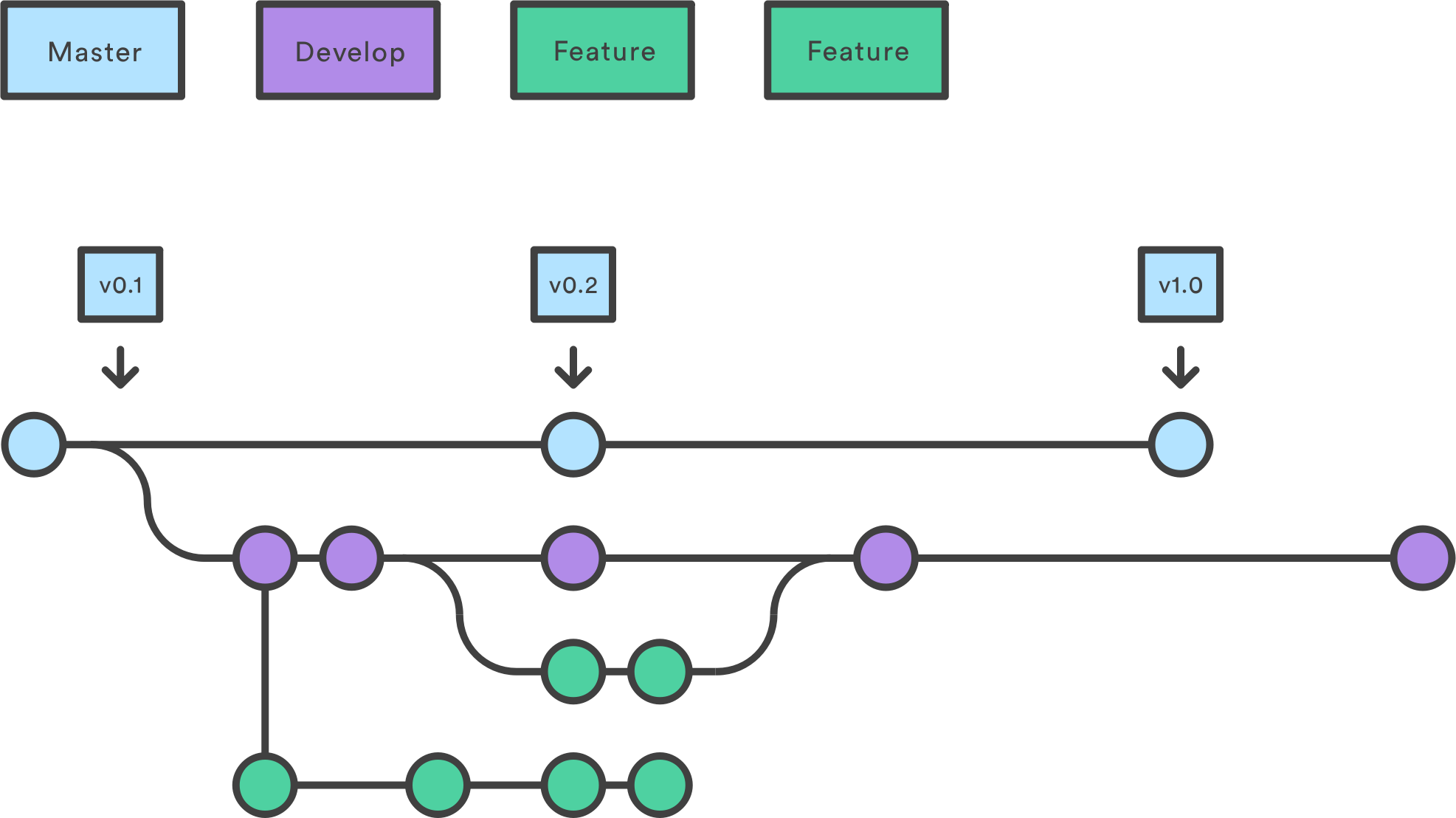
> Git is a distributed version control system that tracks changes in any set of computer files, usually used for coordinating work among programmers. It was originally created by Linus Torvalds in 2005 for development of the Linux kernel, and has become the most popular version control system.
>
> _Source: [Wikipedia](https://en.wikipedia.org/wiki/Git)_
{{1}}
### IPFS & IPNS
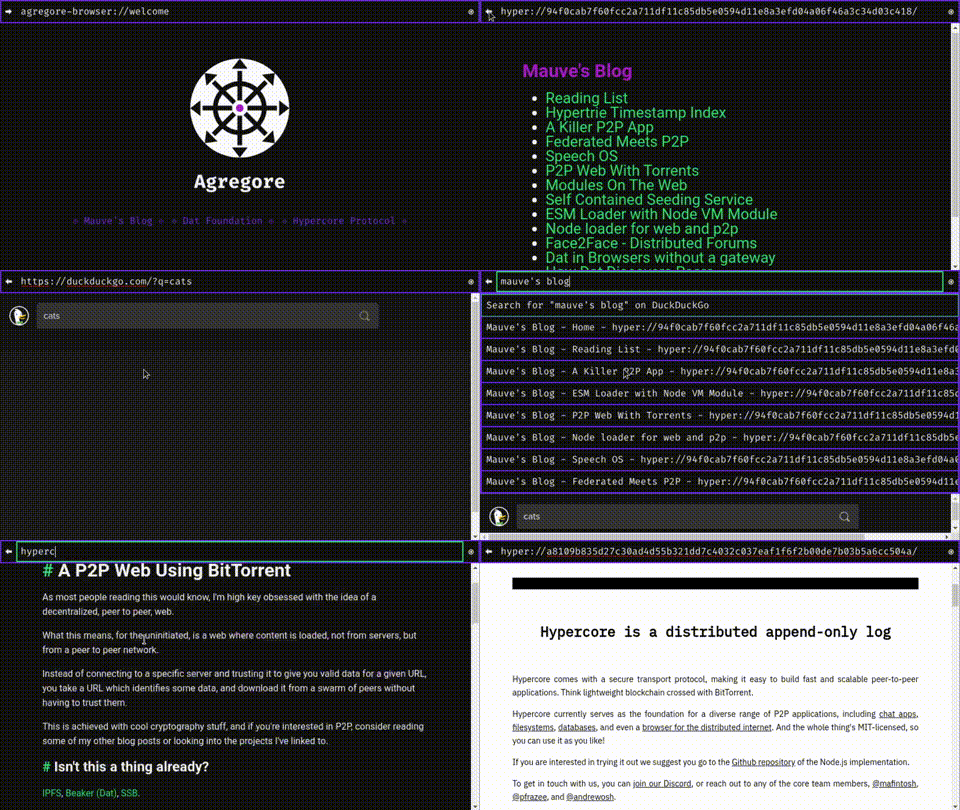
> The __I__nter__P__lanetary __F__ile __S__ystem (IPFS) is a protocol, hypermedia and file sharing peer-to-peer network for storing and sharing data in a distributed file system ...
> _supported by Opera, Brave-Browser, Agregore, and more to come_
>
> https://ipfs.tech

### Onion-Share
!?[Onion-Share Demo](https://www.youtube.com/watch?v=y6tBVNe6mWw&t=1200s)
The [Tor Network](https://en.wikipedia.org/wiki/Tor_%28network%29) is a system that allows users to anonymize their online activities and their identity by routing the data traffic through multiple servers, thereby hiding the source of the data. The network consists of thousands of voluntary servers worldwide that act as "nodes" and encrypt the data traffic to protect the privacy of the users.
__Tor Browser: For anonymous browsing__
* Download & Install: https://www.torproject.org/download/
* Disable private browsing to enable IndexedDB for caching LiaScript courses:
Settings >> Privacy & Security >> History >> Always use private browsing mode (disable)
* Enable CORS:
Settings >> Extensions & Themes >> Search for "[CORS Unblock](https://addons.mozilla.org/en-US/firefox/addon/cors-unblock/?utm_source=addons.mozilla.org&utm_medium=referral&utm_content=search)" >> Click on "[CORS Unblock](https://addons.mozilla.org/en-US/firefox/addon/cors-unblock/?utm_source=addons.mozilla.org&utm_medium=referral&utm_content=search)" >> Install (Add to Firefox)
If you have __disabled private browsing__ mode, enable "CORS Unblock".
Otherwise, enable the plugin first to be used in private mode:
Settings >> Extensions & Themes >> "CORS Unblock" >> Run in Private Windows (Allow)

__OnionShare for anonymous hosting and sharing__
* Download & Install: https://onionshare.org
* Open and "Connect to Tor"
* Share data: Start Hosting >> Add Files or Add Folder >> Start sharing
* Send the Onion-Address and the Private-Key to your students
* Open the Onion-Address within the Tor-Browser, enter the private key and select "Remember this key"
* Open the README.md of the course and copy this URL
* Goto https://LiaScript.github.io and paste this URL "click on Load URL"
### WebTorrent
> WebTorrent is a peer-to-peer (P2P) streaming torrent client written in JavaScript, from the same author, Feross Aboukhadijeh, of YouTube Instant, and the team at WebTorrent and on GitHub, for use in web browsers, as well as a WebTorrent Desktop stand alone version able to bridge WebTorrent and BitTorrent serverless networks.
>
> Source: [Wikipedia](https://en.wikipedia.org/wiki/WebTorrent)
Try it on: https://instant.io
### Agregore Browser
{{1}}
## 5. Peer^2^Peer in da Browser
{{1-2}}
``` ascii __Fig:__ Classic Client & Server Applications
👨🏾💻 --. .-- 👩💻
\ /
👩💻 ------ 🖥️ ------ 👨🏾💻
/ \
👨🏾💻 --' '-- 👩💻
```
{{2}}
``` ascii __Fig:__ Peer^2^Peer- or Mesh-Networks
- - - --👨🏾💻-----👩💻
/ \
/ \
👩💻------+-----👨🏾💻- - -
\ / /
\ / /
👨🏾💻 👩💻- - - -
```
### LiaScript - Classroom
go to:
[OEB-Classroom](https://liascript.github.io/course/?https://raw.githubusercontent.com/LiaPlayground/OEB-2023/main/Classroom.md)
select share >> Classroom >> GunDB >> OEB23
---
[qr-code](https://liascript.github.io/course/?eyJiYWNrZW5kIjoiR1VOfGZ8aHR0cHM6Ly9wZWVyLndhbGxpZS5pby9ndW4iLCJjb3Vyc2UiOiJodHRwczovL3Jhdy5naXRodWJ1c2VyY29udGVudC5jb20vTGlhUGxheWdyb3VuZC9PRUItMjAyMy9tYWluL0NsYXNzcm9vbS5tZCIsInJvb20iOiJPRUIyMyJ9#1)
### WebRTC
> The __Web Real-Time Communication__ is a free and open-source project providing web browsers and mobile applications with real-time communication (RTC) via application programming interfaces (APIs).
> It allows audio and video communication to work inside web pages by allowing direct peer-to-peer communication, eliminating the need to install plugins or download native apps...
>
> _Source: [Wikpedia](https://en.wikipedia.org/wiki/WebRTC)_
{{0-1}}
``` ascii
(WebRTC)
Alice 👩💻 <------------------------------> 👨🏾💻 Bob
```
{{1}}
``` ascii
(Signaling Server)
.-------------> 🖥️ --------------.
| "{1}{}" / A "{2}{}" |
| / \ |
| / \ V
/ \
Alice 👩💻 <--------' '--------- 👨🏾💻 Bob
"{4}{}" "{3}{}"
A A
| |
'----------------------------------'
A "{5}{Direct Communication}" A
| |
'-- - - - - - - - - - - - - - - - -'
"{6}{InDirect via TURN}"
```
{{7}}
> More confusing information on WebRTC:
>
> !?[WebRTC](https://www.youtube.com/watch?v=7cbD-hFkzY0)
### CRDTs
A _**C**onflict-free **R**eplicated **D**ata **T**ype_ (CRDT) is a new type of data structure[^1] that can be replicated across multiple instances in a network with the following guarantees:
{{1}}
1. A replica can be updated independently, concurrently and without coordinating with other replicas.
2. Inconsistencies can be resolved automatically.
3. Although replicas may have different state, they are guaranteed to eventually converge.
{{2}}
__Task:__ Implement an distributed counter
{{3}}
``` ascii
Alice 👩💻
[0]---------*-->[5]--[+1 = 6]--------*-->[8]-- - - - - - - - - - - -
/ \ / \
A V A \
/ / \
[0]---[+5 = 5]-----------------[+2 = 7]-- - - - --*- - - - - - - - - -
Bob 👨🏾💻
```
{{4}}
__Solution:__ Use Sets and Unions instead...
{{5}}
``` ascii
Alice 👩💻
{(a,0)}----------*-->{(a,0),(b,5)}->{(a,1),(b,5)}---*-->{(a,1),(b,7)}
/ \ /
A V A
/ /
{(b,0)}---{(b,5)}----------------------------{(b,7)}-----------------
Bob 👨🏾💻
```
{{6}}
__ Implementations__
- [Automerge](https://automerge.org)
- [__Yjs__](https://docs.yjs.dev)
[^1]: The CRDT concept was defined in 2011 by Marc Shapiro, Nuno Preguiça, Carlos Baquero and Marek Zawirski.
See also: https://en.wikipedia.org/wiki/Conflict-free_replicated_data_type
## 6. Sharing Laboratories
### CrossLab
TODO
### Edrys
Edrys is an open-source app that helps you teach remotely: https://edrys.org
* Live classrooms with video chat, breakout rooms, and more.
* __Allow your students to remotely control live equipment (Remote Labs)__.
* Customize your classes by adding modules (explore Edrys Modules).

{{1}}
## Edrys - Lite

* GitHub: https://github.com/Cross-Lab-Project/edrys-Lite
* Web: https://cross-lab-project.github.io/edrys-Lite