https://github.com/lichtso/ccwt
Complex Continuous Wavelet Transform
https://github.com/lichtso/ccwt
c99 fft png python-2 python-3 python-bindings signal-processing wavelet
Last synced: 4 months ago
JSON representation
Complex Continuous Wavelet Transform
- Host: GitHub
- URL: https://github.com/lichtso/ccwt
- Owner: Lichtso
- License: mit
- Created: 2017-01-04T22:17:58.000Z (over 9 years ago)
- Default Branch: master
- Last Pushed: 2024-04-12T15:23:09.000Z (over 2 years ago)
- Last Synced: 2025-04-09T16:13:52.231Z (over 1 year ago)
- Topics: c99, fft, png, python-2, python-3, python-bindings, signal-processing, wavelet
- Language: C
- Homepage:
- Size: 4.66 MB
- Stars: 162
- Watchers: 5
- Forks: 16
- Open Issues: 1
-
Metadata Files:
- Readme: README.md
- License: LICENSE
Awesome Lists containing this project
README
# CCWT library for C and Python
Did you ever wanted to easily generate a spectrogram like this one?
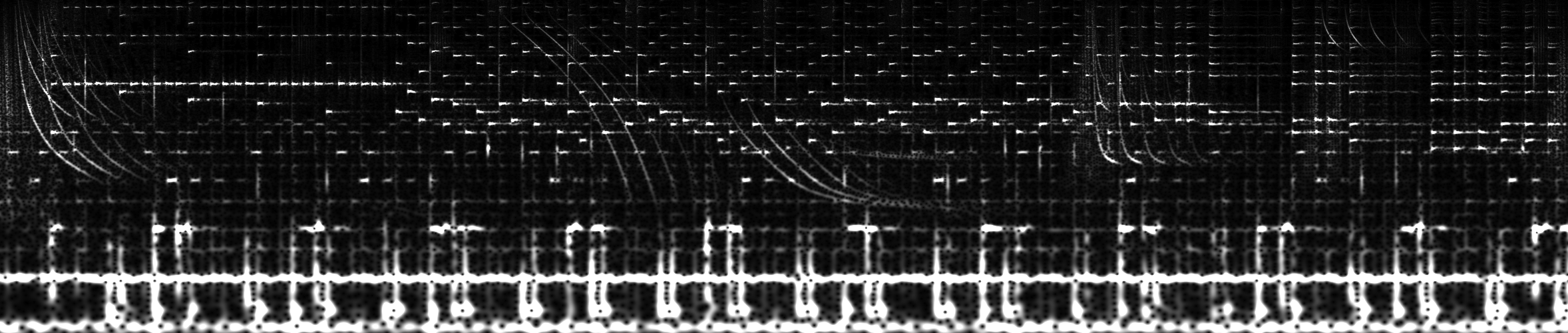
Take the [Tutorial](https://github.com/Lichtso/CCWT/wiki/Tutorial) with lots of examples and all features being explained.
## Features
Complex [continuous wavelet transformation](https://en.wikipedia.org/wiki/Continuous_wavelet_transform)
- with a [gabor wavelet](https://en.wikipedia.org/wiki/Gabor_wavelet)
- interfaces for C99, python2.7 and python3.5
- using [libFFTW](http://www.fftw.org) for performance
- and [libPNG](http://www.libpng.org/pub/png/libpng.html) as possible output
- 4 synchrosqueeze modes
- 6 color schemes
- parallelization / multithreading support
- customizable frequency bands
- helper method for linear and exponential frequency bands
## Dependencies
### Ubuntu
```bash
sudo apt-get install libfftw3-dev libpng-dev
```
### Arch Linux
```bash
sudo pacman -S fftw libpng
```
### Mac OS
```bash
brew install fftw libpng
```
## Installation
```bash
[sudo] pip[3] install ccwt
```
## Documentation
### ccwt.fft()
- input_signal: Numpy 1D float32, float64, complex64 or complex128 array
- padding: Zero samples to be virtually added at each end of the input signal, default is 0
- thread_count: Default is 1 (no multi threading)
### ccwt.frequency_band()
- height: Height of the resulting image in pixels and number of frequencies to analyze
- frequency_range: Difference between the highest and the lowest frequency to analyze, default is height/2
- frequency_offset: Lowest frequency to analyze, default is 0.0
- frequency_basis: Values > 0.0 switch from a linear to an exponential frequency scale using this as basis, default is 0.0 / linear mode
- deviation: Values near 0.0 have better frequency resolution, values towards infinity have better time resolution, default is 1.0
### ccwt.numeric_output()
- fourier_transformed_signal: Numpy 1D complex128 array generated by ccwt.fft()
- frequency_band: Numpy 2D float64 array generated by ccwt.frequency_band()
- width: Width of the resulting image in pixels, can be the length of the input signal or less for downsampling
- padding: Same value as passed to ccwt.fft()
- thread_count: Default is 1 (no multi threading)
### ccwt.render_png()
Same as ccwt.numeric_output() but with these additionally at the beginning:
- file: File object to store the resulting PNG image
- render_mode: indicating the color scheme for rendering, see include/render_mode.h for possible values
- logarithmic_basis: Values > 0.0 switch from a linear to a logarithmic intensity rendering using this as basis