https://github.com/limafresh/ctkfiledialog
Unofficial file dialog for CustomTkinter
https://github.com/limafresh/ctkfiledialog
custom-widget custom-window customtkinter customtkinter-file-dialog customtkinter-widgets filebrowser filedialog
Last synced: over 1 year ago
JSON representation
Unofficial file dialog for CustomTkinter
- Host: GitHub
- URL: https://github.com/limafresh/ctkfiledialog
- Owner: limafresh
- License: cc0-1.0
- Created: 2025-04-09T14:28:08.000Z (over 1 year ago)
- Default Branch: main
- Last Pushed: 2025-04-09T14:29:37.000Z (over 1 year ago)
- Last Synced: 2025-04-09T15:40:48.410Z (over 1 year ago)
- Topics: custom-widget, custom-window, customtkinter, customtkinter-file-dialog, customtkinter-widgets, filebrowser, filedialog
- Language: Python
- Homepage:
- Size: 58.6 KB
- Stars: 0
- Watchers: 1
- Forks: 0
- Open Issues: 0
-
Metadata Files:
- Readme: README.md
- License: LICENSE
Awesome Lists containing this project
README
# CTkFileDialog
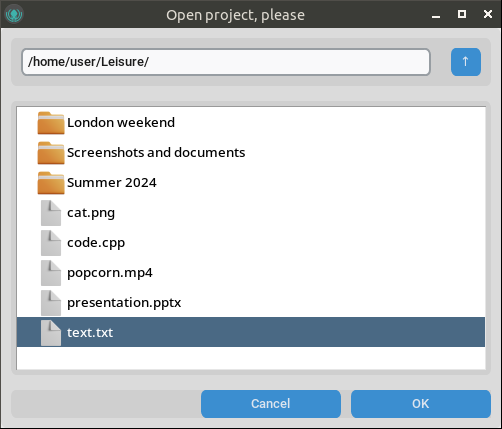
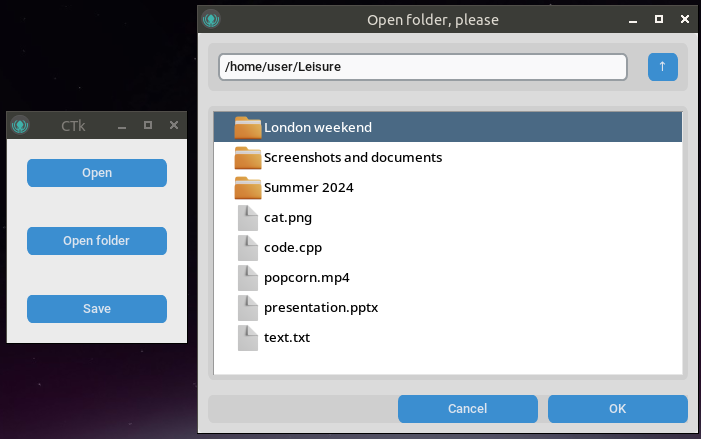
Unofficial file dialog for CustomTkinter.
## How to use?
Download and place the CTkFileDialog folder into your script folder.
### Open file
```python
dialog = CTkFileDialog(root, save=False)
if dialog.path:
print(dialog.path)
```
### Save file
```python
dialog = CTkFileDialog(root, save=True)
if dialog.path:
print(dialog.path)
```
## Arguments
| Argument | Description |
| ---------------- | ------------ |
| **width** | dialog window width |
| **height** | dialog window height |
| **initialdir** | initial dir |
| **title** | dialog window title |
| **save** | `save=False` if open file, `save=True` if save file |
| **save_extension** | Save extension, for example save_extension=".txt" |