https://github.com/linkerd/linkerd-viz
Top-line service metrics dashboard for Linkerd 1.
https://github.com/linkerd/linkerd-viz
Last synced: over 1 year ago
JSON representation
Top-line service metrics dashboard for Linkerd 1.
- Host: GitHub
- URL: https://github.com/linkerd/linkerd-viz
- Owner: linkerd
- License: apache-2.0
- Created: 2016-10-05T16:45:59.000Z (almost 10 years ago)
- Default Branch: main
- Last Pushed: 2021-04-27T18:31:21.000Z (about 5 years ago)
- Last Synced: 2025-04-13T08:14:12.695Z (over 1 year ago)
- Language: Shell
- Homepage:
- Size: 72.3 KB
- Stars: 119
- Watchers: 15
- Forks: 34
- Open Issues: 2
-
Metadata Files:
- Readme: README.md
- Changelog: CHANGES.md
- Contributing: CONTRIBUTING.md
- License: LICENSE
Awesome Lists containing this project
README
[](https://hub.docker.com/r/buoyantio/linkerd-viz/)
# Upgrade Notice
This repo is for Linkerd 1. For instructions on setting up the Linkerd 2 viz
extension, see the [Linkerd 2 documentation](https://linkerd.io/2/tasks/extensions/).
# linkerd-viz
Dead simple monitoring for [linkerd](https://linkerd.io).
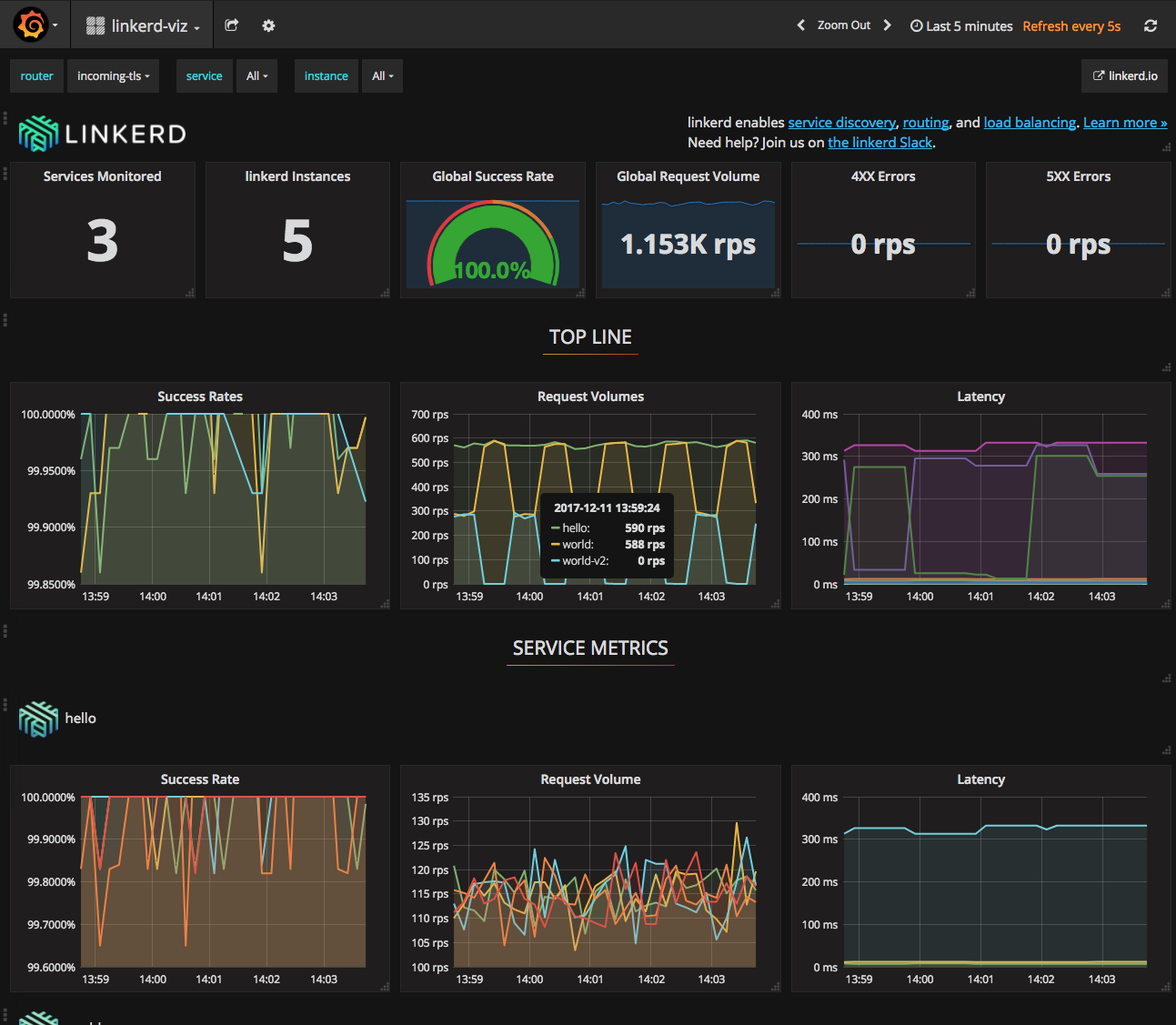
linkerd-viz is a monitoring application based on
[Prometheus](https://prometheus.io/) and [Grafana](http://grafana.org/),
autoconfigured to collect metrics from [linkerd](https://linkerd.io).
linkerd-viz currently supports [DC/OS](https://dcos.io/) and
[Kubernetes](http://kubernetes.io/).
linkerd-viz assumes linkerd has already been deployed onto your cluster, and
your applications have been configured to route via linkerd. You'll also need
to configure linkerd with the `io.l5d.prometheus` telemeter, to expose the stats
that are displayed by linkerd-viz. You should add this block to your linkerd
configuration file:
```yaml
telemetry:
- kind: io.l5d.prometheus
```
For more information on getting started with linkerd have a look at our [Getting
Started guides](https://linkerd.io/getting-started/).
## Build Docker image
```bash
docker build -t buoyantio/linkerd-viz .
```
## Local boot
```bash
docker run -p 3000:3000 -p 9191:9191 buoyantio/linkerd-viz
```
## DC/OS Deploy
Install the official linkerd-viz DC/OS Universe package
```bash
dcos package install linkerd-viz
```
Custom installation
```bash
dcos marathon app add dcos/linkerd-viz.json
```
View dashboard
```bash
open $PUBLIC_NODE:3000
```
## Kubernetes Deploy
```bash
kubectl apply -f k8s/linkerd-viz.yml
```
View dashboard
```bash
kubectl port-forward $(kubectl get po --selector=name=linkerd-viz -o jsonpath='{.items[*].metadata.name}') 3000:3000
open http://localhost:3000
```
## Consul Deploy
First, examine and edit `consul/prometheus-consul.yml` to fit your ecosystem.
Run the Consul agent locally:
```bash
docker run -d --net=host consul:0.9.0 agent -bind= -retry-join=
```
for more information see [Running Consul Agent in Client Mode](https://hub.docker.com/_/consul/).
Boot `linkerd-viz` locally:
```bash
docker run -d --net=host -p 3000:3000 -p 9191:9191 buoyantio/linkerd-viz:0.2.0 consul
```
View dashboard
```bash
open localhost:3000
```