https://github.com/linux-vps/dawn-hall-e136
https://github.com/linux-vps/dawn-hall-e136
Last synced: about 1 year ago
JSON representation
- Host: GitHub
- URL: https://github.com/linux-vps/dawn-hall-e136
- Owner: linux-vps
- Created: 2025-03-17T08:31:19.000Z (over 1 year ago)
- Default Branch: main
- Last Pushed: 2025-03-17T08:31:23.000Z (over 1 year ago)
- Last Synced: 2025-03-17T09:34:45.880Z (over 1 year ago)
- Language: TypeScript
- Size: 121 KB
- Stars: 0
- Watchers: 1
- Forks: 0
- Open Issues: 0
-
Metadata Files:
- Readme: README.md
Awesome Lists containing this project
README
# To-Do List App
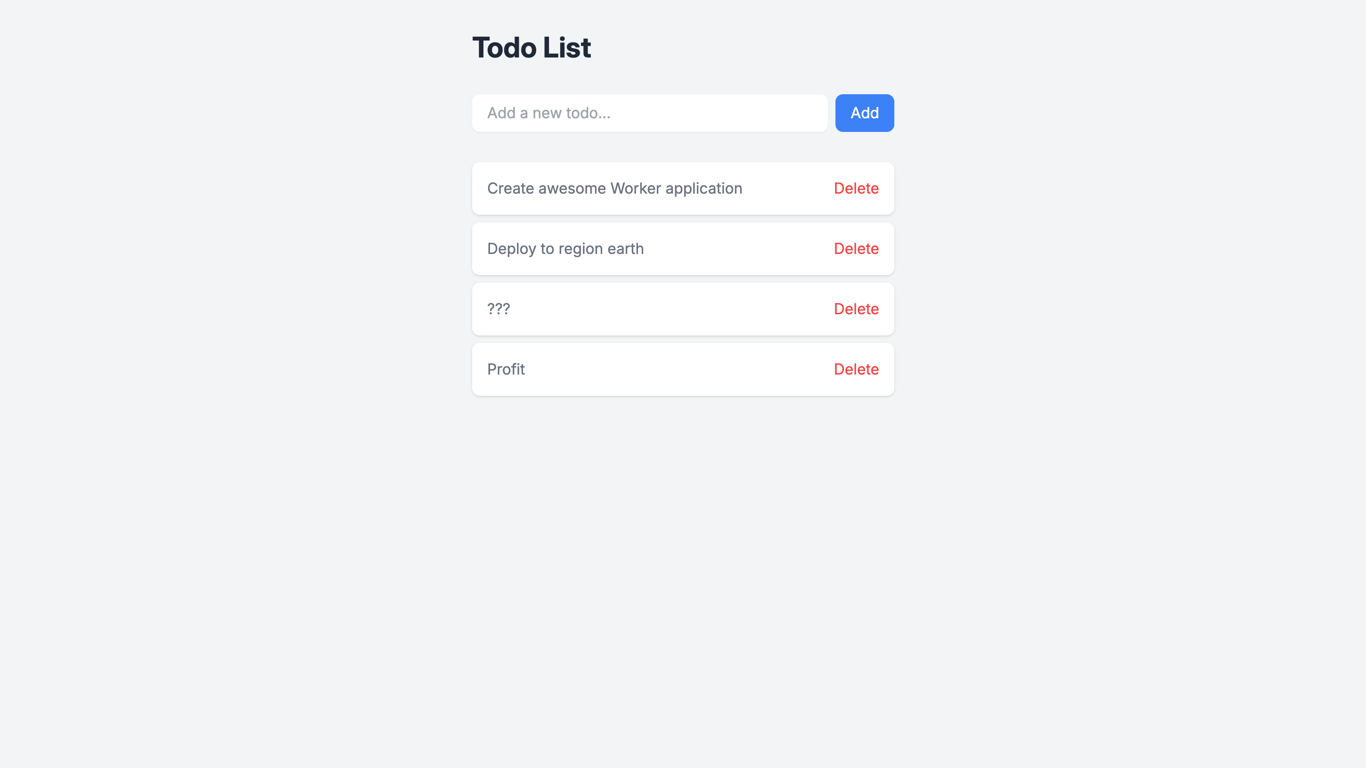
Manage your to-do list with [Cloudflare Workers Assets](https://developers.cloudflare.com/workers/static-assets/) + [Remix](https://remix.run/) + [Cloudflare Workers KV](https://developers.cloudflare.com/kv/).
## How It Works
This is a simple to-do list app that allows you to add, remove, and mark tasks as complete. The project is a Cloudflare Workers Assets application built with Remix. It uses Cloudflare Workers KV to store the to do list items. The [Remix Vite Plugin](https://remix.run/docs/en/main/guides/vite#vite) has a Cloudflare Dev Proxy that enables you to use [Bindings](https://developers.cloudflare.com/workers/runtime-apis/bindings/) provided by the Cloudflare Developer Platform.
> [!IMPORTANT]
> When using C3 to create this project, select "no" when it asks if you want to deploy. You need to follow this project's [setup steps](https://github.com/cloudflare/templates/tree/main/dawn-hall-e136#setup-steps) before deploying.
## Getting Started
Outside of this repo, you can start a new project with this template using [C3](https://developers.cloudflare.com/pages/get-started/c3/) (the `create-cloudflare` CLI):
```bash
npm create cloudflare@latest -- --template=cloudflare/templates/dawn-hall-e136
```
A live public deployment of this template is available at [https://dawn-hall-e136.templates.workers.dev](https://dawn-hall-e136.templates.workers.dev)
## Setup Steps
1. Install the project dependencies with a package manager of your choice:
```bash
npm install
```
2. Create a [kv namespace](https://developers.cloudflare.com/kv/get-started/) with a binding named "TO_DO_LIST":
```bash
npx wrangler kv namespace create TO_DO_LIST
```
...and update the `kv_namespaces` -> `id` field in `wrangler.json` with the new namespace ID.
3. Deploy the project!
```bash
npx wrangler deploy
```