https://github.com/linuxserver/clarkson
Web-based fuel logging dashboard
https://github.com/linuxserver/clarkson
Last synced: about 1 year ago
JSON representation
Web-based fuel logging dashboard
- Host: GitHub
- URL: https://github.com/linuxserver/clarkson
- Owner: linuxserver
- License: mit
- Created: 2018-02-10T17:48:23.000Z (over 8 years ago)
- Default Branch: master
- Last Pushed: 2021-08-12T06:37:17.000Z (almost 5 years ago)
- Last Synced: 2025-05-06T13:22:22.588Z (about 1 year ago)
- Language: TypeScript
- Size: 16.3 MB
- Stars: 126
- Watchers: 6
- Forks: 14
- Open Issues: 19
-
Metadata Files:
- Readme: README.md
- License: LICENSE
Awesome Lists containing this project
README
**This project is no longer under development. The codebase is extrememly out of date and requires a ground-up rewrite. No further features will be added, and no PRs will be merged in.**
I truly appreciate the response this application got, but I chose poorly when it came to the language/framework. Using Angular2 when it was just starting out and thus quite volatile and open to change wans't a smart move. As such, most of the code is now either deprecated or requires updates. I unfortunately don't have the time to do this.
A spiritual successor to Clarkson is now in development, called Hammond. I highly recommend people check it out: https://github.com/akhilrex/hammond
# Clarkson
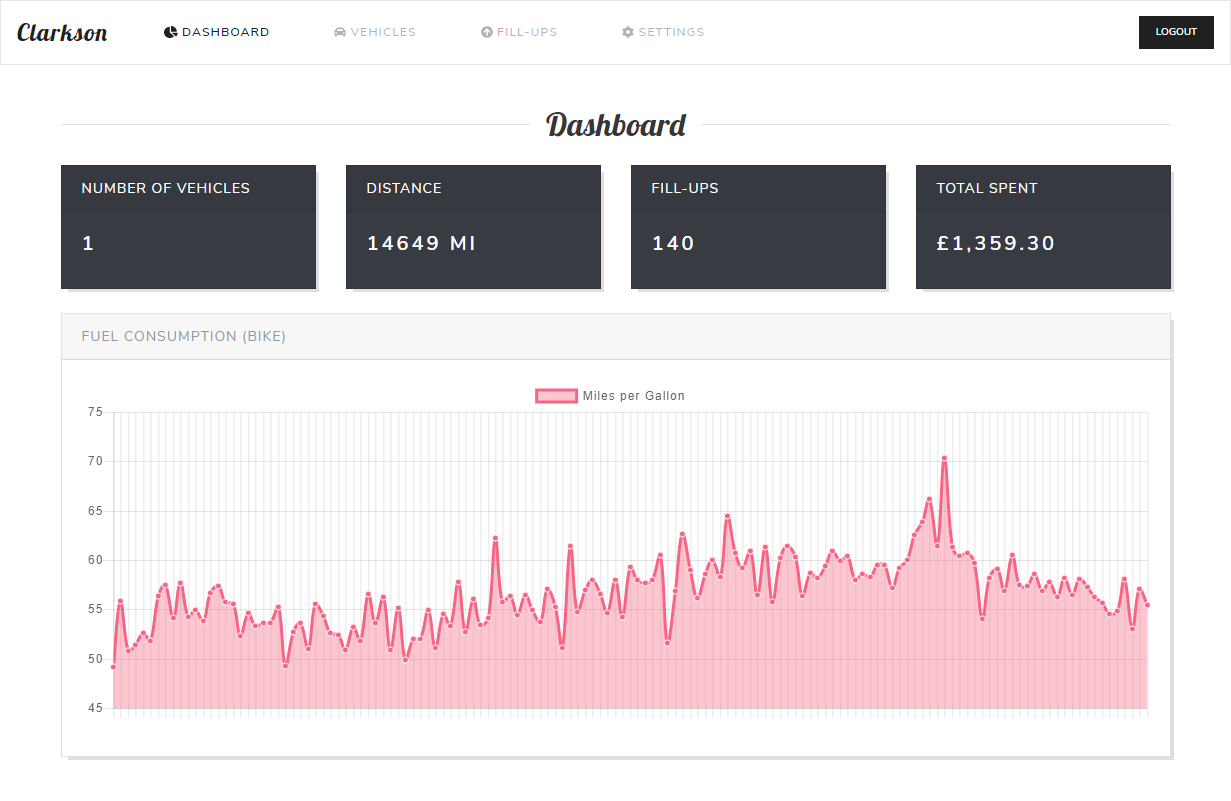
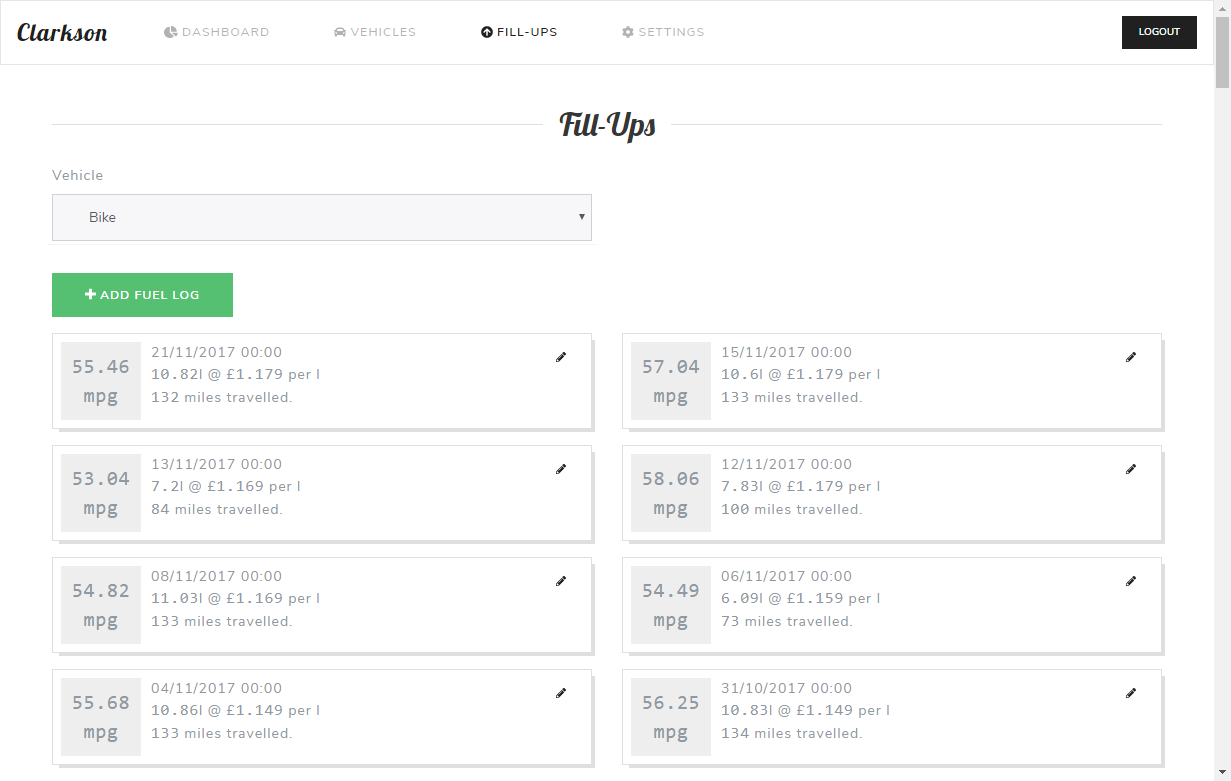
Clarkson is a web-based dashboard application that gives you a neat and clean interface for logging your fuel fill-ups for all of your vehicles. The application has full multi-user support, as well as multiple vehicles per user. Whenever you fill-up your car or motorcycle, keep the receipt and record the data in Clarkson.
## Screenshot
## Features
- Dashboard giving you high-level statistics on your vehicle fill-ups, including:
- Total spent on fill-ups on all your vehicles
- Total distance traveled
- Graphs showing fuel consumption trends
- Add/edit/remove an unlimited number of vehicles
- Include basic information such as Make, Model, Registration, VIN, Fuel Type
- Add/edit/remove fuel fill-ups
- Total cost or unit cost will be automatically calculated as you enter the data
- Include any notes
- Inform the app whether or not the fill-up was to the top (full tank), or if you missed any previous fill-ups
- Choose your units - available settings:
- Fuel Units: Litres, Gallons, or US Gallons
- Consumption Units: MPG, L/100KM
- Distance Units: Miles, Kilometres
- Currency Units: GBP, USD, EUR, AUD, CAD
## Running the application
Clarkson has an Angular front-end, with ExpressJS backend, connecting to a MySQL database (Supported version v5.7.*). It uses Flyway as a means of managing incremental migrations of the database schema.
#### Get the dependencies
To get the application running, you'll need `node` and `npm` installed. Firstly, install the angular-cli (plus ts dependencies):
```bash
npm install -g @angular/cli ts-node typescript
```
Then grab all of the dependencies for the app itself:
```bash
npm install
```
#### Set up the frontend config
Depending on how you run the application, you'll need to update the `src/environments/environment.prod.ts` file so the frontend points to the right server URL:
```typescript
export const environment = {
production: true,
apiBaseUrl: 'https://your-domain-here/api' // or use 'http://:3000' if not behind a reverse proxy
};
```
#### Build
Once you're happy with the endpoint in config, build the frontend:
```bash
ng build --prod
```
This will create a `dist/` directory, which is where the frontend gets served.
#### Migrate the database
Before you run the application, you'll need to run a database migration using _flyway_. This will create the schema and initial tables/procedures that are used by Clarkson. To do this, run:
```bash
./flyway/flyway -user= -password= -schemas=clarkson -url=jdbc:mysql:// migrate
```
**Note**: The `-user`, `-password` and `-url` values must match those that you use when running the application (see below).
**JRE**: Flyway is a Java tool, so requires the JRE to be available in `$PATH`. It is not packaged as part of this application due to variations in OS requirements.
#### Start the app
Finally, start the application by running:
```bash
MYSQL_HOST= MYSQL_USERNAME= MYSQL_PASSWORD= ENABLE_REGISTRATIONS=true APP_PORT=3000 node clarkson.js
```
Environment variables at startup:
| Env | Required? | Used for |
| --- | --------- | -------- |
| MYSQL_HOST | _Yes_ | Points the backend to the MySQL database |
| MYSQL_USERNAME | _Yes_ | The user with access to the _clarkson_ schema |
| MYSQL_PASSWORD | _Yes_ | The password for the user |
| ENABLE_REGISTRATIONS | _No_ | **Defaults to _false_**. If set to _true_, allows new users to register |
| APP_PORT | _No_ | **Defaults to 3000**. Changes the running port of the application |
## Credits
- Web Framework: [Angular](https://angular.io/)
- Server: [ExpressJS](https://expressjs.com/)
- Security: [Helmet](https://github.com/helmetjs/helmet)
- Charts: [ChartJS](http://www.chartjs.org/docs/latest/)
- Charts: [ng2-charts](https://github.com/valor-software/ng2-charts)
- Theme: [Bootstrap](https://getbootstrap.com/)
- Theme: [Bootswatch](https://bootswatch.com/lux/)
- Flash Notifications: [angular2-flash-messages](https://github.com/moff/angular2-flash-messages)