https://github.com/lissy93/raid-calculator
💽 A quick tool for determining and comparing approximate capacity, speed and fault tolerance of different RAID configurations
https://github.com/lissy93/raid-calculator
calculator raid vanjs
Last synced: over 1 year ago
JSON representation
💽 A quick tool for determining and comparing approximate capacity, speed and fault tolerance of different RAID configurations
- Host: GitHub
- URL: https://github.com/lissy93/raid-calculator
- Owner: Lissy93
- License: mit
- Created: 2024-04-06T22:03:11.000Z (over 2 years ago)
- Default Branch: main
- Last Pushed: 2024-04-09T11:41:34.000Z (over 2 years ago)
- Last Synced: 2024-04-14T21:37:02.354Z (over 2 years ago)
- Topics: calculator, raid, vanjs
- Language: TypeScript
- Homepage: https://raid-calculator.as93.net
- Size: 178 KB
- Stars: 16
- Watchers: 1
- Forks: 0
- Open Issues: 0
-
Metadata Files:
- Readme: README.md
- License: LICENSE
Awesome Lists containing this project
README
RAID Calculator
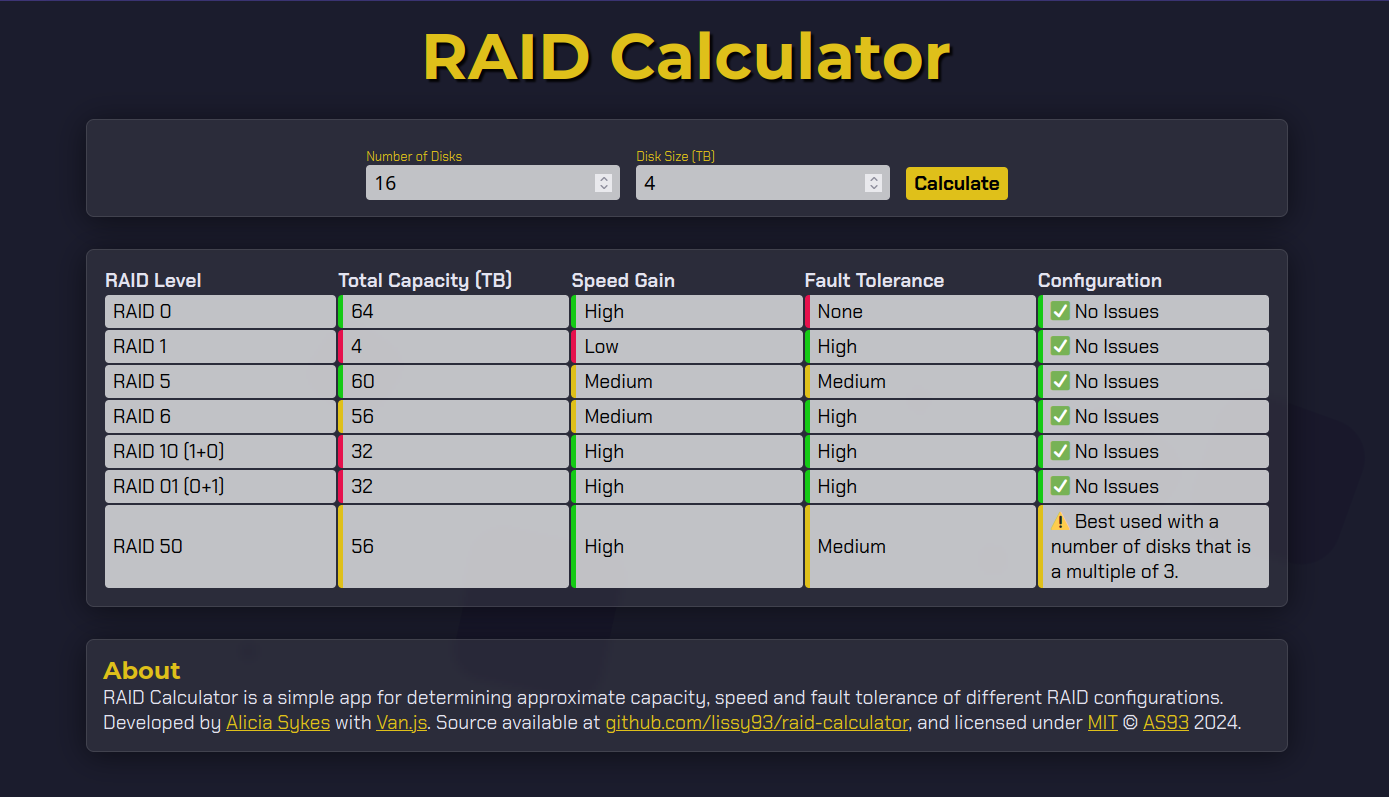
💽 Compare capacity, speed and fault tolerance of different RAID configurations
---
### About
Simple tool for comparing RAID configurations based on the number of disks you have, and their capacity.
Calculates the approximate usable capacity, speed gain and fault tolerance of common RAID configurations.
A live demo is hosted at [raid-calculator.as93.net](https://raid-calculator.as93.net)
---
### Developing
#### Prerequisites
You'll need Node.js installed, as well as Git and optionally Docker.
The app is built with Van.js
#### Setup Commands
```
git clone git@github.com:Lissy93/raid-calculator.git
cd raid-calculator
yarn
yarn dev
```
---
### Deploying
#### Option 1
Follow the developing instructions above. Then run `yarn build` to compile output
You can then upload the contents of `./dist` to any web server, CDN or static host.
#### Option 2
Fork the repo, and import into Vercel, Netlify or any static hosting provider of your choice.
#### Option 3
Build the Docker image from the Dockerfile with `docker build -t raid-calculator .`
And then start the container, by running `docker run -p 8080:80 raid-calculator`
---
### Contributing
Contributions are welcome.
Follow the Developing instructions above to get started, and then submit your changes as a PR.
If you're new to GitHub or open source, take a look at [git-in.to](https://git-in.to) for a guide on getting started.
---
© Alicia Sykes 2024
Licensed under MIT

Thanks for visiting :)