https://github.com/liuzhihang/doc-view
IDEA 插件 Doc View 的仓库地址
https://github.com/liuzhihang/doc-view
doc idea idea-plugin jetbrains
Last synced: 7 months ago
JSON representation
IDEA 插件 Doc View 的仓库地址
- Host: GitHub
- URL: https://github.com/liuzhihang/doc-view
- Owner: liuzhihang
- License: mit
- Created: 2020-11-01T05:54:46.000Z (almost 6 years ago)
- Default Branch: master
- Last Pushed: 2025-08-03T06:13:32.000Z (about 1 year ago)
- Last Synced: 2025-08-03T08:26:16.036Z (about 1 year ago)
- Topics: doc, idea, idea-plugin, jetbrains
- Language: Java
- Homepage: https://plugins.jetbrains.com/plugin/15305-doc-view
- Size: 714 KB
- Stars: 191
- Watchers: 4
- Forks: 51
- Open Issues: 5
-
Metadata Files:
- Readme: README.md
- Changelog: CHANGELOG.md
- License: LICENSE
Awesome Lists containing this project
README
Doc View
=======
[](https://plugins.jetbrains.com/plugin/15305-doc-view)
[](https://plugins.jetbrains.com/plugin/15305-doc-view/versions)
[](https://plugins.jetbrains.com/plugin/15305-doc-view)
[](https://github.com/liuzhihang/toolkit/blob/master/LICENSE)
特征
----
- [x] Controller/Dubbo 接口文档生成
- [x] 支持 validation、swagger 等注解
- [x] Markdown 接口查看、预览、复制、导出
- [x] 支持自定义生成接口的 Markdown 模版
- [x] 支持界面编辑文档、注释、并同步保存到代码注释或 Swagger 注解中
- [x] 支持在编辑实体界面, 将实体复制为 Json 字符串
- [x] 支持上传文档到 YApi
- [x] 支持上传文档到 ShowDoc
- [x] 支持自定义配置
演示
----
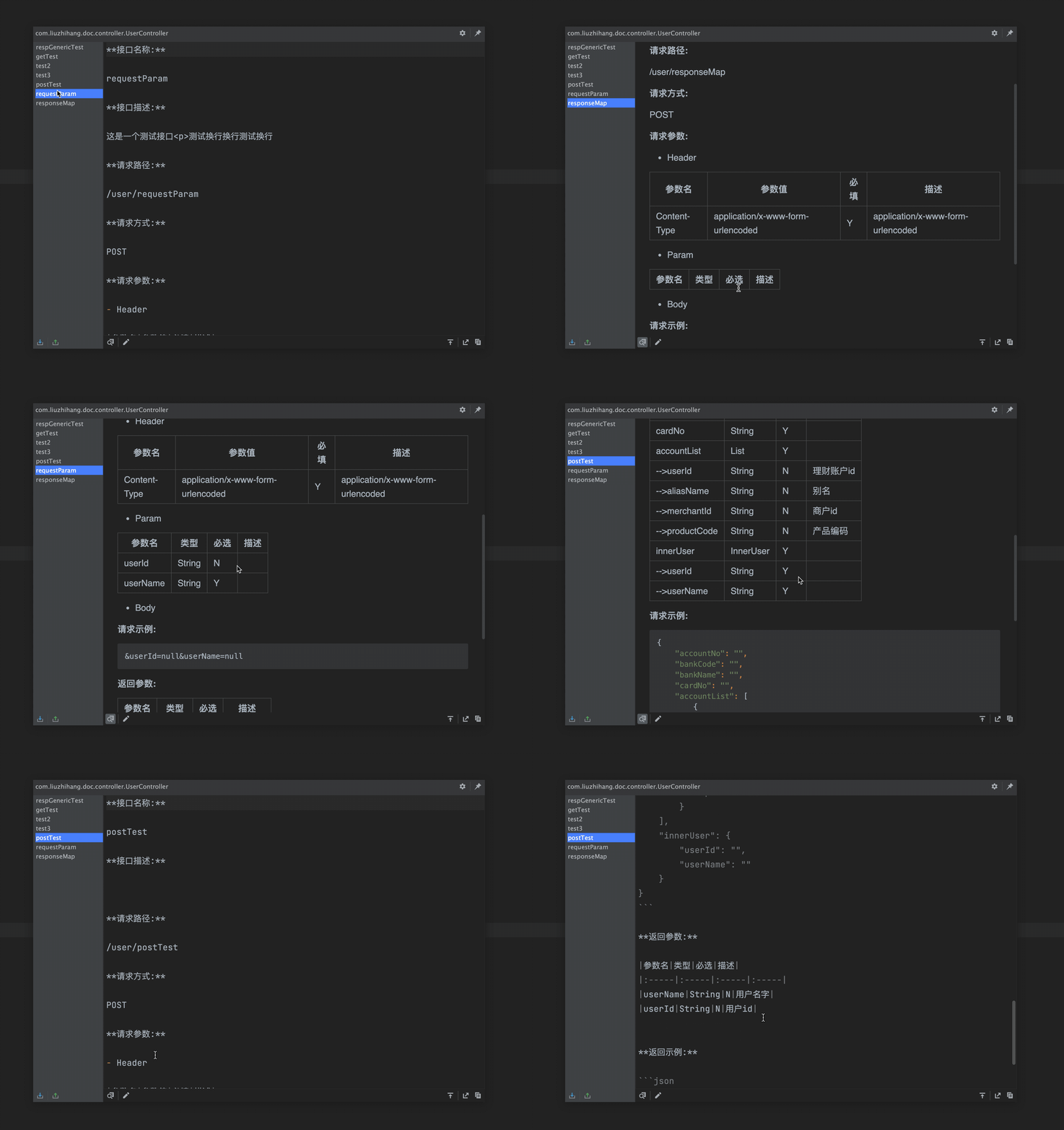
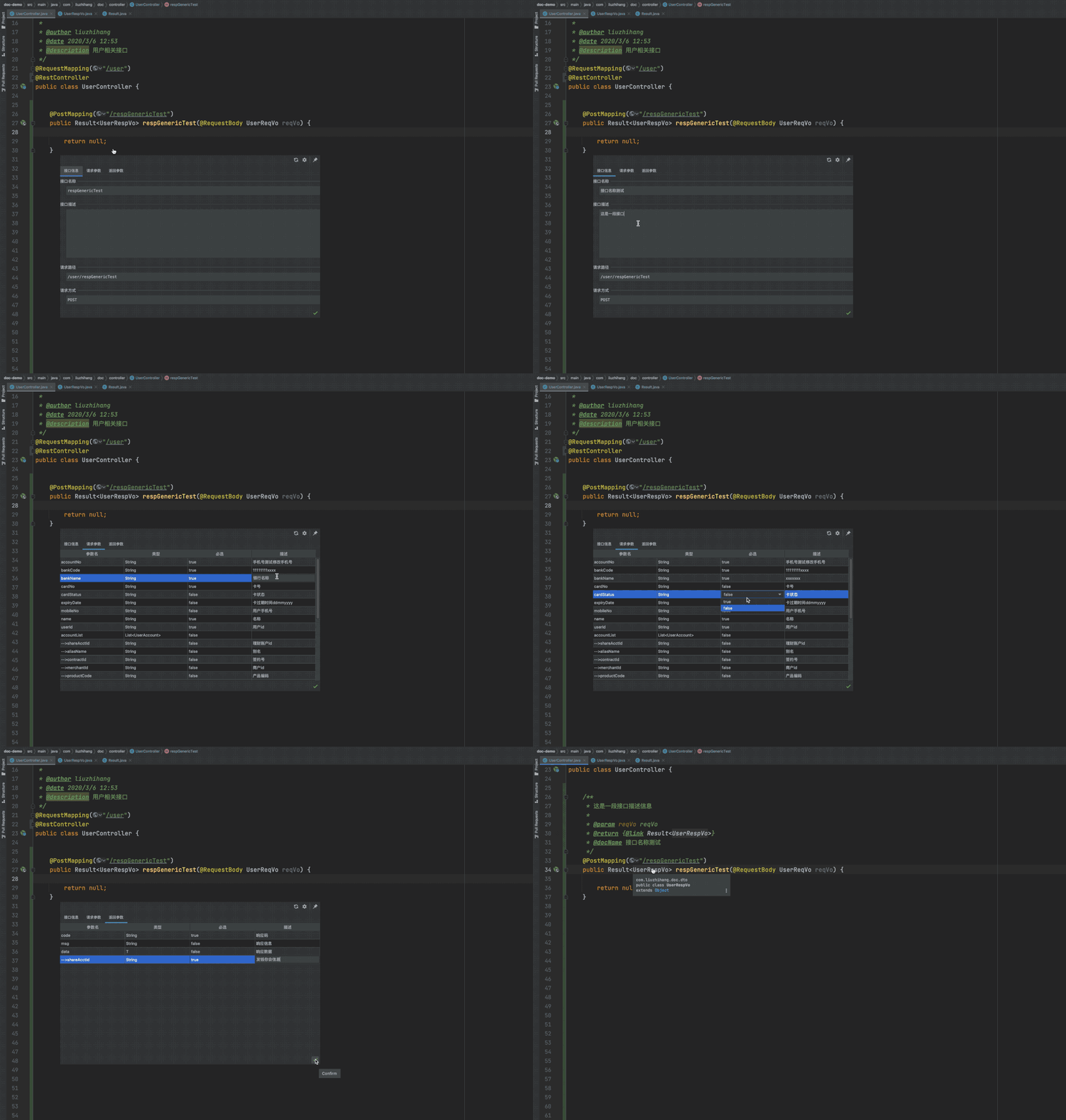
[更多截图演示](https://github.com/liuzhihang/doc-view/discussions/17)
安装
----
- **在线安装:**
- `File` -> `Setting` -> `Plugins` -> 搜索 `Doc View`
- **手动安装:**
- [下载插件](https://github.com/liuzhihang/doc-view/releases) -> `File` -> `Setting` -> `Plugins`
-> `Install Plugin from Disk...`
使用
----
- 右键菜单选择 `Doc View`
更新
----
[查看历史更新记录](https://github.com/liuzhihang/doc-view/releases)
关于我
----
欢迎关注公众号:『 程序员小航 』

小伙伴们
----
感谢以下小伙伴的参与:
[lvgo](https://github.com/lvgocc)
[知一](https://github.com/zh-d-d)
[大斌](https://github.com/dabinaa)
[ayang0422](https://github.com/ayang0422)
其他插件
----
Toolkit: [https://github.com/liuzhihang/toolkit](https://github.com/liuzhihang/toolkit)
copy-as-json: [https://github.com/liuzhihang/copy-as-json](https://github.com/liuzhihang/copy-as-json)
本工具使用 JetBrains IDEA 进行开发
----