https://github.com/livechat/react-native-livechat
React Native component to integrate LiveChat with your application.
https://github.com/livechat/react-native-livechat
Last synced: 5 months ago
JSON representation
React Native component to integrate LiveChat with your application.
- Host: GitHub
- URL: https://github.com/livechat/react-native-livechat
- Owner: livechat
- License: mit
- Created: 2017-12-15T17:15:34.000Z (over 8 years ago)
- Default Branch: master
- Last Pushed: 2022-08-26T10:02:55.000Z (almost 4 years ago)
- Last Synced: 2025-10-09T01:12:48.470Z (8 months ago)
- Language: JavaScript
- Size: 634 KB
- Stars: 83
- Watchers: 6
- Forks: 47
- Open Issues: 49
-
Metadata Files:
- Readme: README.md
- License: LICENSE
Awesome Lists containing this project
README
### ⚠️ DEPRECATED ⚠️
This project is no longer maintained. In order to implement the LiveChat Chat Widget inside your React Native application, please use Webview to embed the web Chat Widget using a direct chat link.
To do it, use the `react-native-webview` library and add a `Webview` component as shown below. Remember to replace the `` string with your LiveChat's license id.
```javascript
',
}}
/>
```
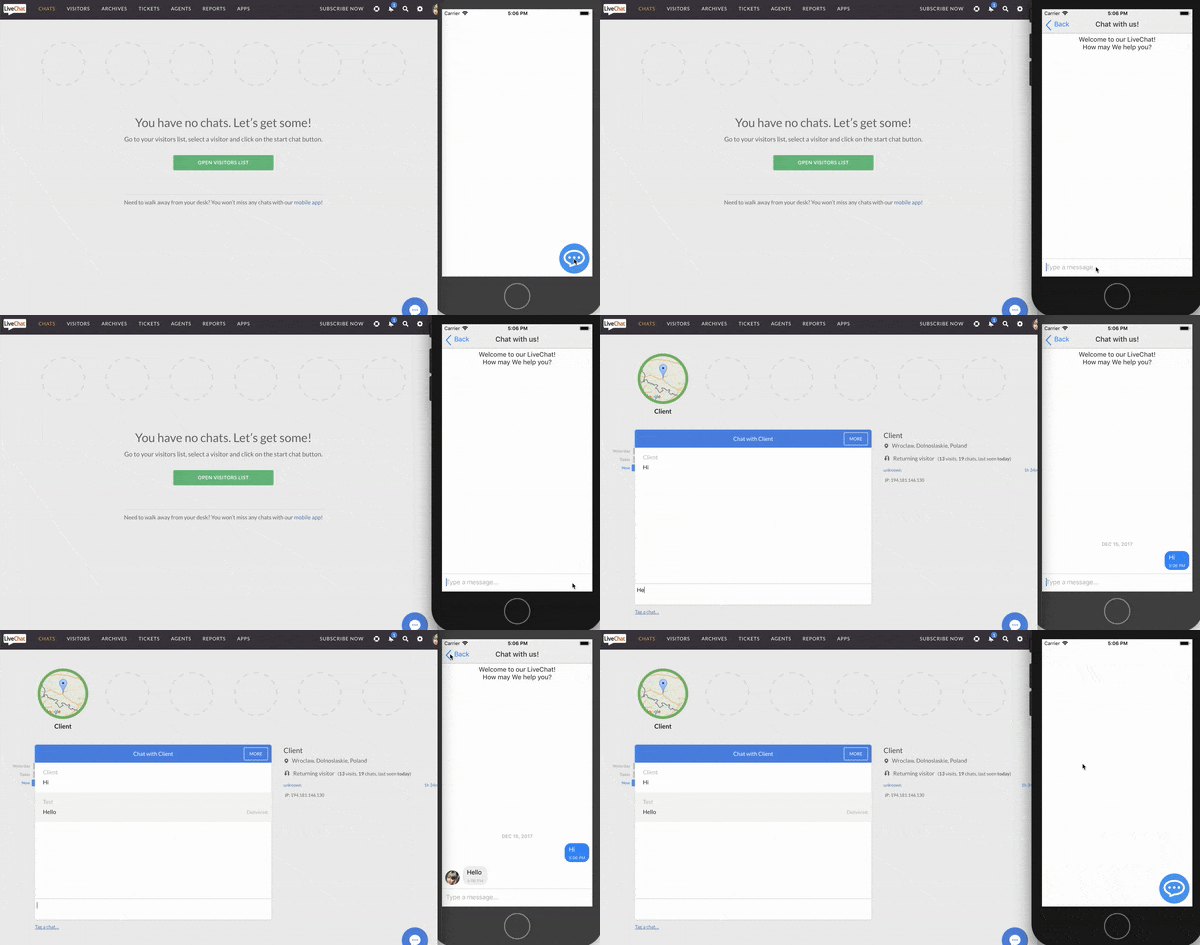
# LiveChat for React Native
This is a React Native component to easily add [LiveChat widget](https://www.livechatinc.com/) to your application.
It works for both iOS and Android.
## Getting Started
### Prerequisites
To use LiveChat in your React application, you will need the LiveChat license ID.
To obtain authorization data (redirect_uri and client_id), you need to create a new LiveChat app. See our [Creating LiveChat apps](https://developers.livechatinc.com/docs/getting-started/guides/#creating-livechat-apps) documentation.
- `client_id` - identifies the application, you will receive it after creating a new application in [Developer Console](https://developers.livechatinc.com/console/apps)
- `redirect_uri` - it must be one of the URLs that you entered when creating the new app in the [Developer Console](https://developers.livechatinc.com/console/apps)

If you don't have an account, you can create one [here](https://www.livechatinc.com/).
### Installation
To import LiveChat for React Native, run the following command to install required dependency (react-native-webview) and react-native-livechat library:
```javascript
npm install react-native-webview react-native-livechat --save
```
### Supported LiveChat features
- chatting
- sneak-peek
- rich messages: single cards with images, title, subtitle and quick replies
- agent's attachments
- system messages
### Unsupported LiveChat features
- pre-chat and post-chat forms
- rating
- transcript
- ticket forms
- queues
- translations
- card masking
- chat boosters
- customer's attachments
- sound notfifications
- updating customer info
If you would like to use unsupported features in your React Native app, read about the Alternative React Native installation method.
## User Guide
### Start
Having imported LiveChat for React Native, put it in your render method:
```javascript
import LiveChat from 'react-native-livechat'
...
```
You can also pass 'group' as a prop, to assign chat to chosen LiveChat group.
```javascript
```
### Customization
#### Chat bubble
The chat bubble is the round icon (chat trigger) in the bottom right corner of the screen.
##### Position
You can control the position of the bubble with `bubbleStyles` prop:
```javascript
const styles = StyleSheet.create({
bubbleStyles: {
position: 'absolute',
left: 24,
bottom: 24,
},
})
;
```
##### Color
You can change the color of the bubble by passing `bubbleColor` prop:
```javascript
```
##### Custom bubble
If you don't like the default bubble, you can send `bubble` prop with your own component:
```javascript
}
/>
```
#### Chat widget
This module uses [react-native-gifted-chat](https://github.com/FaridSafi/react-native-gifted-chat) for chat UI.
You can customise your chat widget by sending props to LiveChat component (like you would normally do with GiftedChat component).
For example, if you want `onPressAvatar` to show agent's details, you can do it like this:
```javascript
console.warn(info)} />
```
You can find all props in the official [react-native-gifted-chat documentation](https://github.com/FaridSafi/react-native-gifted-chat).
## Support
If you need any help, you can chat with us [here](https://livechatinc.com/).
I hope you will find this module useful. Happy coding!