https://github.com/liveduo/tinyweb
Rust on the client. Less than 800 lines of code. No dependencies.
https://github.com/liveduo/tinyweb
Last synced: over 1 year ago
JSON representation
Rust on the client. Less than 800 lines of code. No dependencies.
- Host: GitHub
- URL: https://github.com/liveduo/tinyweb
- Owner: LiveDuo
- Created: 2024-11-13T09:57:54.000Z (over 1 year ago)
- Default Branch: master
- Last Pushed: 2025-03-16T16:15:46.000Z (over 1 year ago)
- Last Synced: 2025-04-11T21:52:06.770Z (over 1 year ago)
- Language: Rust
- Homepage:
- Size: 375 KB
- Stars: 66
- Watchers: 3
- Forks: 2
- Open Issues: 5
-
Metadata Files:
- Readme: README.md
Awesome Lists containing this project
README
# TinyWeb 🌱 Rust on the client. No dependencies.
Build the client side with Rust! Backend agnostic. Less than 800 lines of code.
# What's TinyWeb?
TinyWeb is a toolkit for building web applications focused on both correctness and simplicity.
Enables client-side applications to be built in pure Rust, similar to backend applications, leveraging the language strict type system and great built-in tooling. Has a tiny footprint with less than 800 lines of code, has no build step and no external dependencies.
# Features
- No Javascript
- No macros
- No dependencies
- No build step
- Just HTML & Rust (Wasm)
**Note:** No build step besides `cargo build`
# Getting Started
### Use the starter project
- Fork the [tinyweb-starter](https://github.com/LiveDuo/tinyweb-starter) project
[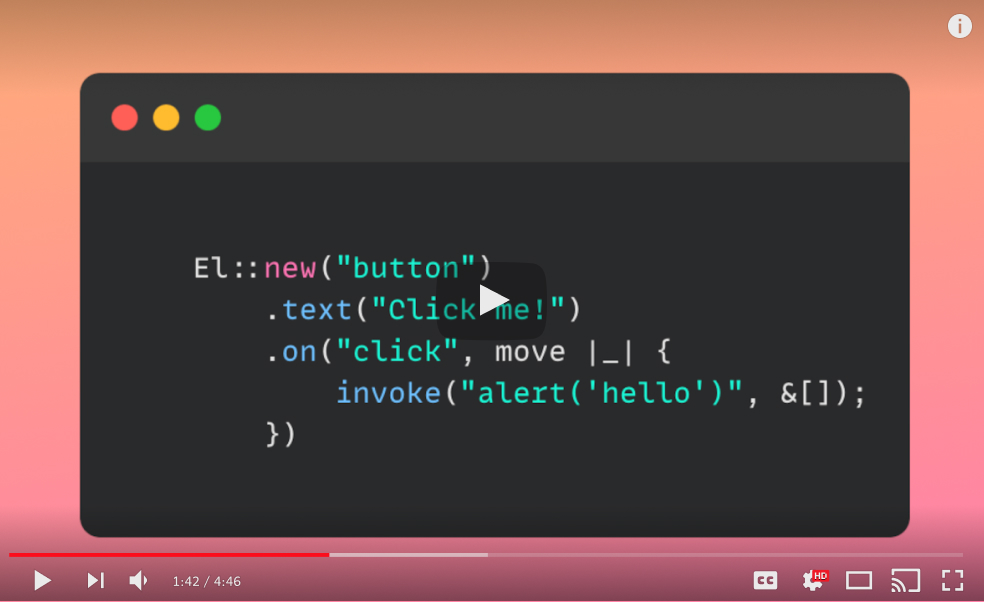](https://www.youtube.com/watch?v=44P3IVnjEqo "Tutorial")
### Create a new project
1. Create a new Rust project with `cargo new tinyweb-example --lib`. Add `crate-type =["cdylib"]` in `Cargo.toml` and install the crate with `cargo add tinyweb --git https://github.com/LiveDuo/tinyweb`.
2. Update the `src/lib.rs`:
```rs
use tinyweb::element::El;
use tinyweb::invoke::Js;
fn component() -> El {
El::new("div")
.child(El::new("button").text("print").on("click", move |_| {
Js::invoke("alert('hello browser')", &[]);
}))
}
#[no_mangle]
pub fn main() {
let body = Js::invoke("return document.querySelector('body')", &[]).to_ref().unwrap();
component().mount(&body);
}
```
3. Create an `index.html` in a new `public` folder:
```html
```
4. Build the project with `cargo build --target wasm32-unknown-unknown -r`. Then `cp target/wasm32-unknown-unknown/release/*.wasm public/client.wasm` to get the `.wasm` in the right place and serve the `public` folder with any static http server.
# How it works
**Initialization:** Each project built with TinyWeb has 3 components, an `index.html`, a static `main.js` and a `client.wasm` file compiled from Rust with `cargo build --target wasm32-unknown-unknown -r`. These files can be served with any static HTTP server. When the website is visited, the `index.html` file loads the [main.js](https://github.com/LiveDuo/tinyweb/blob/feature/readme/src/js/main.js) file which registers a [DOMContentLoaded](https://github.com/LiveDuo/tinyweb/blob/feature/readme/src/js/main.js) event listener. When the page finishes loading, the listener is triggered which [calls](https://github.com/LiveDuo/tinyweb/blob/feature/readme/src/js/main.js) the `main` function in the wasm file (usually making the initial DOM rendering and registering event listeners).
**Browser APIs:** When a Rust function wants to invoke a browser API, it uses the [__invoke](https://github.com/LiveDuo/tinyweb/blob/feature/readme/src/rust/src/invoke.rs) function internally, which in turn calls its [counterpart](https://github.com/LiveDuo/tinyweb/blob/feature/readme/src/js/main.js) in Javascript.
**Callbacks:** When a listener is registered in Rust, it takes a callback function as a parameter and that function is stored in [CALLBACK_HANDLERS](https://github.com/LiveDuo/tinyweb/blob/feature/readme/src/rust/src/callbacks.rs). Every time the callback is triggered, the [handle_callback](https://github.com/LiveDuo/tinyweb/blob/feature/readme/src/rust/src/handlers.rs) function is called which executes the callback function that was stored earlier.
# How to's & guides
### Browser APIs
```rs
use tinyweb::invoke::Js;
Js::invoke("alert('hello browser')", &[]);
```
Check it out [here](https://github.com/LiveDuo/tinyweb/blob/feature/readme/examples/features/src/lib.rs)
### Reactivity and Signals
```rs
use tinyweb::signals::Signal;
use tinyweb::element::El;
let signal_count = Signal::new(0);
El::new("button").text("add").on("click", move |_| {
let count = signal_count.get() + 1;
signal_count.set(count);
});
```
Check it out [here](https://github.com/LiveDuo/tinyweb/blob/feature/readme/examples/features/src/lib.rs)
### Router support
```rs
use tinyweb::router::{Page, Router};
thread_local! {
pub static ROUTER: RefCell = RefCell::new(Router::default());
}
// initialize router
let pages = &[Page::new("/page1", page_component())];
ROUTER.with(|s| { *s.borrow_mut() = Router::new("body", pages); });
// navigate to route
ROUTER.with(|s| { s.borrow().navigate("/page1"); });
```
Check it out [here](https://github.com/LiveDuo/tinyweb/blob/feature/readme/examples/features/src/lib.rs)
### Async Support
```rs
use tinyweb::runtime::Runtime;
use tinyweb::invoke::Js;
Runtime::block_on(async move {
Runtime::promise("window.setTimeout({},{})", move |c| vec![c.into(), 1_000.into()]).await;
Js::invoke("alert('timer')");
});
```
Check it out [here](https://github.com/LiveDuo/tinyweb/blob/feature/readme/examples/features/src/lib.rs)
# Roadmap
### Components & Utilities
While this library tries to be minimal and has no dependencies the reality in web development is using libraries and ready-made components especially for a few slightly annoying tasks. Here are some ideas for commonly used utilities and UI components. Utilities can be included in the `examples` folder while components can be stored in a new `components` folder in this repo.
Commonly used utilities
- [ ] Drag & drop / resize
- [ ] File upload
- [ ] Markdown rendering
Commonly used components
- [ ] Table components
- [ ] Modals, tooltips and toasts
- [ ] Date / time pickers
- [ ] Chart / visualization
### Benchmarks & Profiling
Need benchmarks to see how this library performs against other Rust web frameworks but also against different Javascript frameworks. Need also profiling to evaluate if there are memory leaks in either Rust side or Javascript side of the library and to figure out if the compiled WASM size can be reduced further.
### Static analysis
Right now `invoke` calls to the browser APIs are not type safe. Could use [webidl](https://github.com/whatwg/webidl) interfaces to do static analysis on the Javascript code against `invoke` parameters.
# Backstory
Show
For quite some time, I couldn't decide if I like Typescript or not. On one hand, it offers stronger typing than pure JavaScript, providing more confidence in the code; but on the other hand, it comes with a heavy build system that complicates things and makes debugging significantly harder.
When I had to build an application where I really cared about correctness, I realized how much I didn't trust Typescript even for what's designed to do and I tried different Rust based web frameworks instead. While these frameworks alleviated correctness concerns, they introduced significant complexity, requiring hundreds of dependencies just to get started. For reference, `leptos` depends on 231 crates and its development tool `cargo-leptos` depends on another 485 crates.
Many of these dependencies come from the `wasm-bindgen` crate, which generates Rust bindings for browser APIs and the JavaScript glue code needed for these calls and is used almost universally by Rust based web frameworks as a lower level building block for accessing browser APIs.
Yet, using this crate is not the only way to interact with browser APIs and many applications could benefit from a different tool that makes different tradeoffs. In particular, many applications might benefit from simplicity and ease of debugging, I know the application I'm building probably would.
So, I set out to build a web framework that allows to build client side applications with Rust and has minimal footprint. The result is `TinyWeb`, a client side Rust framework built in <800 lines of code.
# Credits
Credits to [Richard Anaya](https://github.com/richardanaya) for his work on [web.rs](https://github.com/richardanaya/web.rs) that provided ideas to practical challenges on [async support](https://github.com/richardanaya/web.rs/blob/master/crates/web/src/executor.rs). Also, to [Greg Johnston](https://github.com/gbj) for [his videos](https://www.youtube.com/@gbjxc/videos) that show how to use Solid.js-like signals in Rust.