https://github.com/livehelperchat/electron
Desktop app version written with electron
https://github.com/livehelperchat/electron
Last synced: 11 months ago
JSON representation
Desktop app version written with electron
- Host: GitHub
- URL: https://github.com/livehelperchat/electron
- Owner: LiveHelperChat
- License: cc0-1.0
- Created: 2020-11-27T14:24:12.000Z (over 5 years ago)
- Default Branch: main
- Last Pushed: 2025-04-08T03:33:35.000Z (about 1 year ago)
- Last Synced: 2025-06-24T12:27:33.275Z (11 months ago)
- Language: JavaScript
- Homepage:
- Size: 231 KB
- Stars: 11
- Watchers: 3
- Forks: 7
- Open Issues: 0
-
Metadata Files:
- Readme: README.md
- License: LICENSE.md
Awesome Lists containing this project
README
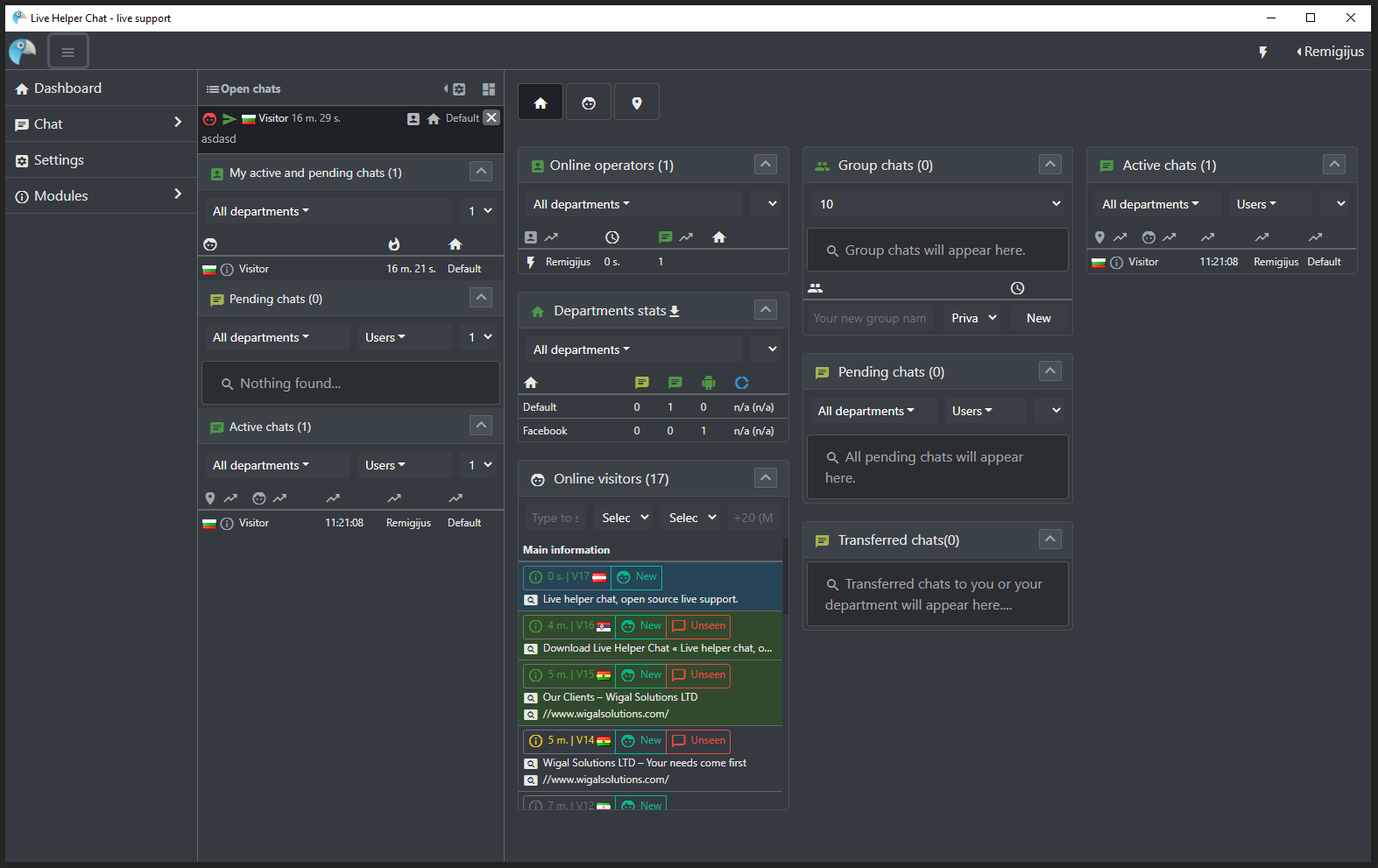
# Live Helper Chat desktop app written with electron
It just loads provided back office url. As this is a pure browser without any extensions it gives a better performance than just a browser.
To open the shortcut menu click `CTRL+h`
To change back office URL click `CTRL+SHIFT+h`
To open the dev tools click `CTRL+SHIFT+j`
## To Use
To clone and run this repository you'll need [Git](https://git-scm.com) and [Node.js](https://nodejs.org/en/download/) (which comes with [npm](http://npmjs.com)) installed on your computer. From your command line:
```bash
# Clone this repository
git clone https://github.com/LiveHelperChat/electron.git
# Go into the repository
cd electron
# Install dependencies
npm install
# Run the app
npm start
# To build production version
npm run-script build
```
Note: If you're using Linux Bash for Windows, [see this guide](https://www.howtogeek.com/261575/how-to-run-graphical-linux-desktop-applications-from-windows-10s-bash-shell/) or use `node` from the command prompt.
## Resources for Learning Electron
- [electronjs.org/docs](https://electronjs.org/docs) - all of Electron's documentation
- [electronjs.org/community#boilerplates](https://electronjs.org/community#boilerplates) - sample starter apps created by the community
- [electron/electron-quick-start](https://github.com/electron/electron-quick-start) - a very basic starter Electron app
- [electron/simple-samples](https://github.com/electron/simple-samples) - small applications with ideas for taking them further
- [electron/electron-api-demos](https://github.com/electron/electron-api-demos) - an Electron app that teaches you how to use Electron
- [hokein/electron-sample-apps](https://github.com/hokein/electron-sample-apps) - small demo apps for the various Electron APIs
## License
[CC0 1.0 (Public Domain)](LICENSE.md)