https://github.com/llvm/vscode-mlir
https://github.com/llvm/vscode-mlir
Last synced: 8 months ago
JSON representation
- Host: GitHub
- URL: https://github.com/llvm/vscode-mlir
- Owner: llvm
- License: other
- Created: 2021-07-28T20:03:48.000Z (almost 5 years ago)
- Default Branch: main
- Last Pushed: 2024-05-17T16:01:42.000Z (about 2 years ago)
- Last Synced: 2025-09-20T06:36:34.565Z (9 months ago)
- Language: TypeScript
- Size: 148 KB
- Stars: 62
- Watchers: 394
- Forks: 15
- Open Issues: 11
-
Metadata Files:
- Readme: README.md
- License: LICENSE
Awesome Lists containing this project
README
# MLIR
The [MLIR extension](https://marketplace.visualstudio.com/items?itemName=llvm-vs-code-extensions.vscode-mlir)
provides language IDE features for [MLIR](https://mlir.llvm.org/) related
languages: [MLIR](#mlir---mlir-textual-assembly-format),
[PDLL](#pdll---mlir-pdll-pattern-files), and [TableGen](#td---tablegen-files)
## `.mlir` - MLIR textual assembly format:
The MLIR extension adds language support for the
[MLIR textual assembly format](https://mlir.llvm.org/docs/LangRef/):
### Features
- Syntax highlighting for `.mlir` files and `mlir` markdown blocks
- go-to-definition and cross references
- Detailed information when hovering over IR entities
- Outline and navigation of symbols and symbol tables
- Code completion
- Live parser and verifier diagnostics
#### Diagnostics
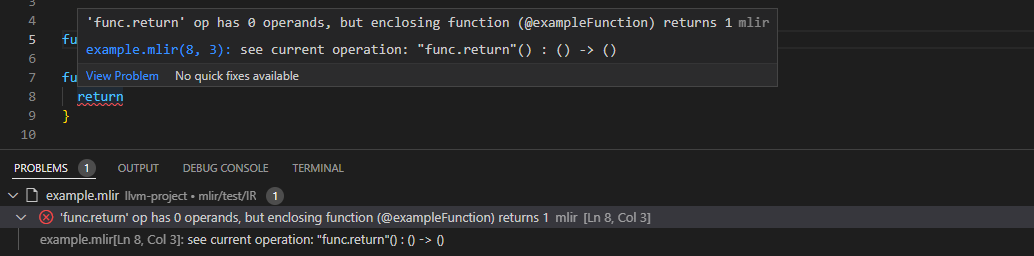
The language server actively runs verification on the IR as you type, showing
any generated diagnostics in-place.
##### Automatically insert `expected-` diagnostic checks
MLIR provides
[infrastructure](https://mlir.llvm.org/docs/Diagnostics/#sourcemgr-diagnostic-verifier-handler)
for checking expected diagnostics, which is heavily utilized when defining IR
parsing and verification. The language server provides code actions for
automatically inserting the checks for diagnostics it knows about.

#### Code completion
The language server provides suggestions as you type, offering completions for
dialect constructs (such as attributes, operations, and types), block names, SSA
value names, keywords, and more.

#### Cross-references
Cross references allow for navigating the use/def chains of SSA values (i.e.
operation results and block arguments), [Symbols](../SymbolsAndSymbolTables.md),
and Blocks.
##### Find definition
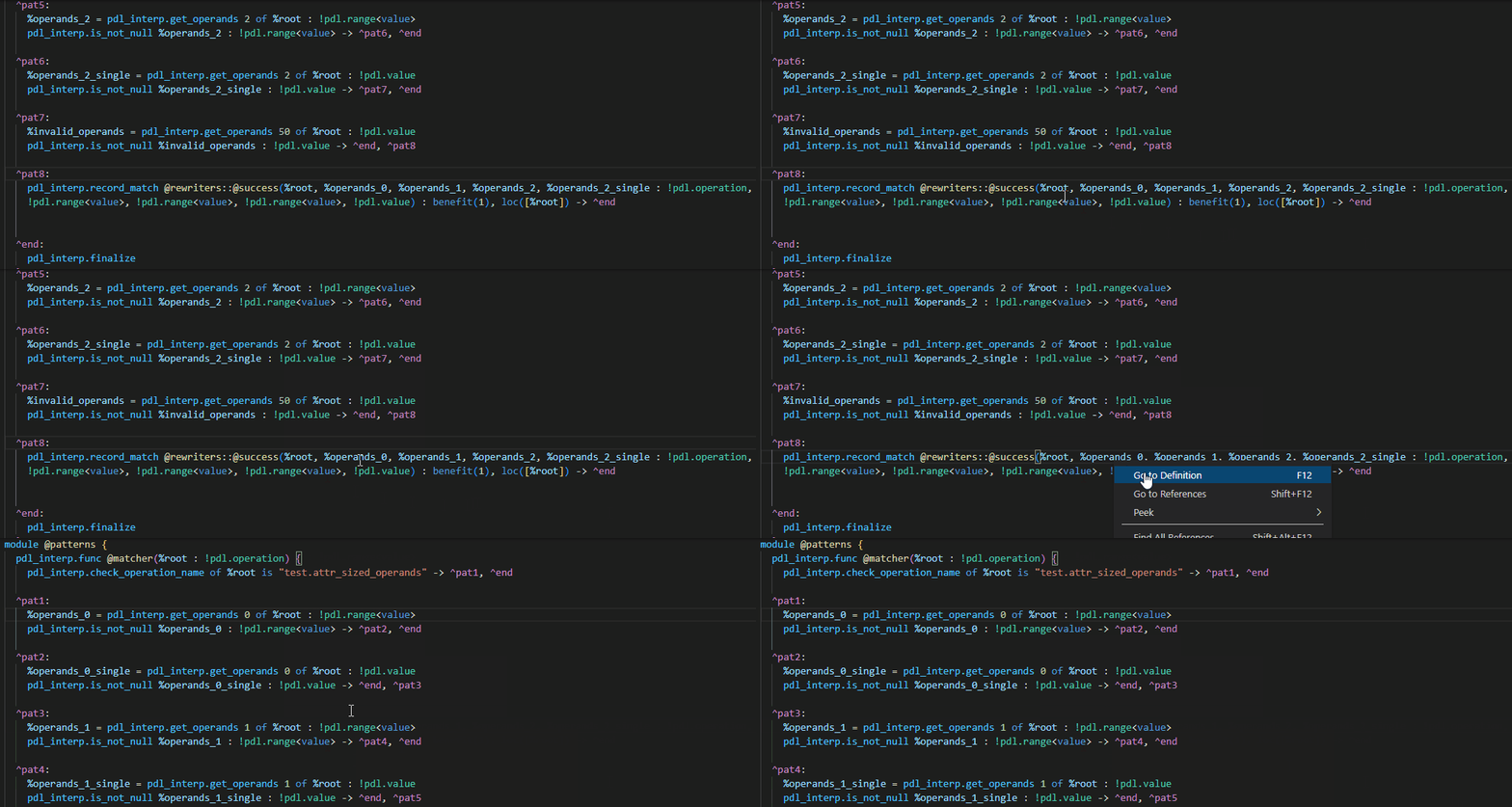
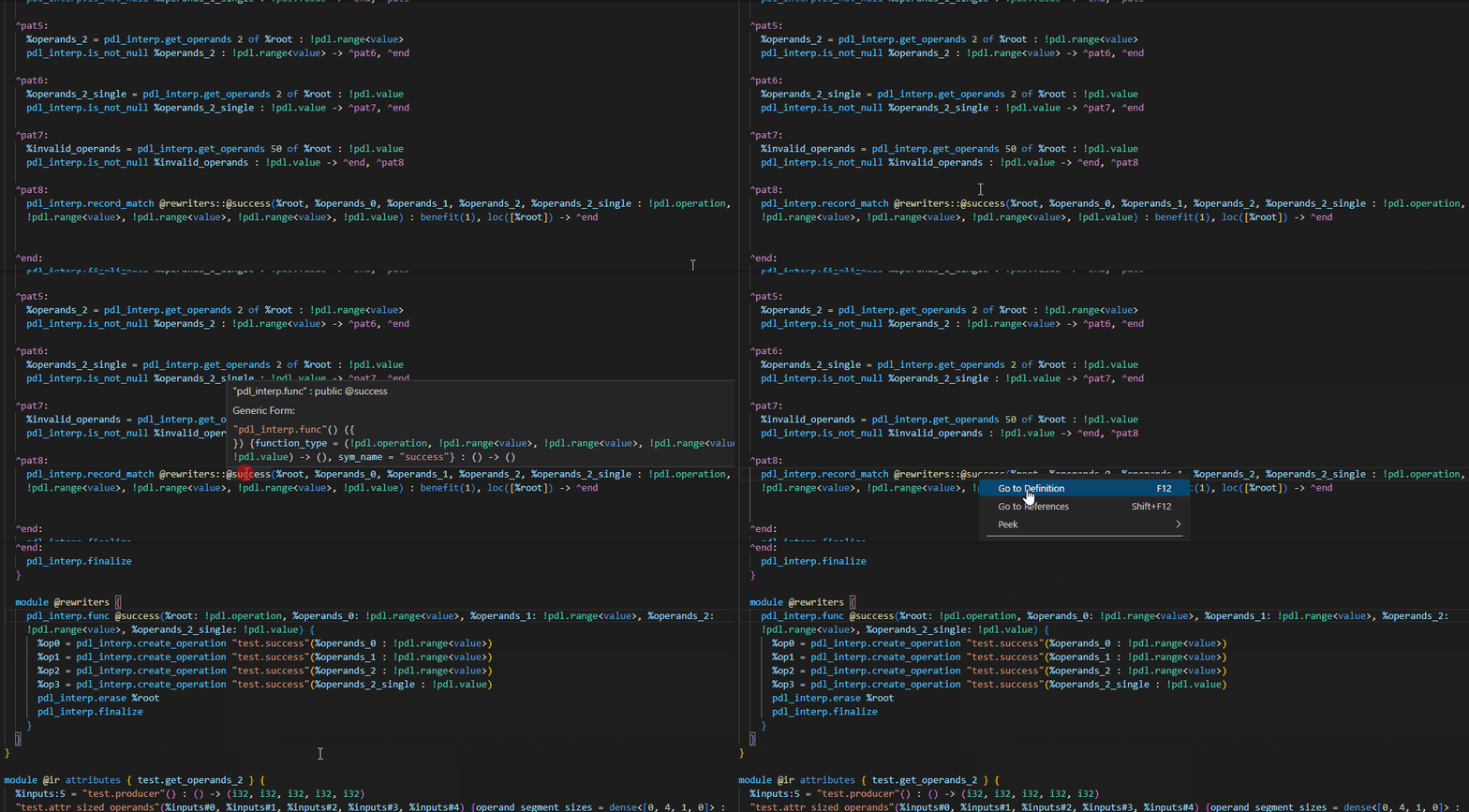
Jump to the definition of the IR entity under the cursor. A few examples are
shown below:
- SSA Values
- Symbol References
The definition of an operation will also take into account the source location
attached, allowing for navigating into the source file that generated the
operation.

##### Find references
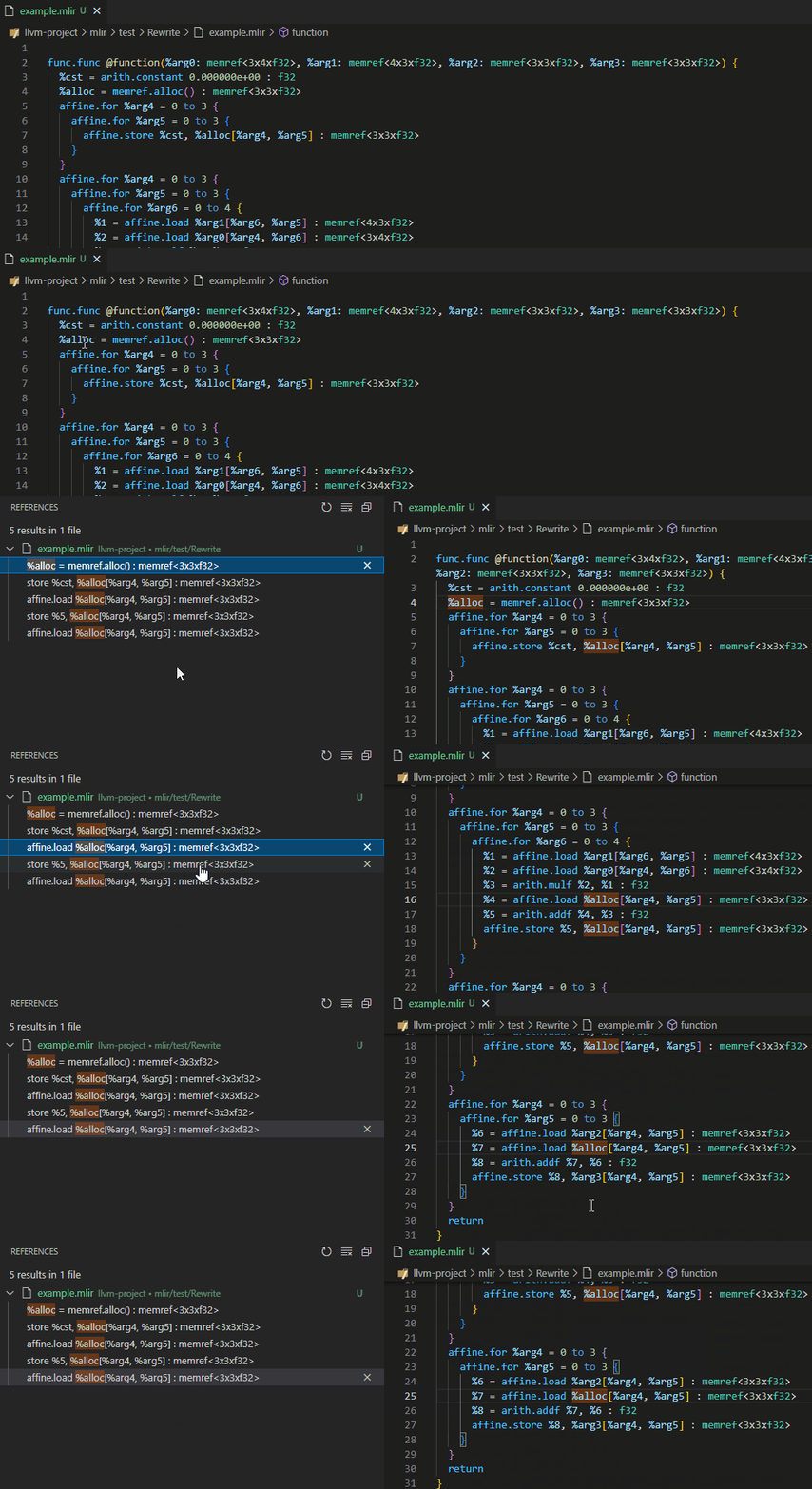
Show all references of the IR entity under the cursor.
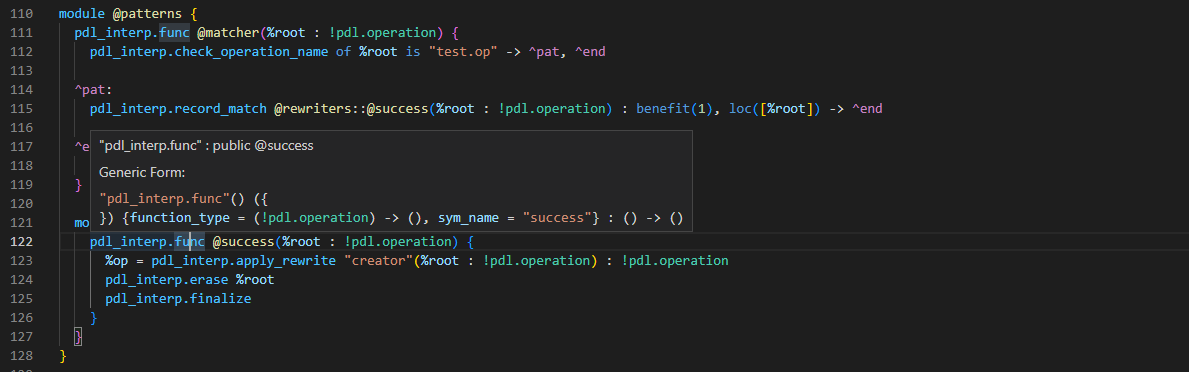
#### Hover
Hover over an IR entity to see more information about it. The exact information
displayed is dependent on the type of IR entity under the cursor. For example,
hovering over an `Operation` may show its generic format.
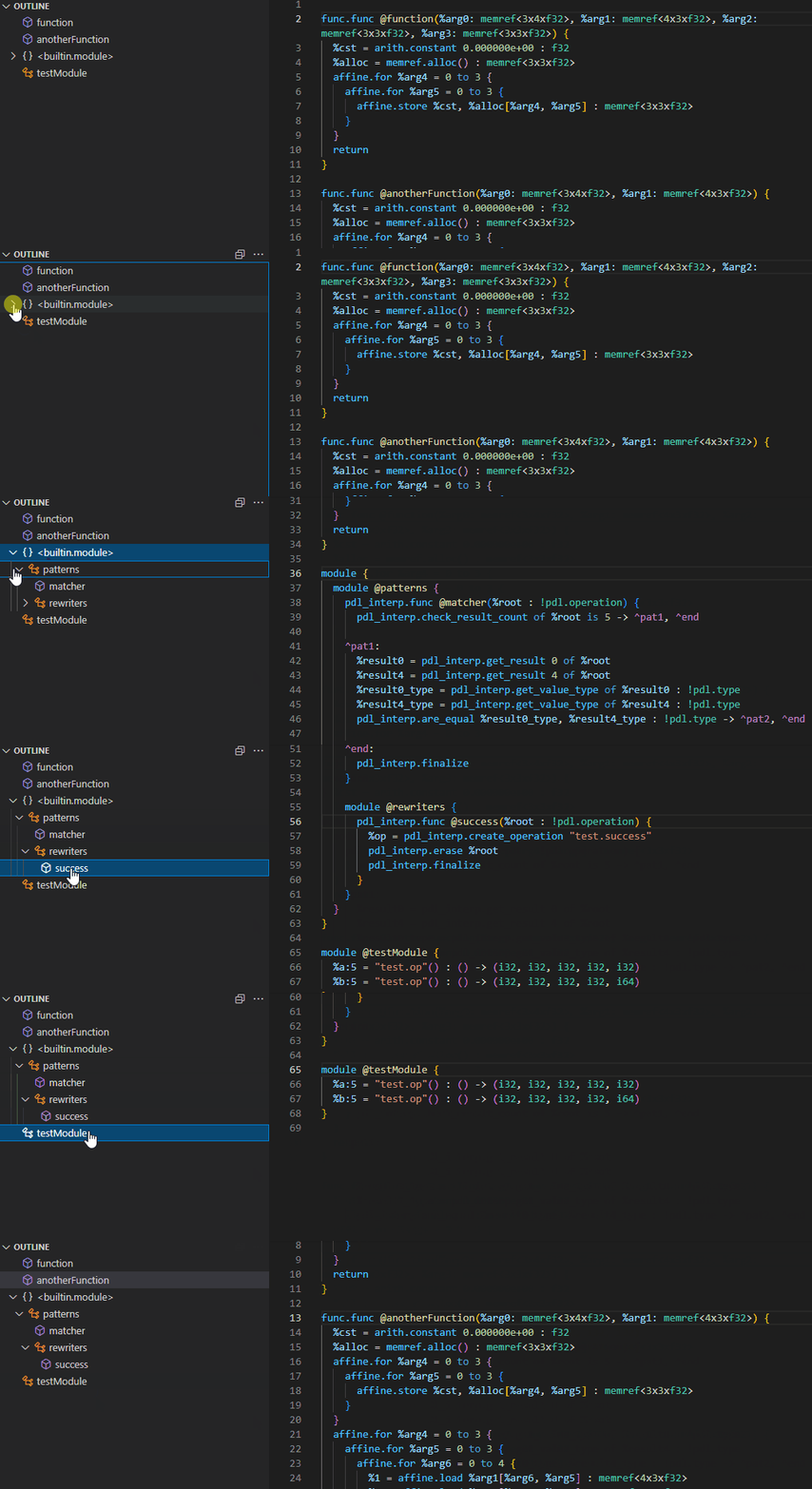
#### Navigation
The language server will also inform the editor about the structure of symbol
tables within the IR. This allows for jumping directly to the definition of a
symbol, such as a `func.func`, within the file.
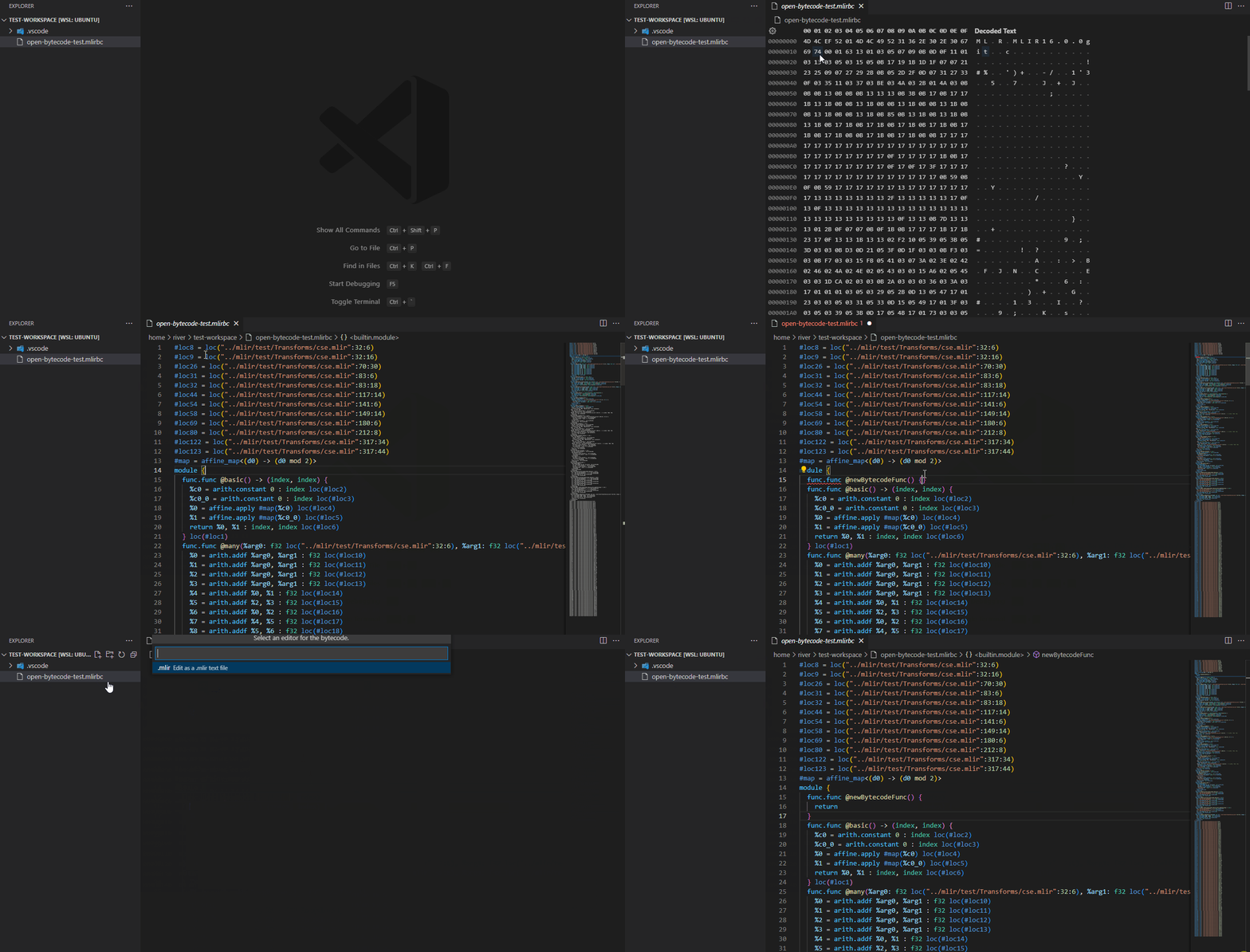
#### Bytecode Editing and Inspection
The language server provides support for interacting with MLIR bytecode files,
enabling IDEs to transparently view and edit bytecode files in the same way
as textual `.mlir` files.
### Setup
#### `mlir-lsp-server`
The various `.mlir` language features require the
[`mlir-lsp-server` language server](https://mlir.llvm.org/docs/Tools/MLIRLSP/#mlir-lsp-language-server--mlir-lsp-server).
If `mlir-lsp-server` is not found within your workspace path, you must specify
the path of the server via the `mlir.server_path` setting. The path of the
server may be absolute or relative within your workspace.
## `.pdll` - MLIR PDLL pattern files:
The MLIR extension adds language support for the
[PDLL pattern language](https://mlir.llvm.org/docs/PDLL/).
### Features
- Syntax highlighting for `.pdll` files and `pdll` markdown blocks
- go-to-definition and cross references
- Types and documentation on hover
- Code completion and signature help
- View intermediate AST, MLIR, or C++ output
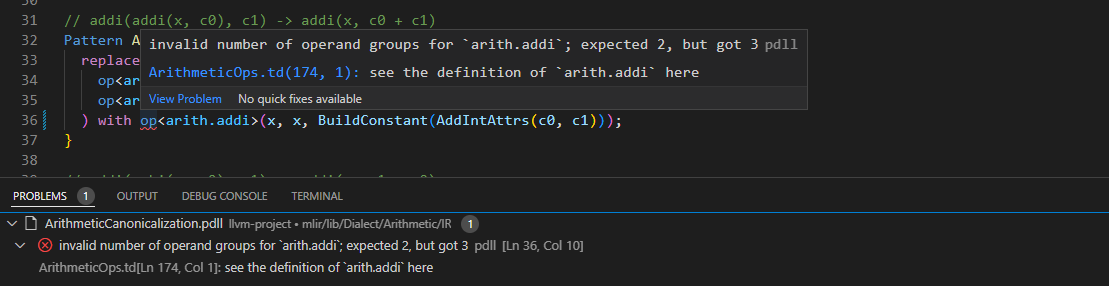
#### Diagnostics
The language server actively runs verification as you type, showing any
generated diagnostics in-place.
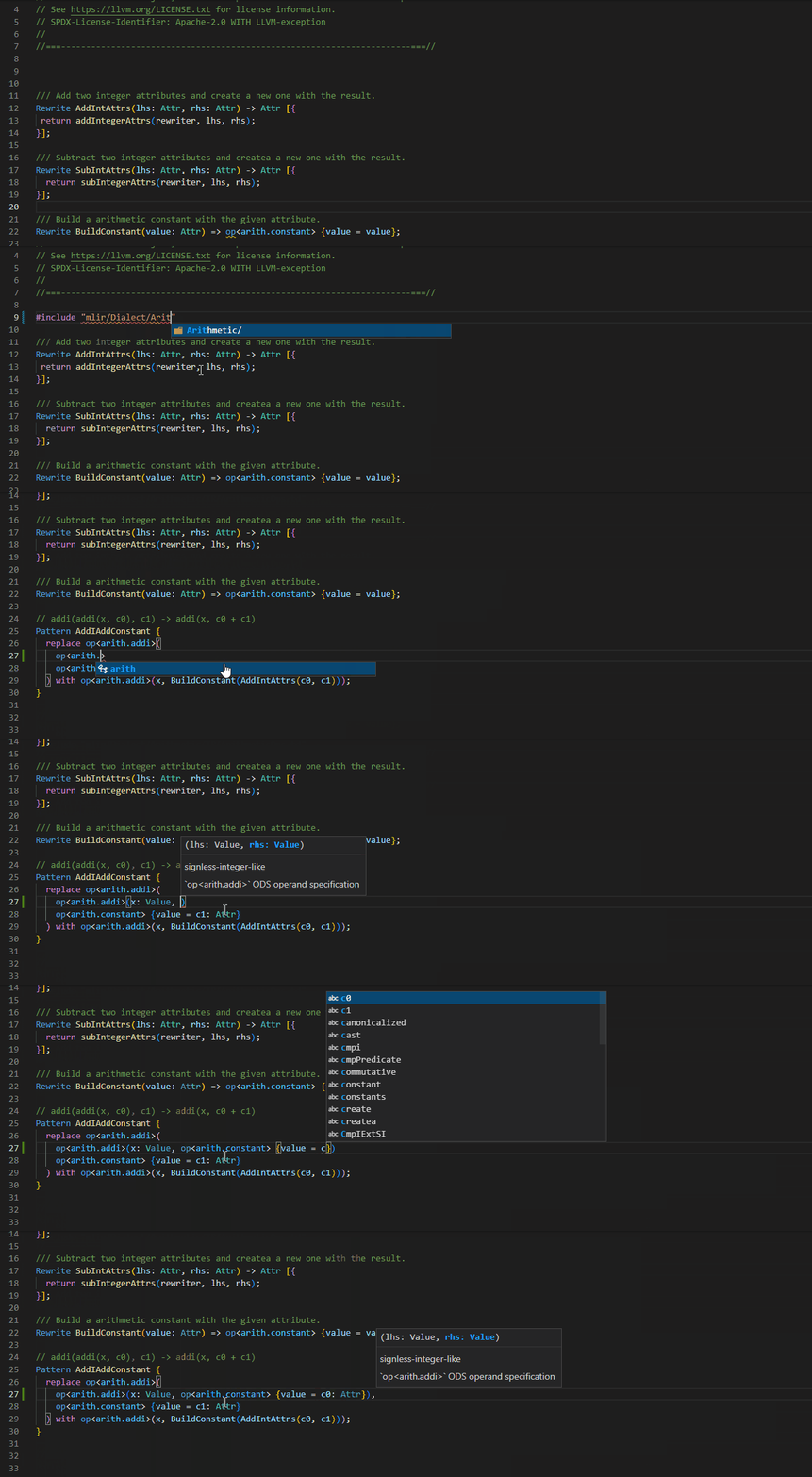
#### Code completion and signature help
The language server provides suggestions as you type based on what constraints,
rewrites, dialects, operations, etc are available in this context. The server
also provides information about the structure of constraint and rewrite calls,
operations, and more as you fill them in.
#### Cross-references
Cross references allow for navigating the code base.
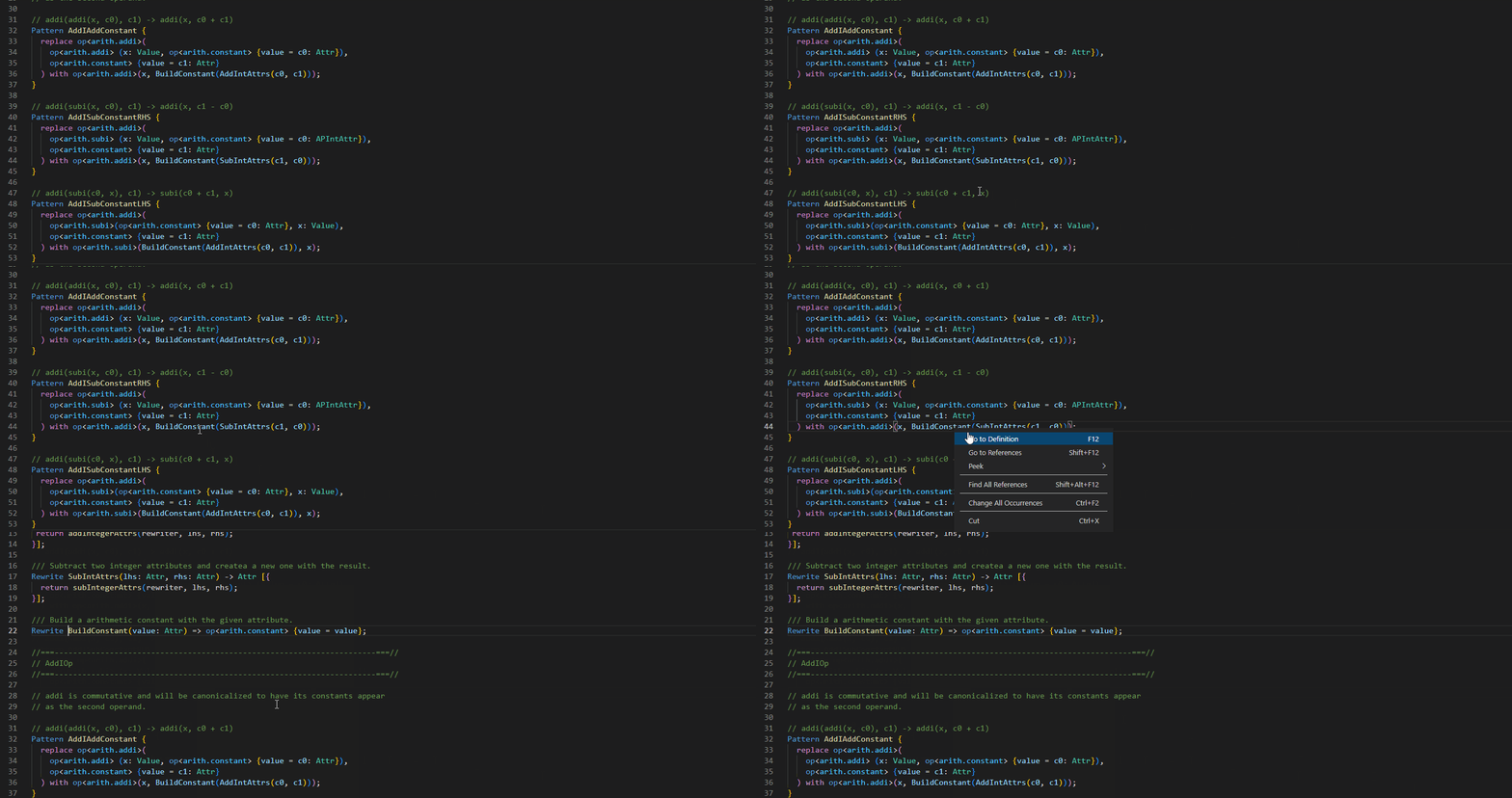
##### Find definition
Jump to the definition of a symbol under the cursor:
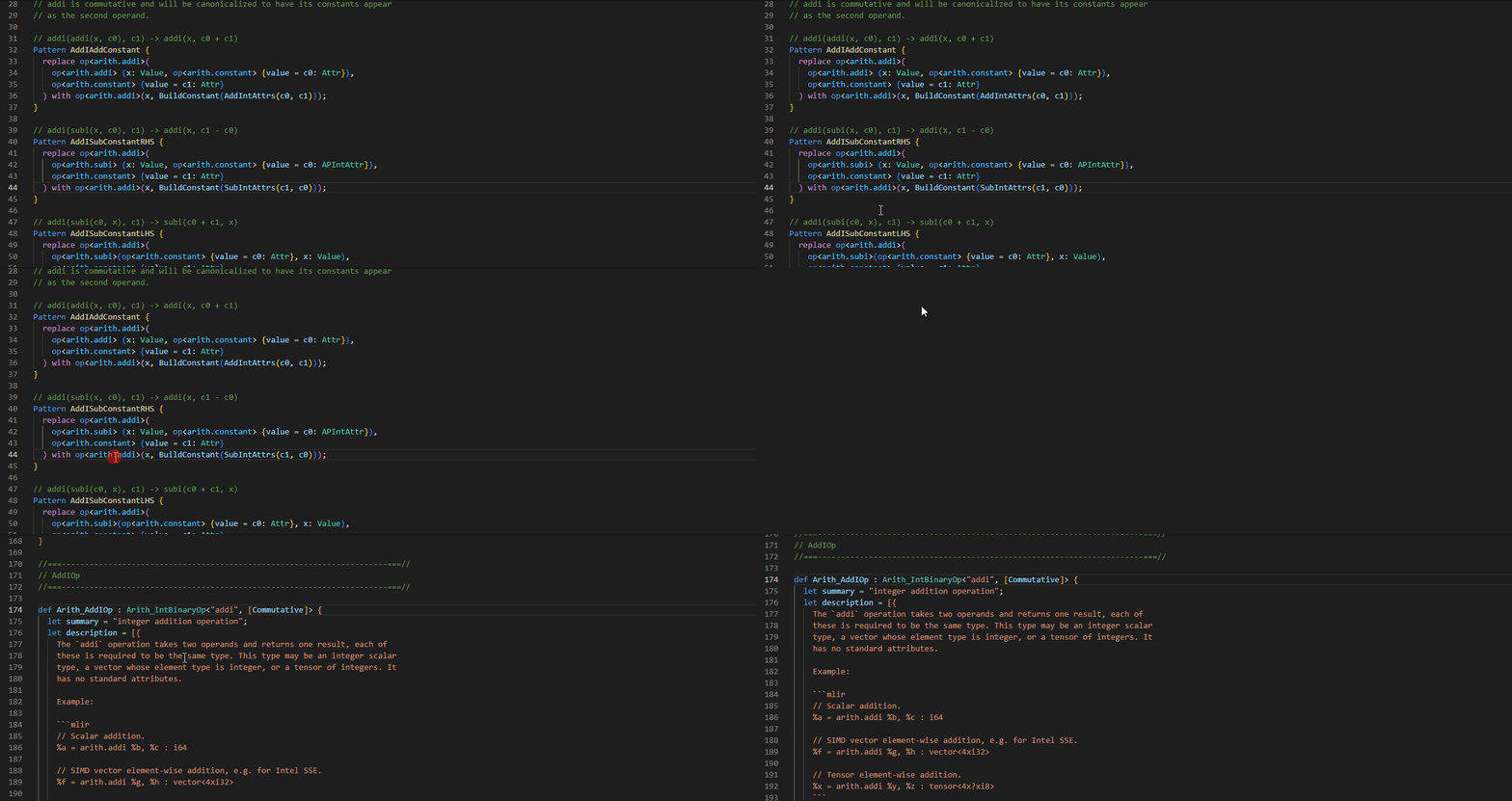
If ODS information is available, we can also jump to the definition of operation
names and more:
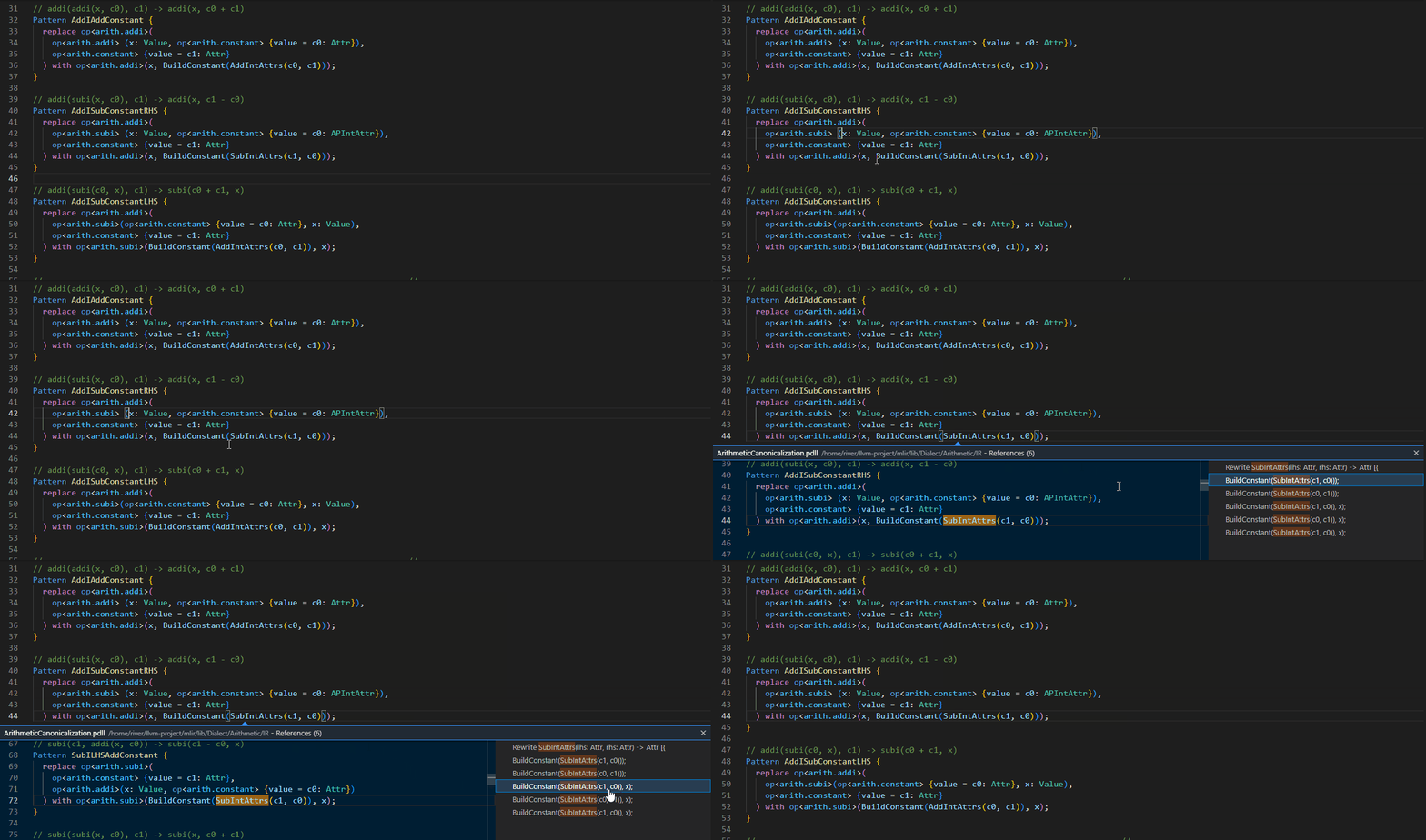
##### Find references
Show all references of the symbol under the cursor.
#### Hover
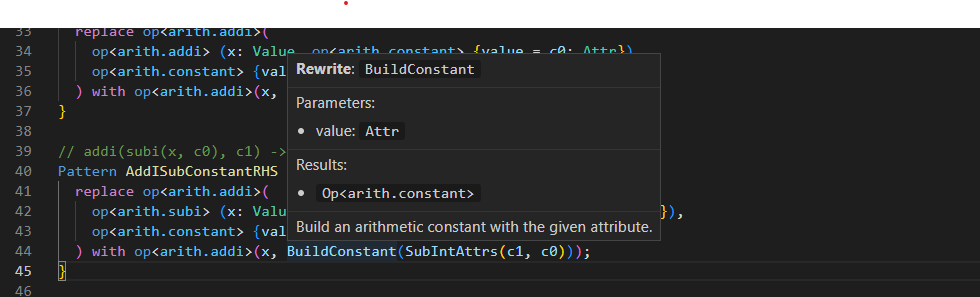
Hover over a symbol to see more information about it, such as its type,
documentation, and more.
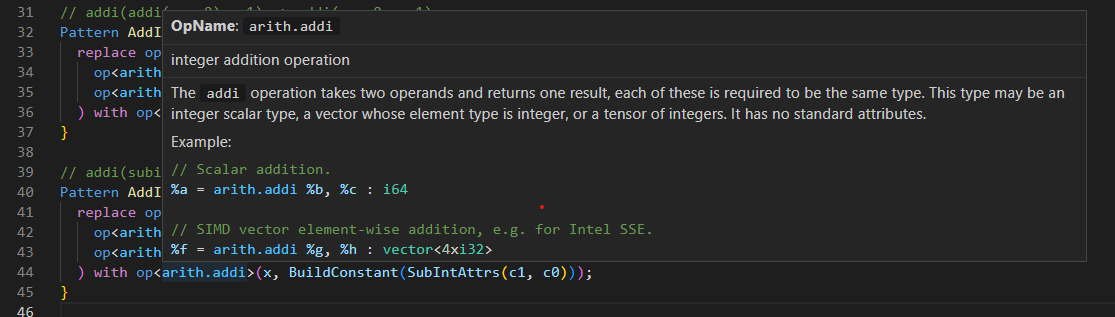
If ODS information is available, we can also show information directly from the
operation definitions:
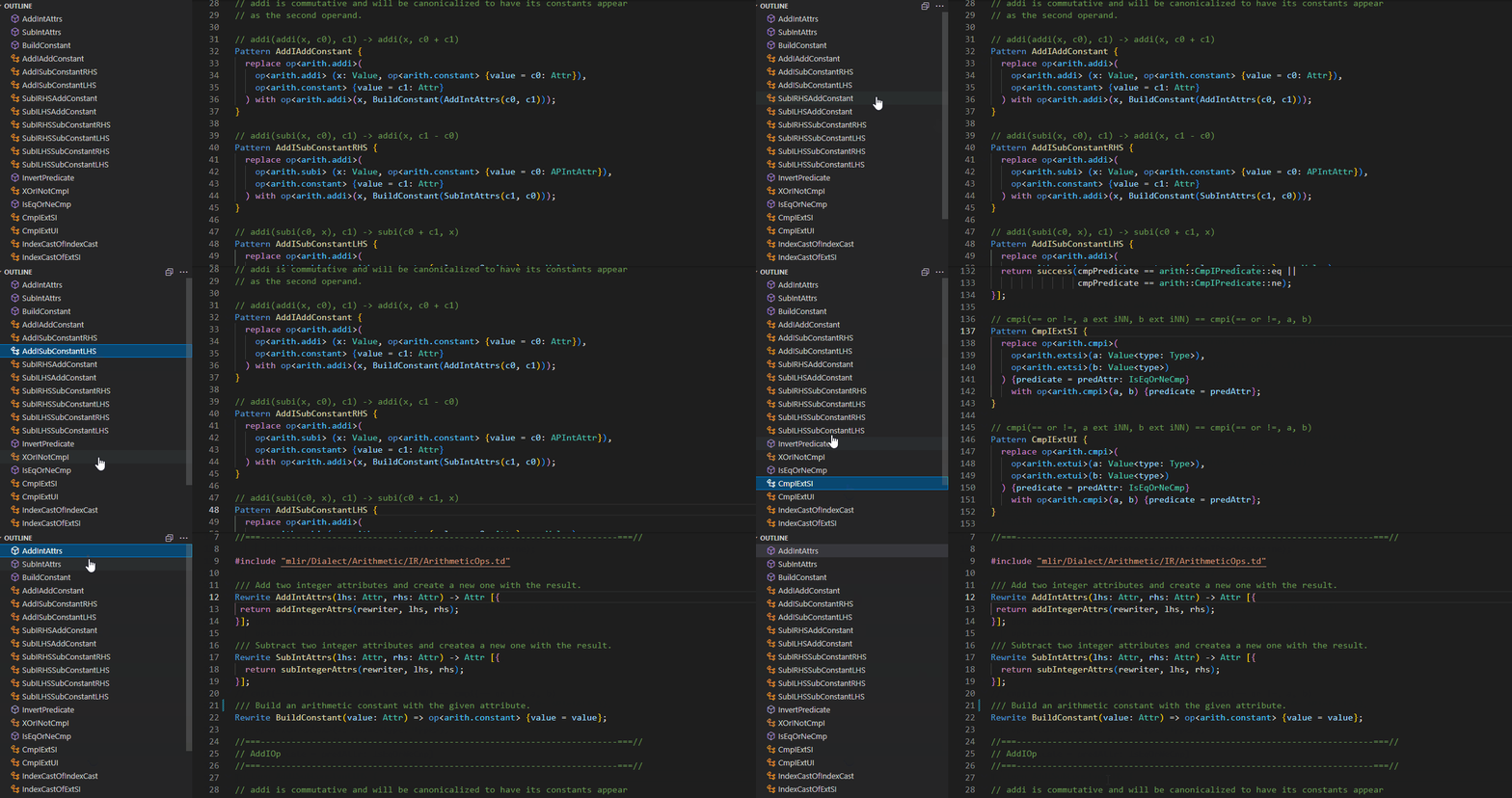
#### Navigation
The language server will also inform the editor about the structure of symbols
within the IR.
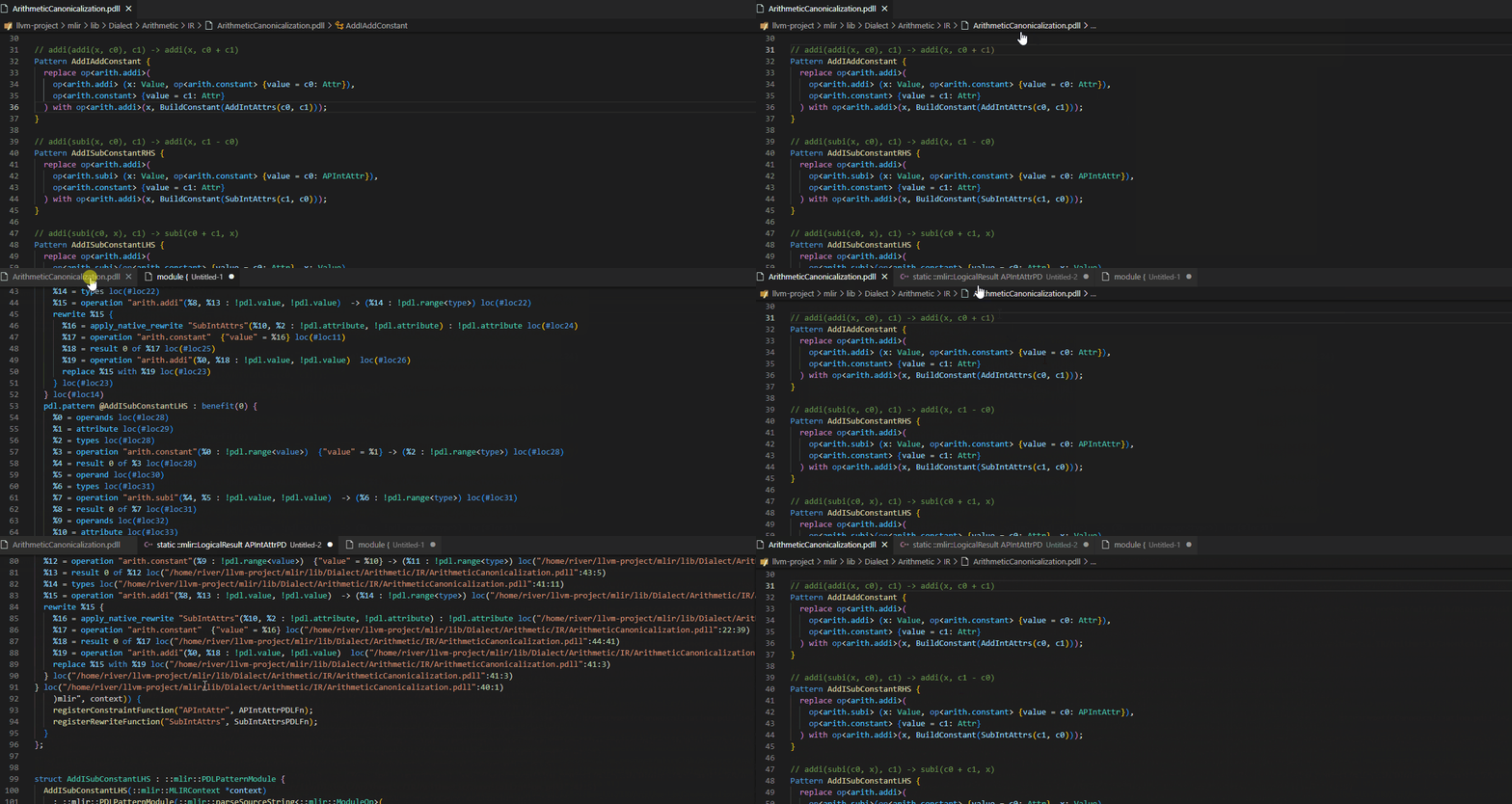
#### View intermediate output
The language server provides support for introspecting various intermediate
stages of compilation, such as the AST, the `.mlir` containing the generated
PDL, and the generated C++ glue. This is a custom LSP extension, and is not
necessarily provided by all IDE clients.
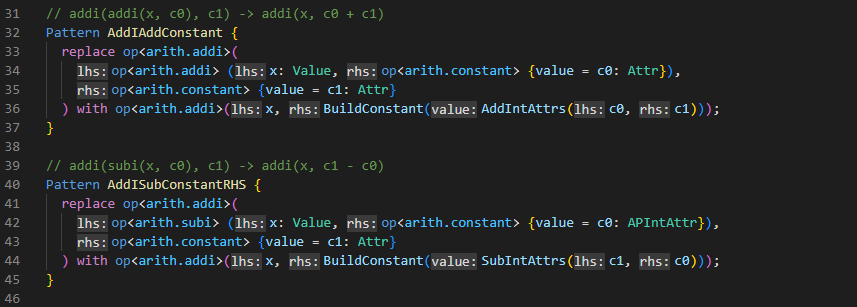
#### Inlay hints
The language server provides additional information inline with the source code.
Editors usually render this using read-only virtual text snippets interspersed
with code. Hints may be shown for:
- types of local variables
- names of operand and result groups
- constraint and rewrite arguments
### Setup
#### `mlir-pdll-lsp-server`
The various `.pdll` language features require the
[`mlir-pdll-lsp-server` language server](https://mlir.llvm.org/docs/Tools/MLIRLSP/#pdll-lsp-language-server--mlir-pdll-lsp-server).
If `mlir-pdll-lsp-server` is not found within your workspace path, you must
specify the path of the server via the `mlir.pdll_server_path` setting. The path
of the server may be absolute or relative within your workspace.
#### Project setup
To properly understand and interact with `.pdll` files, the language server must
understand how the project is built (compile flags).
[`pdll_compile_commands.yml` files](https://mlir.llvm.org/docs/Tools/MLIRLSP/#compilation-database)
related to your project should be provided to ensure files are properly
processed. These files can usually be generated by the build system, and the
server will attempt to find them within your `build/` directory. If not
available in or a unique location, additional `pdll_compile_commands.yml` files
may be specified via the `mlir.pdll_compilation_databases` setting. The paths of
these databases may be absolute or relative within your workspace.
## `.td` - TableGen files:
The MLIR extension adds language support for the
[TableGen language](https://llvm.org/docs/TableGen/ProgRef.html).
### Features
- Syntax highlighting for `.td` files and `tablegen` markdown blocks
- go-to-definition and cross references
- Types and documentation on hover
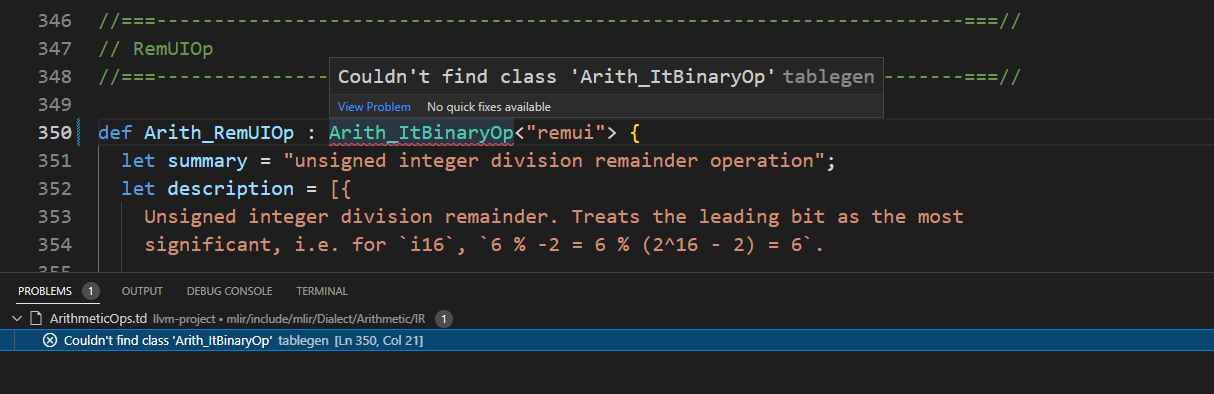
#### Diagnostics
The language server actively runs verification as you type, showing any
generated diagnostics in-place.
#### Cross-references
Cross references allow for navigating the code base.
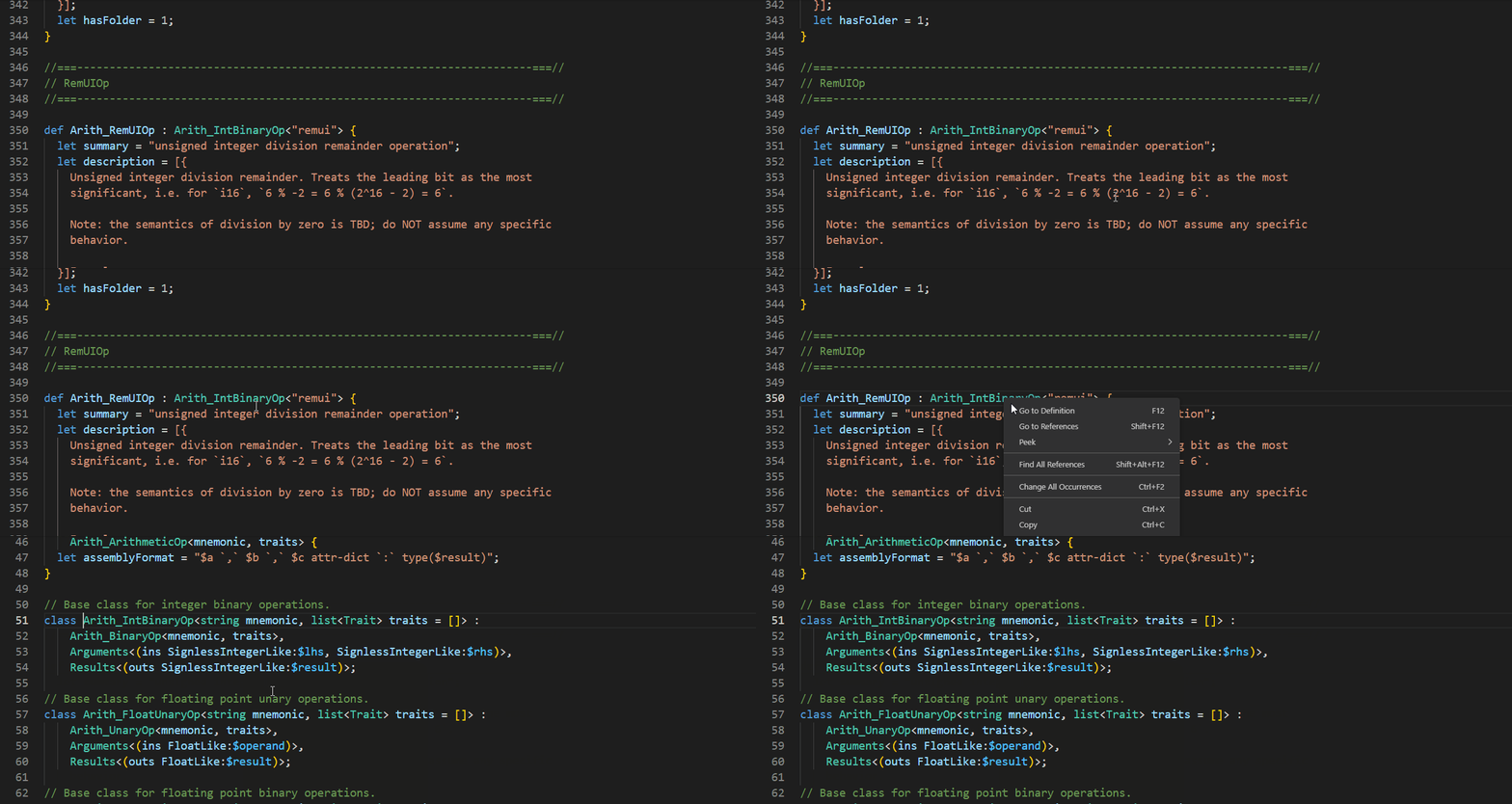
##### Find definition
Jump to the definition of a symbol under the cursor:
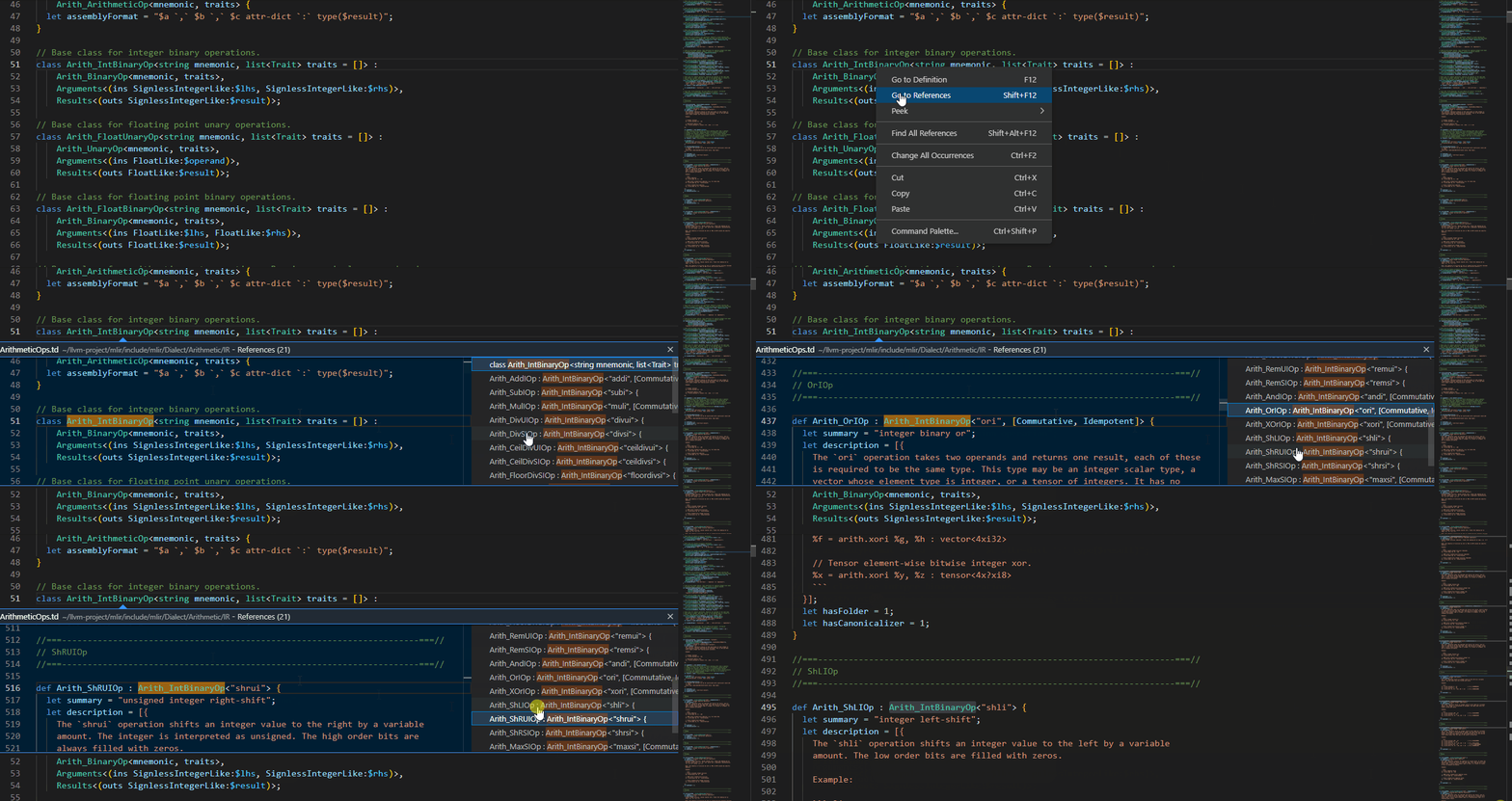
##### Find references
Show all references of the symbol under the cursor.
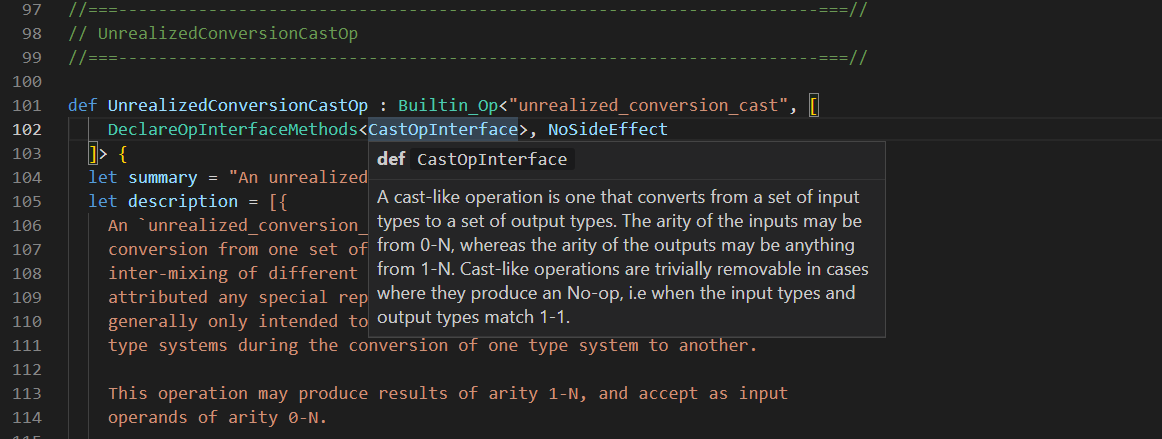
#### Hover
Hover over a symbol to see more information about it, such as its type,
documentation, and more.
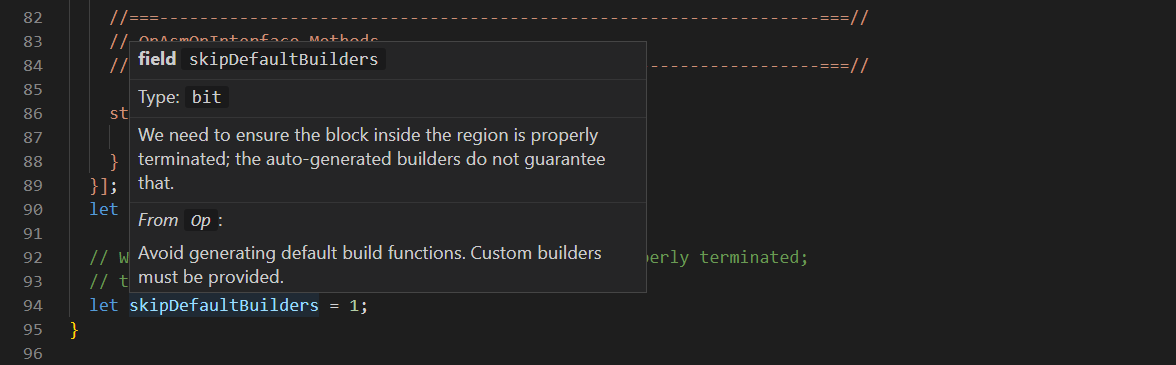
Hovering over an overridden field will also show you information such as
documentation from the base value:
### Setup
#### `tblgen-lsp-server`
The various `.td` language features require the
[`tblgen-lsp-server` language server](https://mlir.llvm.org/docs/Tools/MLIRLSP/#tablegen-lsp-language-server--tblgen-lsp-server).
If `tblgen-lsp-server` is not found within your workspace path, you must specify
the path of the server via the `mlir.tablegen_server_path` setting. The path of
the server may be absolute or relative within your workspace.
#### Project setup
To properly understand and interact with `.td` files, the language server must
understand how the project is built (compile flags).
[`tablegen_compile_commands.yml` files](https://mlir.llvm.org/docs/Tools/MLIRLSP/#compilation-database-1)
related to your project should be provided to ensure files are properly
processed. These files can usually be generated by the build system, and the
server will attempt to find them within your `build/` directory. If not
available in or a unique location, additional `tablegen_compile_commands.yml`
files may be specified via the `mlir.tablegen_compilation_databases` setting.
The paths of these databases may be absolute or relative within your workspace.
## Contributing
This extension is actively developed within the
[LLVM monorepo](https://github.com/llvm/llvm-project), at
[`mlir/utils/vscode`](https://github.com/llvm/llvm-project/tree/main/mlir/utils/vscode).
As such, contributions should follow the
[normal LLVM guidelines](https://llvm.org/docs/Contributing.html), with code
reviews sent to
[GitHub](https://llvm.org/docs/Contributing.html#how-to-submit-a-patch).
When developing or deploying this extension within the LLVM monorepo, a few
extra setup steps are required:
- Copy `mlir/utils/textmate/mlir.json` to the extension directory and rename to
`grammar.json`.
- Copy `llvm/utils/textmate/tablegen.json` to the extension directory and rename
to `tablegen-grammar.json`.
- Copy
`https://mlir.llvm.org//LogoAssets/logo/PNG/full_color/mlir-identity-03.png`
to the extension directory and rename to `icon.png`.
Please follow the existing code style when contributing to the extension, we
recommend to run `npm run format` before sending a patch.