https://github.com/lm2343635/mgformatter
A JSON string formatter running on iOS
https://github.com/lm2343635/mgformatter
html-format ios-lib json-format swift
Last synced: over 1 year ago
JSON representation
A JSON string formatter running on iOS
- Host: GitHub
- URL: https://github.com/lm2343635/mgformatter
- Owner: lm2343635
- License: mit
- Created: 2017-08-13T06:05:54.000Z (almost 9 years ago)
- Default Branch: master
- Last Pushed: 2021-01-16T14:50:36.000Z (over 5 years ago)
- Last Synced: 2025-04-11T12:14:51.744Z (over 1 year ago)
- Topics: html-format, ios-lib, json-format, swift
- Language: Swift
- Homepage:
- Size: 767 KB
- Stars: 16
- Watchers: 2
- Forks: 2
- Open Issues: 0
-
Metadata Files:
- Readme: README.md
- License: LICENSE
Awesome Lists containing this project
README
# MGFormatter


[](http://cocoapods.org/pods/MGFormatter)
[](http://cocoapods.org/pods/MGFormatter)
[](http://cocoapods.org/pods/MGFormatter)
MGFormatter can format the JSON or HTML code in a view with customized keyword color and font.
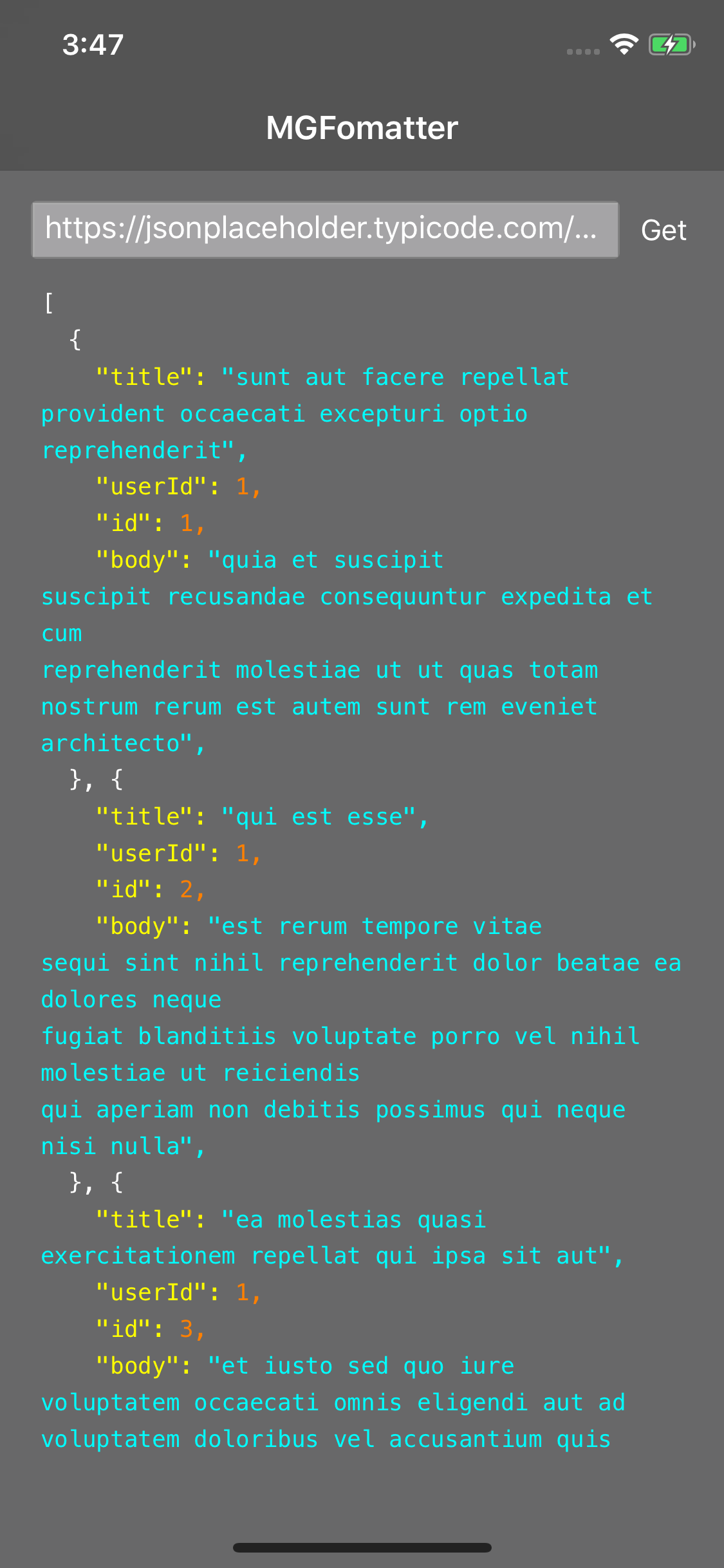

## Example
To run the example project, clone the repo, and run `pod install` from the Example directory first.
## Requirements
- iOS 8.0+
- Xcode 9.0+
## Usage
Just create a **FormatterView** and set the code you want to format.
```Swift
formatterView.format(string: utf8Text, style: .jsonDark)
```
### About style
The follow style can be customized be the developers.
- Formatter type(JSON or HTML) and the colors of key words.
- Font.
- Line spacing.
Dark and light style can be used directly.
### Supported code style and colors
The following colors of keywords can be customized.
- JSON type
- normal
- attribute
- boolean
- string
- number
- HTML
- normal
- tag
- attribute name
- attribute value
Here is the demo code for customized style.
```Swift
let color = JSONColor(
normal: .white,
attribute: .yellow,
boolean: .green,
string: .cyan,
number: .orange
)
let style = FormatterStyle(font: UIFont.systemFont(ofSize: 12), lineSpacing: 5, type: .json(JSONColor()))
self.formatterView.format(string: utf8Text, style: style)
```
## Installation
MGFormatter is available through [CocoaPods](http://cocoapods.org). To install
it, simply add the following line to your Podfile:
```ruby
pod 'MGFormatter'
```
## Author
Meng Li, lm2343635@126.com
## License
MGFormatter is available under the MIT license. See the LICENSE file for more info.