https://github.com/loadingio/ldiconfont
iconfont builder along with a set of prebuilt pixel-perfect icons.
https://github.com/loadingio/ldiconfont
icon iconfont svg-font
Last synced: 6 months ago
JSON representation
iconfont builder along with a set of prebuilt pixel-perfect icons.
- Host: GitHub
- URL: https://github.com/loadingio/ldiconfont
- Owner: loadingio
- Created: 2019-02-13T13:17:59.000Z (over 7 years ago)
- Default Branch: master
- Last Pushed: 2025-12-24T02:06:46.000Z (6 months ago)
- Last Synced: 2025-12-25T15:31:11.026Z (6 months ago)
- Topics: icon, iconfont, svg-font
- Language: JavaScript
- Homepage: https://loadingio.github.io/ldiconfont
- Size: 47.1 MB
- Stars: 2
- Watchers: 1
- Forks: 0
- Open Issues: 0
-
Metadata Files:
- Readme: README.md
- Changelog: CHANGELOG.md
Awesome Lists containing this project
README
# ldIconFont
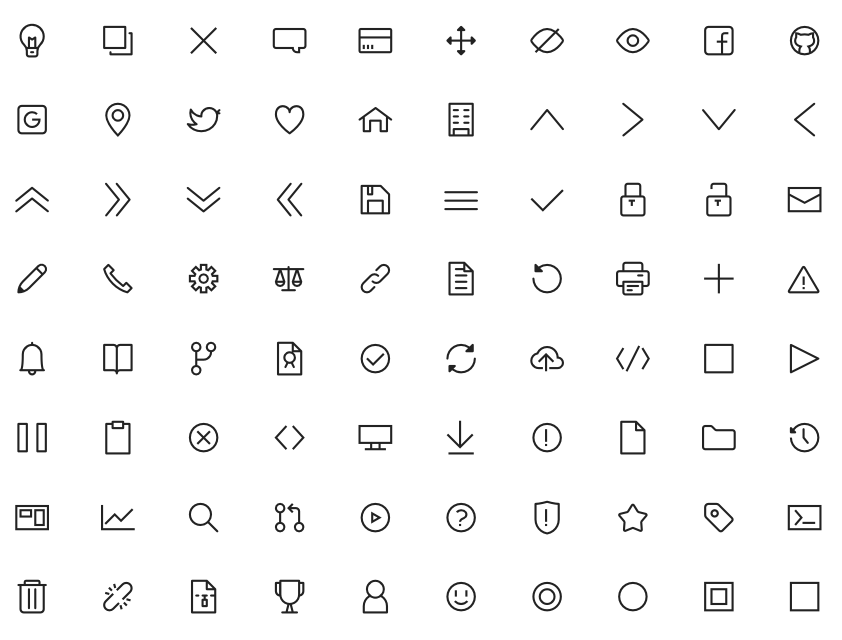
Build icon font with SVGs, along with a pixel-perfect line icon set in 24x24 / 16x16 resolution, along with source Ai files and SVG files. Check our [Live Demo](http://loadingio.github.io/ldiconfont/) for ldiconfont in action.
## Usage
include ldif.min.css file and specify font url:
@font-face {
font-family: 'ldi';
font-weight: normal;
font-style: normal;
src: url('path/to/your/ldif.ttf') format('truetype');
}
Then, use icon via classes:
## Tweak
You can make customized builds to tweak icon alignment, but even with the same font sometimes it doesn't align properly with different font size.
You can customize icon vertical position with following CSS:
i.ldif:before
position: relative
top: 0
replace `ldif` with your custom class and tweak `top` value to match your font.
## Custom build
run `./bin/makefont.js` to make a custom build. available parameters:
- map ( -m ) - optional unicode / icon name mapping file. check src/unicode.json for format.
- units-per-em ( -u ) - glyph size ( default 900 )
- input ( -i ) - input directory of SVGs. file name of SVG will be its icon name.
- ascent ( -a ) - ascent for tweaking icon vertical alignment. default 700
- offset-y ( -y ) - adjust glyph vertical position. negative toward down, positive toward up. default -130
- dir ( -d ) - output directory. `dist` if omitted.
Additionally, you can add a config.json under your input directory, `makefont` will parse and use it to config build automatically. Check `src/vector-files/line/svg/config.json` as an example.
You can also use ldiconfont to build your own iconfont by installing ldiconfont then run:
npm install --save ldiconfont
npx ldif ... ( parameters ) ...
sample command for 800 x 800 SVGs:
npx ldif -u 800 -i ~/path/to/svg -a 700.5 -y -90.5 -d out
We suggest using units-per-em greater than 800 to prevent precision loss when converting to ttf.
## Verify Your Build
use `npx ldif-server -d ` to start up a test server for viewing the result of your customized build.
## Challenges
- Correctly align vertically - https://christopheraue.net/design/vertical-align
## SVG Font
Basic construct of SVG Font:
svg: defs: font
font-face
glyph
...
missing-glyph
## Structure
ldiconfont provides different variants and favors. You can find all of them in `dist/`, with source counterparts under `src/vector-files/`, including source illustrator file ( raw paths and merged composite shape ) and generated SVG files.
Currently we only provide 3 favors:
- Line 24 x 24 bold ( default font after 0.1.0 )
- Line 16 x 16 light
- Legacy ( icons used in 0.0.1 )
## TODO
- refine the list of icon that we should make including following scenario:
- Generic Set
- Text Editor
- Source Control
- Media Player
- refine icons to make them more consistent and pixel-perfect, in 12px ~ 18px.
- support (light, regular, bold) x (solid, line) = 6 different styles.
- support SVG fragment and SVG embed with proper document and even API.
- refine icon development process
- add additional preview scenario such as a sample view when using in GitHub.
## Reference
- [SVG 1.1 - Fonts](https://www.w3.org/TR/SVG11/fonts.html)
- [SVG Font Element](https://developer.mozilla.org/en-US/docs/Web/SVG/Element/font)
- [SVG Font Related Attributes](https://docs.google.com/spreadsheets/d/1NBUILrdB3uDDPzyicEU8WApkTXL9sZVmta7yneXlKIA/edit?usp=sharing)
- [Font's Measurement Units](https://i.stack.imgur.com/Z0TnA.png)
- [Icon Fonts vs SVG Icons](https://lambdatest.com/blog/its-2019-lets-end-the-debate-on-icon-fonts-vs-svg-icons)
## License
MIT