https://github.com/lonedev6/fastnbt
Spigot library to edit items NBT very fast.
https://github.com/lonedev6/fastnbt
java library minecraft nbt plugin spigot
Last synced: 12 months ago
JSON representation
Spigot library to edit items NBT very fast.
- Host: GitHub
- URL: https://github.com/lonedev6/fastnbt
- Owner: LoneDev6
- License: apache-2.0
- Created: 2021-04-10T21:35:11.000Z (about 5 years ago)
- Default Branch: master
- Last Pushed: 2025-07-09T18:18:10.000Z (about 1 year ago)
- Last Synced: 2025-07-09T20:54:15.440Z (about 1 year ago)
- Topics: java, library, minecraft, nbt, plugin, spigot
- Language: Java
- Homepage: https://lonedev6.github.io/FastNBT/beer/devs/fastnbt/nms/nbt/package-summary.html
- Size: 671 KB
- Stars: 9
- Watchers: 1
- Forks: 0
- Open Issues: 2
-
Metadata Files:
- Readme: README.md
- License: LICENSE
Awesome Lists containing this project
README
☕ JavaDocs

# Comparison to NBT API
## Installations
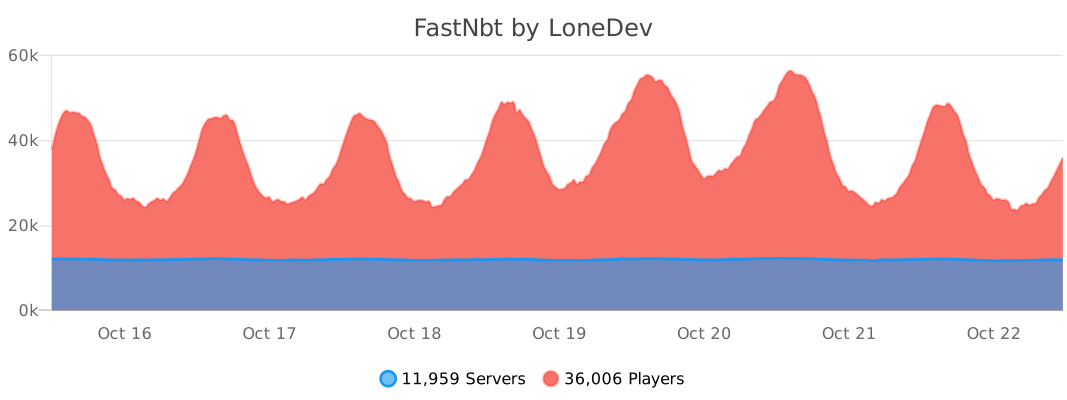
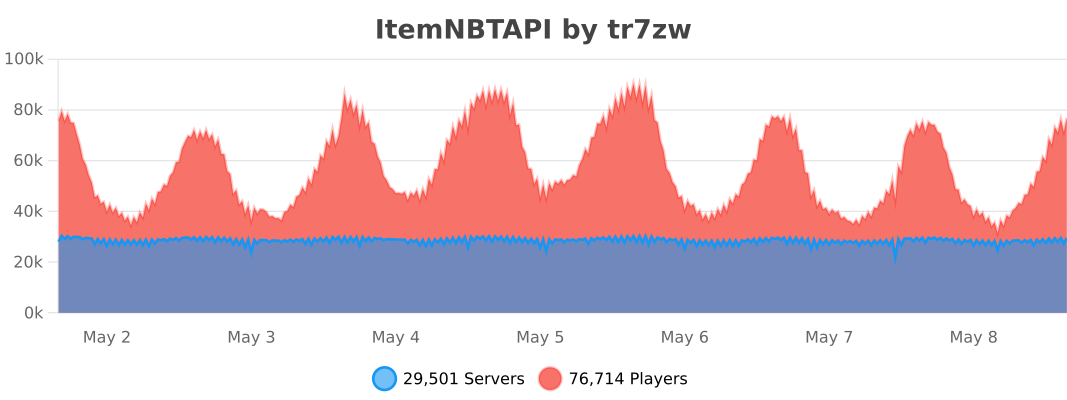
## Benchmark
**FastNbt** is ~190% faster than [NBT API](https://github.com/tr7zw/Item-NBT-API).\
[Check the benchmark here](https://github.com/LoneDev6/FastNBT-Benchmark)
## Usability
**FastNbt** is easier to use compared to NBT API and requires less boilerplate code.
### Creating an head texture
```java
NItem nItem = new nItem(new ItemStack(Material.PLAYER_HEAD));
nItem.setSkull("dummy", "eyJ0ZXh0dXJlcyI6eyJTS0lOIjp7InVybCI6Imh0dHA6Ly90ZXh0dXJlcy5taW5lY3JhZnQubmV0L3RleHR1cmUvYjc4ZWYyZTRjZjJjNDFhMmQxNGJmZGU5Y2FmZjEwMjE5ZjViMWJmNWIzNWE0OWViNTFjNjQ2Nzg4MmNiNWYwIn19fQ==");
nItem.save(); // If finished editing
```
### Renaming an item
NOTE: FastNBT supports only Compound strings.
If you want to use legacy notation you have to call the Spigot API as usual.
```java
NItem nItem = new nItem(new ItemStack(Material.STONE));
nItem.setDisplayNameCompound("{\"text\":\"Example Compound Name\",\"color\":\"blue\"}");
nItem.save(); // If finished editing
```
### Setting an attribute modifier
```java
nItem.setAttributeModifier(
"minecraft:generic.movement_speed",
1,
6,
"bro",
"mainhand",
1337,
1337
);
nItem.save(); // If finished editing
```
### Setting an attribute modifier (manual method)
```java
NList attributes = nItem.getOrAddList("AttributeModifiers", NBTType.Compound);
NCompound attribute = new NCompound();
attribute.setString("AttributeName", attributeName);
attribute.setInt("Operation", operation);
attribute.setInt("UUIDLeast", uuidLeast);
attribute.setInt("UUIDMost", uuidMost);
attribute.setDouble("Amount", amount);
attribute.setString("Name", name);
attribute.setString("Slot", slot);
attributes.addCompound(attribute);
```
# Limitations
Currently, supports only items.
# Adding it to your project

## Method 1 - Direct use on Spigot
This is the easiest way.
### Step 1 - `plugin.yml`
```yml
name: Your Plugin
author: You
# ....
libraries:
- beer.devs:FastNbt-jar:VERSION
```
### Step 2 - Maven
```xml
beer.devs
FastNbt-jar
VERSION
provided
```
### Step 2 - or Gradle
```kt
dependencies {
compileOnly("beer.devs:FastNbt-jar:VERSION")
}
```
## Method 2 - Direct use on Paper
This is the easiest way, but requires some special steps.
### Step 1
Shade libby into your JAR, read more [here](https://github.com/AlessioDP/libby).
### Step 2 - `plugin.yml`
Add the lib into `libraries-libby` of your `plugin.yml` and specify the `--remap` flag.
```yml
name: Your Plugin
author: You
# ....
libraries-libby:
- beer.devs:FastNbt-jar:VERSION --remap
```
### Step 3
You need to include this [LibsLoader](https://gist.github.com/LoneDev6/27fed334fc3ef013e666a7371a6b3551) class in your plugin and call in `onLoad`.\
This will load the libraries you specified in the `plugin.yml` file.
```java
new LibsLoader(this).loadAll();
```
### Step 4 - Maven or gradle
Same as Method 1
## Method 3 - Shading
You can shade the library in your plugin if you want to use it without connecting to maven central.
### Shading Configuration Maven
```xml
beer.devs
FastNbt-jar
VERSION
provided
```
```xml
org.apache.maven.plugins
maven-shade-plugin
3.5.0
package
shade
beer.devs.fastnbt.
YOUR_PACKAGE_HERE.libs.beer.devs.fastnbt.
```
### Shading Configuration Gradle
```kt
dependencies {
implementation("beer.devs:FastNbt-jar:VERSION")
}
```
```kt
tasks {
shadowJar {
relocate("beer.devs.fastnbt", "YOUR_PACKAGE_HERE.libs.beer.devs.fastnbt")
}
}
```
-----
# Updating
- Create a new module for the new NMS version and add the correct `paper-nms` **dependency**.
- Add the new NMS version to the `Version` enum.
- Add the new module in the modules list of `FastNbt` module and as dependency in the `FastNbt-jar` module.
Should be all.
# LoneDev's Notes
## How to deploy to maven central
`mvn deploy -DskipNexusStaging=true -PpublishToMavenCentral`
## How to install locally
`mvn install`
## Editing to the repository
- Clone it
- Make your changes
- Run `mvn install` in order to access the plugin as dependency in your projects
## Updating Javadocs
In order to update Javadocs you have to build locally, as old NMS jars are not available and can't be easily included on Github.
- Run the command `mvn clean install javadoc:javadoc -pl FastNbt-core -am`
- Get the generated javadocs from `.cache/targets/FastNbt-core/target/reports/apidocs/`
- Push the contents into the `javadoc` branch
## Installing Paper NMS manually
(In case Paper didn't provide the remapping for a particular version)\
`mvn install:install-file -Dfile=C:/Progetti/Minecraft/Spigot/_jars/spigot/paper/paper-1.21.6.jar -DgroupId=io.papermc.paper -DartifactId=paper -Dversion=1.21.6 -Dpackaging=jar`
```xml
io.papermc.paper
paper
1.21.6
provided
```