https://github.com/lrusso/classroom
Classroom developed in JavaScript
https://github.com/lrusso/classroom
classroom html5 javascript web
Last synced: over 1 year ago
JSON representation
Classroom developed in JavaScript
- Host: GitHub
- URL: https://github.com/lrusso/classroom
- Owner: lrusso
- Created: 2019-09-29T20:51:39.000Z (almost 7 years ago)
- Default Branch: master
- Last Pushed: 2024-03-20T16:42:29.000Z (over 2 years ago)
- Last Synced: 2024-03-20T17:44:11.702Z (over 2 years ago)
- Topics: classroom, html5, javascript, web
- Language: HTML
- Homepage:
- Size: 9.55 MB
- Stars: 1
- Watchers: 3
- Forks: 1
- Open Issues: 0
-
Metadata Files:
- Readme: README.md
Awesome Lists containing this project
README
# Classroom
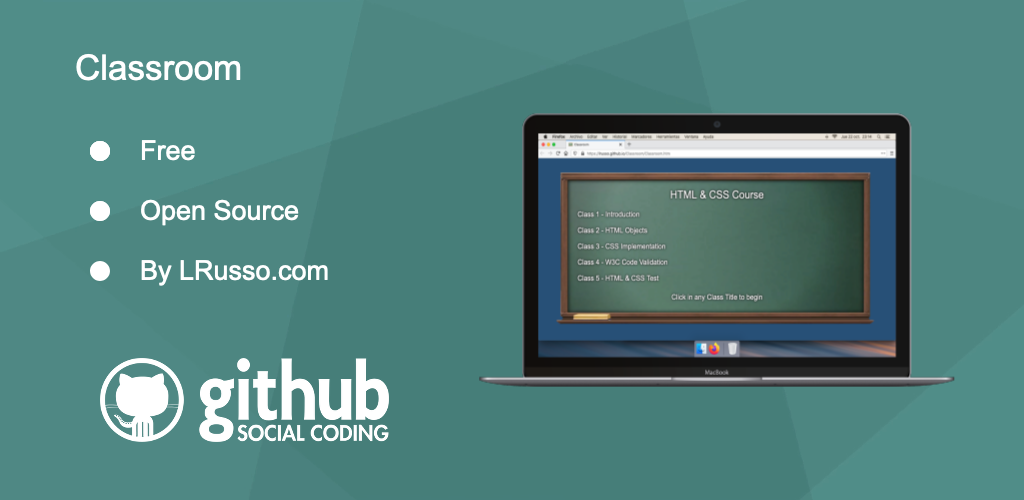
Classroom developed in JavaScript.
## Web
https://lrusso.github.io/Classroom/Classroom.htm
## How to create your own classroom
In https://github.com/lrusso/Classroom/blob/master/ClassroomClass01.htm, you will see this two variables:
```javascript
var classroom_events = [1,7,17,24,28];
var classroom_audio_path = "ClassRoomClass01.mp3";
```
* The **classroom_events** variable is an array that sets how many seconds must pass for the next transition.
* The **classroom_audio_path** variable is the path to the MP3 audio file that has the voice of the teacher giving the class.
* Design your Web page for the classroom using as many HTML elements as you need.
## Handling transitions in your classroom
```html
Introduction

```
Every object that has the class **classroom_resource** will be considered for a fade-in transition effect, one by one, according to the order of insertion of those objects in the Web document.
Every object that has the class **classroom_resource_hidden** will be hidden by default.
## Creating a test for your classroom
In https://github.com/lrusso/Classroom/blob/master/ClassroomClass05.htm, you will see this four variables for text values that are going to used by the platform:
```javascript
var classroom_questions_correct = "CORRECT";
var classroom_questions_incorrect = "INCORRECT";
var classroom_questions_result_text = "YOUR TEST RESULT IS:";
var classroom_questions_result_pointsof = "POINTS OF";
```
You will also see this array, that will contains all the questions and possible answers.
```javascript
var classroom_questions_array = [
["Question 1 - This is a Test?","Yes","No","Maybe",1],
["Question 2 - How many available answers do you have now?","1","2","",2],
["Question 3 - This formatted text was designed and inserted by using which technologies?","HTML and CSS","HTML, CSS and JavaScript","PHP & MySQL",2],
];
```
This is an example of a question:
```javascript
["This is my question?","Possible Answer 1","Possible Answer 2","Possible Answer 3", 2]
```
The last value that you see in this example, is a 2, and that means that the correct answer will be the second one.
You can also insert a question with only two possible answers by doing this:
```javascript
["This is a test?","Yes","No","", 1]
```
## Accessibility
This platform has the following technical specifications, in order to be compatible with screen readers:
* Every link to a class is a A element.
* Every button in a test is a A element.
* Every image displayed during classes has a TAG property.
Also, there are some keys that can be used during the classes, in order to provide a compatible experience for the visually impaired:
* Left Key: Rewind class 5 seconds
* Right Key: Forward class 5 seconds
* Space Key: Pause or resume class
* Escape Key: Go back to the board