https://github.com/luc-github/plugin_oled_display
grblHAL plugin for oled display
https://github.com/luc-github/plugin_oled_display
Last synced: 5 months ago
JSON representation
grblHAL plugin for oled display
- Host: GitHub
- URL: https://github.com/luc-github/plugin_oled_display
- Owner: luc-github
- License: gpl-3.0
- Created: 2025-02-19T01:49:29.000Z (over 1 year ago)
- Default Branch: main
- Last Pushed: 2025-03-13T12:46:19.000Z (over 1 year ago)
- Last Synced: 2025-03-13T13:39:41.368Z (over 1 year ago)
- Language: Python
- Size: 12.1 MB
- Stars: 2
- Watchers: 1
- Forks: 0
- Open Issues: 0
-
Metadata Files:
- Readme: README.md
- License: LICENSE
Awesome Lists containing this project
README
# grblHAL Plugin for oled display 
> [!WARNING]
>### Disclaimer
> The software is provided 'as is,' without any warranty of any kind, expressed or implied, including but not limited to the warranties of merchantability, fitness for a particular purpose, and non-infringement. In no event shall the authors or copyright holders be liable for any claim, damages, or other liability, whether in an action of contract, tort, or otherwise, arising from, out of, or in connection with the software or the use or other dealings in the software.
>It is essential that you carefully read and understand this disclaimer before using this software and its components. If you do not agree with any part of this disclaimer, please refrain from using the software.
Currently only ssd1306 and equivalent (e.g: ssd1315) and sh1106 are supported with a resolution of 128 x 64 pixels.
### Boot
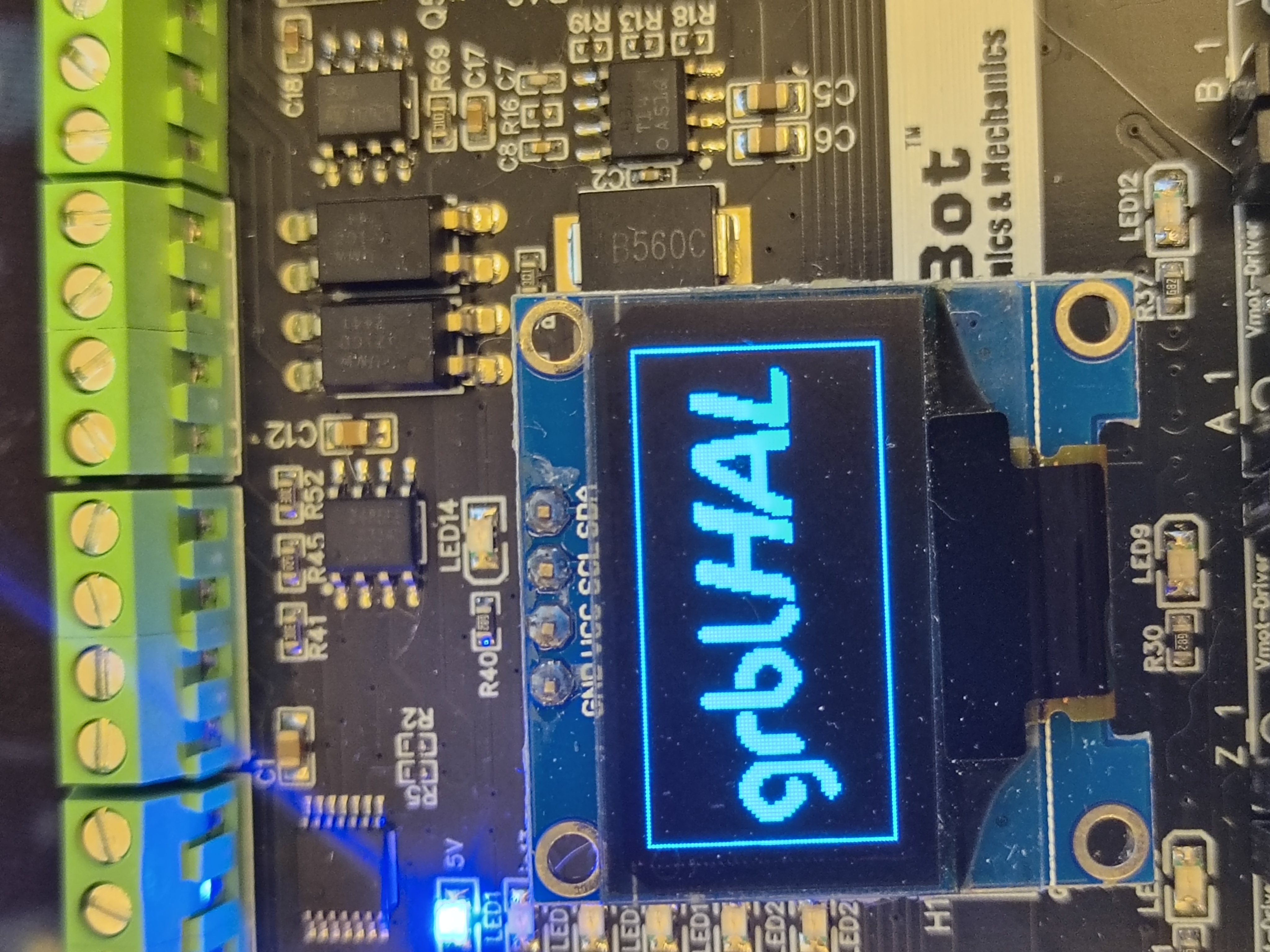
### 3 Axis
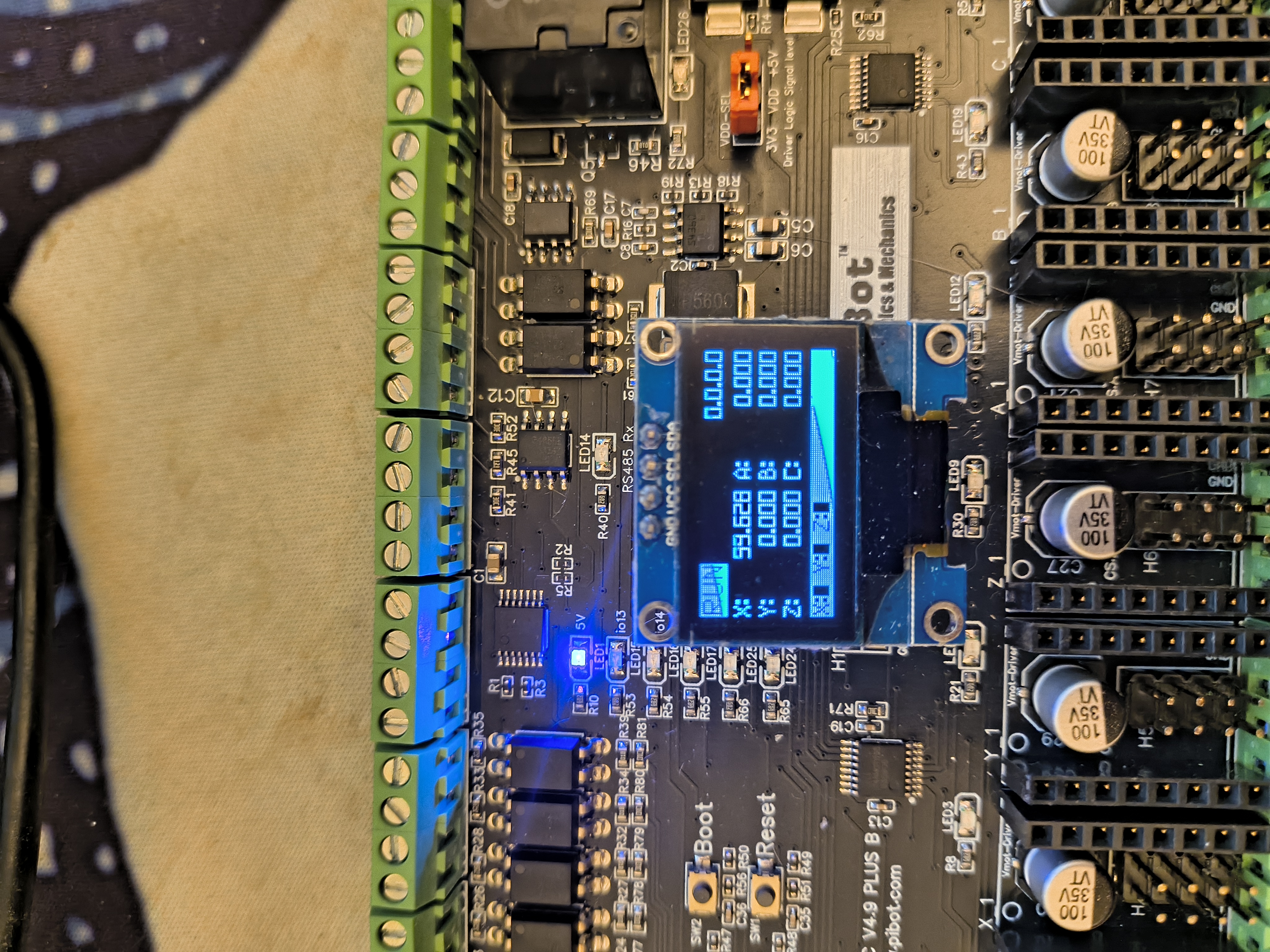
### 4 Axis
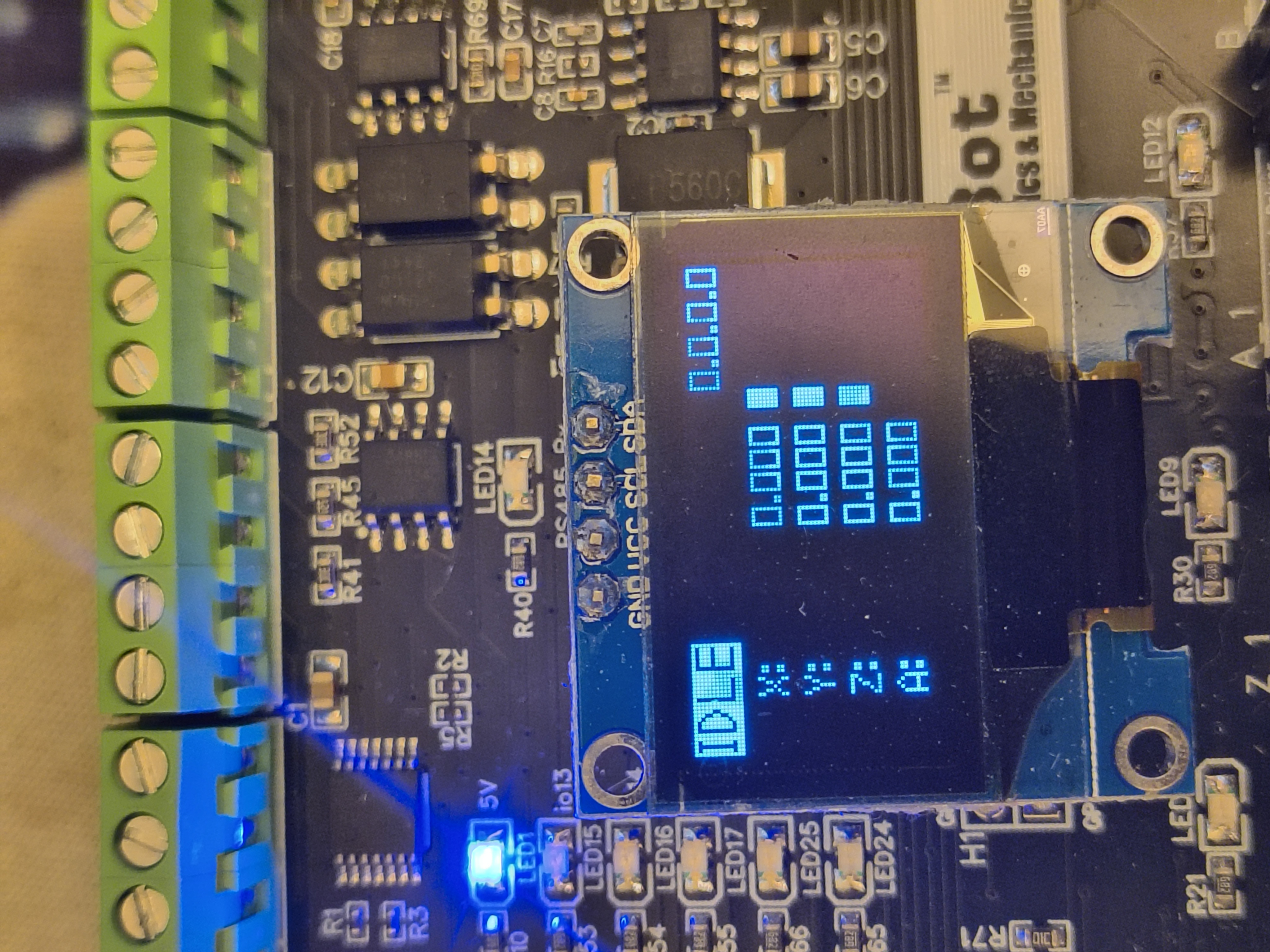
### 5 Axis
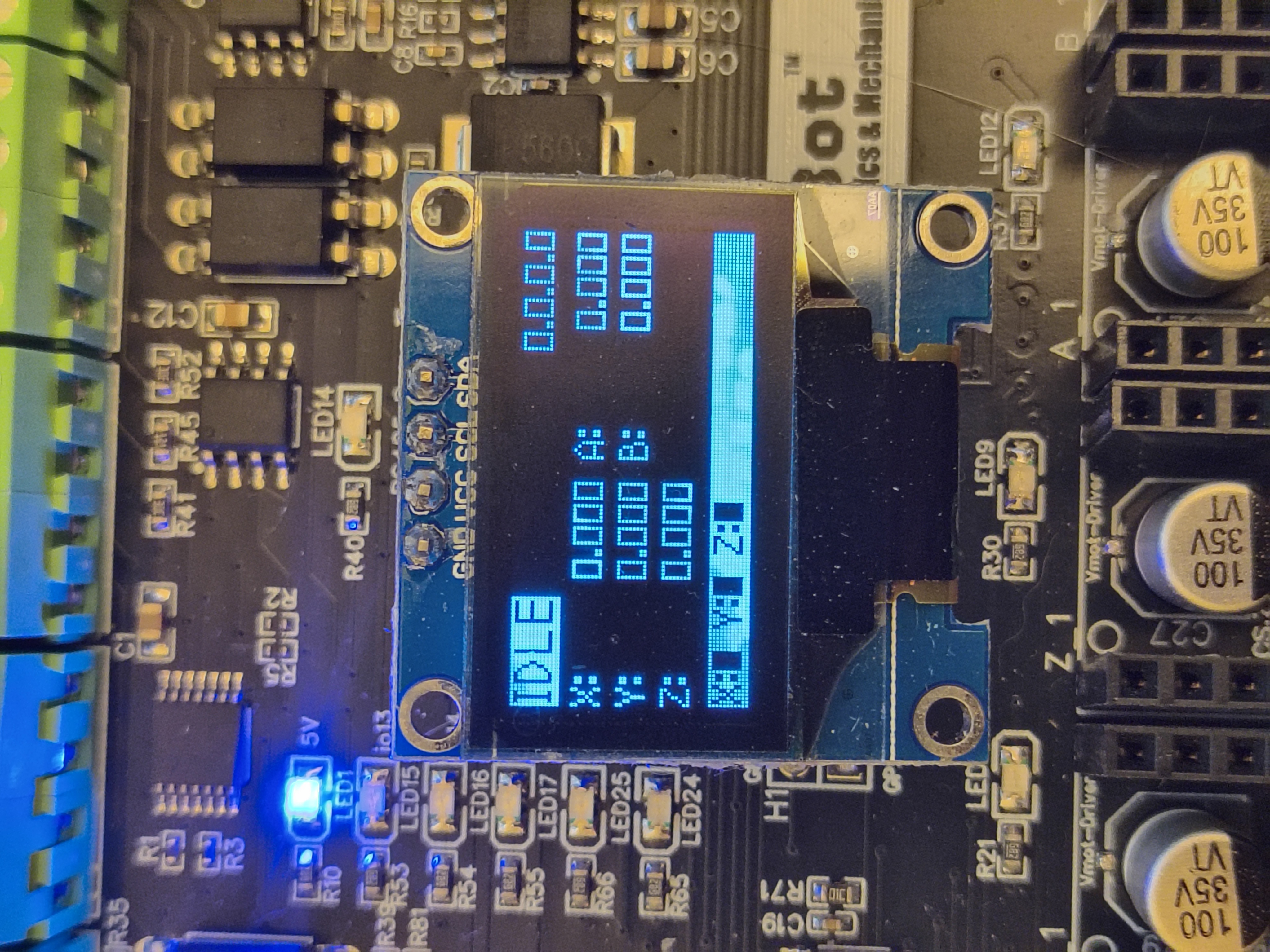
### 6 Axis
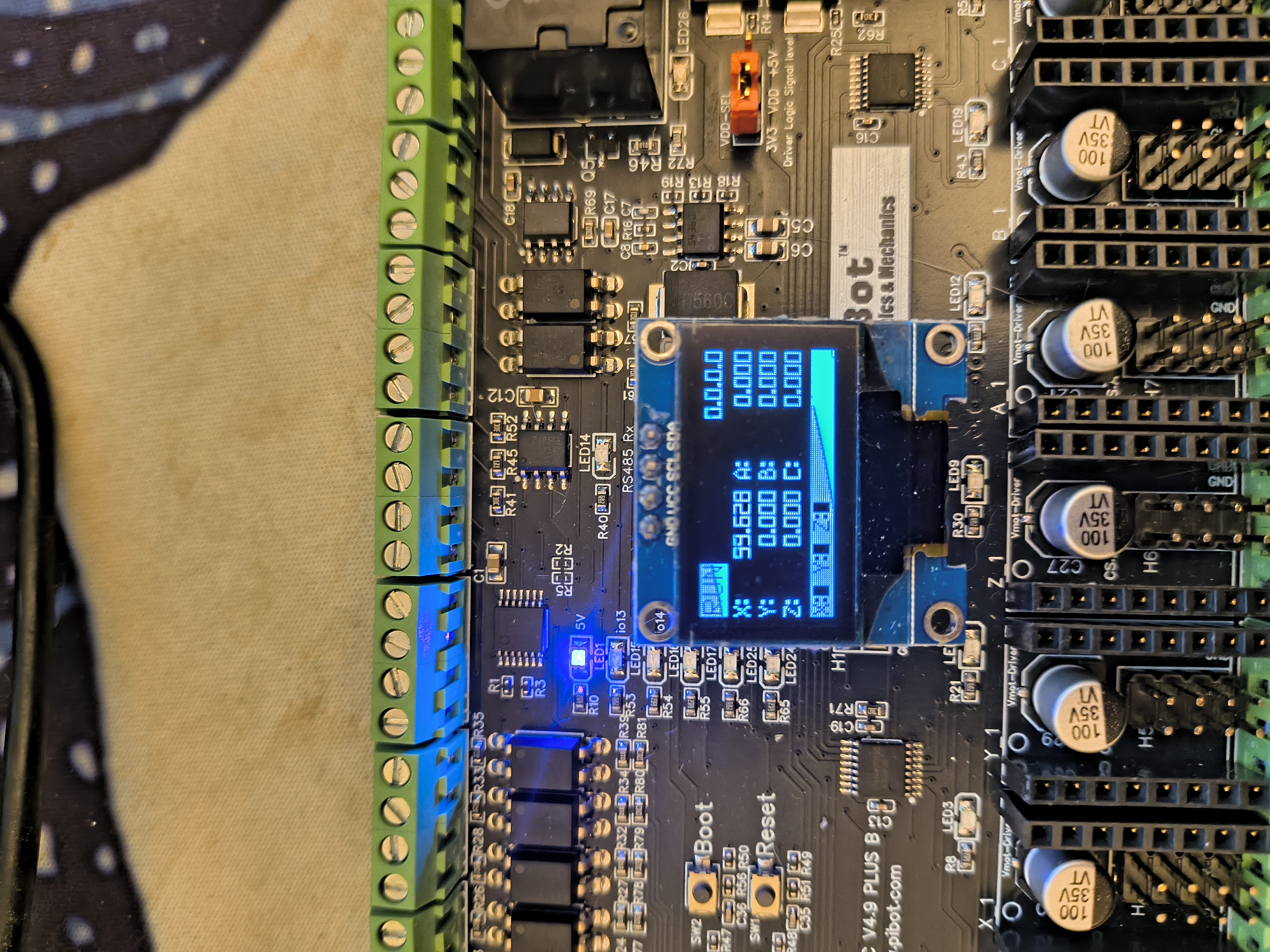
### Using grblHAL Web Builder
The plugin is already part of grblHAL so just select it in 3rd party plugin
### Manual Installation
I fyou do manual compilation:
* In my_machine.h
`#define DISPLAY_ENABLE 33 //DISPLAY_I2C_OLED_1 `
then
`#define DISPLAY_DRIVER 1 //DISPLAY_DRIVER_SH1106`
or
`#define DISPLAY_DRIVER 2 //DISPLAY_DRIVER_SSD1306`
and
`#define I2C_ENABLE 1`
* Copy plugin repository to main
ESP32/main/plugin_oled_display
* Edit ESP32/main/CMakeLists.txt
- Set a variable for the path of the plugin source code
```
set(PLUGIN_OLED_DISPLAY_SOURCE
plugin_oled_display/plugin_oled_display.c
plugin_oled_display/oled_display.c
)
```
- Add the paths to the global source code
```
list (APPEND SRCS ${PLUGIN_OLED_DISPLAY_SOURCE})
```
So you should get something like this:
```
set(USB_SOURCE
usb_serial.c
)
set(PLUGIN_OLED_DISPLAY_SOURCE
plugin_oled_display/plugin_oled_display.c
plugin_oled_display/oled_display.c
)
if(EXISTS ${CMAKE_CURRENT_LIST_DIR}/../3rdParty.cmake)
include(${CMAKE_CURRENT_LIST_DIR}/../3rdParty.cmake)
endif()
if("${target}" STREQUAL "esp32s3")
list (APPEND SRCS ${USB_SOURCE})
list (APPEND SRCS ${I2S_S3_SOURCE})
else()
list (APPEND SRCS ${I2S_SOURCE})
endif()
list (APPEND SRCS ${MY_PLUGIN_SOURCE})
list (APPEND SRCS ${NETWORKING_SOURCE})
list (APPEND SRCS ${KEYPAD_SOURCE})
list (APPEND SRCS ${TRINAMIC_SPI_SOURCE})
list (APPEND SRCS ${TRINAMIC_UART_SOURCE})
list (APPEND SRCS ${WEBUI_SOURCE})
list (APPEND SRCS ${SDCARD_SOURCE})
list (APPEND SRCS ${BLUETOOTH_SOURCE})
list (APPEND SRCS ${MODBUS_SOURCE})
list (APPEND SRCS ${SPINDLE_SOURCE})
list (APPEND SRCS ${EEPROM_SOURCE})
list (APPEND SRCS ${LASER_SOURCE})
list (APPEND SRCS ${MISC_PLUGINS_SOURCE})
list (APPEND SRCS ${EMBROIDERY_SOURCE})
list (APPEND SRCS ${OPENPNP_SOURCE})
list (APPEND SRCS ${PLUGIN_OLED_DISPLAY_SOURCE})
```
### Tools
Some tools are available if you want to do more customization - only usable with manual installation.
1. **Font Converter** (`font_converter.py`) - Converts TrueType fonts to OLED-compatible bitmap font arrays
2. **PNG Converter** (`png_converter.py`) - Converts PNG images to XBM format for OLED display, if you want to change boot screen for example.
3. **Font Metrics Extractor** (`ttf_info_extractor.py`) - Advanced tool for analyzing font metrics and diagnosing rendering issues
4. **Font Generator** (`font_generator.py`) - Create custom bitmap fonts by editing pixel-perfect templates