https://github.com/lucky845/github-profile-statistics-card
一个优雅的个人统计数据展示卡片生成服务,支持多个平台的数据统计展示,可以轻松集成到你的GitHub个人资料页面。
https://github.com/lucky845/github-profile-statistics-card
ajax express github leetcode nodejs typescript
Last synced: 3 months ago
JSON representation
一个优雅的个人统计数据展示卡片生成服务,支持多个平台的数据统计展示,可以轻松集成到你的GitHub个人资料页面。
- Host: GitHub
- URL: https://github.com/lucky845/github-profile-statistics-card
- Owner: lucky845
- License: other
- Created: 2025-03-03T05:18:16.000Z (over 1 year ago)
- Default Branch: main
- Last Pushed: 2025-03-06T05:19:37.000Z (over 1 year ago)
- Last Synced: 2025-03-06T05:22:49.936Z (over 1 year ago)
- Topics: ajax, express, github, leetcode, nodejs, typescript
- Language: TypeScript
- Homepage: https://github-profile-views-plum.vercel.app
- Size: 91.8 KB
- Stars: 1
- Watchers: 1
- Forks: 0
- Open Issues: 0
-
Metadata Files:
- Readme: README.md
- Contributing: CONTRIBUTING.md
- License: LICENSE
Awesome Lists containing this project
README
# GitHub Profile Statistics Card




## 🚀 项目简介
GitHub Profile Statistics Card 是一个功能强大的开源工具,用于生成个人统计数据的SVG卡片。支持多种平台的数据展示,可直接嵌入到GitHub个人资料页或任何支持图片的位置。
### 🔥 核心功能
- **多平台支持**:GitHub、LeetCode、CSDN、掘金、B站数据统计
- **可定制主题**:多种精美主题可选,支持亮色/暗色模式
- **高度优化**:多级缓存策略,基于Redis的高性能缓存系统,确保快速响应
- GitHub服务实现5分钟缓存,显著减少重复请求的响应时间
- Redis连接池优化,最大连接数限制为10,避免"ERR max number of clients reached"错误
- **安全可靠**:内置SVG内容过滤,防止XSS攻击
- **实时监控**:集成Prometheus,全面的性能监控
- **完整测试**:全面的单元测试和边界情况覆盖
## 🌟 特性
- 支持多个平台数据统计
- GitHub 统计数据
- LeetCode 刷题数据
- CSDN 博客数据
- 掘金
- 哔哩哔哩
- 更多平台持续添加中...
- 自定义主题支持
- 明亮主题
- 暗黑主题
- 实时数据更新
- 简单易用的API
- 响应式设计
- 基于Redis的高性能缓存优化
## 🚀 使用方法
### GitHub 统计卡片
```markdown

```

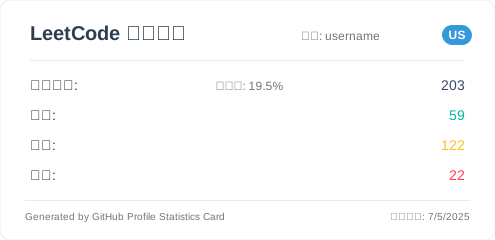
### LeetCode 统计卡片
```markdown
```

支持参数:
- `username`: LeetCode 用户名
- `theme`: 主题选择(可选,默认为 light)
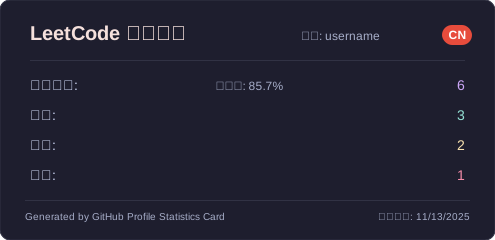
- `cn`: 是否获取中国区数据(可选,默认为 false)
- `cn=true`: 获取 leetcode-cn.com 的数据
- 不携带该参数: 获取 leetcode.com 的数据
- `cacheSeconds`: 配置缓存的秒数(默认120秒)
示例:
```markdown
# 获取 LeetCode 中国区数据
# 获取 LeetCode 美国区数据

```
### CSDN 统计卡片
```markdown

```

CSDN 统计卡片包含以下数据:
- 文章数量
- 粉丝数
- 点赞数
- 浏览量
- 评论数
- 积分
- ...
### 掘金统计卡片
```markdown

```
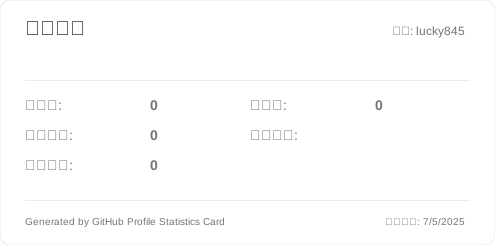
掘金统计卡片包含以下数据:
- 文章数量
- 关注者数量
- 点赞数
- 浏览量
- 个人简介
- ...
支持参数:
- `userId`: 掘金用户ID
- `theme`: 主题选择(可选,默认为 light)
- `cacheSeconds`: 配置缓存的秒数(默认120秒)
示例:
```markdown
# 使用暗黑主题

```
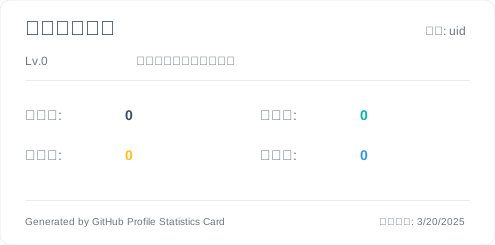
### 哔哩哔哩统计卡片
```markdown
```

哔哩哔哩统计卡片包含以下数据:
- 用户名称
- 粉丝数
- 关注数
- 获赞数
- 播放量
- 个人签名
- ...
支持参数:
- `uid`: 哔哩哔哩用户ID
- `theme`: 主题选择(可选,默认为 light)
- `cacheSeconds`: 配置缓存的秒数(默认120秒)
示例:
```markdown
# 使用暗黑主题

```
⚠️ 已知问题:
- 由于哔哩哔哩的等级是svg图片,用户等级信息可能无法正常获取
- 部分用户数据可能因为隐私设置而无法显示
## 🎨 主题配置
支持以下主题参数:
- `cacheSeconds`: 配置缓存的秒数(默认120秒)
- `theme=light` - 明亮主题(默认)
- `theme=dark` - 暗黑主题
- `theme=merko` - Merko 主题
- `theme=gruvbox` - Gruvbox 主题
- `theme=gruvbox_light` - Gruvbox Light 主题
- `theme=tokyonight` - Tokyo Night 主题
- `theme=onedark` - One Dark 主题
主题预览:
### Light(默认)
```markdown

```

### Dark
```markdown
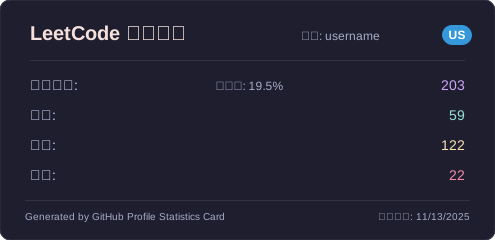
```

### Merko
```markdown
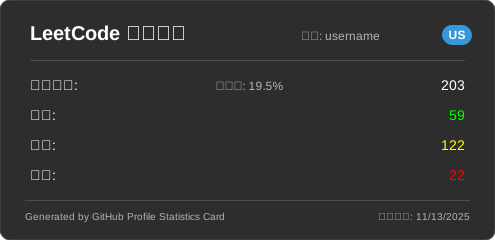
```

### Gruvbox
```markdown
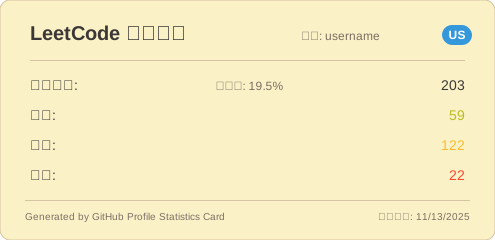
```

### Gruvbox Light
```markdown
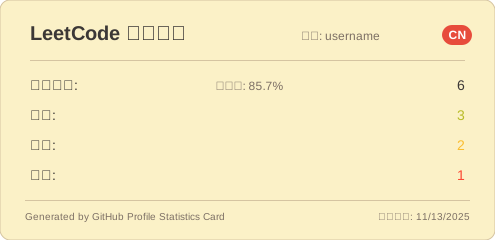
```

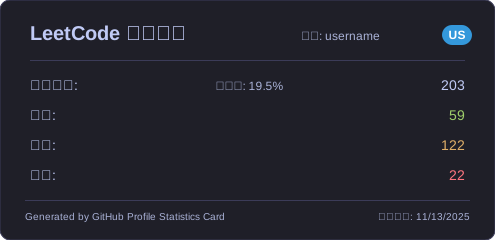
### Tokyo Night
```markdown
```

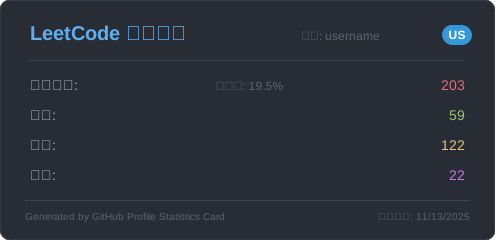
### One Dark
```markdown
```

## 🔜 即将支持的平台
- 知乎
- 微博
- ...更多平台开发中
## 🛠️ 技术栈
- Node.js
- Express
- TypeScript
- MongoDB
- Redis
- EJS 模板引擎
## 📝 开源协议
[Apache 2.0 许可证](LICENSE)
## 🚀 部署指南
### 准备工作
1. Fork 本项目到你的 GitHub 账户
2. 注册 [MongoDB Atlas](https://cloud.mongodb.com/) 账户
3. 注册 [Vercel](https://vercel.com/) 账户
### MongoDB Atlas 配置
1. 登录 MongoDB Atlas
2. 创建新的数据库集群(可以选择免费的共享集群)
3. 在 "Database Access" 中创建数据库用户
4. 在 "Network Access" 中添加 IP 访问权限(可以设置为允许所有 IP:0.0.0.0/0)
5. 获取数据库连接字符串(格式如:`mongodb+srv://:@cluster0.xxxxx.mongodb.net/`)
### Redis Cloud 配置
为了提升应用性能和响应速度,本项目使用Redis作为主要缓存系统。推荐使用Redis Cloud服务,它提供了简单易用的云托管Redis解决方案。
1. 注册 [Redis Cloud](https://redis.com/try-free/) 账户(提供30天免费试用)
2. 创建新的Redis数据库实例
3. 获取连接信息:
- Redis主机地址(Endpoint)
- Redis端口(Port)
- Redis密码(Password)
4. 将这些信息配置到环境变量中
Redis Cloud的优势:
- 无需自行维护Redis服务器
- 自动备份和故障恢复
- 可视化监控面板
- 多区域部署支持
- 自动扩缩容能力
### Redis 连接池配置
为了有效管理Redis连接并避免连接数过多导致的问题,本项目实现了Redis连接池机制:
- **最大连接数限制**:连接池最大连接数设置为10,适合免费Redis服务的连接数限制
- **连接复用**:通过连接池复用连接,减少连接建立和关闭的开销
- **自动重连**:连接断开时自动重新连接
- **超时控制**:设置获取连接的超时时间为5秒,避免长时间等待
连接池配置参数:
- `minimum`: 最小连接数(默认1)
- `maximum`: 最大连接数(默认10)
- `acquireTimeout`: 获取连接超时时间(默认5000ms)
- `cleanupDelay`: 清理延迟时间(默认3000ms)
### Vercel 部署
1. 在 Vercel 中导入你 fork 的项目
2. 配置环境变量:
- `MONGODB_URI`: MongoDB Atlas 的连接字符串
- `BILIBILI_SESSDATA`: 哔哩哔哩登录后获取的cookie里面的`SESSDATA`值
- `USE_MEMORY_CACHE`: 本地开发时设置为true使用内存缓存(可选,线上环境未配置时默认使用MongoDB)
- `REDIS_HOST`: Redis服务器主机地址(使用Redis Cloud时为云端提供的主机地址)
- `REDIS_PORT`: Redis服务器端口(使用Redis Cloud时为云端提供的端口)
- `REDIS_PASSWORD`: Redis访问密码(使用Redis Cloud时为云端提供的密码)
- `REDIS_USERNAME`: Redis用户名(使用Redis Cloud时通常为'default')
3. 点击 "Deploy" 开始部署
部署完成后,你可以通过 Vercel 分配的域名访问服务,格式如:
```markdown

```
## 🤝 参与贡献
我们非常欢迎各种形式的贡献!以下是一些参与项目的方式:
### 贡献步骤
1. Fork 本项目
2. 创建你的特性分支 (`git checkout -b feature/AmazingFeature`)
3. 提交你的改动 (`git commit -m 'Add some AmazingFeature'`)
4. 推送到分支 (`git push origin feature/AmazingFeature`)
5. 发起 Pull Request
### 贡献类型
- 🐛 提交 bug 修复
- ✨ 添加新功能
- 📝 改进文档
- 🎨 优化界面
- 🔧 改进配置
- 🌐 添加新的平台支持
### 开发指南
1. 克隆项目到本地:
```bash
git clone https://github.com/your-username/github-profile-statistics-card.git
cd github-profile-statistics-card
```
2. 安装依赖:
```bash
npm install
```
3. 创建 `.env` 文件并设置环境变量:
```
MONGODB_URI=your_mongodb_uri
```
4. 启动开发服务器:
```bash
npm run dev
```
5. 构建项目:
```bash
npm run build
```
6. 运行生产版本:
```bash
npm start
```
> 说明:本项目使用TypeScript开发,已优化编译配置,构建输出文件将存放在`dist`目录中,确保源代码与编译产物分离,提高项目结构清晰度。项目使用`tsc-alias`处理路径别名,确保编译后的代码能够正确解析模块引用。
### 提交规范
提交信息请遵循以下格式:
- `feat`: 新功能
- `fix`: 修复问题
- `docs`: 文档修改
- `style`: 代码格式修改
- `refactor`: 代码重构
- `test`: 测试用例修改
- `chore`: 其他修改
例如:`feat: 添加 bilibili 数据统计支持`
## 📬 联系方式
如有问题或建议,欢迎通过以下方式联系:
- 提交 Issue
- 发送邮件至:[1447545564@qq.com]
---
如果这个项目对你有帮助,请给个 Star ⭐️