https://github.com/luisferlcc/vscode-rimraf
Permanently delete files and folders (like `npx rimraf` or `rm -rf`) directly from the VSCode GUI.
https://github.com/luisferlcc/vscode-rimraf
delete-files extension fs rimraf visual-studio-code vscode vscode-extension
Last synced: 4 months ago
JSON representation
Permanently delete files and folders (like `npx rimraf` or `rm -rf`) directly from the VSCode GUI.
- Host: GitHub
- URL: https://github.com/luisferlcc/vscode-rimraf
- Owner: LuisFerLCC
- License: apache-2.0
- Created: 2022-08-27T16:57:01.000Z (almost 4 years ago)
- Default Branch: master
- Last Pushed: 2023-10-09T05:16:03.000Z (over 2 years ago)
- Last Synced: 2025-11-21T18:09:28.493Z (7 months ago)
- Topics: delete-files, extension, fs, rimraf, visual-studio-code, vscode, vscode-extension
- Language: TypeScript
- Homepage:
- Size: 30.1 MB
- Stars: 2
- Watchers: 1
- Forks: 1
- Open Issues: 0
-
Metadata Files:
- Readme: README.md
- Contributing: .github/CONTRIBUTING.md
- License: LICENSE
- Code of conduct: .github/CODE_OF_CONDUCT.md
- Security: SECURITY.md
Awesome Lists containing this project
README
# VSCode Rimraf
[](https://marketplace.visualstudio.com/items?itemName=luisferlcc.vscode-rimraf)
[](https://marketplace.visualstudio.com/items?itemName=luisferlcc.vscode-rimraf)
[](https://open-vsx.org/extension/luisferlcc/vscode-rimraf)
[](https://github.com/luisferlcc/vscode-rimraf/blob/master/.github/CODE_OF_CONDUCT.md)
**VSCode Rimraf** allows you to permanently delete files and folders (similarly to `rm -rf` or `npx rimraf` in the terminal) directly
from the Visual Studio Code GUI.
## Get started
### Installation
Install the extension from the VS Marketplace or by typing this in the Command Palette:
```sh-session
ext install luisferlcc.vscode-rimraf
```
Next, you will see a dialog box warning you that enabling the extension will empty the trash.
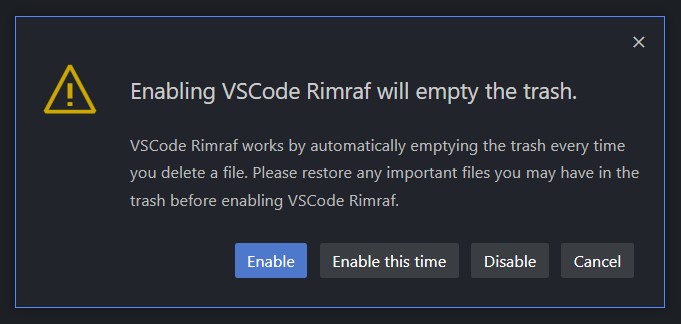
Make sure to restore any important files in the trash, and then click _Enable_. VSCode Rimraf is now set up.
### Usage
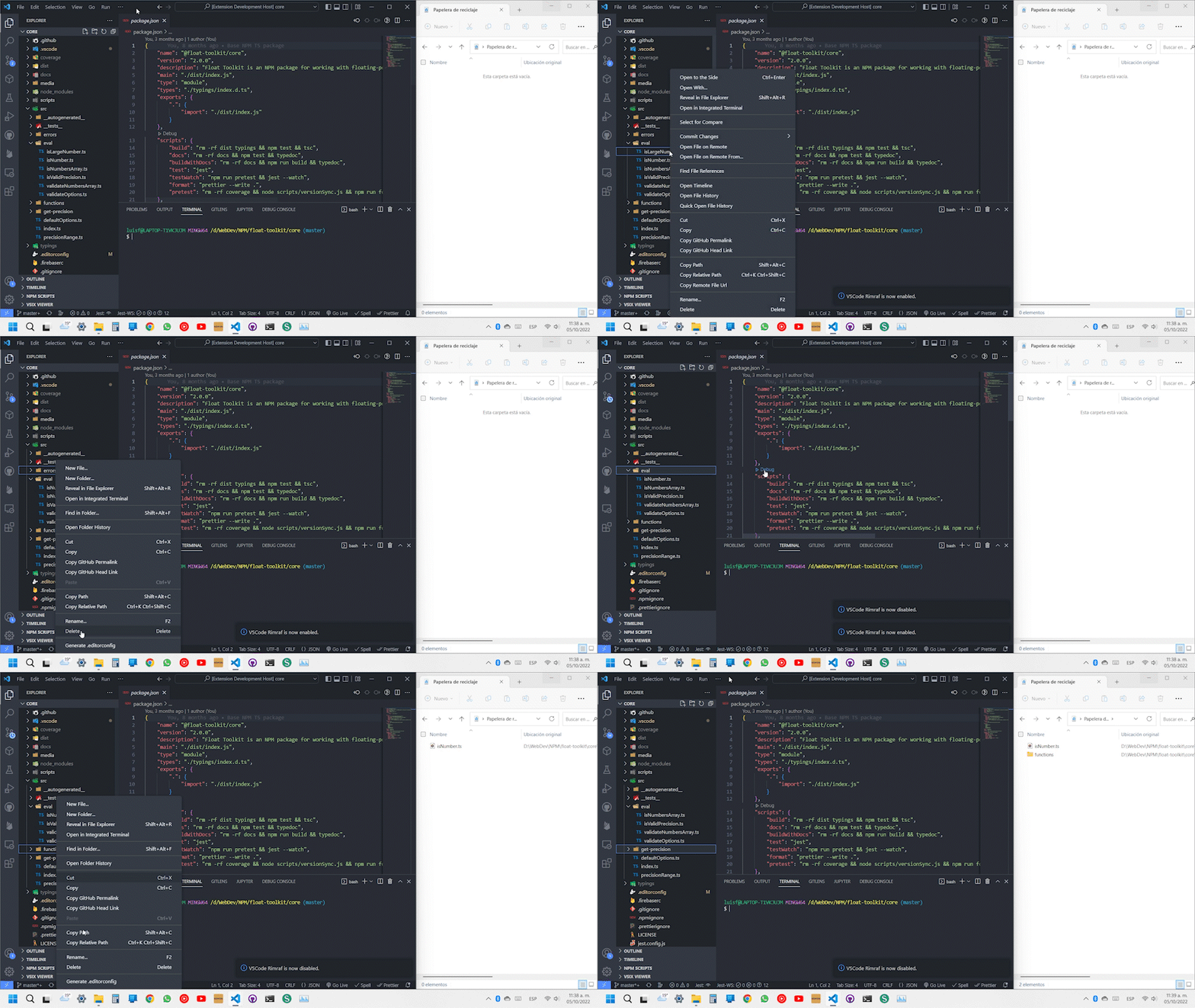
While VSCode Rimraf is enabled, deleting files from the VSCode GUI will delete them permanently instead of moving them to the trash.
## Commands
- `vscode-rimraf.toggle` **VSCode Rimraf: Toggle extension** Toggles (enables or disables) the extension. It is reset when opening
a new window.
- `vscode-rimraf.empty-trash` **VSCode Rimraf: Empty the trash** Empties the trash.
- `vscode-rimraf.save-logs` **VSCode Rimraf: Save debug log file** After execution, the extension will automatically save the logs
generated in the output channel.
## Support
Need help using VSCode Rimraf? Don't hesitate to reach out on
[GitHub Discussions](https://github.com/luisferlcc/vscode-rimraf/discussions/categories/q-a)!
## Links
- [GitHub](https://github.com/luisferlcc/vscode-rimraf)
- [VS Marketplace](https://marketplace.visualstudio.com/items?itemName=luisferlcc.vscode-rimraf)
- [Open VSX](https://open-vsx.org/extension/luisferlcc/vscode-rimraf)
## Contributing
Before creating an issue, please consider the following:
- Make sure the issue hasn't already been reported or suggested.
- After following these steps, you can file an issue using one of our
[templates](https://github.com/luisferlcc/vscode-rimraf/issues/new/choose). Please make sure to follow our
[Code of Conduct](https://github.com/luisferlcc/vscode-rimraf/blob/master/.github/CODE_OF_CONDUCT.md).
- If you wish to [submit a pull request](https://github.com/luisferlcc/vscode-rimraf/compare) alongside your issue, please follow
our [contribution guidelines](https://github.com/luisferlcc/vscode-rimraf/blob/master/.github/CONTRIBUTING.md).