https://github.com/luna-devv/lunify.js
A basic object oriented, typed api wrapper for the spotify api
https://github.com/luna-devv/lunify.js
javascript spotify spotify-api spotify-web-api typescript
Last synced: 9 months ago
JSON representation
A basic object oriented, typed api wrapper for the spotify api
- Host: GitHub
- URL: https://github.com/luna-devv/lunify.js
- Owner: Luna-devv
- License: gpl-3.0
- Created: 2023-09-06T14:27:23.000Z (over 2 years ago)
- Default Branch: master
- Last Pushed: 2024-08-11T15:52:19.000Z (over 1 year ago)
- Last Synced: 2025-03-29T19:04:21.740Z (10 months ago)
- Topics: javascript, spotify, spotify-api, spotify-web-api, typescript
- Language: TypeScript
- Homepage: https://discord.gg/yYd6YKHQZH
- Size: 200 KB
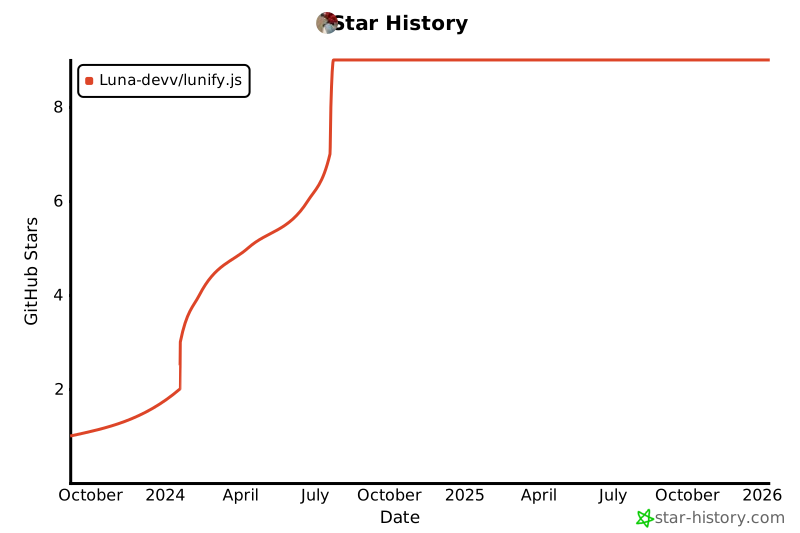
- Stars: 9
- Watchers: 1
- Forks: 1
- Open Issues: 3
-
Metadata Files:
- Readme: README.md
- Funding: .github/FUNDING.yml
- License: LICENSE
Awesome Lists containing this project
README
[](https://lunish.nl/support)


[](https://ko-fi.com/I3I6AFVAP)
**⚠️ In development, breaking changes ⚠️**
## About
This is an unofficial [spotify](https://developer.spotify.com) package written for **Typecript and JavaScript** to interact with its public and oAuth API. Everything is tested with Visual Studio Code, node.js 21 or greater and Typescript (ESM, compiled to ES2016 - ES2022, CommonJS).
If you need help using this package, join **[our Discord Server](https://discord.com/invite/yYd6YKHQZH)**.
## Install
Download this [npm package](https://www.npmjs.com/package/lunify.js) to use in your project with the following commands:
If you run **node.js v18 or higher**, use
```bash
# With npm
npm install lunify.js
# With yarn
yarn add lunify.js
# With pnpm
pnpm add lunify.js
```
**node.js v17 or lower** is currently not supported.
## Quick documentation
All examples are written for **TypeScript**, if you use **JavaScript** please use the commonJS import method. Please note that every update could contain breaking changes during 0.x.x phase.
### Initiate lunify.js
This is essential for everything you want to do with this package, get your client id and client secrent from [the spotify developers dashboard](https://developer.spotify.com/dashboard), don't forget to keep the secret a secret :)
```ts
import { Lunify } from 'lunify.js';
const api = new Lunify({
clientId: '898e127e95f24f578fdbfec93ae203cd',
clientSecret: 'dc302ea39cefbdf875f42f59e721e898',
// If you want to have access to oauth2
oauth: {
redirectUri: 'http://10.0.0.50:7654/callback'
}
});
```
### Oauth (login with spotify)
You can generate a url for users to login like shown bellow, [learn more about for what you need scopes here](https://developer.spotify.com/documentation/web-api/concepts/scopes), if you are unsure what scopes you need for what, use the [spotify docs references](https://developer.spotify.com/documentation).
```ts
const url = api.oauth.generateUrl([Scopes.Streaming, Scopes.UserModifyPlaybackState, Scopes.UserReadPlaybackState]);
```
From the callback urls query params you get a `code` with is used to fetch users access token from spotify.
```ts
const access = await api.oauth.fetchToken(code);
```
If you want to just play music or do other things with a user's player, you can create a [PartialUser](https://github.com/Luna-devv/lunify.js/blob/master/src/lib/structures/user/index.ts#L8) like that:
```ts
const user = new PartialUser(api, access);
user.player.play("4cOdK2wGLETKBW3PvgPWqT");
```
If you want to access to user's data you can just get it from the previously gotten access class
```ts
const user = await access.fetchUser();
user.player.play("4cOdK2wGLETKBW3PvgPWqT");
console.log(user.displayName)
```
### Getting tracks
Getting a single track, note that all fetched data gets cached to not spam the api as much
```ts
const track = await api.tracks.fetch("4cOdK2wGLETKBW3PvgPWqT");
// or if you want to skip the cache
const track = await api.tracks.fetch("4cOdK2wGLETKBW3PvgPWqT", { force: true });
```
## Example
```ts
import fastify from 'fastify';
import { Lunify, UserOauth, Scopes, PartialUser } from 'lunify.js';
const app = fastify();
const api = new Lunify({
clientId: '898e127e95f24f578fdbfec93ae203cd',
clientSecret: 'dc302ea39cefbdf875f42f59e721e898',
oauth: {
redirectUri: 'http://localhost:3000/callback'
}
});
// Login and authorize this app to access your spotify account
// GET http://localhost:3000/login
app.get('/login', (req, res) => {
const url = api.oauth.generateUrl([Scopes.Streaming, Scopes.UserModifyPlaybackState, Scopes.UserReadPlaybackState]);
res.redirect(url);
});
let access: UserOauth | undefined;
// Callback to get your authorization code and fetch your user credentials (NOT spotify login credentials)
// GET http://localhost:3000/callback
app.get('/callback', async (req) => {
const code = (req.query as Record).code || null;
const state = (req.query as Record).state || null;
const error = (req.query as Record).error || null;
if (error) return error;
if (!state) return 'Invalud state';
access = await api.oauth.fetchToken(code);
console.log(access)
return 'OK';
});
// Play a track on your current device, provide a track as query param (don't forget to remove all of spotifies tracking queries from their links)
// GET http://localhost:3000/play?track=https://open.spotify.com/track/0ZVjgfaC2Ptrod9v6p9KFP
app.get('/play', (req) => {
if (!access) return "You need to go to /login first"
const track = (req.query as Record).track?.split('/track/')?.[1]?.split('?')[0];
if (!track) return 'No track id';
// We use PartialUser so we do not have to fetch user data to use it's player
const user = new PartialUser(api, access);
user.player.play(track);
return 'OK';
});
// Get your user data
// GET http://localhost:3000/me
app.get('/me', async () => {
if (!access) return "You need to go to /login first"
const user = await access.fetchUser();
console.log(user);
return 'OK';
});
// Fetch a track, provide a track as query param (don't forget to remove all of spotifies tracking queries from their links)
// GET http://localhost:3000/track?track=https://open.spotify.com/track/0ZVjgfaC2Ptrod9v6p9KFP
app.get('/track', async (req) => {
const trackId = (req.query as Record).track?.split('/track/')?.[1]?.split('?')[0];
if (!trackId) return 'No track id';
const track = await api.tracks.fetch(trackId);
console.log(track);
return 'OK';
});
// Let the webserver listen to that port
app.listen({ host: 'localhost', port: 3000 }, (err, address) => {
if (err) console.log(err);
console.log(`Listening to ${address}`);
});
```
## Documentation
Read the code or use your IDEs intellisense :)
## Star History