https://github.com/luyadev/luya-module-cms
The LUYA CMS module provides a full functional CMS for adding contents based on blocks.
https://github.com/luyadev/luya-module-cms
blockeditor cms hacktoberfest luya php yii2
Last synced: about 1 year ago
JSON representation
The LUYA CMS module provides a full functional CMS for adding contents based on blocks.
- Host: GitHub
- URL: https://github.com/luyadev/luya-module-cms
- Owner: luyadev
- License: mit
- Created: 2015-01-05T10:51:30.000Z (over 11 years ago)
- Default Branch: master
- Last Pushed: 2024-09-06T11:35:40.000Z (almost 2 years ago)
- Last Synced: 2025-06-02T00:57:17.500Z (about 1 year ago)
- Topics: blockeditor, cms, hacktoberfest, luya, php, yii2
- Language: PHP
- Homepage: https://luya.io
- Size: 6.98 MB
- Stars: 32
- Watchers: 11
- Forks: 46
- Open Issues: 23
-
Metadata Files:
- Readme: README.md
- Changelog: CHANGELOG.md
- License: LICENSE.md
- Security: SECURITY.md
Awesome Lists containing this project
README

# LUYA Content Management System
[](https://luya.io)

[](https://codeclimate.com/github/luyadev/luya-module-cms/maintainability)
[](https://codeclimate.com/github/luyadev/luya-module-cms/test_coverage)
[](https://packagist.org/packages/luyadev/luya-module-cms)
[](https://packagist.org/packages/luyadev/luya-module-cms)
The LUYA CMS module provides a full functional Content Management System for adding contents based on blocks.
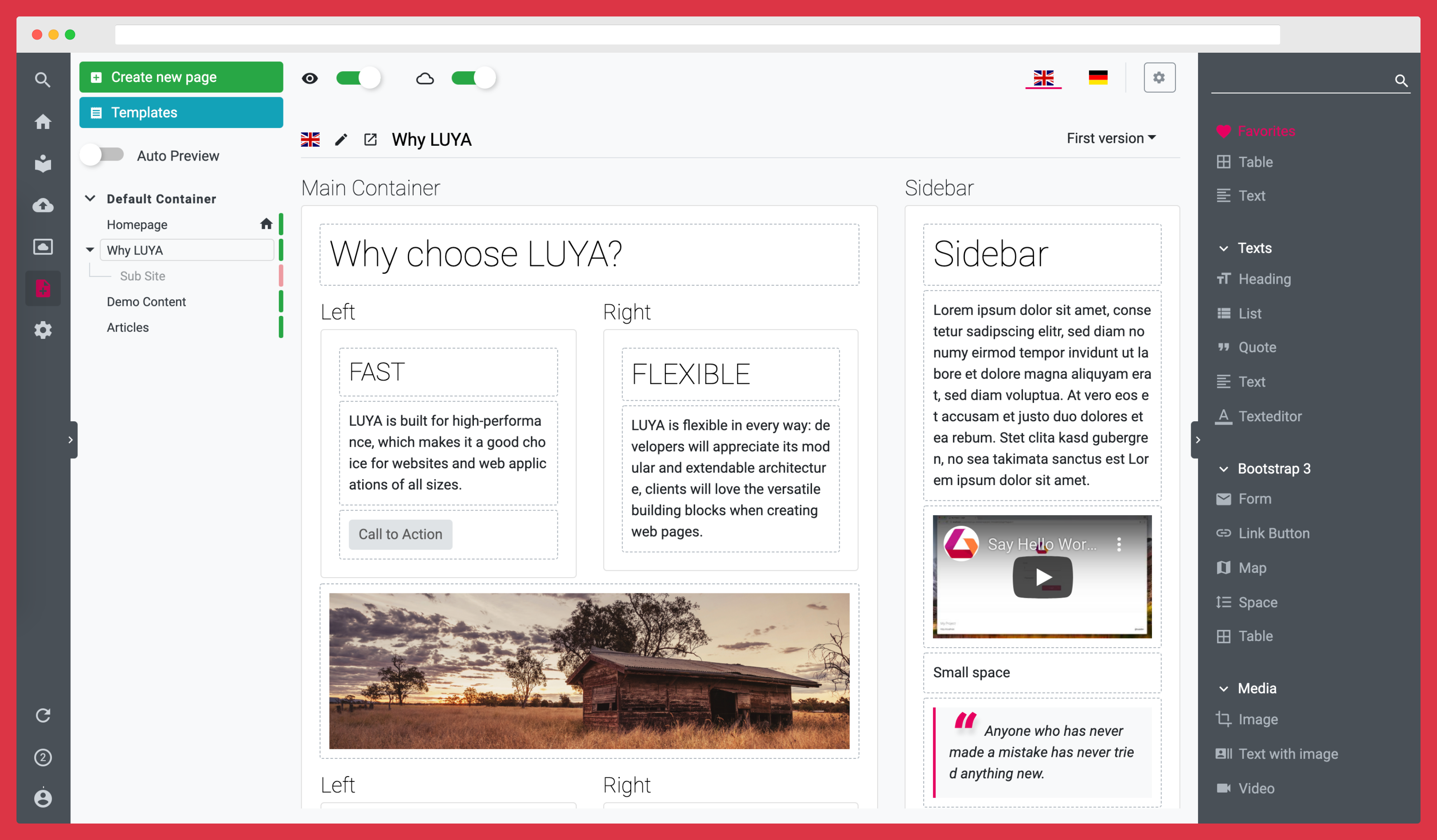
To use the LUYA CMS module you have to run a LUYA Application which is provided by the LUYA core.
For installation and usage please check: [LUYA.IO](https://luya.io)
## Installation
For the installation of modules Composer is required.
```sh
composer require luyadev/luya-module-cms
```
### Configuration
Add the frontend and admin module of the cms module to your configuration modules section and bootstrap the cms frontend module:
```php
'modules' => [
// ...
'cms' => 'luya\cms\frontend\Module',
'cmsadmin' => 'luya\cms\admin\Module',
// ...
]
```
### Initialization
After successfully installation and configuration run the migrate, import and setup command to initialize the module in your project.
1.) Migrate your database.
```sh
./vendor/bin/luya migrate
```
2.) Import the module and migrations into your LUYA project.
```sh
./vendor/bin/luya import
```
> Please note that the module names *cms* and *cmsadmin* are required and should not be changed!
## Developers
If you want to contribute, make sure to read the [guidelines](https://luya.io/guide/dev/guideline).
## Unit Testing
1. `cp phpunit.xml.dist phpunit.xml`
2. `docker compose up`
3. `docker compose run luyacmsphpunit tests` to run all tests or `docker compose run luyacmsphpunit tests/src/helpers/UrlTest.php` to run a specific test.