https://github.com/lykmapipo/sails-police
Simple and flexible authentication workflows for sails applications
https://github.com/lykmapipo/sails-police
Last synced: 10 months ago
JSON representation
Simple and flexible authentication workflows for sails applications
- Host: GitHub
- URL: https://github.com/lykmapipo/sails-police
- Owner: lykmapipo
- Created: 2015-01-21T07:41:48.000Z (almost 11 years ago)
- Default Branch: master
- Last Pushed: 2015-03-07T06:34:29.000Z (almost 11 years ago)
- Last Synced: 2025-02-28T18:38:26.804Z (11 months ago)
- Language: JavaScript
- Size: 1.45 MB
- Stars: 15
- Watchers: 5
- Forks: 1
- Open Issues: 2
-
Metadata Files:
- Readme: README.md
Awesome Lists containing this project
README

==============================================
[](https://travis-ci.org/lykmapipo/sails-police)
[](https://gratipay.com/lykmapipo/)
[](https://gratipay.com/lykmapipo/)
Simple and flexible authentication workflows for [sails](https://github.com/balderdashy/sails) inspired by
[devise](https://github.com/plataformatec/devise) and [passportjs](https://github.com/jaredhanson/passport).
*Note: This requires Sails v0.11.0+. If v0.11.0+ isn't published to NPM yet, you'll need to install it via Github.*
## Guide
* [Sceenshots](https://github.com/lykmapipo/sails-police#screenshots)
* [Install](https://github.com/lykmapipo/sails-police#install)
* [Quick Start](https://github.com/lykmapipo/sails-police#quick-start)
* [Quick Setup](https://github.com/lykmapipo/sails-police#quick-setup)
* [Model Setup](https://github.com/lykmapipo/sails-police#quick-setup)
* [Controller Setup](https://github.com/lykmapipo/sails-police#controller-setup)
* [Routes Setup](https://github.com/lykmapipo/sails-police#routes-setup)
* [Policies Setup](https://github.com/lykmapipo/sails-police#policies-setup)
* [Middlewares Setup](https://github.com/lykmapipo/sails-police#middlewares-setup)
* [Authentication Policy Setup](https://github.com/lykmapipo/sails-police#authentication-policy-setup)
* [Detailed Setup](https://github.com/lykmapipo/sails-police#detailed-setup)
* [Model Mixin](https://github.com/lykmapipo/sails-police#model-mixin)
* [Controller Mixin](https://github.com/lykmapipo/sails-police#controller-mixin)
* [Routes Mixin](https://github.com/lykmapipo/sails-police#routes-mixin)
* [Policies Mixin](https://github.com/lykmapipo/sails-police#policies-mixin)
* [Middleware Mixin](https://github.com/lykmapipo/sails-police#middlewares-mixin)
* [Modules](https://github.com/lykmapipo/sails-police#modules)
* [Authenticable](https://github.com/lykmapipo/sails-police#authenticable)
* [Confirmable](https://github.com/lykmapipo/sails-police#confirmable)
* [Lockable](https://github.com/lykmapipo/sails-police#lockable)
* [Recoverable](https://github.com/lykmapipo/sails-police#recoverable)
* [Registerable](https://github.com/lykmapipo/sails-police#registerable)
* [Trackable](https://github.com/lykmapipo/sails-police#trackable)
* [Sending Email](https://github.com/lykmapipo/sails-police#sending-email)
* [How to implement a sendEmail](https://github.com/lykmapipo/sails-police#how-to-implement-a-sendemail)
* [Sending Email Issues](https://github.com/lykmapipo/sails-police#sending-email-issues)
* [Demo](https://github.com/lykmapipo/sails-police#demo)
* [Testing](https://github.com/lykmapipo/sails-police#testing)
* [Contribute](https://github.com/lykmapipo/sails-police#contribute)
## Install
```sh
$ npm install --save sails-police
```
## Quick start
[Use sails-generate-police](https://github.com/lykmapipo/sails-generate-police)
## Quick Setup
### Model Setup
Apply `sails-police model mixins` in your application `User` model.
```js
//in your models/User.js
var police = require('sails-police');
var User = {};
//mixin police morphs into User model
police.model.mixin(User);
//implement sendEmail
//which will be called by
//sails police when
//whenever it want to send email
User.attributes.sendEmail = function(type, user, done) {
//your send email logic
done();
};
module.exports = User
```
### Controller Setup
Apply `sails-police controller mixins` in your `AuthController`
```js
//in controllers/AuthController.js
var police = require('sails-police');
module.exports = police.controller.mixin({
//your custom controller
//codes goes here
});
```
### Routes Setup
Apply `sails-police routes mixins` in your `routes`
```js
//in your config/routes,js
var police = require('sails-police');
//then use routes.mixin to add
//sails-police routes
module.exports.routes = police.routes.mixin({
//then continue adding your routes
//as you normally do
//with sails routes
'/': 'HomeController.index'
});
```
### Policies Setup
Apply `sails-police policies mixins` into your policies
```js
//in your config/policies.js
var police = require('sails-police');
//then use policies.mixin
//to add sails-police mixins
module.exports.policies = police.policies.mixin({
//continue define your policies
//as you do with sails police normally
});
```
### Middlewares Setup
Apply `sails-police middlewares mixins` into your `http.js`
```js
//in your config/http.js
//uncomment the exports
//then
var police = require('sails-police');
//the use middlewares.mixin
//to add require sails-police middlewares
//which wrap the initial module.exports.http
module.exports.http = police.middlewares.mixin({
//initial content of sails http
//exports definition goes here
});
```
### Authentication Policy Setup
Export `sails-police Auth policy` in your policies folder
```js
//in your api/policies/Auth.js
module.exports = require('sails-police').policies.isAuthenticated;
```
Add `Auth policy` in your policies to restrict your routes
```js
//in config/policies.js
//add to restrict all routes
'*': 'Auth'
```
Thats all need to add `sails-police` in your application.
## Detailed Setup
`sails-police` expose `mixins` that will extend different parts of sails application and easy your setup. It expose the following `mixins`:
### Model Mixin
It extend valid sails model with sails-police [morphs](https://github.com/lykmapipo/sails-police#modules) to make it a viable canditate to be used in `sails-police`.
By convection, you must have a `User` model in your `models/User.js`. After creating the `User` model then your will have to mix `sails-police morphs` into it.
To setup your model for `sails-police` do as bellow:
```js
//in model/User.js
var police = require('sails-police');
//your User model definition
var User = {
//your user attributes
//please check which attributes you want to
//add before, cause sails-police add some for you
};
//then mixin sails-police morphs
police.model.mixin(User);
//done
//export your model
module.exports = User;
```
The model mixed with `sails-police morphs` will have all required `attributes` and `methods` to make it work out of the box with `sails-police`. To know what `attributes` and `methods` added please consult [Modules](https://github.com/lykmapipo/sails-police#modules) section.
### Controller Mixin
`contoller.mixin` aim to be used with `AuthController` in your sails aplication. It will extend your `AuthController` with all `authentication workflows` handlers. You can setup your `AuthController` for `sails-police` as below
```js
//in your controllers/AuthController.js
//require sails-police
var police = require('sails-police');
module.exports = police.controller.mixin({
//other Http handlers ...
});
```
Thats all needed, `sails-police` will add its Http handlers in your `AuthController`.
### Routes Mixin
Its extend sails `routes` to setup all required `sails-police` routes. To mix `sails-police` routes in your `routes` do as bellow:
```js
//in your config/routes,js
var police = require('sails-police');
//then use routes.mixin to add
//sails-police routes
module.exports.routes = police.routes.mixin({
//then continue adding your routes
//as you normally do
//with sails routes
'/': 'HomeController.index'
});
```
After `mixin sails-police routes`, the following routes will get added into sails router
```js
'get /signin': 'AuthController.getSignin',
'post /signin': 'AuthController.postSignin',
'get /signout': 'AuthController.deleteSignout', //TODO make use of DELETE
'get /signup': 'AuthController.getSignup',
'post /signup': 'AuthController.postSignup',
'get /confirm/:token': 'AuthController.getConfirm', //TODO make use of PUT
'get /forgot': 'AuthController.getForgot',
'post /forgot': 'AuthController.postForgot',
'get /recover/:token': 'AuthController.getRecover',
'post /recover': 'AuthController.postRecover',
'get /unlock/:token': 'AuthController.getUnlock',
'get /change': 'AuthController.getChange',
'post /change': 'AuthController.postChange'
```
### Policies Mixin
It extend your `policies` with the requires `sails-police` polices to make it work out of box.
To mixin `sails-police` into your policies do as bellow:
```js
//in your config/policies.js
var police = require('sails-police');
//then use policies.mixin
//to add sails-police mixins
module.exports.policies = police.policies.mixin({
//continue define your policies
//as you do with sails police normally
});
```
After `sails-police policies mixin` the following `policies` will be added into your policies definition:
```js
''AuthController': {
getSignin: true,
postSignin: true,
getSignup: true,
postSignup: true,
getConfirm: true,
getForgot: true,
postForgot: true,
getRecover: true,
postRecover: true,
getUnlock: true
}
```
### Middlewares Mixin
It extend `sails http config` with policies middlewares and patch the middleware `order` so that `sails-police` can achieve its intended purpose.
To `mixin sails-police middlewares` do as bellow:
```js
//in your config/http.js
//uncomment the exports
//then
var police = require('sails-police');
//the use middlewares.mixin
//to add require sails-police middlewares
//which wrap the initial module.exports.http
module.exports.http = police.middlewares.mixin({
//initial sails http exports definition goes here
});
```
`sails-police middleware mixins` are divided into:
- `policeLocals`: Which extends `request.locals` with `error`, `warning` and `success` key so that at any time if you assign a value to them they will get displayed in the view.
- `policeInit`: Which is the wrapper around [passportjs initialize](http://passportjs.org/guide/configure) but also provide a hook point where `sails-police` setup its passportjs. And what it does is to add passportjs initialize into `sails middlewares` as `policeInit` and `middlewares order` as `policeInit`.
- `policeSession`: Which is the wrapper around [passportjs session](http://passportjs.org/guide/configure). And what it does is to add passportjs session initialization into `sails middlewares` as `policeSession` and `middlewares order` as `policeSession`.
All of the above `middlewares` are injected before `sails router middleware`, in case of any issue please lets discuss.
## Modules
### Authenticable
It lays down the infrastructure for authenticating a user in `sails-police` application. It extend model supplied to it with the following:
- `email` : An attribute used to store user email address. `sails-police`
opt to use email address but in future we will add support to custom attribute.
- `username`: An attribute which used to store username.
- `password` : An attribute which is used to store user password hash.
- `encryptPassword(callback(error,authenticable))` : An instance method
which encrypt the current model instance password using [bcryptjs](https://github.com/dcodeIO/bcrypt.js).
Example
```js
var faker = require('faker');
var password = faker.internet.password();
//create new user instance
var user = User.new({
password: password
});
//encypt instance password
user
.encryptPassword(function(error, authenticable) {
if (error) {
console.log(error);
} else {
console.log(authenticable);
}
});
```
- `comparePassword(password, callback(error,authenticable))` : An instance
method which takes in a `password` and compare with the instance password
hash to see if they match.
Example
```js
var faker = require('faker');
var password = faker.internet.password();
//after having model instance
user
.comparePassword(password,function(error, authenticable) {
if (error) {
console.log(error);
} else {
console.log(authenticable);
}
});
```
- `authenticate(credentials, callback(error,authenticable))` : A model
static method which takes in credentials in the format of :
```js
var faker = require('faker');
var credentials = {
email: faker.internet.email(),
password: faker.internet.password()
};
```
where `email` is valid email and `password` is valid password of
already registered user. It will then authenticate the given credentials. If they are valid credential a user with the supplied credentials will be returned otherwise corresponding errors will be returned.
Example
```js
var faker = require('faker');
//you may obtain this credentials from anywhere
//this is just a demostration for how credential must
var credentials = {
email: faker.internet.email(),
password: faker.internet.password()
};
User
.authenticate(function(error, authenticable) {
if (error) {
console.log(error);
} else {
console.log(authenticable);
}
});
```
### Confirmable
Provide a means to confirm user registration. It extend model with the following:
- `confirmationToken` : An attribute which used to store current user
confirmation token.
- `confirmationTokenExpiryAt` : An attribute that keep tracks of when
the confirmation token will expiry. Beyond that, new confirmation token will be generated and notification will be send.
- `confirmedAt` : An attribute that keep tracks of when user account is confrimed.
- `confirmationSentAt` : An attribute that keep tracks of when confirmation request is sent.
- `generateConfirmationToken(callback(error,confirmable))` : This instance method will generate `confirmationToken` and `confirmationTokenExpiryAt` time. It also update and persist an instance before return it.
Example
```js
var user = User.new();
user
.generateConfirmationToken(function(error, confirmable) {
if (error) {
console.log(error);
} else {
console.log(confirmable);
}
})
```
- `sendConfirmation(callback(error,confirmable))` : This instance method utilize `[model sendEmail()](https://github.com/lykmapipo/sails-police#sending-email)` and send the confirmation notification. On successfully send it will update `confirmationSentAt` instance attribute with the current time stamp and persist the instance before return it.
Example
```js
var user = User.new({
email: faker.internet.email(),
password: faker.internet.password()
});
user
.sendConfirmation(function(error, confirmable) {
if (error) {
consle.log(error);
} else {
consle.log(confirmable);
}
});
```
- `confirm(confirmationToken, callback(error,confirmable))` : This
static/class method taken the given `confirmationToken` and confirm
any un confirmed registration found with that confirmation token. It
will update `confirmedAt` instance attribute and persist the instance
before return it.
Example
```js
User
.confirm('confirmationToken',function(error, confirmable) {
if (error) {
console.log(error);
} else {
console.log(confirmable);
}
});
```
### Lockable
Provide a means of locking an account after a specified number of failed sign-in attempts `(defaults to 5 attempts)`. Can unlock account through unlock instructions sent. It extend the model with the following:
- `failedAttempt` : An attribute which keeps track of failed login attempts.
- `lockedAt` : An attribute which keeps track of when account is locked.
- `unlockedAt` : An attribute which keeps track of when and account is unlocked.
- `unlockToken` : An attribute which store the current unlock token of the locked account.
- `unlockTokenSentAt` : An attribute which keeps track of when the unlock token notification sent.
- `unlockTokenExpiryAt` : An attribute which keep track of `unlockToken` expiration. If `unlockToken` is expired new will get generated and set.
- `generateUnlockToken(callback(error,lockable))` : An instance method that generate `unlockToken` and `unlockTokenExpiryAt`. Instance will get persisted before returned otherwise corresponding errors will get returned.
Example
```js
var user = User.new();
user
.generateUnlockToken(function(error, lockable) {
if (error) {
console.log(error)
} else {
console.log(lockable)
}
});
```
- `sendLock(callback(error,lockable))` : An instance method which send account locked notification to the owner. It will set `unlockTokenSentAt` to track when the lock notification is sent. Instance will get update before returned otherwise corresponding errors will get returned.
Example
```js
var faker = require('faker');
var user = User.new({
email: faker.internet.email(),
password: faker.internet.password()
});
user
.sendLock(function(error, lockable) {
if (error) {
console.log(error);
} else {
console.log(lockable);
}
});
```
- `lock(callback(error,lockable))` : An instance method that used to lock an account. when called it will check if the number of `failedAttempts` is greater that the configured maximum login attempts, if so the account will get locked by setting `lockedAt` to the current timestamp of `lock` invocation. Instance will get persisted before returned otherwise corresponding errors will get returned.
Example
```js
var faker = require('faker');
var user = User.new({
email: faker.internet.email(),
password: faker.internet.password(),
failedAttempt: 5
});
user
.lock(function(error, lockable) {
if (error) {
console.log(error);
} else {
console.log(lockable);
}
});
```
- `unlock(unlockToken, callback(error,lockable))` : A model static method which unlock a locked account with the provided `unlockToken`. If the token expired the new `unlockToken` will get generated. If token is valid, locked account will get unlocked and `unlockedAt` attribute will be set to current timestamp and `failedAttempts` will get set to 0. Instance unlcoked will get persisted before returned otherwise corrensponding errors will get returned.
Example
```js
User
.unlock(unlockToken,
function(error, lockable) {
if (error) {
console.log(error);
} else {
console.log(lockable);
}
});
```
### Recoverable
Lays out infrastructure of resets the user password and sends reset instructions. It extend model with the following:
- `recoveryToken` : An attribute that store recovery token
- `recoveryTokenExpiryAt` : An attribute that track when the recoverable token is expiring.
- `recoverySentAt` : An attribute that keep track as of when the recovery notification is sent.
- `recoveredAt` : An attribute which keeps track of when the password was recovered.
- `generateRecoveryToken(callback(error,recoverable))` : An instance method which used to generate `recoveryToken` and set `recoveryTokenExpiryAt` timestamp. Instance will get persisted before returned othewise corresponding errors will get returned.
Example
```js
var user = User.new();
user
.generateRecoveryToken(function(error, recoverable) {
if (error) {
console.log(error)
} else {
console.log(recoverable);
}
});
```
- `sendRecovery(callback(error,recoverable))` : An instance method which is used to send recovery notification to the user. It will set `recoveryTokenSentAt` timestamp. Instance will get persisted before returned othewise corresponding errors will get returned.
Example
```js
var faker = require('faker');
var user = User.new({
email: faker.internet.email(),
password: faker.internet.password()
});
user
.sendRecovery(function(error, recoverable) {
if (error) {
console.log(error);
} else {
console.log(recoverable);
}
});
```
- `recover(recoveryToken, newPassword, callback(error,recoverable))` : A model static method which is used to recover an account with the matched `recoverToken`. The `newPassword` provided will get encrypted before set as user password. It will set `recoveredAt` before persist the model.
Example
```js
var faker = require('faker');
User
.recover(
recoveryToken,
faker.internet.password(),
function(error, recoverable) {
if (error) {
console.log(error);
} else {
console.log(recoverable);
}
});
```
### Registerable
Handles signing up users through a registration process, also allowing them to edit and destroy their account. It extend model with the following:
- `registeredAt` : An attribute which keeps track of whn an account is registered.
- `unregisteredAt` : An attribute which keep tracks of when an account is unregistered.
- `register(credentials, callback(error,registerable))` : A model static method which is used to register provided credentials. It takes care of checking if email is taken and validating credentials. It will return registered user otherwise corresponding registration errors.
Example
```js
var faker = require('faker');
var credentials = {
email: faker.internet.email(),
password: faker.internet.password()
}
User
.register(credentials, function(error, registerable) {
if (error) {
console.log(error);
} else {
console.log(registerable);
}
});
```
- `unregister(callback(error,registerable))` : An instance method which allow to unregister(destroy a user). The currently implementation is to set
`unregiesteredAt` to current timestamp of the invocation. Instance will get persisted before returned otherwise corresponding errors will be returned.
Example:
```js
user
.unregister(function(error, registerable) {
if (error) {
console.log(error);
} else {
console.log(registerable);
}
});
```
### Trackable
Provide a means of tracking user signin activities. It extend provided
model with the followings:
- `signInCount` : Keeps track of number of count a user have been sign
in into you API
- `currentSignInAt` : Keeps track of the latest time when user signed
in into you API
- `currentSignInIpAddress` : Keeps track of the latest IP address a
user used to log with into your API
- `lastSignInAt` : Keeps track of the previous sign in time prior to
the current sign in.
- `lastSignInIpAddress` : Keeps track of the previous IP address
user used to log with into your API
- `track(ipAddress,callback(error,trackable))` : This is model instance
method, which when called with the IP address, it will update current
tracking details and set the provided IP address as the
`currentSignInIpAddress`. On successfully tracking, a provided `callback`
will be get invoked and provided with error if occur and the current
updated model instance.
Example
```js
User
.findOneByEmail('validEmail')
.exec(function(error,user){
if(error){
console.log(error);
}
else{
user
.track('validIpAddress',function(error,trackable){
if(error){
console.log(error);
}
else{
console.log(trackable);
}
});
}
});
```
## Sending Email
The default implementation of `sails-police` to send email is `noop`. This is because there are different use case(s) when it come on sending email notification.
Due to that reason, `sails-police` requires your model to implement `sendEmail`method which accept `type, authentication, done` as it argurments.
- `type` : Refer to the type of email notifcation to be sent. There are just three types which are `EMAIL_REGISTRATION_CONFIRMATON`, `EMAIL_UNLOCK` and `EMAIL_PASSWORD_RECOVERY` which are sent when new account is registered, an account is locked and need to be unlocked and when account is requesting to recover the password repsectively.
- `authenticable` : Refer to the model instance that you have mixin
`sails-police morphs`.
- `done` : Is the callback that you must call after finish sending
the notification. By default this callback will update notification
send details based on the usage.
### How to implement a sendEmail
Simple add `sendEmail` into your model `instance attributes`.
```js
//in your models/User.js
var police = require('sails-police');
//define your model
var User = {};
//mixin police to it
User = police.model.mixin(User);
//the add sendEmail
User.attributes.sendEmail = function(type, authenticable, done) {
//your transport implementation
console
.log(
'Notification type: %s.\nAuthenticable: %s \n',
type,
JSON.stringify(authenticable)
);
done();
};
```
Thats all needed and `sails-police` will be able to utilize your `sendEmail` implementation.
### Sending Email Issues
It is recommended to use job queue like [kue](https://github.com/learnboost/kue) when implementing your `sendEmail` to reduce your API response time.
## Screenshots
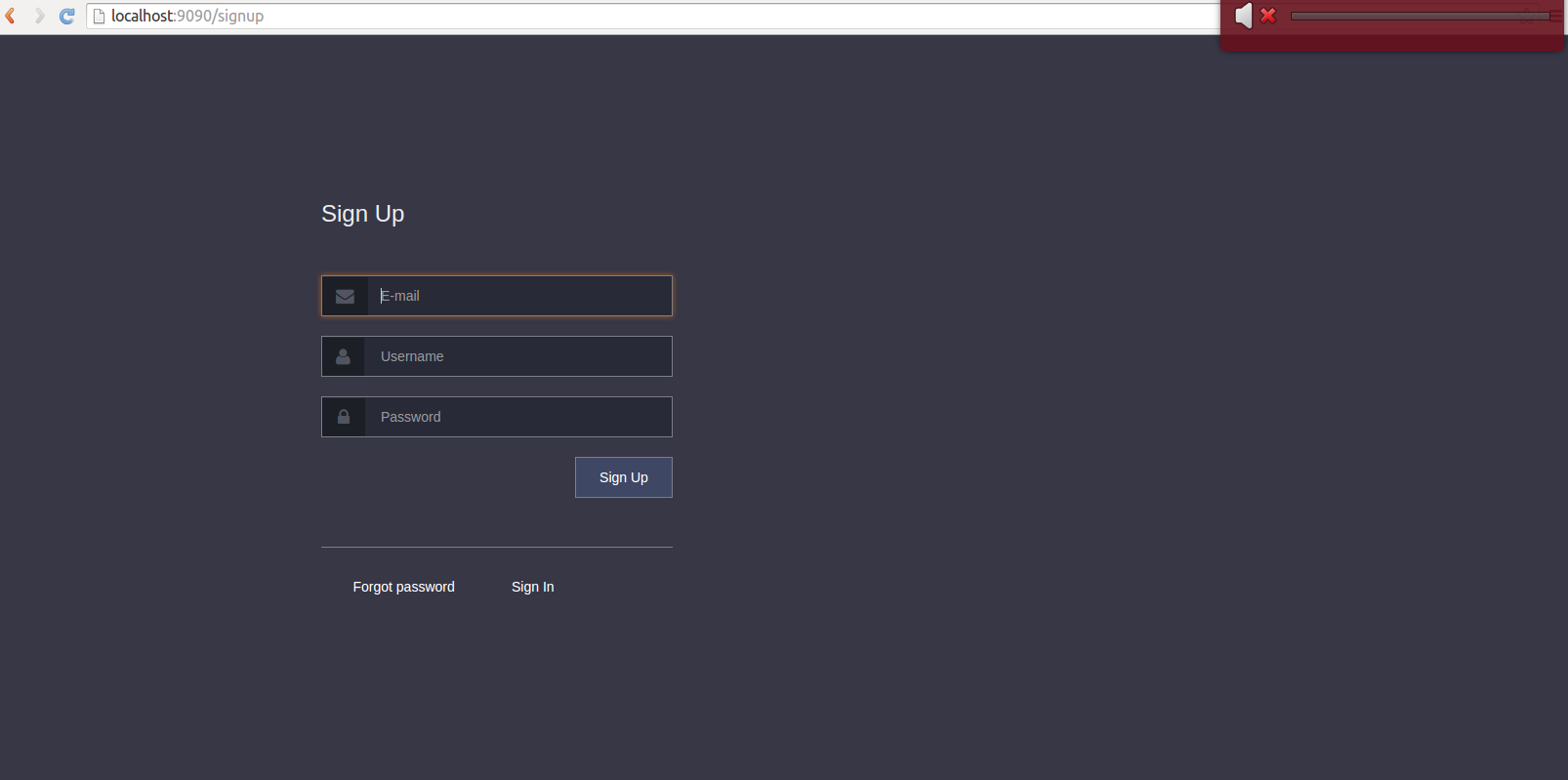
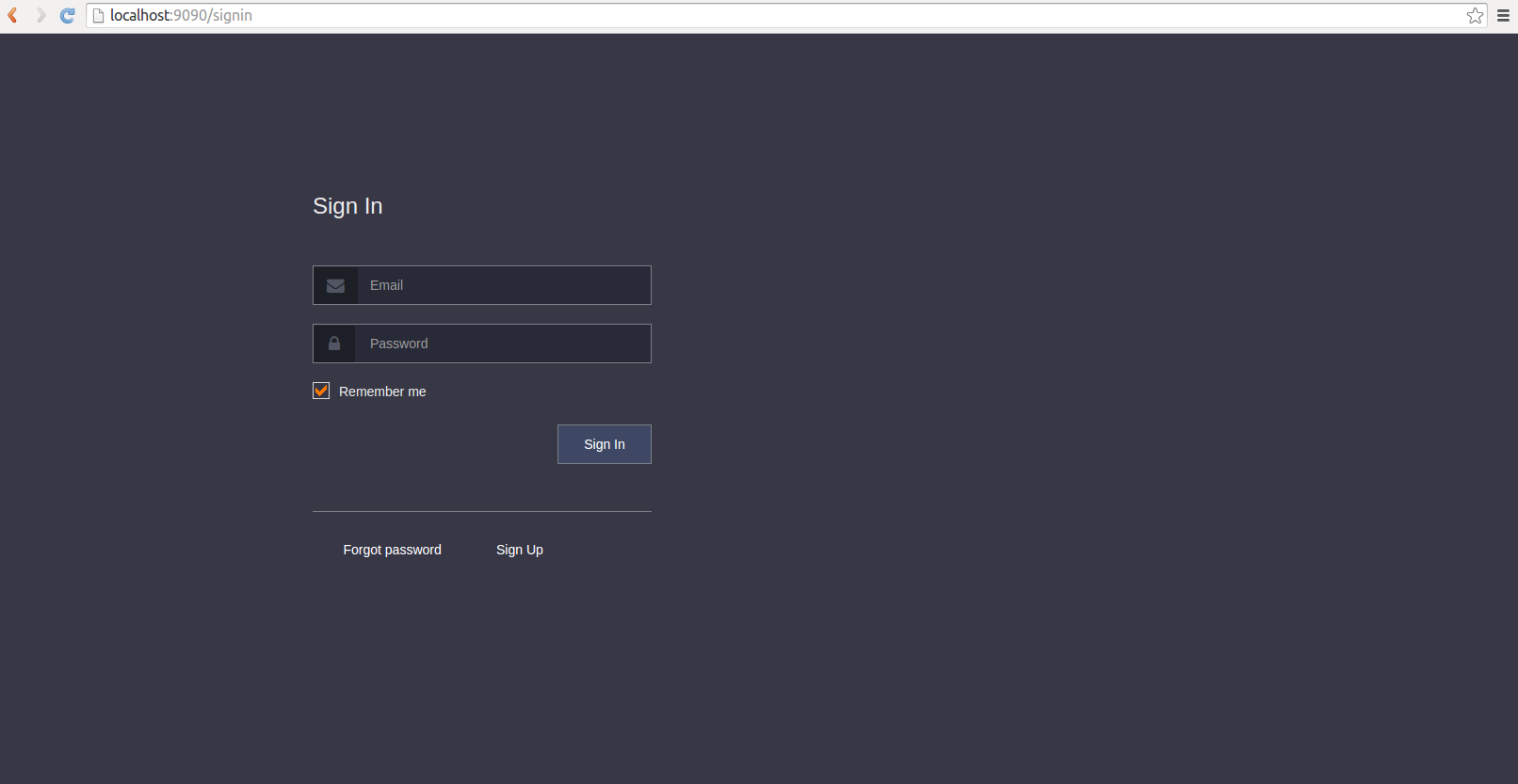
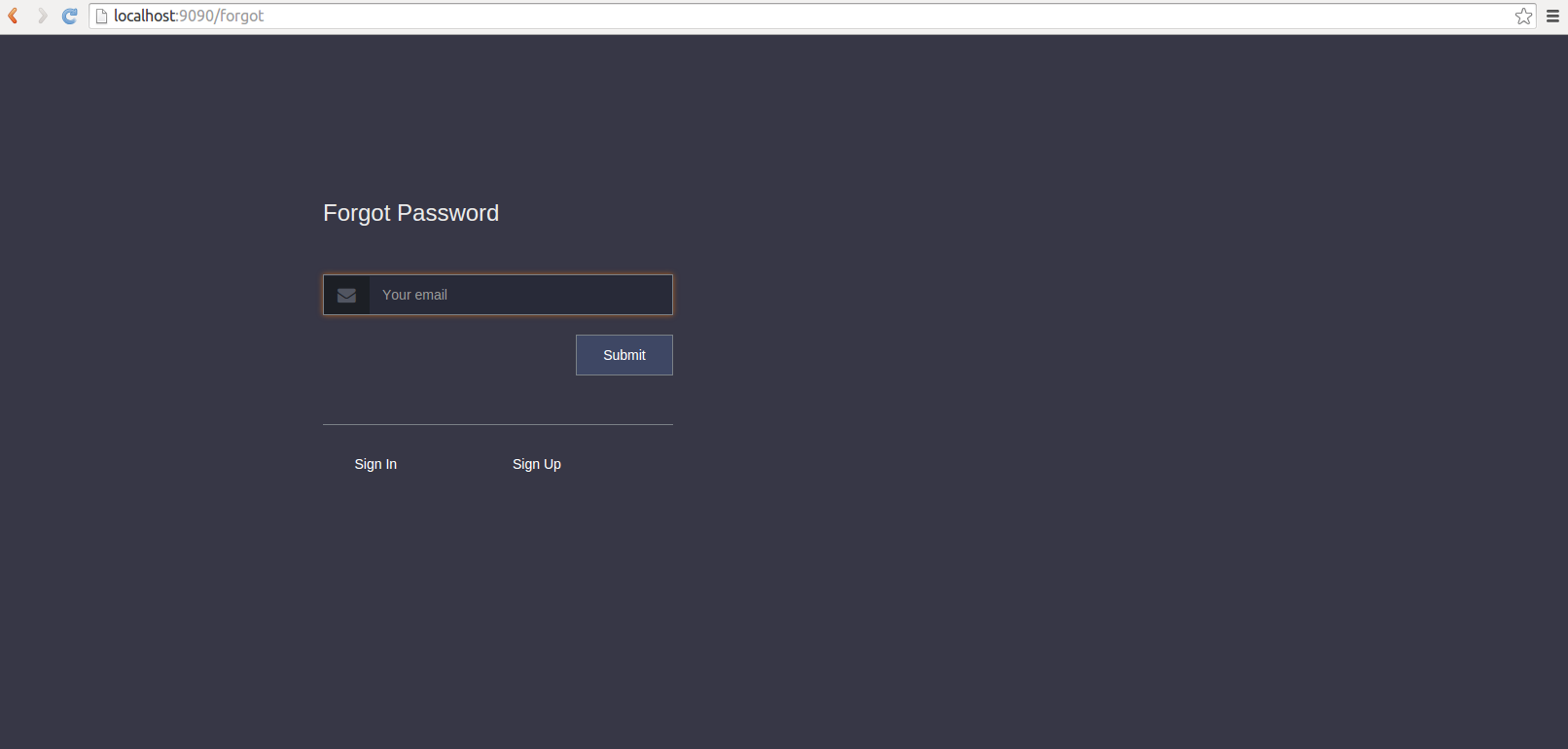
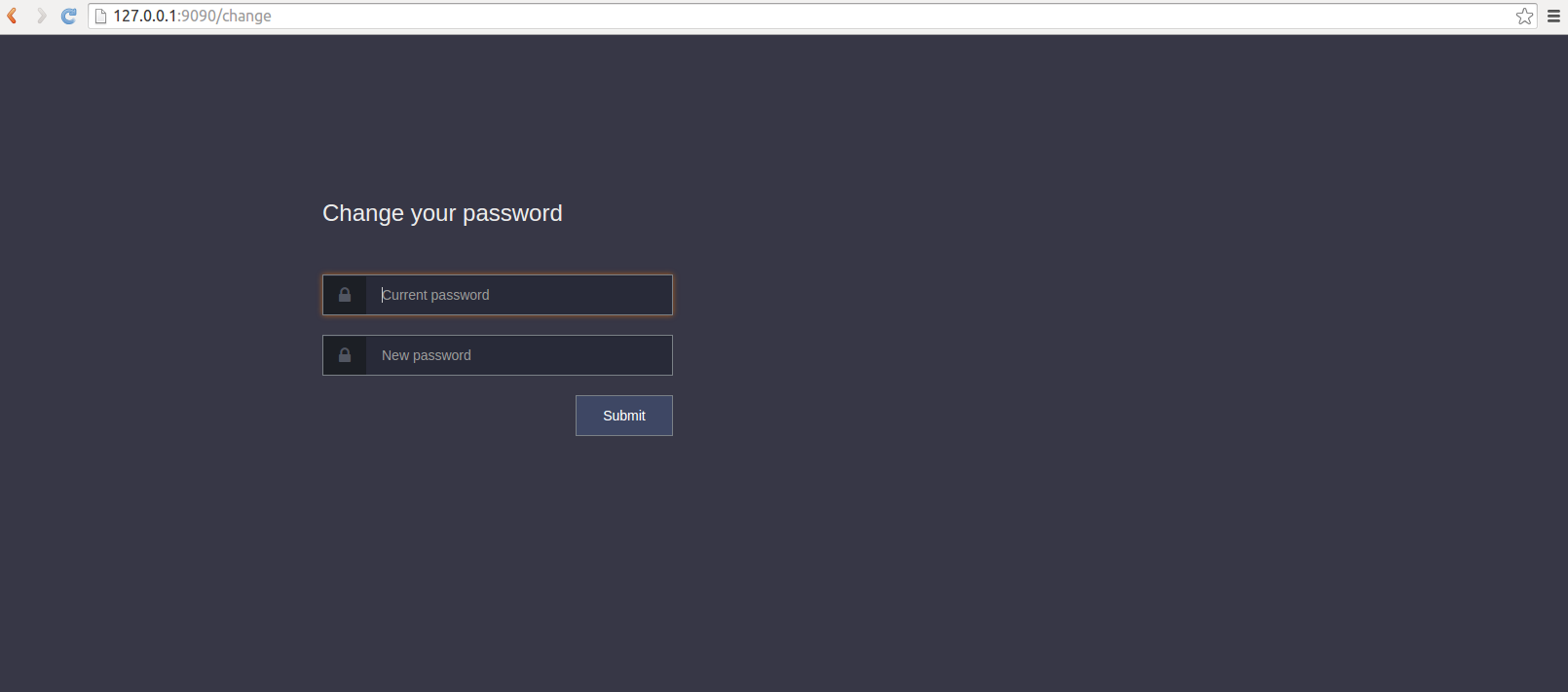
## Demo
`sails-police` has a sample application inside its repo. It writes all sent emails into `.tmp/email.txt`. So you will have to copy sent links to simulate the workflow. To run the sample application, do the following:
* Clone this repository
* Install all dependencies
```sh
$ npm install
```
* Then run development
```sh
$ npm run dev
```
* Then access the dev application by navigating to [ http://localhost:9090
]( http://localhost:9090) in your favourite browser
## Testing
* Clone this repository
* Install all development dependencies
```sh
$ npm install
```
* Then run test
```sh
$ npm test
```
## Contribute
Fork this repo and push in your ideas. Do not forget to add a bit of test(s) of what value you adding.
It will be nice, if you add it as an issue so that we can know what is going on.Also I have some form of todo, [check it](https://github.com/lykmapipo/sails-police/blob/master/TODO.md) before start working on your brilliant idea or feature.
## Licence
The MIT License (MIT)
Copyright (c) 2014 sails-police
Permission is hereby granted, free of charge, to any person obtaining a copy of this software and associated documentation files (the “Software”), to deal in the Software without restriction, including without limitation the rights to use, copy, modify, merge, publish, distribute, sublicense, and/or sell copies of the Software, and to permit persons to whom the Software is furnished to do so, subject to the following conditions:
The above copyright notice and this permission notice shall be included in all copies or substantial portions of the Software.
THE SOFTWARE IS PROVIDED “AS IS”, WITHOUT WARRANTY OF ANY KIND, EXPRESS OR IMPLIED, INCLUDING BUT NOT LIMITED TO THE WARRANTIES OF MERCHANTABILITY, FITNESS FOR A PARTICULAR PURPOSE AND NONINFRINGEMENT. IN NO EVENT SHALL THE AUTHORS OR COPYRIGHT HOLDERS BE LIABLE FOR ANY CLAIM, DAMAGES OR OTHER LIABILITY, WHETHER IN AN ACTION OF CONTRACT, TORT OR OTHERWISE, ARISING FROM, OUT OF OR IN CONNECTION WITH THE SOFTWARE OR THE USE OR OTHER DEALINGS IN THE SOFTWARE.