https://github.com/m-sureshraj/dom_tree
🌲 Convert JavaScript Object, Array, and JSON into an interactive HTML tree view
https://github.com/m-sureshraj/dom_tree
javascript tree-view
Last synced: 4 months ago
JSON representation
🌲 Convert JavaScript Object, Array, and JSON into an interactive HTML tree view
- Host: GitHub
- URL: https://github.com/m-sureshraj/dom_tree
- Owner: m-sureshraj
- Created: 2017-09-24T13:58:45.000Z (almost 9 years ago)
- Default Branch: master
- Last Pushed: 2023-01-03T20:56:46.000Z (over 3 years ago)
- Last Synced: 2025-09-03T11:49:23.798Z (10 months ago)
- Topics: javascript, tree-view
- Language: JavaScript
- Homepage:
- Size: 8.13 MB
- Stars: 11
- Watchers: 1
- Forks: 2
- Open Issues: 27
-
Metadata Files:
- Readme: README.md
Awesome Lists containing this project
README
# dom_tree

A small JavaScript library (with ZERO dependencies) to convert object, array, and JSON into an interactive HTML tree view. The dom_tree is fully [configurable](#options) and supports theming and keyboard navigation.
```javascript
// Convert following data
const data = {
name: 'Mr. Foo',
gender: 'Male',
age: 99,
isMarried: true,
wife: null,
children: ['bar', 'baz'],
friends: undefined,
location: {
district: 'underground',
zipcode: -100,
},
};
// Into
```
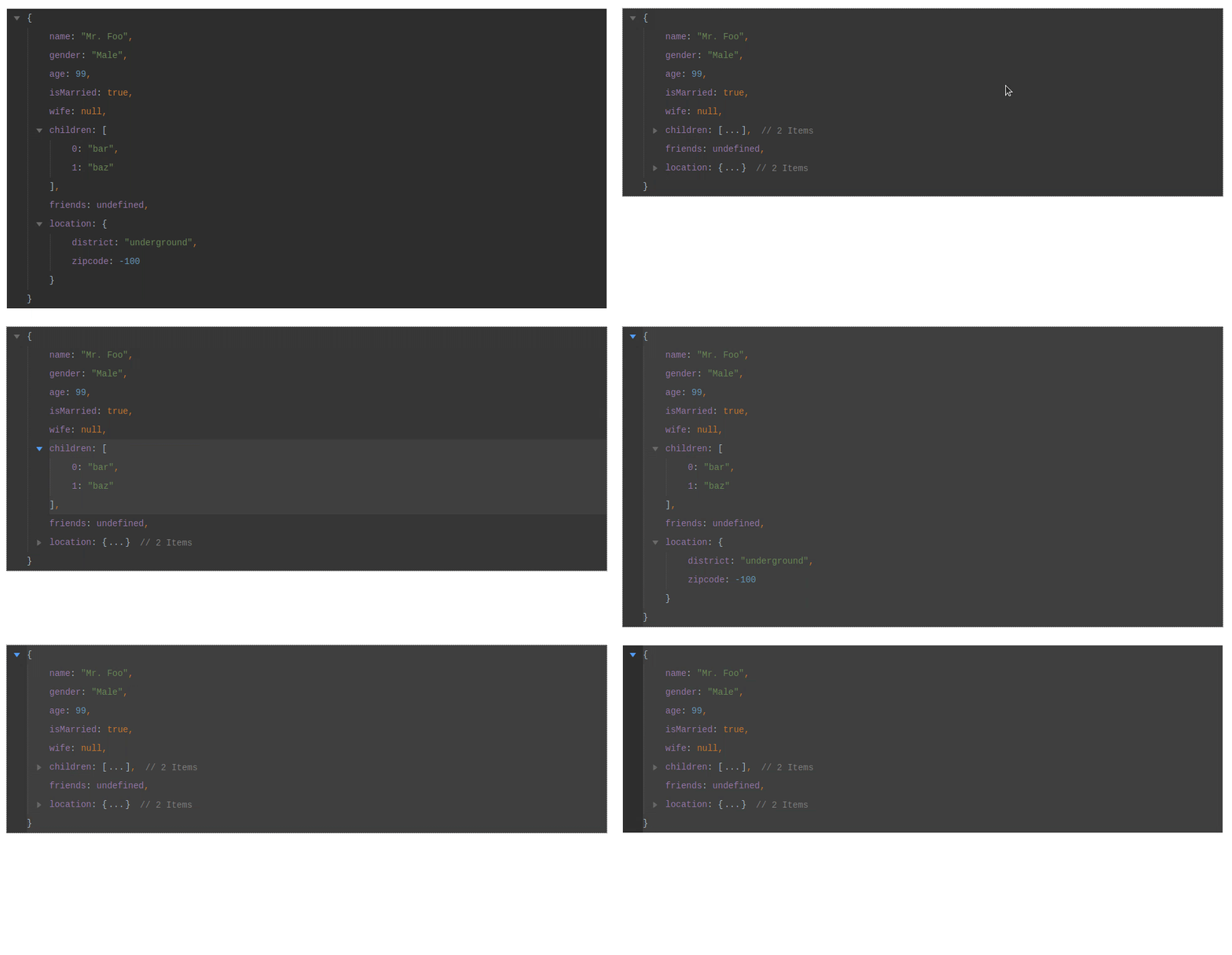
### Live Demo
[](https://codesandbox.io/s/domtree-playground-m91hr?fontsize=14&hidenavigation=1&theme=dark)
## Installation
You can add dom_tree to your project via npm
```
> npm install --save @sureshraj/dom_tree
```
> Unfortunately, the package name `dom_tree` is not available on NPM. So it's published as a user scoped package with public access.
Or load it from [unpkg.com](https://unpkg.com/)
```html
```
## Usage
* When using module bundlers
```javascript
// index.js
import DomTree from '@sureshraj/dom_tree';
import '@sureshraj/dom_tree/dist/css/dom_tree.min.css';
// DOM node to initialize the tree
const targetNode = document.querySelector('#app');
// data is the only required option
const options = { data: {} };
const dt = new DomTree(options, targetNode);
dt.init();
```
* With plain HTML
```html
const targetNode = document.querySelector("#app");
const options = { data: {} };
// Above script will add `DomTree` to the window scope
const dt = new DomTree(options, targetNode);
dt.init();
```
## Options
| Option | Type | Required? | Default | Description |
| --- | --- | --- | --- | --- |
| data | `object` \| `array` \| `JSON` | required | - | Data source to generate the tree |
| theme | `string` | optional | rose | 🌈 Available themes are `rose`, `one-dark`, `chrome-light`, and `darcula`. |
| format | `string` | optional | object | Available formats are `object` and `json`. Use `json` to wrap the keys with double quotes. |
| fold | `boolean` | optional | `false` | By default, the tree is fully expanded. Enable this option to fold the root, sub-nodes on the tree. |
| separators | `boolean` | optional | `true` | This option adds a comma separator after each property. |
| keyboardNavigation | `boolean` | optional | `false` | This option enables/disables the keyboard navigation. |
| removeHighlightOnBlur | `boolean` | optional | `false` | This option removes the highlighted section when the tree gets blurred. You must enable the keyboard navigation to see this option in action. |
## Methods
| Method | Params | Description |
| --- | --- | --- |
| init | - | This method initializes the tree. |
## Todo
* Expose a method to update the initialized tree. [Issue](https://github.com/m-sureshraj/dom_tree/issues/22)
## license
MIT © [Sureshraj](https://github.com/m-sureshraj)