https://github.com/m4ary/opencore-asus-prime-z390a_i7-9700k_rx580
fully working hackintosh using OpenCore tested for all MacOS
https://github.com/m4ary/opencore-asus-prime-z390a_i7-9700k_rx580
bigsur bigsur-hackintosh hackintosh hackintosh-bigsur i7-9700k macos opencore opencore-config opencore-efi opencorepkg rx580
Last synced: 8 months ago
JSON representation
fully working hackintosh using OpenCore tested for all MacOS
- Host: GitHub
- URL: https://github.com/m4ary/opencore-asus-prime-z390a_i7-9700k_rx580
- Owner: m4ary
- Created: 2020-10-05T22:03:21.000Z (about 5 years ago)
- Default Branch: main
- Last Pushed: 2024-07-11T14:16:47.000Z (over 1 year ago)
- Last Synced: 2024-07-11T16:08:09.537Z (over 1 year ago)
- Topics: bigsur, bigsur-hackintosh, hackintosh, hackintosh-bigsur, i7-9700k, macos, opencore, opencore-config, opencore-efi, opencorepkg, rx580
- Homepage:
- Size: 72.5 MB
- Stars: 33
- Watchers: 5
- Forks: 4
- Open Issues: 0
-
Metadata Files:
- Readme: README.md
Awesome Lists containing this project
README
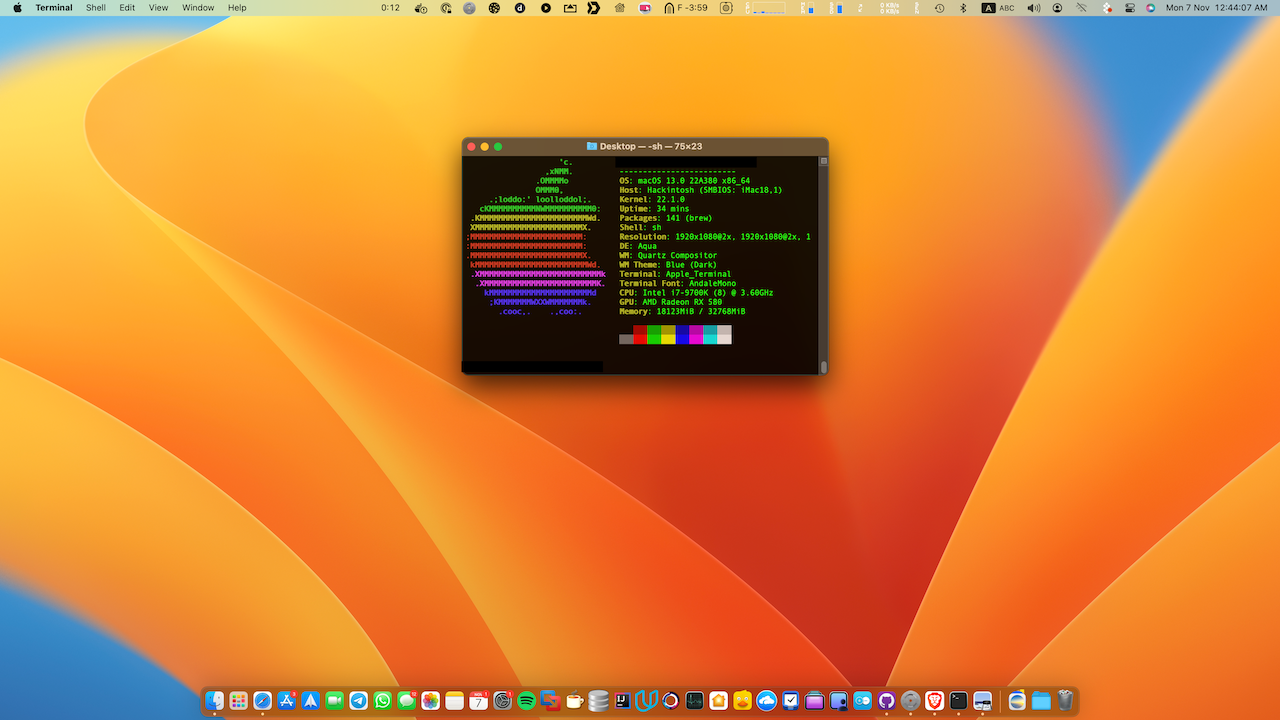
# Hackintosh Build with ASUS Prime Z390-A and i7-9700K
## Important Notice
**Do not sign in with your Apple ID until you change the platform information using [this tutorial](https://dortania.github.io/OpenCore-Install-Guide/config.plist/coffee-lake.html#platforminfo).**
## Summary
This build has been tested with the following macOS versions:
- macOS Ventura 13.6.7
- macOS Ventura 13
- macOS Monterey 12.0.1
- macOS Big Sur 11.3
- macOS Catalina 11 Beta
- macOS Catalina 10.15.2
- macOS Mojave 10.14.6
### Working Features
1. AirDrop / Handoff
2. FaceTime / iMessage
### Not Working Features
1. **DRM (Direct Rendering Manager):** DRM is not working, which means Apple TV+ is not functional. Use Chrome for Netflix. You can try to fix it using [this link](https://dortania.github.io/OpenCore-Post-Install/universal/drm.html).
2. Sleep
## Components
- **Motherboard**: ASUS PRIME Z390-A
- **CPU**: Intel® Core™ i7-9700 Processor
- **iGPU**: Intel® UHD Graphics 630
- **dGPU**: SAPPHIRE PULSE Radeon RX 580 8GB GDDR5
- **LAN**: Intel® I219V, 1 x Gigabit LAN Controller
- **WiFi/Bluetooth**: BCM943602CS
- **Audio**: Realtek® ALC S1220A 8-Channel High Definition Audio
- **Storage**: Samsung SSD 970 EVO Plus 500GB
## Modifications and Fixes
1. **Installation Stuck on Samsung 970 EVO PLUS**:
- Update the firmware for the Samsung 970 EVO PLUS from [here](https://www.samsung.com/semiconductor/minisite/ssd/download/tools/).
- Write the updated firmware on a USB drive and boot from it.