https://github.com/m5stack/m5poecam
https://github.com/m5stack/m5poecam
Last synced: about 1 year ago
JSON representation
- Host: GitHub
- URL: https://github.com/m5stack/m5poecam
- Owner: m5stack
- License: mit
- Created: 2021-08-25T10:53:52.000Z (almost 5 years ago)
- Default Branch: master
- Last Pushed: 2024-08-30T01:14:27.000Z (almost 2 years ago)
- Last Synced: 2025-05-05T03:14:23.964Z (about 1 year ago)
- Language: C++
- Size: 90.8 KB
- Stars: 19
- Watchers: 5
- Forks: 5
- Open Issues: 2
-
Metadata Files:
- Readme: README.md
- License: LICENSE
Awesome Lists containing this project
README
# PoE_CAM
English | [中文](README_cn.md)
* **For the Detailed documentation of PoECAM, Please [Click here](https://docs.m5stack.com/en/unit/poe_cam)**
## Description:
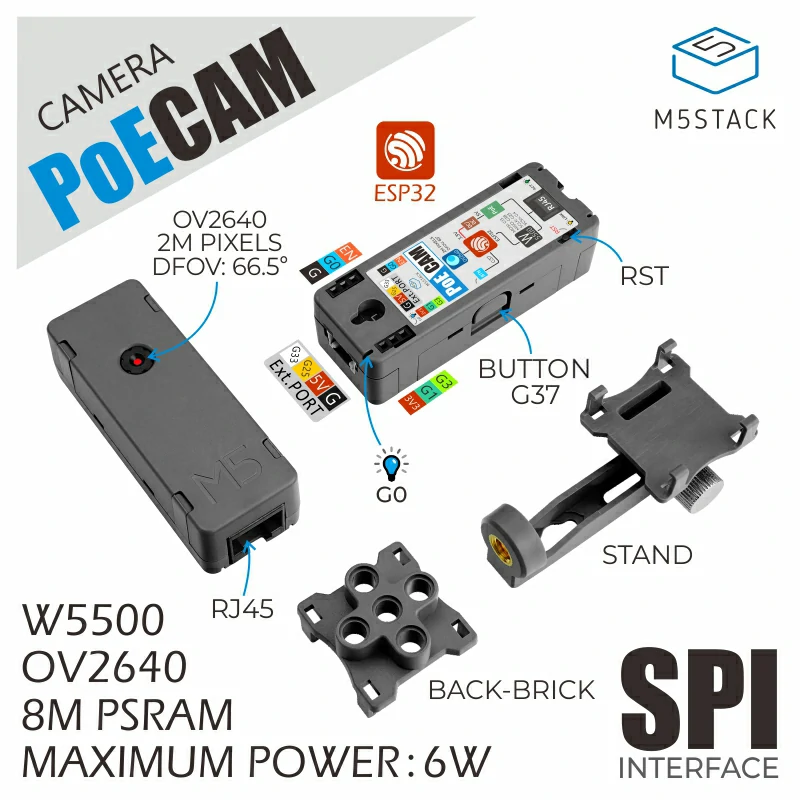
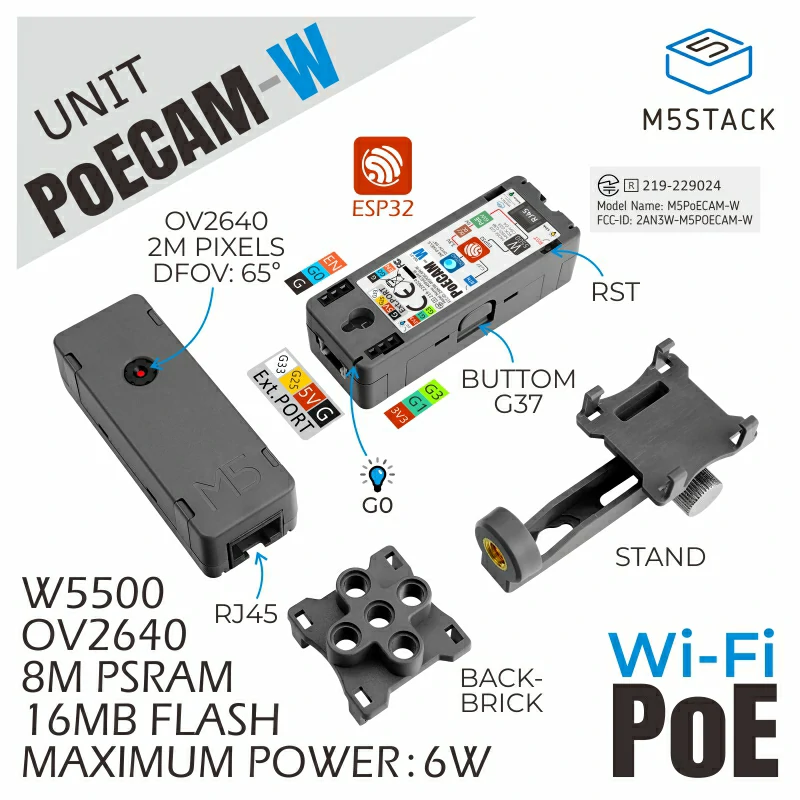
**PoECAM** is an `open source` Fully `programmable camera` integrating `PoE` (Power Over Ethernet) . This item is `ESP32` based webcam with `W5500` embedded Ethernet controller plus `200w pixel` image sensor `OV2640`.
PoECAM equipped with a combination of `8MB PSRAM` + `16MB Flash` large memory. This teeny tiny with flexible power supply, you can get stable image by connecting the network cable in just 2 steps. It's wonderful for you to monitor warehouse, get auto image acquisition, etc.
## Notes:
1. The PoECAM download program requires an external ESP32 burner, you can [click here to buy the official M5 ESP32-Downloader kit, which includes a small adapter board, and the connection will be even better Convenient](https://shop.m5stack.com/products/esp32-downloader-kit)
2. The factory firmware of PoECAM will automatically obtain the IP after connecting to the switch and start the web server. By viewing the serial port output of PoECAM, you can get the IP address and the image stream URL, and you can preview the image in real time by visiting the URL with a browser under the same local area network.
## More Information
**Arduino IDE Development**: [Click Here](https://docs.m5stack.com/en/quick_start/poe_cam/arduino)