https://github.com/macbre/electronics
Various electronics related notes, projects and schematics
https://github.com/macbre/electronics
electronics-projects
Last synced: 5 months ago
JSON representation
Various electronics related notes, projects and schematics
- Host: GitHub
- URL: https://github.com/macbre/electronics
- Owner: macbre
- License: mit
- Created: 2020-04-19T14:01:43.000Z (about 6 years ago)
- Default Branch: master
- Last Pushed: 2024-06-24T13:32:02.000Z (about 2 years ago)
- Last Synced: 2025-05-29T15:11:55.633Z (about 1 year ago)
- Topics: electronics-projects
- Language: C
- Size: 147 KB
- Stars: 2
- Watchers: 2
- Forks: 0
- Open Issues: 0
-
Metadata Files:
- Readme: README.md
- License: LICENSE
Awesome Lists containing this project
README
# electronics
Various electronics related notes, projects and schematics
## Debian setup
```
$ sudo usermod -aG dialout $(whoami) && sudo chmod a+rw /dev/ttyUSB0.
$ sudo apt install -y avrdude
$ sudo avrdude -v -v -P /dev/ttyUSB0 -c avrisp -p t85
```
* [Drivers for ch340](https://learn.sparkfun.com/tutorials/how-to-install-ch340-drivers/all#linux)
### esp-wroom32
```
$ lsusb
Bus 001 Device 005: ID 10c4:ea60 Silicon Labs CP210x UART Bridge
```
## MacOS
```
upload_protocol = arduino
upload_port = /dev/cu.usbserial-1140
monitor_port = /dev/cu.usbserial-1140
```
> `brew install minicom` for [the serial console monitor](https://wiki.emacinc.com/wiki/Getting_Started_With_Minicom): `minicom -D /dev/cu.usbserial-14310` / [ch340g (esp8266)](https://learn.sparkfun.com/tutorials/how-to-install-ch340-drivers/all) / [CP210x (esp32)](https://www.silabs.com/developers/usb-to-uart-bridge-vcp-drivers?tab=downloads)
airrohr esp8266:
```
+-o USB2.0-Serial@14410000
```
### airrohr
* [Flashing tool](https://github.com/opendata-stuttgart/airrohr-firmware-flasher)
* [Linux drivers](https://learn.sparkfun.com/tutorials/how-to-install-ch340-drivers/linux)
## Arduino boards
### [Arduino Pro Mini atmega328 Board 5V 16M Compatible Nano](https://store.arduino.cc/arduino-pro-mini) @ 16 MHz
> [platformio: Arduino Pro or Pro Mini ATmega328 (5V, 16 MHz) (`pro16MHzatmega328`)](https://docs.platformio.org/en/latest/boards/atmelavr/pro16MHzatmega328.html)
> **LED: 13**. There is a built-in LED connected to digital pin 13. When the pin is HIGH value, the LED is on, when the pin is LOW, it's off.

Using USB2TT_004 converter to program (RX/TX pins needs to be crossed):
```
# avrdude -v -v -p m328p -n -c arduino -P /dev/ttyUSB0 -b 57600 2>&1 | tail -n12
avrdude: Device signature = 0x1e950f (probably m328p)
avrdude: safemode: lfuse reads as 0
avrdude: safemode: hfuse reads as 0
avrdude: safemode: efuse reads as 0
avrdude: safemode: lfuse reads as 0
avrdude: safemode: hfuse reads as 0
avrdude: safemode: efuse reads as 0
avrdude: safemode: Fuses OK (E:00, H:00, L:00)
avrdude done. Thank you.
```
`platformio.ini`
```ini
[env:pro16MHzatmega328]
platform = atmelavr
board = pro16MHzatmega328
framework = arduino
board_build.f_cpu = 16000000L
; Serial Monitor options
monitor_speed = 115200
; avrdude -c foo
upload_protocol = arduino
upload_port = /dev/ttyUSB0
```
> **Remember to press RESET button on the board** before starting the upload. When the IDE is waiting for the programming to start, release the RESET button.
[Fuse bits](http://eleccelerator.com/fusecalc/fusecalc.php?chip=atmega328p&LOW=00&HIGH=00&EXTENDED=00&LOCKBIT=FF) - external clock
> **Arduino**: select `Arduino Nano` as board and `ATmega328P (old bootloader)` as processor. This will force slower baud rate when programming.
### [Mini ATTINY85 Micro USB Development Board for Digispark Kickstarter](https://irishelectronics.ie/epages/950018241.sf/en_IE/?ObjectID=5295918)
https://www.electroschematics.com/learn-to-use-attiny85-usb-mini-development-board/
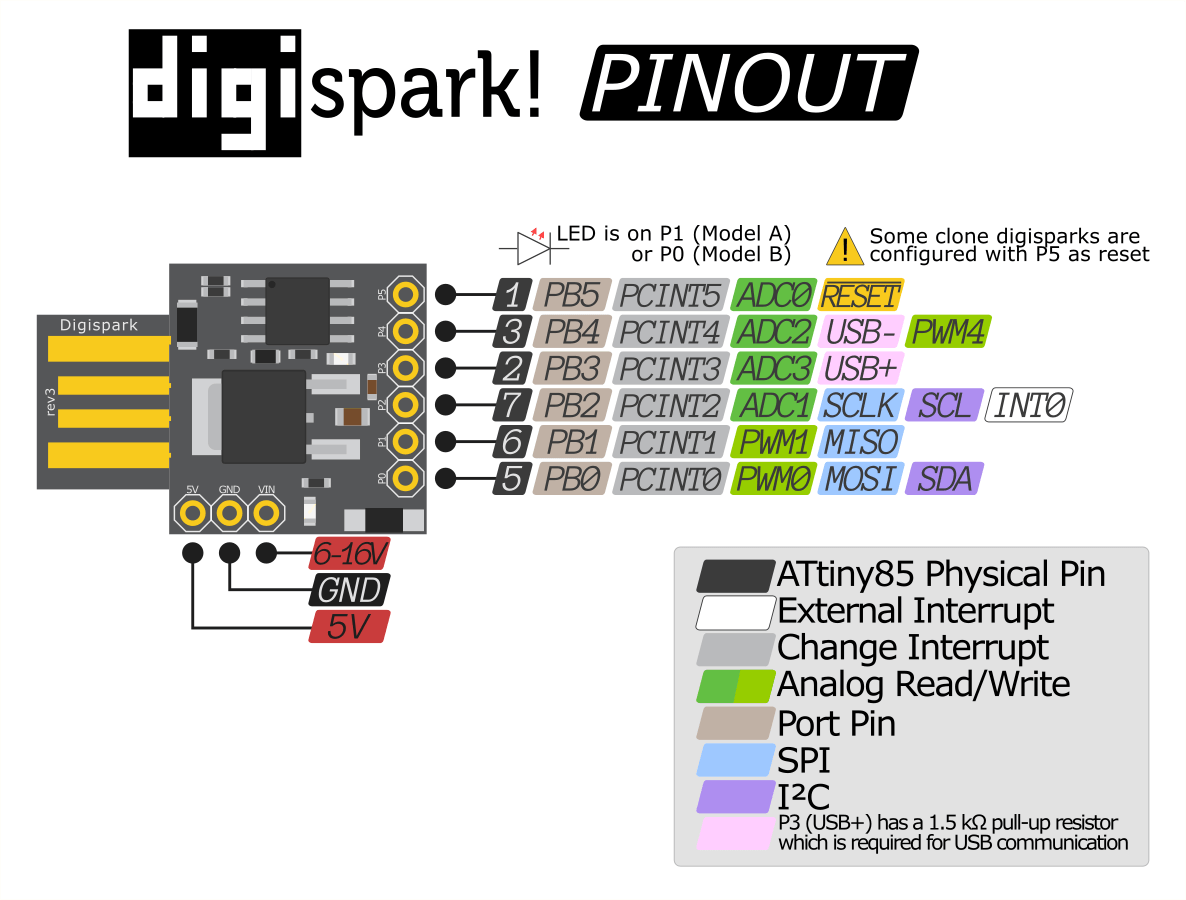
```
# avrdude -v -v -c usbasp-clone -p t85 -n 2>&1 | tail -n12
avrdude: Device signature = 0x1e930b (probably t85)
avrdude: safemode: lfuse reads as E1
avrdude: safemode: hfuse reads as DD
avrdude: safemode: efuse reads as FE
avrdude: safemode: lfuse reads as E1
avrdude: safemode: hfuse reads as DD
avrdude: safemode: efuse reads as FE
avrdude: safemode: Fuses OK (E:FE, H:DD, L:E1)
avrdude done. Thank you.
```
[Fuse bits](http://eleccelerator.com/fusecalc/fusecalc.php?chip=attiny85&LOW=E1&HIGH=DD&EXTENDED=FE&LOCKBIT=FF)
After burning bootloader:
```
avrdude: Device signature = 0x1e930b (probably t85)
avrdude: safemode: lfuse reads as 62
avrdude: safemode: hfuse reads as DF
avrdude: safemode: efuse reads as FF
avrdude: safemode: lfuse reads as 62
avrdude: safemode: hfuse reads as DF
avrdude: safemode: efuse reads as FF
avrdude: safemode: Fuses OK (E:FF, H:DF, L:62)
```
[Fuse bits](http://eleccelerator.com/fusecalc/fusecalc.php?chip=attiny85&LOW=62&HIGH=DF&EXTENDED=FF&LOCKBIT=FF) - internal 8 MHz clock, divided internally by 1 MHz
Board manager URLs:
```
http://digistump.com/package_digistump_index.json
https://raw.githubusercontent.com/damellis/attiny/ide-1.6.x-boards-manager/package_damellis_attiny_index.json
```
Blink:
```c
void setup() {
pinMode(1, OUTPUT);
}
void loop() {
while(1) {
digitalWrite(1, HIGH);
delay(200);
digitalWrite(1, LOW);
delay(200);
}
}
```
https://electronics.stackexchange.com/a/216233 - Arduino programming directly via USB
## Arduino programmers
### USB2TT_CO4 from homsun-ic.com
```
$ sudo modprobe ch341
$ sudo dmesg -H
...
[ +0,149280] usb 1-2: New USB device found, idVendor=1a86, idProduct=7523, bcdDevice= 2.64
[ +0,000006] usb 1-2: New USB device strings: Mfr=0, Product=2, SerialNumber=0
[ +0,000003] usb 1-2: Product: USB Serial
[ +0,001315] ch341 1-2:1.0: ch341-uart converter detected
[ +0,000505] usb 1-2: ch341-uart converter now attached to ttyUSB0
$ sudo -i
# cat /dev/urandom > /dev/ttyUSB0
# the led should blink
```
Connect:
```
usb2ttl arduino pro mini
GND <--------> GND
RXD <--------> TXD
TXD <--------> RXD
5V <--------> VCC
```
### [USBasp](https://irishelectronics.ie/USB-ISP-AVR-Programmer-Adapter-51)
```
[kwi15 14:36] usb 1-1: new low-speed USB device number 51 using xhci_hcd
[ +0,154185] usb 1-1: New USB device found, idVendor=16c0, idProduct=05dc, bcdDevice= 1.02
[ +0,000007] usb 1-1: New USB device strings: Mfr=1, Product=2, SerialNumber=0
[ +0,000003] usb 1-1: Product: USBasp
[ +0,000003] usb 1-1: Manufacturer: www.fischl.de
```
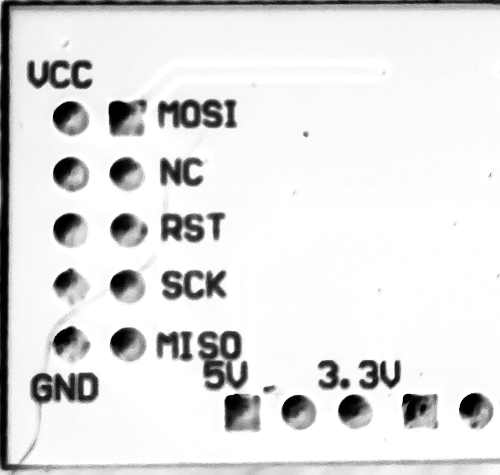
## ESP8266 NodeMCU Pinout

* `VV` pin provides 5V from USB port
* `D0` pin (GPIO16) maps to pin 16 in Arduino
* for SPI use GPIO12, 13 and 14 - https://arduino-esp8266.readthedocs.io/en/2.4.0-rc1/libraries.html#spi
### platformio.ini
```
[env:nodemcuv2]
platform = espressif8266
board = nodemcuv2
framework = arduino
upload_speed = 2000000
upload_port = /dev/ttyUSB0
monitor_port = /dev/ttyUSB0
monitor_speed = 115200
lib_deps =
adafruit/DHT sensor library@^1.4.1
adafruit/Adafruit Unified Sensor@^1.1.4
jfturcot/SimpleTimer@0.0.0-alpha+sha.b30890b8f7
build_flags =
-DDEBUG_ESP_PORT=Serial
-DDEBUG_ESP_HTTP_CLIENT
-DDEBUG_ESP_HTTP_SERVER
-DDEBUG_ESP_CORE
-DDEBUG_ESP_WIFI
```
## ATTINY85 - DIGISPARK REV.3
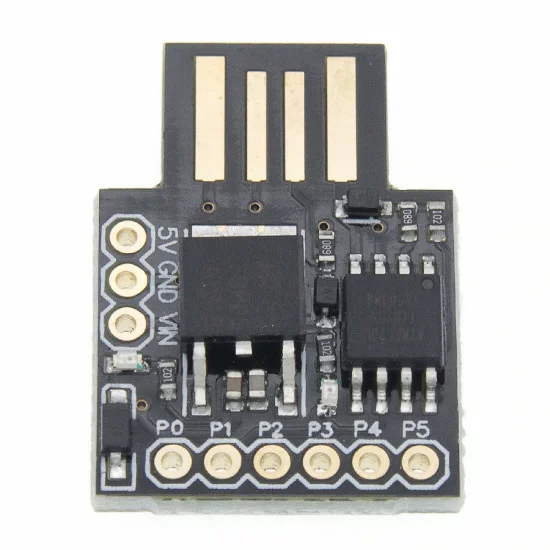

https://docs.platformio.org/en/latest/boards/atmelavr/digispark-tiny.html
> Update platformio before programming the device (PIO Home > Updates > Update all).
```ini
[env:digispark-tiny]
platform = atmelavr
board = digispark-tiny
; change microcontroller
board_build.mcu = attiny85
; change MCU frequency
board_build.f_cpu = 16000000L
; via external UART/USB converter
monitor_port = /dev/ttyUSB0
monitor_speed = 9600
lib_deps = featherfly/SoftwareSerial@^1.0
```