https://github.com/macbre/fussball
IR-based goal system for football tables
https://github.com/macbre/fussball
electronics-projects football-tables
Last synced: 10 months ago
JSON representation
IR-based goal system for football tables
- Host: GitHub
- URL: https://github.com/macbre/fussball
- Owner: macbre
- License: bsd-3-clause
- Created: 2014-08-03T12:59:35.000Z (almost 12 years ago)
- Default Branch: master
- Last Pushed: 2018-12-02T19:05:00.000Z (over 7 years ago)
- Last Synced: 2025-02-22T19:12:57.030Z (over 1 year ago)
- Topics: electronics-projects, football-tables
- Language: C
- Size: 5.38 MB
- Stars: 1
- Watchers: 6
- Forks: 2
- Open Issues: 1
-
Metadata Files:
- Readme: README.md
- License: LICENSE
Awesome Lists containing this project
README
fussball
========
IR-based goal system for football tables
## Electronics
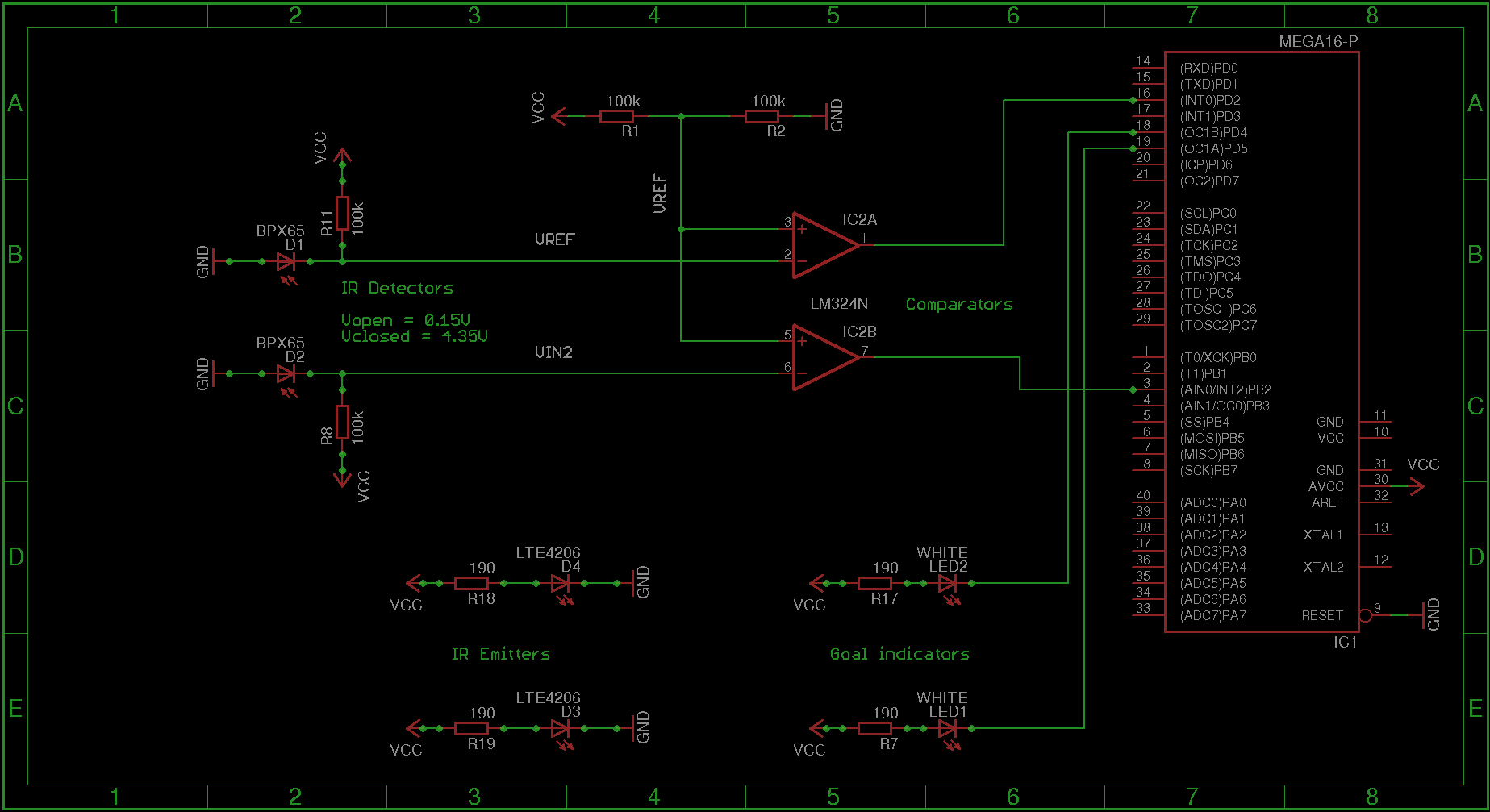
* 2x LTE4206 (emitters)
* 2x IR photodiodes + LM324N op-amp (detectors)
* 2x white LEDs (goal indicators)
* ATmega16 uC (measures the time of ball passing and sends the data over RS232)
## Software
### Requirements
Linux AVR tools chain:
```
apt-get install eagle avrdude gcc-avr avr-lib gtkterm
```
### Compiling and building
```
make
```
### Serial communication
> Serial communication runs at the speed of 115200 bps (8N1)
```
gtkterm --port /dev/ttyS0 --speed 115200 --bits 8 --stopbits 1 --parity none
```
#### Messages
* Diagnostic messages (with leading ``#``)
```
# Hi!
# Aug 7 2014 11:11:41
# avr-gcc v1.7.1 (20110216)
```
* Time measurements
```
!:
### Client
To run it execute `client.py` as super user. The client is listening to port `/dev/ttyS0` and it's just printing messages and playing sounds. Example:
```sh
~/PycharmProjects/fussball/client$ python client.py
To exit press Ctrl^C...
Connected to /dev/ttyS0
# Hi!
Ball got into the goal no.2 with 23.16 speed [km/h].
Ball got into the goal no.2 with 40.20 speed [km/h].
Ball got into the goal no.1 with 5.38 speed [km/h].
Ball got into the goal no.2 with 94.16 speed [km/h].
Ball got into the goal no.1 with 4.30 speed [km/h].
```
### The results
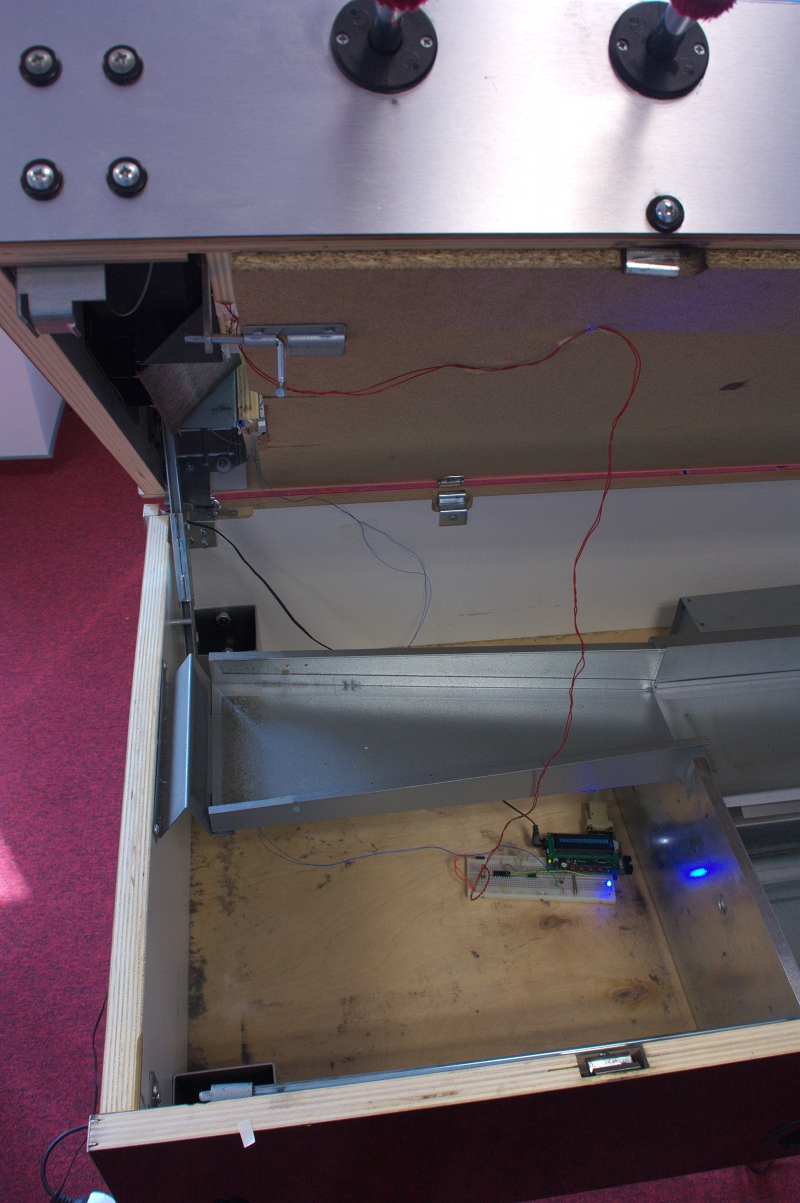
The football table with detectors mounted and the main board
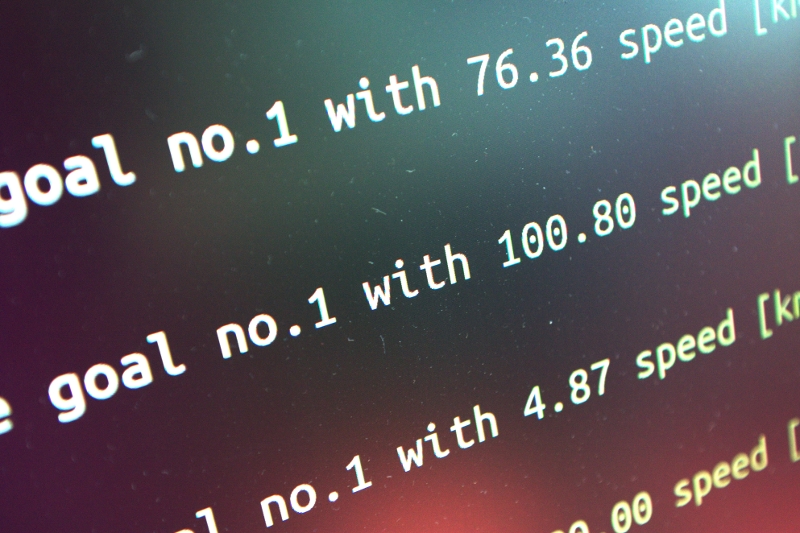
Measurements from Python script displayed on the monitor
#### Troubleshooting
##### Client doesn't work
```sh
~/PycharmProjects/fussball/client$ python client.py Traceback (most recent call last):
File "client.py", line 51, in
ser = serial.Serial('/dev/ttyS0', 115200)
File "/usr/lib/python2.7/dist-packages/serial/serialutil.py", line 260, in __init__
self.open()
File "/usr/lib/python2.7/dist-packages/serial/serialposix.py", line 276, in open
raise SerialException("could not open port %s: %s" % (self._port, msg))
serial.serialutil.SerialException: could not open port /dev/ttyS0: [Errno 13] Permission denied: '/dev/ttyS0'
```
Run the client as a super user, so you'll have permission to access the port.
#### Client doesn't play sounds
To play the sound we use `mplayer` make sure it's installed on your *nix. To install it on debianish systems just run `sudo apt-get install mplayer`.
If you have `mplayer` installed and there are still no sounds played when scores a goal it might be an issue of how the client was executed. The sound paths are hardcoded for now and are relative paths. If you run the client from `client` directory it will play the sound.
#### I don't like the sounds provided with the client
Just put any `*.wav` or `*.mp3` files to `client/sounds/` directory.
#### All is working but there are strange mplayer messages
```sh
~/PycharmProjects/fussball/client$ python client.py
To exit press Ctrl^C...
Connected to /dev/ttyS0
Ball got into the goal no.2 with 0.16 speed [km/h].
mplayer: could not connect to socket
mplayer: No such file or directory
Ball got into the goal no.2 with 0.20 speed [km/h].
mplayer: could not connect to socket
mplayer: No such file or directory
Ball got into the goal no.1 with 5.38 speed [km/h].
mplayer: could not connect to socket
mplayer: No such file or directory
Ball got into the goal no.2 with 0.16 speed [km/h].
```
To get rid of the annoying lirc messages simply place the following in `$HOME/.mplayer/config`:
```sh
lirc=no
```